Read time: 7 minutes
Query: Recently, one of my client’s OST files became orphaned due to a sudden Exchange Server crash, and they reached out to me to help them access their OST data without Outlook.
Outlook creates an OST file when you configure an Exchange, Office 365, or IMAP account. But here’s the problem, OST files are tied to original Outlook profile and machine. If, for any reason, your Outlook crashes or your Exchange account is deleted, OST file becomes orphan. You can’t open it, import it, or access your emails. But is it possible to convert OST file to PST manually if it has become orphaned? The answer is no. You can’t convert OST to PST directly with Outlook or without Outlook.
This is where everyone starts searching for a reliable method to convert OST file to PST without Outlook.
Instant Solution: How to Convert OST to PST Without Outlook?
Step 1: Download, install, and open Kernel OST Converter Pro.
Step 2: Click Add Source to upload OST file(s).
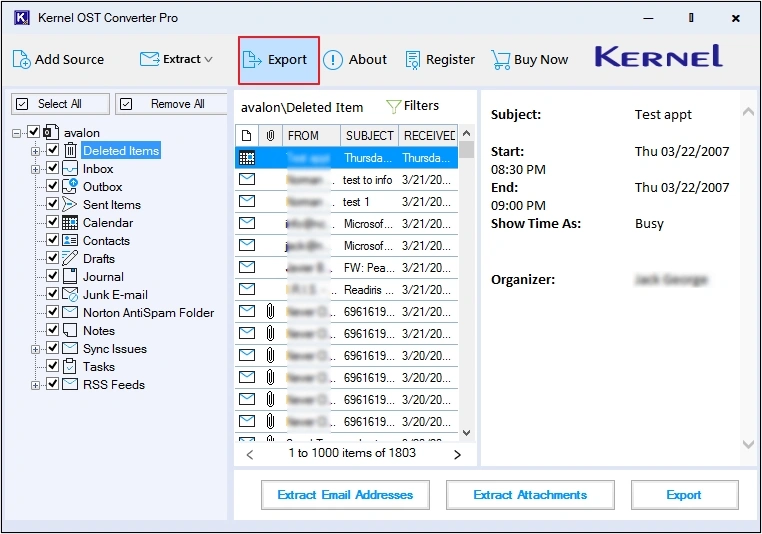
Step 3: Preview emails, then click Export.
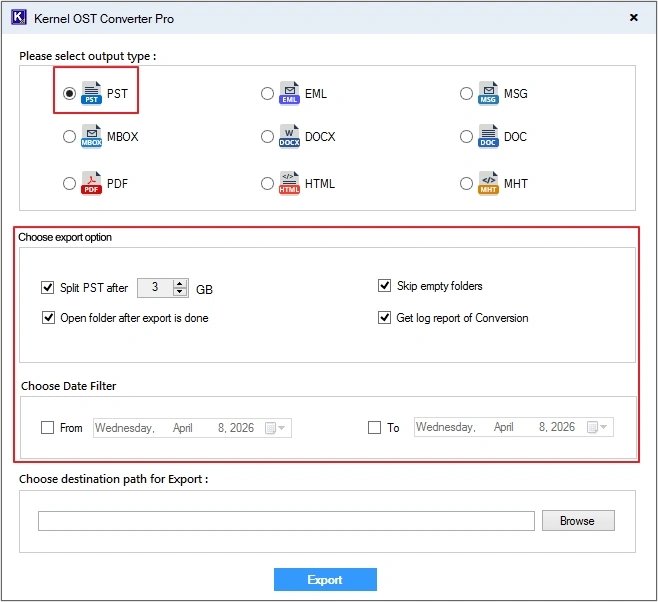
Step 4: Select PST as saving format, apply filters, and click Export.
In this way, you can easily convert OST to PST without needing Microsoft Outlook in 4 simple steps.
Things to Consider Before Converting OST to PST
Before you start the conversion, keep these crucial points in mind to avoid data loss:
- Backup your OST file first: Always make sure to backup OST file before beginning the conversion. If conversion fails, you still have the original file.
- No free manual method exists: There are free methods to convert OST to PST manually, but for that you need an active and healthy OST file. You can’t convert orphaned OST files directly.
- System requirements: Make sure system meets all the requirements to save a new PST file on it (minimum 4 GB required).
- Check OST file health: Verify if your OST file is healthy, because orphaned files are likely to become corrupted.
- Using a professional tool is mandatory: Since OST files can only be accessed via Outlook, a specialized OST Converter tool to export mailbox from Outlook is required.
How Professionals Convert OST to PST Without Outlook?
Since Microsoft provides no native method, the only reliable way to convert OST to PST without Outlook is to use a professional tool. Kernel OST Converter Pro is one of the most stable and user-friendly tools that works without requiring Outlook installation or Exchange connectivity. The OST Converter tool offers multiple benefits to users, such as:
- Converts multiple OST files to PST simultaneously without data loss.
- Recovers deleted folders and email items from OST file in minutes.
- Focuses on complete folder hierarchy retention and email properties.
- Offers a detailed preview of data before converting it into PST.
- Save Outlook emails as PDF, PST, EML, MSG, DOC, etc.
- You can even extract email attachments and email addresses from OST file.
- Comes with a free trial, which allows you to convert 25 items per OST folder.
Step-By-Step Guide to Convert OST to PST
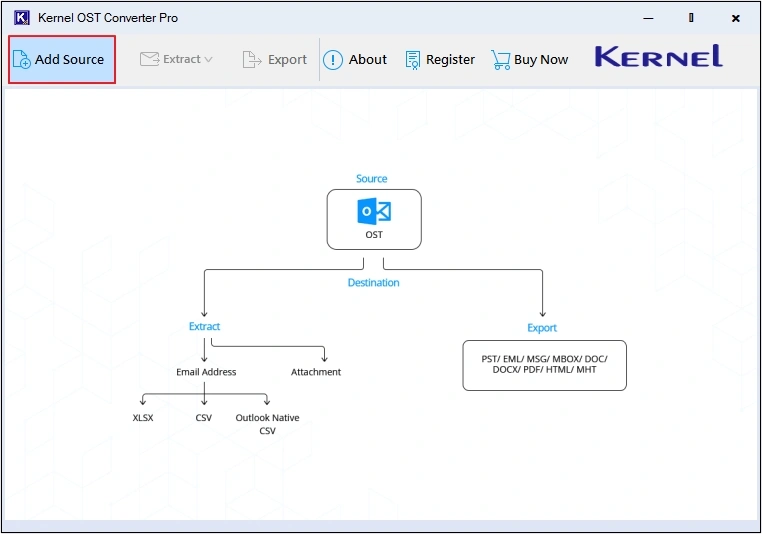
- Download and launch Kernel OST Converter Pro, then click Add Source button.
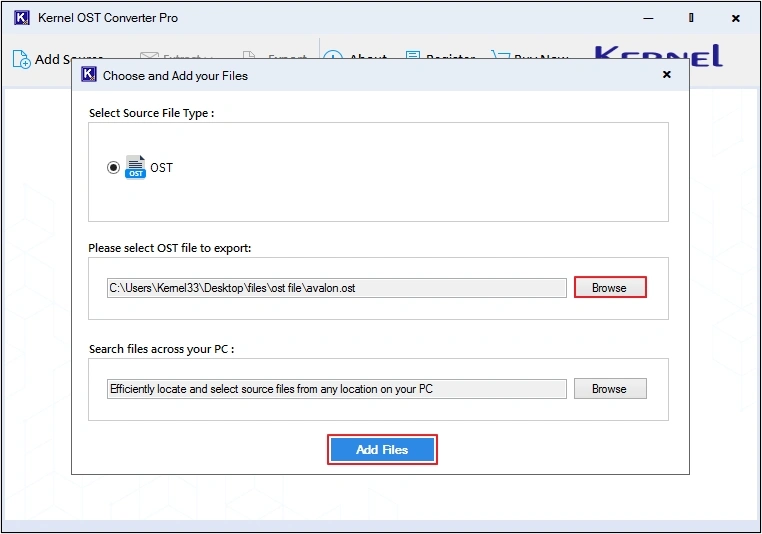
- Click on the Browse button to upload OST file, then click Add Files to proceed.
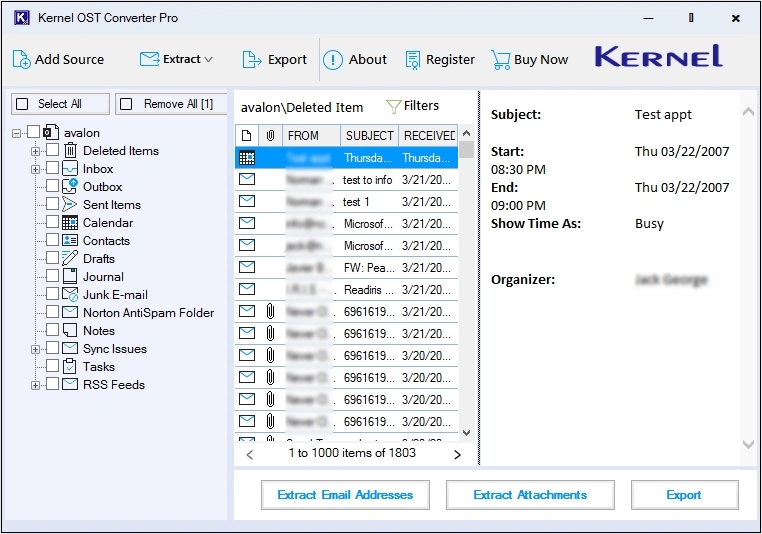
- Click on any folder or email to preview OST data.
- Select required Outlook OST folder, then click Export button
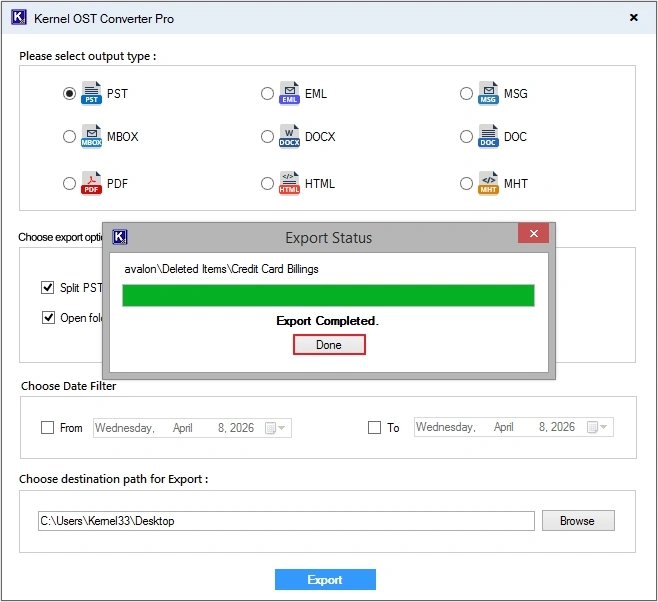
- Select PST as output type, then apply necessary filters from:
- Split PST after X GB: Customize the file size according to your requirements for tailored results.
- Skip empty folders: Omit saving any empty folder in the resultant PST file.
- Open folder after export is done: This feature lets you access the saved files directly after the conversion.
- Get log report of conversion: You can keep a track of any missed email item during the conversion.
- Date filter: Specify a date range to save only the needed data from OST file to PST format.
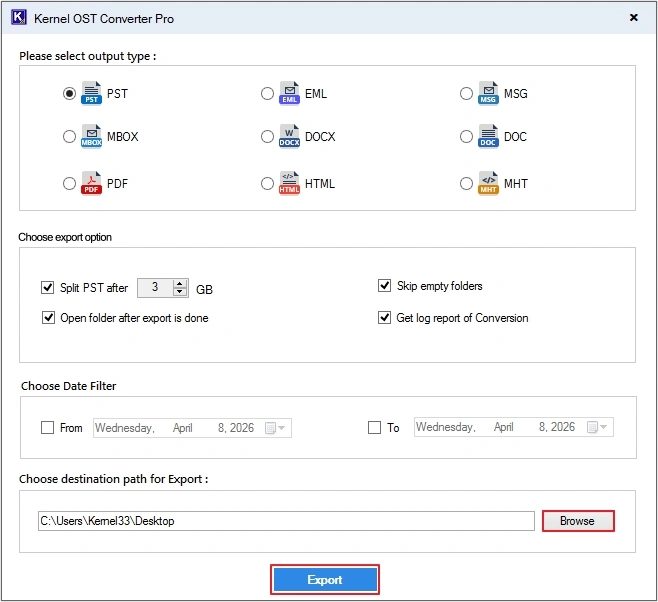
- Click Browse to provide saving location, then click Export.
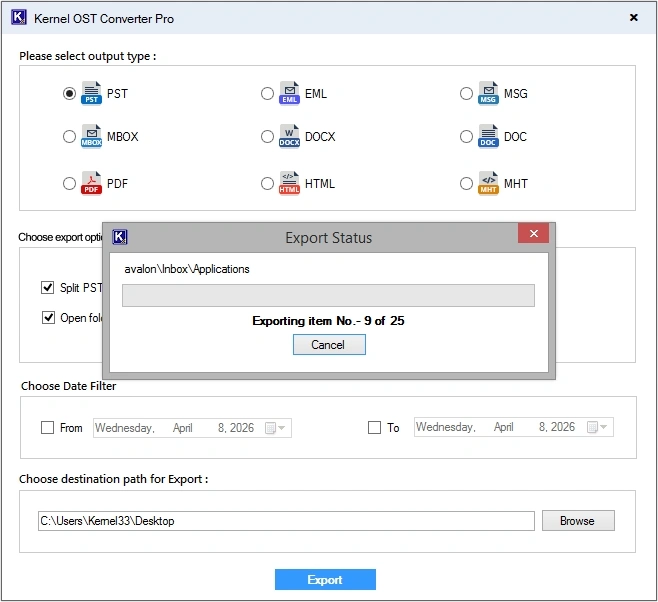
- Wait till the process completes.
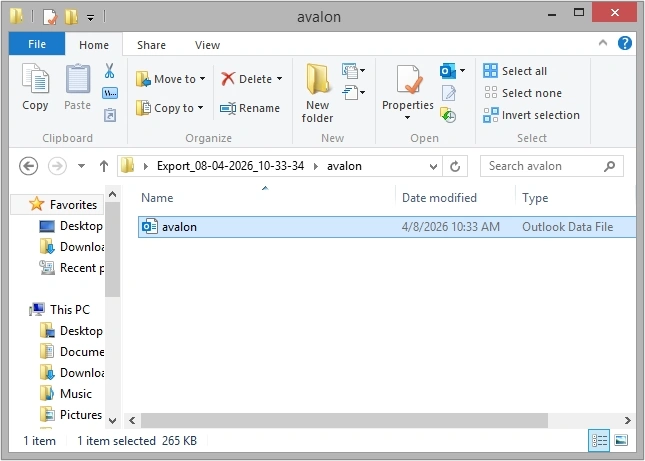
- You have successfully converted OST to PST without using Outlook application. Click Done to view saved file(s).
- Click on the converted PST file to view data.
How to Choose the Best OST to PST Converter Tool?
With the help of the following listed points, you can easily choose the right OST to PST Converter that suits your needs:
- Check if it works without Microsoft Outlook installation or Exchange server.
- Retains complete folder structure of your mailbox items.
- Can handle orphaned or corrupted OST files without issues.
- Converts OST to PST with rapid speed and high performance.
- Always go for a desktop-based converter tool that works offline.
- Provides preview of attachments, emails, folder structure, and metadata with trial version.
Wrapping up: Convert OST to PST Without Outlook
Converting OST file to PST with no Outlook is a common requirement when you have an orphaned OST file. Due to unavailability of free methods, users are confused about how they can convert their data. And the only practical solution to convert OST to PST without Outlook is using the recommended advanced tool that is specially designed to perform this task. You can even convert OST to HTML, MHT, DOCX, and more using this tool.
Frequently Asked Questions
Ans. There are many reasons to convert OST to PST in the absence of Outlook, such as:
1. Accessing orphaned or corrupted OST files.
2. Switching or migrating accounts from one device to another.
3. Accessing data without having an active server.
Ans. Yes, a good OST to PST Converter tool like Kernel OST Converter Pro preserves all emails and attachments into the resultant file.
Ans. You need a specialized tool to repair corrupted OST files and convert them into PST format.
Ans. The major difference between OST and PST is that OST acts as an offline cache file tied to an Exchange account and machine. On the other hand, a PST file is a portable personal folder file that can be opened on any Outlook version, unlike an OST file.