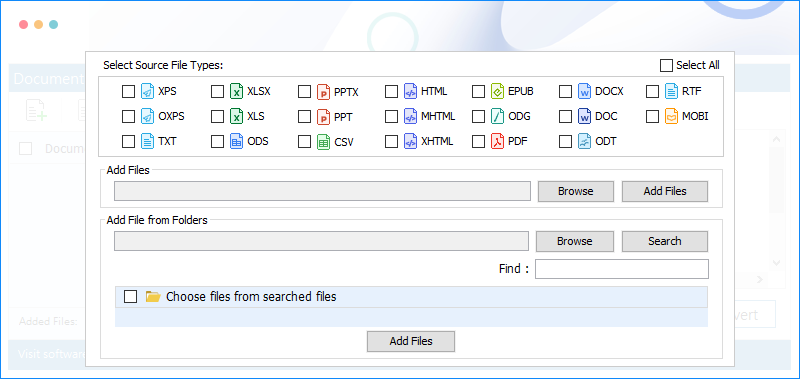
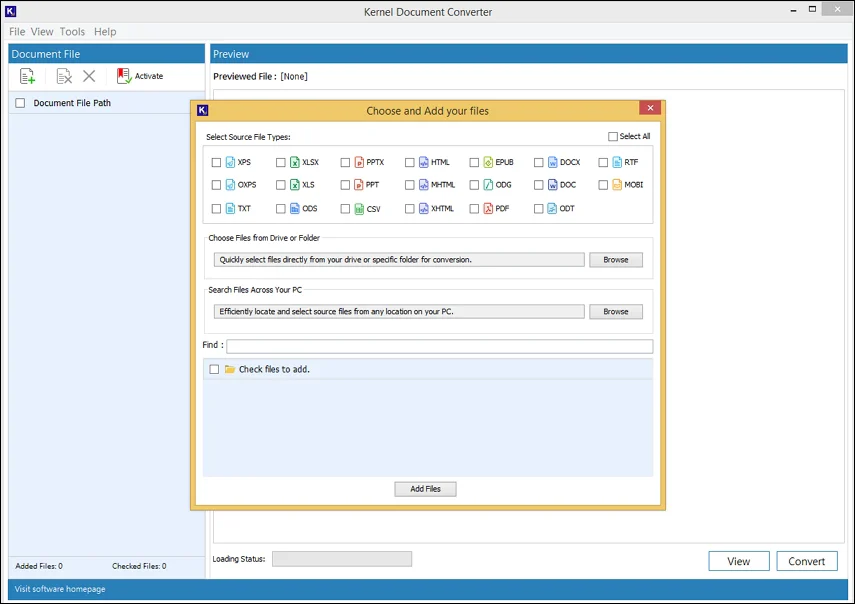
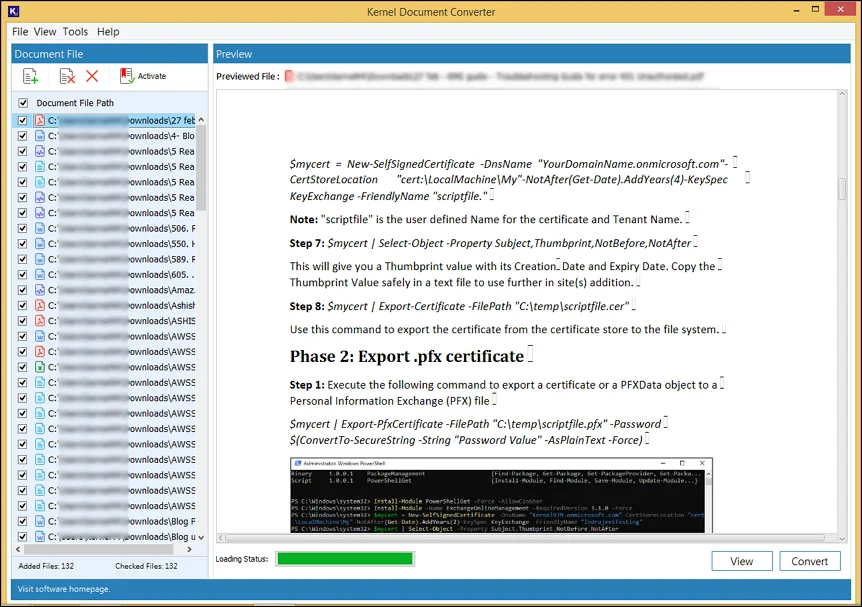
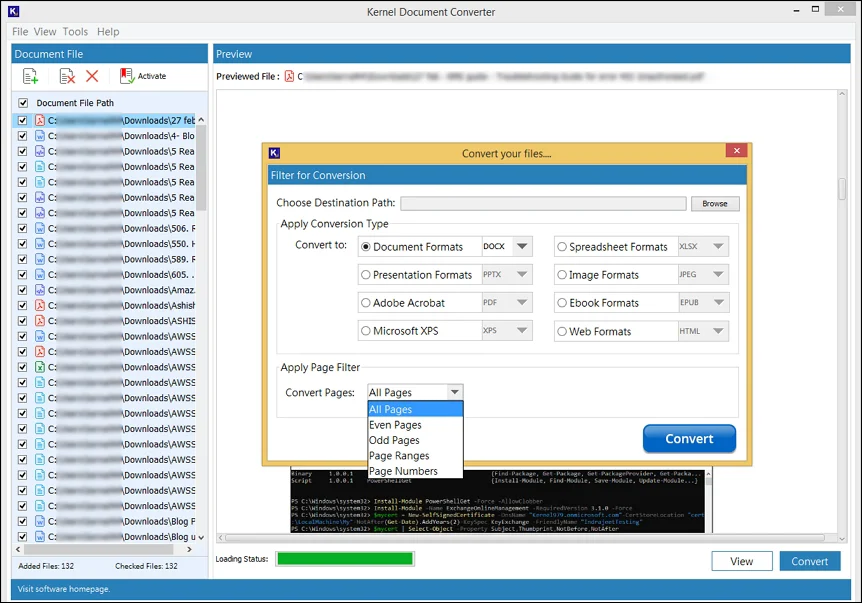
Explore the easy user interface of the Kernel Document Converter Software to export single & multiple files. Follow the simple step:
Check out the advanced features of the document file converter software for easy document conversion:
Explore the bulk migration feature of the document converter tool to avoid the hassle of converting one file at a time. Simply choose a specific document from different formats or a folder with files. Review your selection & convert them at the same time.
Convert document files to the most common document formats available such as DOC, DOCX, RTF, and TXT. It provides the feasibility to upload files from any format and change it to any document file type of your choice.
Integrated with multiple features, this document file converter works well to meet the needs related to business data [primarily in Excel format]. Easily Convert XLS to PDF or spreadsheet format with various file types like XLS, XLSX, ODS, and CSV.
Convert document files to high-quality image formats such as JPG, PNG, BMP, and TIFF. The tool maintains the layout and resolution for accurate visual representation, which enables clear previewing post-conversion.
Export document files to editable PPT and PPTX formats under presentation format. The tool allows users to Convert PPT to PDF with high-quality. Just simply upload, start the conversion & save the file.
Apart from commonly used formats, this document converter software covers other valuable formats like PDF, EPUB, XPS, OXPS, HTML, & MHTML. Convert single or multiple files to any available formats without any hassle or errors.
Loaded with high visual dynamics & conversion capabilities, the document converter tool preserves the original layout, fonts, images, and formatting. While processing single or bulk documents, your document stays the same in the converted file.
Perform selective conversion using helpful page filters to convert documents with all pages, even pages or odd pages. While you convert document files of large size, filter the document through page ranges and page numbers.
Easily convert and View Document Files with tool's dual functionalities. Use the option like Zoom control page border, etc., for preview & an easy process to convert document files from different formats to specific other formats.
No more opacity. The document converter software generates records for unexpected events & exceptions, such as failure due to file corruption or password mismatch. Just enable the option ‘Get Error Log Report’ from the Tools tab.
Don’t bury the email addresses available in the document files' data. The document converter helps to extract & save all or unique email addresses in spreadsheets and text files, such as XLSX, CSV, TXT, and XLS with ease.
The free document converter allows conversion of the first 50 files and you can only extract email addresses from the first 50 files. Upgrade the tool for unlimited capabilities. Take the free trial version today for hands-on experience with its features & capabilities.
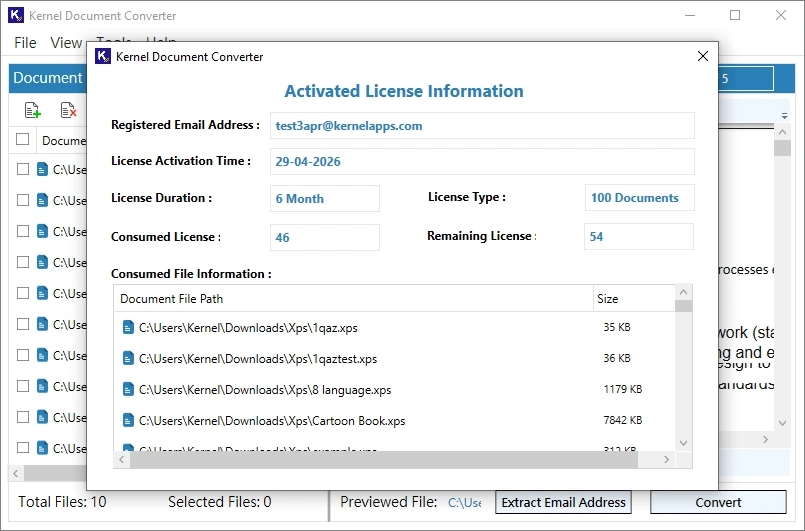
With Kernel Document Converter, experience the completeness, along with full transparency about the activated license. Get clear usage tracking and control, along with an overview of subscription and usage, to stay aware of usage limits.
Kernel Document Converter Software not only handles large and bulk files of different formats, but it also converts them in one go.
Yes, the tool allows you to preview, and you can even use different options like zoom control, size management, etc., for a better viewing experience.
Of course, you can suggest. Desktop-based Kernel Document Converter is generally more stable and secure compared to online converters. With this tool, the formatting and the data remain the same as the original.
Get the Kernel Document Converter tool, add your files, go to the email extract section, choose your saving format, such as XLSX, CSV, TXT, or XLS.
Yes. But first all password protected files will ask for an unlock with a password. Once they are unlocked, the tool converts them in desired format quickly.
Kernel Document Converter comes with various licensing plans, from a few files to bulk document conversion, to suit all kinds of users as well as enterprises.
Hard Disk: 300 MB of disk space
Memory: 64 MB RAM(Greater than 64 MB is Recommended)
Processor: Intel® Pentium Processor compatible (x86, x64) or equivalent
Operating System: Windows 365, 11, 10, 8.1, 8, 7, Vista, XP, 2000, 98, NT, 95, Windows Server 2022, 2019 & older versions