Supported Data Types for Slack to Teams Migration
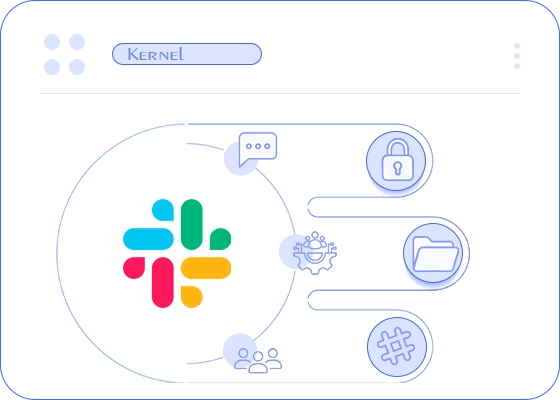
From one-to-one messages to private channels, the tool allows administrators to transfer all the major components from a Slack account to a Microsoft Teams account.


Features of Kernel Slack to Teams Migration Tool
Explore all the prime features of the Slack to Teams Migration software that helps to simplify a complex Slack workspace migration.

Migrate Slack Chats to Teams Chats
Transfer Slack Direct Messages (DMs) to Teams personal chat with the original message context. Transfer all Slack multi-party direct messages (MPDM)/group chats from Slack to Teams group chats with all participants.

Transfer Channels from Slack to Teams
Migrate Slack public and private channels to Teams channels (new or existing). Moreover, when migrating a Slack channel to an existing Teams channel, the admin can merge Slack members with Teams members.

Export Slack Channel to Teams Chat
Our tool allows users to save all or specific Slack channels into Microsoft Teams chat. All the supported channel components will be saved in the Teams group chat in the destination.

Map Users & Channels
The tool automatically maps Slack users & channels to Teams users & channels. Additionally, if required, the admin can map each user/channel manually.

Change Channel Type
Migrate Slack public channel to Teams private channel or a Slack private channel to Teams public channel. Additionally, transfer channels directly to Teams chat.

Incremental Migration
Migrate Slack to Teams multiple times with zero duplicate items. Built-in incremental migration to only migrate data items that are missing from the destination.

Pre-Migration User Validation
The Slack to Teams migration tool allows admin to validate every Slack user with OAuth token & username before migration. This helps to avoid authentication errors.

Selective Data Migration
The tool allows you to search and select specific users, chats, and channels to migrate from Slack to Teams. Furthermore, the tool offers a date filter for a time-specific migration.

Download Migration Report
The tool auto-generates a summary report for every Slack to Teams migration job. After migration, the report is available to download in CSV format. It contains information regarding the migration status of the selected Slack user’s chats and channels.
Video Tutorials to Migrate Slack to Teams
Explore these three videos to learn the step-by-step process of migrating individual Slack components (chat or channel) directly to Teams.


Comparison: Kernel Tool vs Microsoft Solution
Check out the table below to know what our tool does that Microsoft’s web-based tool does not.
| Software Features | Kernel Tool |
Microsoft Tool |
|---|---|---|
| Migrate Slack channels (public & private) | ✔ | ✔ |
| Migrate Slack channel file attachments | ✔ | ✔ |
| Migrate Direct Messages | ✔ | ✕ |
| Migrate Group Chats | ✔ | ✕ |
| Direct migration from Slack server to Microsoft Teams server | ✔ | ✕ |
| Migrate Slack channels to Teams chat | ✔ | ✕ |
| Merge multiple Slack channels to a single Teams channel | ✔ | ✕ |
What Customers say
Read honest reviews from IT professionals who managed their workspace transition with the Kernel Slack to Teams migration tool.
 Amanda J. Davis, Australia
I was worried about my Slack to Teams migration because I have 389 Channels in my Slack and want to migrate them to my Microsoft Teams. One of my friends told me about the Kernel Slack to Teams Migration tool. After utilizing this tool, I can say only one thing: it is one of the best migration tools in the industry. It migrates all my channels into existing Teams in the original hierarchy.”
Mary K. Kurz, USA
As my organization is getting extensive, I need to upgrade my messaging platform from Slack to Teams. I’m searching for trusted software to migrate my entire organization’s Slack data into Microsoft Teams. Then I found Kernel Slack to Teams Migration tool. This tool is fantastic. It takes minimal time and migrates all the Direct messages and Channels to Microsoft Teams and Teams Chat.”
Marina Rooney, UK
I needed a tool that could migrate Slack chats along with channels because Microsoft's native tool was skipping the chats. Then I found the Kernel Slacks to Teams migration tool. It migrated all of my personal chats and group chats with the original message hierarchy. Even the sender and receiver names in the messages were preserved along with other message key attributes.”
Frequently Asked Questions
Here are the answers to some frequently asked questions related to Kernel Slack to Teams migration tool.
How to Migrate from Slack to Teams?
Our tool’s user-friendly interface makes it easy to migrate Slack to Teams. Check out the workflow of migration.
- Step 1: Add the Slack users to the source and the Microsoft Teams account to destination.
- Step 2: Map Slack users to Teams users.
- Step 3: Choose the Slack component for migration (Chat, Channel, or Files).
- Step 4: Map the selected Slack component to the corresponding Teams component.
- Step 5: Start the Slack to Teams migration.
Can your tool migrate my personal and group chats to Teams?
Yes. Our tool supports direct migration of Slack DM and MPDM to Teams.
How to map Slack users to Teams users?
Users having identical email addresses will be mapped automatically, and for the remaining users, a manual mapping option is available. Additionally, the tool also allows for remapping the auto-mapped users as per requirement.
I have 2 Slack workspace accounts. Can the tool move both accounts’ data into a single Teams account?
Yes, you can migrate data from multiple Slack accounts into a single Teams account. But since the destination is the same, we recommend moving one Slack account at a time, due to Microsoft throttling limitations.
I have a few informal channels in Slack. Can the tool transfer them to Teams chat?
Yes, our Slack to Microsoft Teams migration software can migrate Slack channel data directly to chat in Teams. The data is saved as group chats in the destination.
Which Slack and Teams subscription plans are supported?
Our Slack to Teams migration tool supports all Slack and Microsoft Teams plans.
- Slack plan supported: Free, Basic, Business+, and Enterprise+
- Teams plan supported: All Microsoft Teams plans are supported, including Family, Business, and Enterprise.
What happens to my Slack data after migration?
All your Slack users’ channels, chats, and files remain as they are. The tool does not modify or delete any data item on the source.
What authorization does the tool use to add a Slack user?
The software uses an OAuth token and the user’s email ID to validate users before mapping.
I want to migrate Slack to Teams for the year 2025 due to data compliance. Can the tool do it?
Yes. There is a built-in date filter. Use it to set a start and end date. The tool will only migrate Slack to Teams data for the specified time.
How fast can you perform migration with this software?
The speed of migration depends upon the number of users, data, Direct Messages, Channels, and their attachments. To reduce migration time, users can create batches and migrate these batches simultaneously.
Are there any prerequisites to follow before migration?
To initiate the migration, users must be an admin with all the permissions (given in the tool’s help guide) assigned.
Can I migrate any Slack user data to any Teams users?
Yes. The user can map and migrate data from any Slack user to any Teams user.
My organization has around 5000 users. I will move them in multiple phases. Does the tool support Delta sync or incremental migration?
Yes, the Slack to Teams migration software has a built-in incremental migration feature. The tool will automatically skip items migrated in the initial run.
What types of file formats can the tool migrate from Slack to Teams?
Every file type and format is supported, like images, videos, audios, documents, spreadsheets, presentations, and compressed files.
Is there a free trial version available?
Yes. Our Slack to Teams migration tool has a free demo version available. Download it for free and test the tool’s capability.
Software Prerequisites & recommendations
 About software
Version: 26.1
Update Date: Mar 2026
Release Date: Jan 2025
 Supported Plans
Teams: All Microsoft Teams plans are supported, including Family, Business, and Enterprise.
Slack: Free, Basic, Business+, and Enterprise+
 System requirements
Hard Disk: 8 GB free space for the installation and data migration
Memory: Minimum 4 GB RAM
Processor: Intel® Pentium 4 Class or higher Processor
Operating System: Windows 11/ 10/ 8 /7 , Windows Server 2025/ 2022/ 2019/ 2016/ 2012 R2/ 2012/ 2008 R2/ 2008
Virtual Environments: Hyper-V Server, VMware ESX/ ESXi Server, Microsoft Virtual PC
 Installation guide