Kernel EML Converter Tool
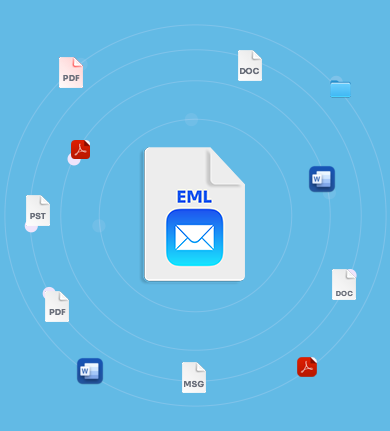
Convert single or bulk EML files into multiple output formats, like PST, MSG, MBOX, DOC, PDF, HTML, and more with ease. Get an instant preview of the entire EML file content with all data and metadata intact. Extract all attachments and email addresses from EML files and save them in local storage with full accuracy.
Download Free version and save 25 items per folder. Free Download
 Free Download
- Batch EML file conversion to 9+ output formats without any file size restrictions.
- Preview complete email details, including message content, headers, and attachments.
- Extract all EML attachments and save them locally with quality intact.
- Option to extract email addresses from EML files and save in XLSX, CSV, etc. formats.
- Export only the required emails with advanced data filtering options.
- Save converted EML and related data to a local drive or network drive without hassle.
- Compatible with both Windows and MAC operating systems for enhanced accessibility.
- Download EML Converter free trial version to test the software’s efficiency and export data.
Enjoy exclusive benefits to fulfill personal and organizational EML files conversion needs effortlessly.
 30-Day Moneyback-Guarantee
  Cross-Platform Data Migration
  Various Saving Formats Available
  Provide Free Software Updates


The Kernel EML Converter helped us manage a large email backup project. It converted thousands of EML files quickly and kept the original layout. The tool saved our technicians time and made the entire process smooth.”

I use Kernel EML Converter often when migrating to an email client and backing up EML files. This tool always performs well on Windows & MacOS. The tool maintains metadata, supports many formats, and runs effectively. It removes the stress of manual conversion and makes email transfer simple.”
Top-Rated Features of Kernel EML Converter
Explore all the advanced features of EML Converter that make the email conversion fast, secure, and hassle-free.

Convert EML files to multiple formats
Easily convert EML file to PST, MSG, MBOX, DOC, PDF, HTML, DOCX, and MHT formats with the EML converter tool. Users have a separate option to select any output format as per their needs to save the data.

Preview EML file content
The EML Converter software lets users to preview all EML email details, including sender, recipient, subject, attachments, and full conversation history. View email content before EML file conversion.

Advanced email sorting filters
Preview specific email messages from folders, with custom filters in the tool. Add values in the filtering option, such as To, From, CC, BCC, Body, Read/Unread, Attachment, etc., to extract specific emails for preview.

Extract Email Addresses
The tool’s powerful algorithm easily fetches and lists all email addresses from fields (To, From, CC, BCC, etc.), contacts, calendar, journal, and tasks. You can also save these email addresses in formats like XLSX, CSV, and Outlook CSV.

Extract EML Attachments
Get all your attachments (images, documents, and other files) to a specified local folder. The EML converter tool allows you to extract all types of attachments available in email messages in their original quality.

Automate EML Search
Auto-locate EML files from the selected drive to initiate quick EML file conversion and save your precious time. The software scans the entire folder quickly to find and list all EML files for effortless batch conversion.

Specific EML file conversion with Filters
Convert specific EML file data with the software’s powerful filters. Our EML Converter lets you selectively migrate emails using customizable filters, like date range and skip empty folders for precise data conversion.

Preserve data integrity after EML conversion
Keep emails secure and unchanged after conversion with our trusted EML converter software. The software preserves every detail, including senders, dates, and attachments. Save converted files in the output format like the source.

Split resultant PST files
The EML Converter software has an advanced Split Output PST File after option that allows users to split large-sized resultant files into multiple PST files of different sizes, including 1 GB, 2 GB, 3 GB, and more.

Support all variants of EML files
The EML Converter tool is fully compatible with EML and EMLX formats. Convert EMLX files to PST by adding single or multiple files of any EML supported platforms, including Thunderbird, Eudora or Outlook Express.

Wider-OS Compatibility
The tool is designed to assist users with different operating systems. Whether you're a Windows user or a Mac user, the EML converter provides separate setups for each OS to ensure smooth and hassle-free EML conversion.

Free EML Converter Tool
The EML Converter Freeware tool lets users convert and extract up to 25 items per folder from EML files, including email addresses and attachments, for free. For unlimited conversion and extraction, purchase the licensed version.
Start your EML conversion now!
Download the best EML Converter software today and take a free trial before buying.
Additional Benefits | Support Mac EML Conversion
Find out the additional features of the software for Mac users to make your EML conversion more efficient across all platforms and devices.

Batch conversion of Mac EML Files
Mac EML Converter software easily converts single or multiple EML files or folders at once. Save time with batch conversion feature and convert files to multiple formats for easy accessibility.

Convert Mac EML data to multiple formats
Convert Mac EML files in the formats, like PST, MSG, PDF, DOC, HTML, MHT, and DOCX, with the Mac EML Converter tool. Get fast, reliable, and hassle-free EML files conversions with advanced data filtering options.

Save data to preferred location
Save converted Mac EML files to your preferred locations, whether on the system's local drive or a network storage. Take full control over the converted data and store files to the chosen destination.
 Free Download
EML Converter: Compare Trial vs Full Version
Explore key differences in features of the trial and full version of EML Converter software before upgrading.
| Benefits and Features | Trial Version |
Full Version |
|---|---|---|
| Convert single or multiple EML files | ||
| Support all Apple EML files | ||
| Access all EML and EMLX files | ||
| Save data in a new/existing PST file | ||
| Compatible with all Windows and Mac devices | ||
| Convert unlimited EML files | Saves 25 items per folder | No Limitation |
Frequently asked questions
Find quick answers to all the common questions about EML file conversion tool with our helpful FAQs.
Here is the step-by-step guide to convert EML files using the software:
- Step 1: Launch the EML converter software and add EML files.
- Step 2: Select the EML file and view the entire data.
- Step 3: Click Export and choose the format you want to save file option.
- Step 4: Apply filters accordingly. Click Browse and specify the saving location.
- Step 5: Once all is done, click Export. The software will start converting EML files.
Yes, the EML Converter tool has an advanced Date Filter that converts selective data from EML files based on a date range.
Yes, the software is made up of advanced algorithms that can find all EML files on your system and convert them.
No, the software doesn’t have any file size limitations. Import single or multiple EML files of any size and convert them to PST and MSG.
Yes, the software offers Office 365 saving location, which allows users to migrate EML files to Office 365.
Yes, you can easily download and install this MAC EML Converter software on any MAC OS device.
You can easily save your converted files to the local drive or network drive of the system.
Once the conversion process is completed, you will get a successful conversion message along with the saving location.
Yes, EML converter offers a free version that allows users to import 5 items per folder without investing a single penny.
To fix this error, users can easily go to the Mac System Settings > Privacy & Security > Security > Open Anyway.
EML Converter Software Prerequisites & recommendations
 About Software
Version: 26.0
Update Date: Mar 2026
Release Date: Nov 2025
License Type: Home, Corporate & Technician
 Version Support
MS Outlook: Office 365, 2021, 2019, 2016, and previous versions
 System Requirements
Hard Disk: 1 GB of disk space
Memory: 512 MB minimum
Processor: Intel® Pentium Processor compatible (x86, x64) or equivalent
Operating System: Windows 365, 11, 10, 8.1, 8, 7, Vista, XP, 2000, 98, NT, 95 & Windows Server 2022, 2019 & older versions
Operating System: Mac OS X 10.8 and above
 Installation Guide
 How to use