Read time: 5 minutes
EMLX files store individual email messages and are commonly used by Apple Mail on macOS. However, there are many scenarios when a Mac user needs to access their data in Windows. In such a case, it becomes important to convert EMLX to PST file to access data in Outlook.
Why Convert EMLX to PST?
Each user has different needs because of which they shift their data from EMLX format. We’ve given the most common reasons that drive users to convert EMLX files to PST format:
- PST files are more compatible with different platforms and services.
- When you need to access your Apple Mail data in Windows Outlook.
- PST files store multiple emails and other data, whereas EML files store individual emails.
- To create a local copy of your email data in a PST file.
Prerequisites to Convert EMLX Files to PST
Make sure to follow these pointers before you convert EMLX to PST:
- Keep a separate copy of the original EMLX files before you start the conversion process.
- For a large mailbox, choose a tool that supports bulk conversion. This can save considerable time.
- Make sure to create enough space in the saving location to store the converted file.
- Close your Mac Apple Mail before starting EMLX to PST Conversion.
Best Way to Convert EMLX to PST Securely
Unfortunately, you can’t migrate your data from Mac’s EMLX file to PST without professional help, as it involves shifting data from one OS to another. The best alternative to carry out a successful EMLX conversion is to use a professional and trusted tool.
Now, amongst the different available options, how do you know which one is perfect for you? You can choose EML to PST Converter for a safe and quick conversion process.
- Convert EMLX files to PST in bulk and save them in different formats including PST, MSG, and Office 365.
- Maintain the original formatting and folder hierarchy during EMLX to PST conversion.
- Apply advanced features to customize the conversion process according to your needs.
- Create UNICODE PST files with this software to store large amounts of data.
- Import files from various email clients like Windows Live Mail, Outlook Express, Mozilla Thunderbird and convert them to PST format.
- Compatible with different versions of Outlook and Windows OS.
Easy Steps to Convert EMLX Files to PST
The software provides simple navigation options to convert EMLX to PST easily. Here’s the step-by-step process:
Step 1. Download and install the software.
Step 2. On the homepage of the tool, all the files and folders of your system will get listed in a tree-like structure.
Step 3. Click on the Find icon to search for the files.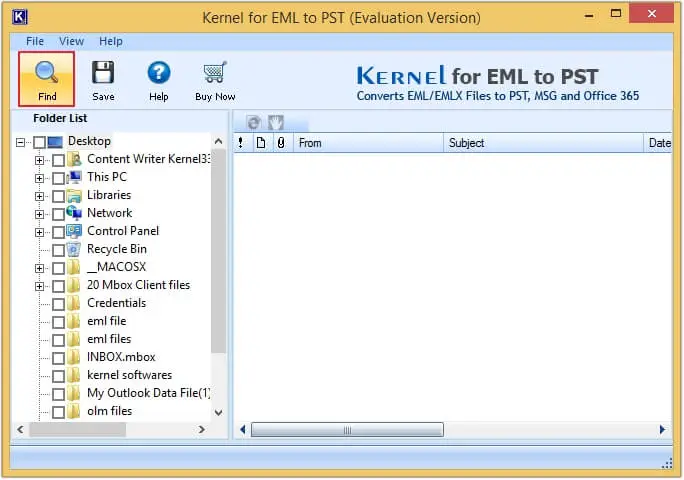
Step 4. Click on Browse and choose the EMLX files to be converted or click on the Search icon and enter a location path of your system to search for the location of EMLX files. Once added, click OK to proceed.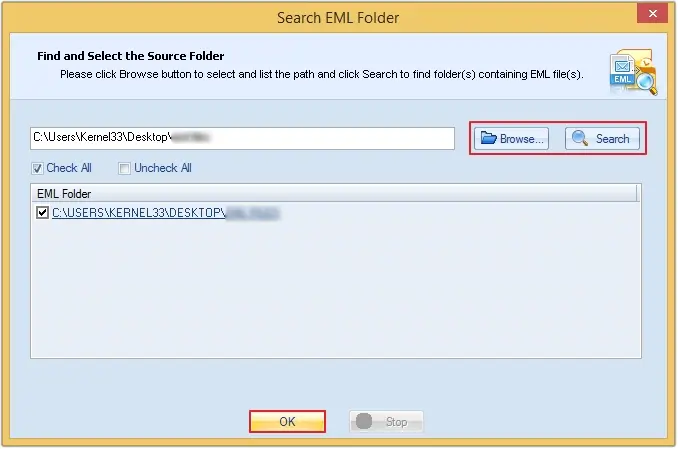
Step 5. Select all the files and folders that you wish to convert and click on Save.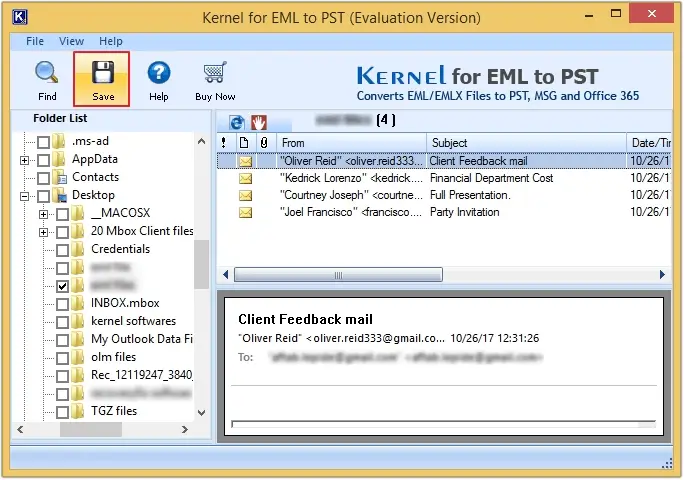
Step 6. If needed, apply filters such as From, To, Subject, Date Range, etc. and click Next.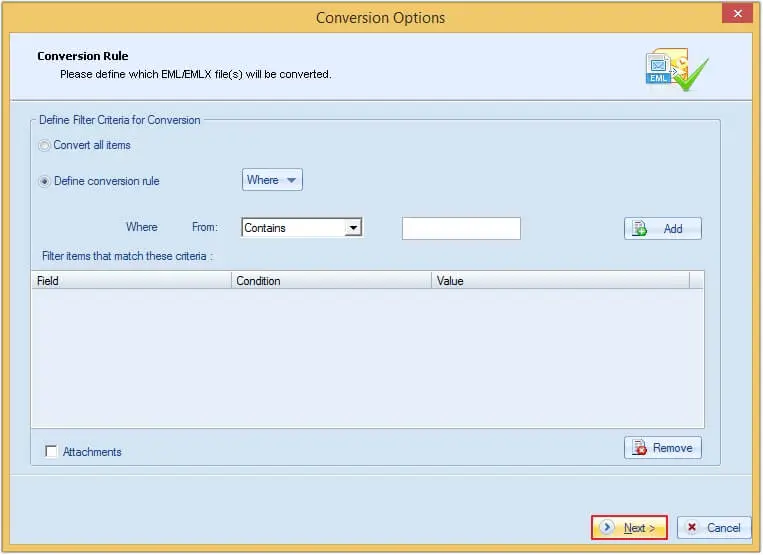
Step 7. Set the output format as PST and choose if you wish to create a new PST file or save your data in an existing PST file.
Step 8. Tick the Save in folder hierarchy checkbox and click on Save.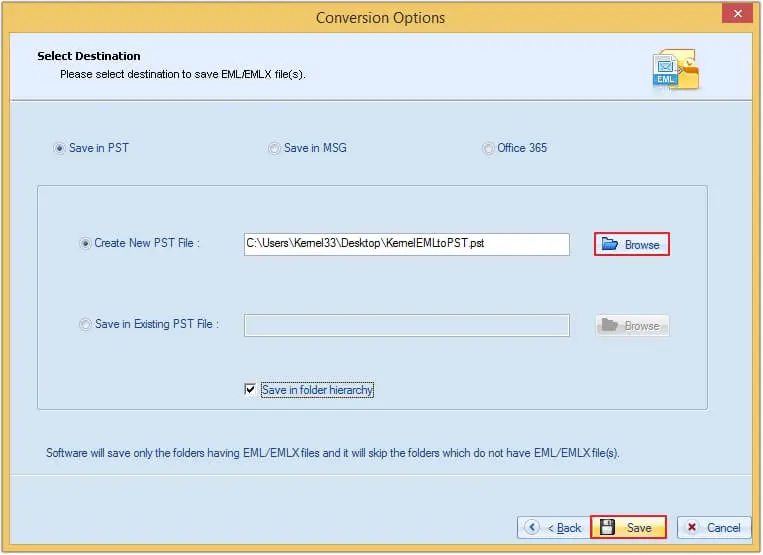
Step 9.Your files will successfully get saved at the location of your choice.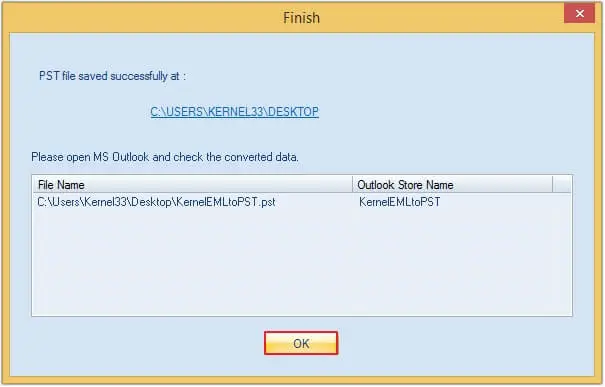
Conclusion
I hope this blog helps you understand the complete procedure to convert EMLX files to PST format. As there is no direct manual method to execute the conversion, you can try using the EML Converter tool which can be the nice option for you. It allows you to convert bulk EMLX files to PST while maintaining the original formatting.
Frequently Asked Questions
A. No, it’s not possible to convert EMLX file to PST directly. Alternatively, you can rename your EMLX files to EML. After that, drag-and-drop EML files to Outlook, export the entire mailbox to PST, or add your IMAP-based Gmail account in Apple Mail and move all the emails in Gmail. Then, sync that Gmail in Outlook and exporting entire mailbox to PST. These methods are not advisable because it does not offer reliable conversion result.
A. You can use the free trial version of Kernel for EML to PST converter software to convert your EMLX files to PST format.