Kernel Yahoo Backup Tool – Best Features

Check out all the advanced functionalities of our feature-rich Yahoo Mail Backup tool that allows users to quickly download and save Yahoo emails locally.

Comprehensive Yahoo Mail Backup

Comprehensive Yahoo Mail Backup

Backup your entire Yahoo Mail mailbox data, including Inbox, Starred, Archive, Sent, Outbox, Trash, Spam, and custom folders, to local and external hard drives. The Yahoo Email Backup software makes sure that no messages are left behind during export.

Save Yahoo Mails in Multiple Formats

Save Yahoo Mails in Multiple Formats

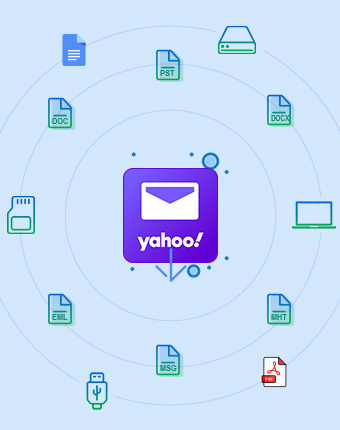
Download and save Yahoo mailboxes in 9+ file formats with all the email attachments and metadata intact. Our Yahoo Mail Backup tool offers multiple saving formats, such as PST, EML, MSG, HTML, MHT, DOCX, DOC, and PDF to save backed-up data.

Backup Bulk Yahoo Mailboxes

Backup Bulk Yahoo Mailboxes

The Yahoo Backup tool allows users to backup and save their multiple Yahoo mailboxes with ease. Add multiple mailboxes one-by-one or use CSV authentication to save multiple Yahoo mailboxes in particular output files.

Backup Selective Yahoo Emails

Backup Selective Yahoo Emails

The Yahoo Mail tool comes with advanced functionality to opt for specific Yahoo emails or folders for precise data backup. Customize your backup process by skipping the backup of empty and deleted folders in the output file format.

Advanced Date Filter feature

Advanced Date Filter feature

Customize Yahoo mailbox backup by utilizing a robust Date Filter. Backup specific emails from Yahoo Mail by selecting a particular date range. Just choose dates in the From and To sections to save Yahoo data for the selected dates.

Incremental Yahoo Mailbox Backup

Incremental Yahoo Mailbox Backup

The Yahoo Mail Backup tool offers an Incremental Backup feature to save only newly added data in the output file format. This feature will help users to eliminate duplicity in the final resultant file and maintain data hierarchy, similar to Yahoo Mail.

Supports Multilingual and UNICODE Characters

Supports Multilingual and UNICODE Characters

Preserve multilingual and UNICODE characters with Kernel Yahoo Backup Tool. It makes sure email backup from any language, like French, English, Spanish, German, etc. Maintain all the UNICODE characters, such as symbols, scripts, and accents, accurately in the delivered backup result.

Maintain Read or Unread Status

Maintain Read or Unread Status

Get your backup file from Yahoo Mail with exact read or unread status preserved, so message priorities stay clear. Kernel Yahoo Backup tool ensures proper mailbox order, effortless review, and accurate access across platforms without confusion at any stage for every user.

Preserve Email Integrity

Preserve Email Integrity

Make sure email integrity by keeping all emails, attachments, and formatting exactly as in the original Yahoo mailbox. The Yahoo Mail Backup tool guarantees accurate backups, prevents data loss and provides complete security to your data during Yahoo Mail backup.

Provide Detailed Backup Report

Provide Detailed Backup Report

Monitor real-time backup status to view exact progress and completion of your Yahoo Mail backup. Our Yahoo Backup tool ensures transparency, timely updates, and allows users to track each file or folder backup without uncertainty or delay.

Restore Yahoo Emails

Restore Yahoo Emails

The Yahoo Backup tool offers an advanced Restore module that allows users to restore emails stored in a PST file to Yahoo Live server, Gmail, Outlook.com, Thunderbird, and other IMAP-based email clients with all the files and folders integrity.

Free Yahoo Mail Backup

Free Yahoo Mail Backup

Experience our Yahoo mail backup free trial version to backup up to 10 emails per folder without paying any cost. Examine the Yahoo Mail Backup tool’s functionalities, evaluate performance, and make sure a 100% error-free IMAP backup result with demo version.

Frequently Asked Questions About Kernel Yahoo Backup Tool?

Here is the step-by-step guide to backup Yahoo emails from multiple accounts using this tool:
  • Step 1: Download, install, and launch the Kernel Yahoo Backup tool.
  • Step 2: On the Kernel Yahoo Backup Tool’s homescreen, click on IMAP Backup.
  • Step 3: In the following window, click on Add.
  • Step 4: In the Connect to IMAP Mailbox window, enter Yahoo Mail credentials, and click Add.
  • Step 5: Verify your Yahoo Mail and click Set Filter and Migrate option.
  • Step 6: Apply multiple filters to backup selective Yahoo mail and click I am OK. Start Migration.
  • Step 7: Select the desired output file type, such as PST, and click OK.
  • Step 8: In the following window, select the saving location and click OK.
  • Step 9: The Kernel Yahoo Backup Tool will start the Yahoo Mail backup process and show real-time backup progress.
  • Step 10: After a successful Yahoo email backup, save backup report in a CSV file.
The Yahoo Mail backup tool allows you to save backup in PST, EML, MSG, HTML, MHT, DOCX, DOC, and PDF.

Yes. The Yahoo Email Backup Software allows you to execute quick Yahoo mail backup and save all the mailboxes, including Inbox, Sent Items, Drafts, Deleted Folder, etc., without data loss.

No, our Yahoo Email Backup software doesn’t store your confidential Yahoo Mail credentials. Download Yahoo Mail Backup tool and get your mailbox data in preferred format.
Yes, you can easily run our Kernel Yahoo Backup tool in your Windows 8. Additionally, it is compatible with almost every Windows and Mac system.

Kernel Yahoo Backup Tool Prerequisites & recommendations

About Yahoo Mail Backup SoftwareAbout Software

Version: 25.0

License Type: Home and Corporate

Yahoo Mail Backup Tool Supported VersionsVersion Support

Outlook PST File: 2021, 2019, 2016, 2013, 2010, 2007, 2003, 2002, 2000, 98 and 97


IMAP Email Server: All IMAP servers, including Gmail, Microsoft Exchange Server, Zimbra, GoDaddy, Dovecot, Courier Mail, Outlook/Hotmail, Yahoo Mail, Proton Mail, Bluehost, GMX Mail, Yandex Mail, FastMail, Mail.ru, Apple Mail Server, iCloud Mail, AOL Mail, Cyrus IMAP, MailEnable, hMailServer, Mail-in-a-Box, Apache James, Citadel, Kolab Groupware, MDaemon Email Server, Modoboa, Zentyal, Zoho Mail, Company IMAP Account, etc.

Yahoo Mail Backup Tool System RequirementsSystem Requirements

Hard Disk: 500 MB of disk space

Memory: 4 GB Minimum

Processor: Intel® Pentium Processor compatible (x86, x64) or equivalent
Mac computer with Intel processor (JDK is required)

Operating System: Windows 365, 11, 10, 8.1, 8, 7, Vista, XP, 2000, 98, NT, 95 (FAT 16, FAT 32, NTFS, NTFS5)
Windows Server 2022, 2019, 2016, 2012, 2008 R2, 2008, 2003 R2, 2003
Mac OS X 10.8 and above

Live Chat
Avail Christmas Offer