Look into the differentiating factors that make the users trust our software for everyday CSV file merging instead of online merging solutions or manual Excel workarounds.
No need to pay any hidden charges when buying the CSV Merge tool. Maintains transparent pricing structure to serve the objective “What you see is what you pay.
We offer free technical support to help resolve all sorts of user queries related to handling and usage of the software.
Never stores any user-uploaded CSV file on the servers supporting secure and reliable handling of critical files.
No more situations with online tools and Excel freezing your merge process. The software easily works with millions of rows and large-sized CSV files.
From combining department reports to merging data from different sources, here are some major real-life scenarios to use our CSV merger.
Explore all the features offered by this CSV merge tool that makes it easy for users to combine CSV files into one file.
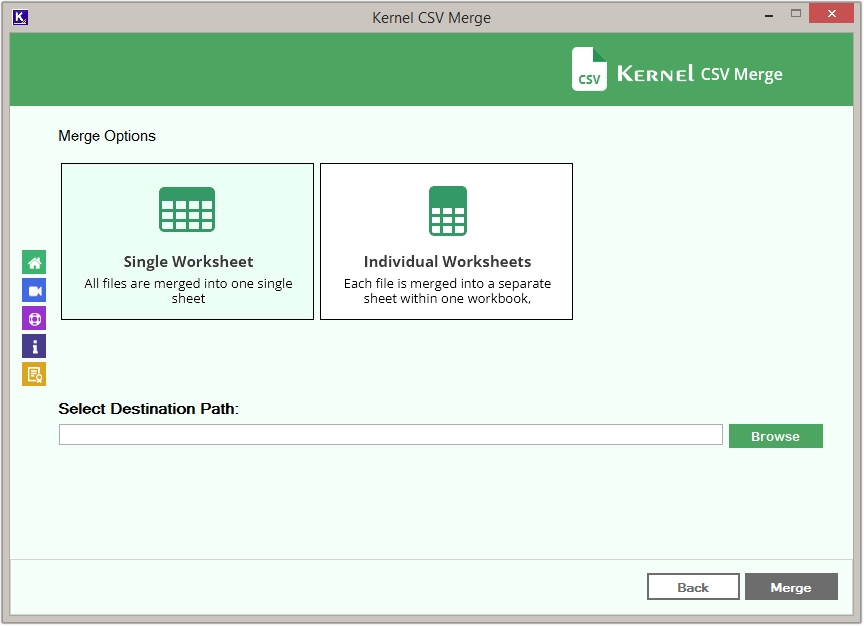
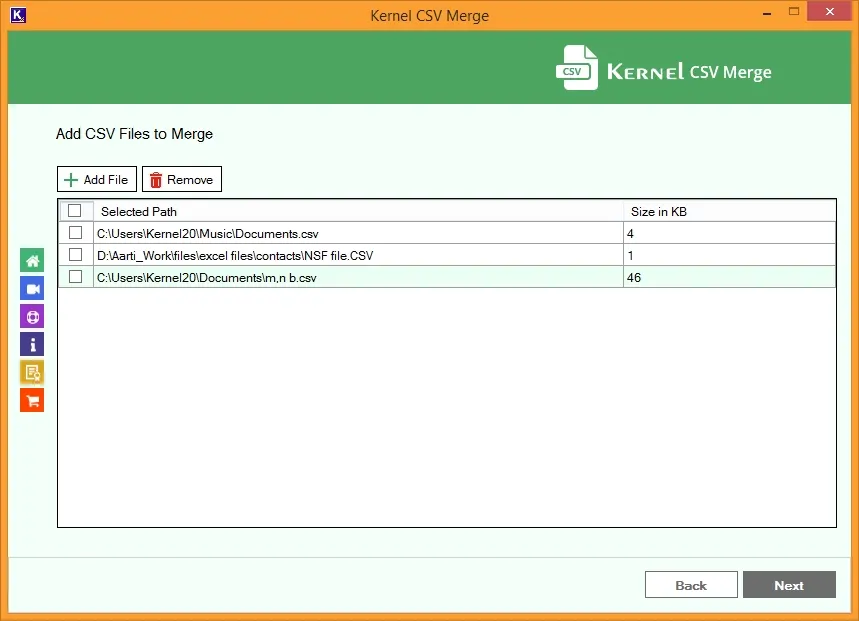
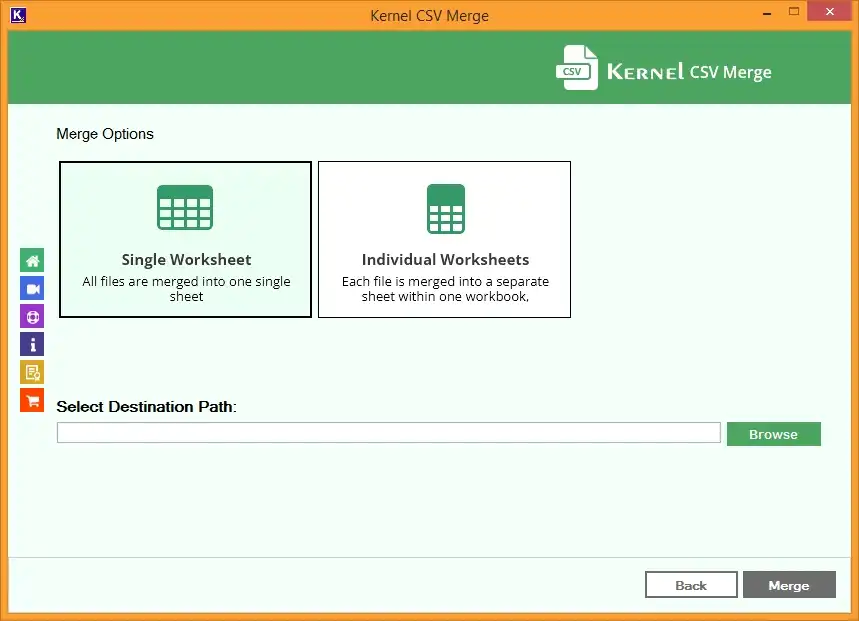
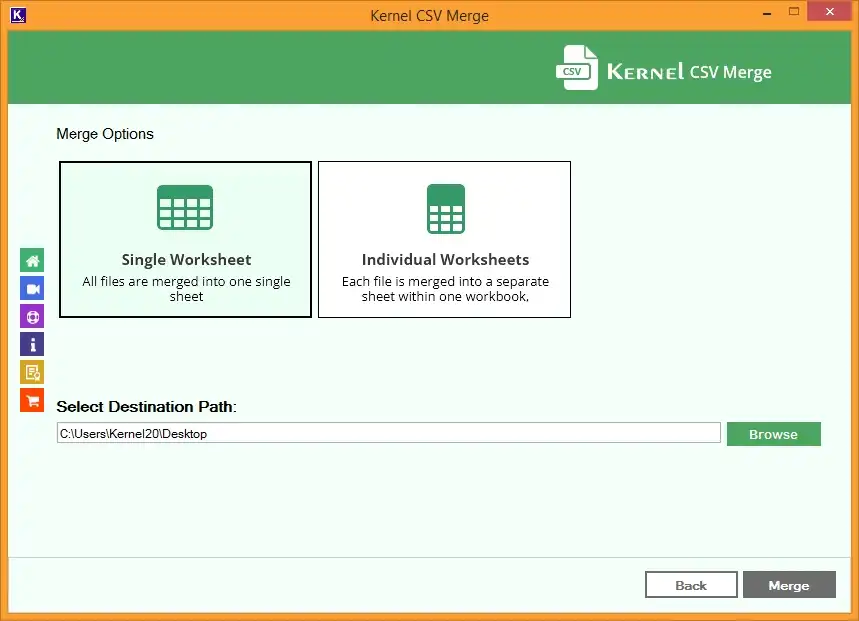
Use the CSV merger tool to combine CSV files into a single worksheet covering every single bit of data. Add two or more CSV files at once and merge them with ease.
Combine CSV files of any size/number and preserve them in individual workbooks (in Excel’s .xlsx file format). Merge multiple CSV files with precision and secure the worksheet formatting, cell colors, formulas, etc.
The CSV merge software allows to merge CSV files created from all CSV platforms, such as Excel, Ubuntu, Google Sheets, Outlook, Apache OpenOfficeCalc, PowerShell, etc.
Combine multiple CSV files into one, eliminating the restrictions of geographic locations with no internet connection. No dependency on internet bandwidth to upload and download CSV files.
Designed to support bulk CSV merge, the software saves time by adding multiple CSV files to merge without usage limitations. Minimizes the chances of human errors and reduces manual effort.
Provides wide compatibility by working with all CSV file variants, including CSV UTF-8, CSV (Comma delimited), CSV (Semicolon delimited), ANSI/local encodings, etc. Automatically detects the character encoding of the added CSV file.
Combine multiple CSV files into one to save backups in a single worksheet or workbook, providing quick accessibility. Archive unused data from the sheets to a different workbook.
Keep track of the real-time merge process progress. Allows saving the completion summary in a CSV file on your desktop with the Source Path, Destination Path, Records Count, and Merge Status.
Download the free Kernel CSV merge tool trial version and combine 25 items per CSV file in a single or individual worksheets. Get hands-on experience with the functions of the free tool before purchasing the full version.
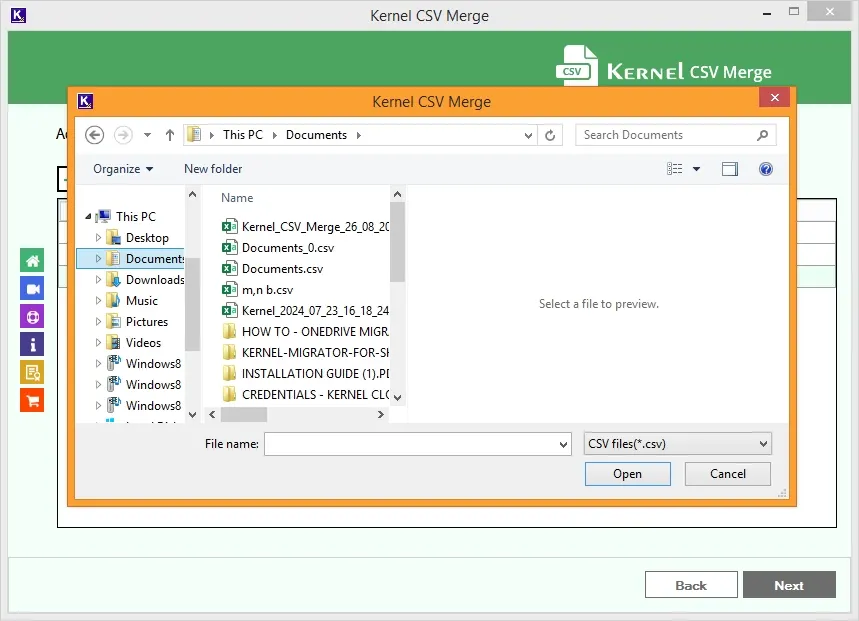
Download the CSV Merge tool and instantly combine CSV files within a few steps. Here's how to do so:
Know the differences between the manual merging method and CSV Merger software to make the ideal choice.
| Differentiating Factors | Native/Manual ways |
CSV Merger |
|---|---|---|
| Merge oversized files | Limited | Yes |
| Maintain data consistency | Limited | Yes |
| Misalignment risks | Yes | No |
| Process Automation | No | Yes |
| Merge Report | No | Yes |
| Process Customization | No | Yes |
| Offline processing | No | Yes |
| Delimiter & Unicode support | No | Yes |
Gavin Harris, Financial Analyst
As a financial analyst, I deal with large datasets on a daily basis, and managing them got a lot easier with Kernel CSV Merge. This tool cut my 4-hour manual process with files in GBs and millions of data items to a few minutes. Thanks to the support team who were present to help at every step.
Josh Morris, Software Engineer
Putting together reports from 30+ branches used to take forever because everyone labeled columns differently (like revenue, sales, etc.). This CSV merge tool automatically merged all data without any alteration or errors. It organized all my data in just 4 to 5 hours, saving over 20 hours of manual work every quarter.
Matthew Taylor, Project manager,
As a project manager, I have to arrange reports from different departments into a single big report, which often takes almost the entire day. But using this CSV merger tool, I was able to merge all the CSV files into a single workbook in just a few hours.
Here are some reasons why users need to merge CSV files:
To combine CSV files without issues, you can arrange the files in a compatible column structure, data formats, and delimiters (comma or semicolon).
You can use the CSV consolidating tool to append business reports from Finance, Sales, Inventory, and other departments.
Yes. The tool allows you to combine files from different years, quarters, months, and weeks to create an extensive historical dataset.
Yes, you can download Kernel CSV merge tool to easily merge 100+ files simultaneously with CSV file data, headers, delimiters, and encoding.
Yes, you can easily merge CSV files with different headings. The tool will append different CSV files into a single worksheet or to different worksheets within a single workbook, as selected.
There are no file size limitations with this tool. You can add CSV files of any size and any number.
Yes, you can easily merge CSV files from different platforms at once.
Version: 26.0
Release Date: July 2025
Update Date: Feb 2026
License Type: Home, Corporate & Technician
MS Excel: 2021, 2019, 2016, 2013, 2010, 2007, 2003, XP, 2000, 97, 95 files
Hard Disk: 512 MB of disk space
Memory: 1 GB minimum
Processor: Intel® Pentium Processor compatible (x86, x64) or equivalent
Operating System: Windows 11, 10, 8.1, and older versions, Windows Server 2022, 2019 & older versions.