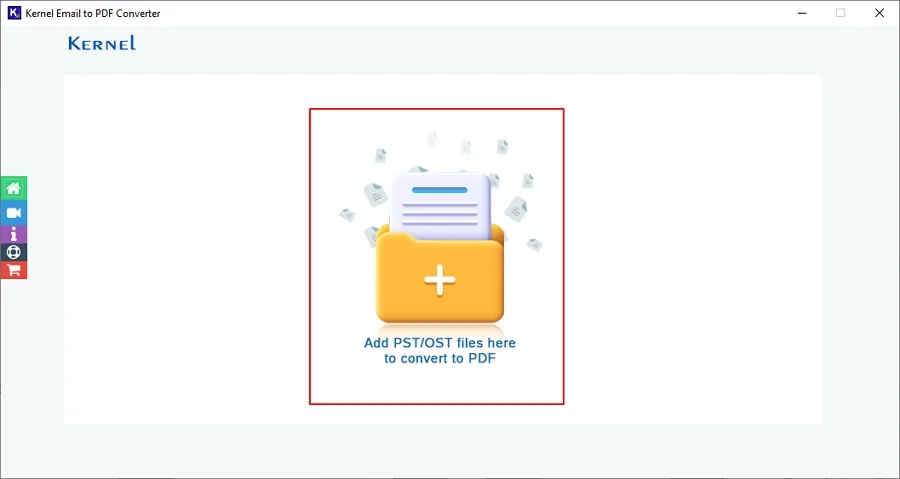
Step 1: Download and install the Kernel PST to PDF Converter software.
Step 2: Launch the tool and click on the + (Add PST) icon to browse PST files.
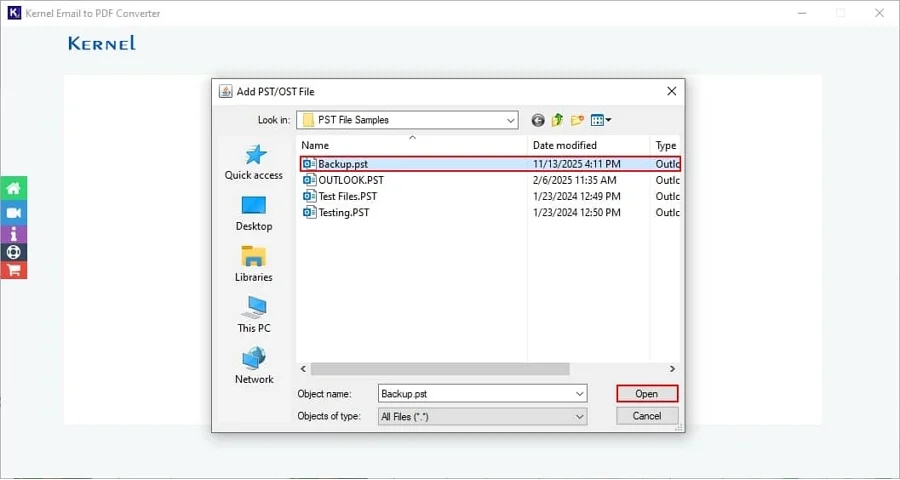
Step 3: Select the PST file from your local storage and click Open.
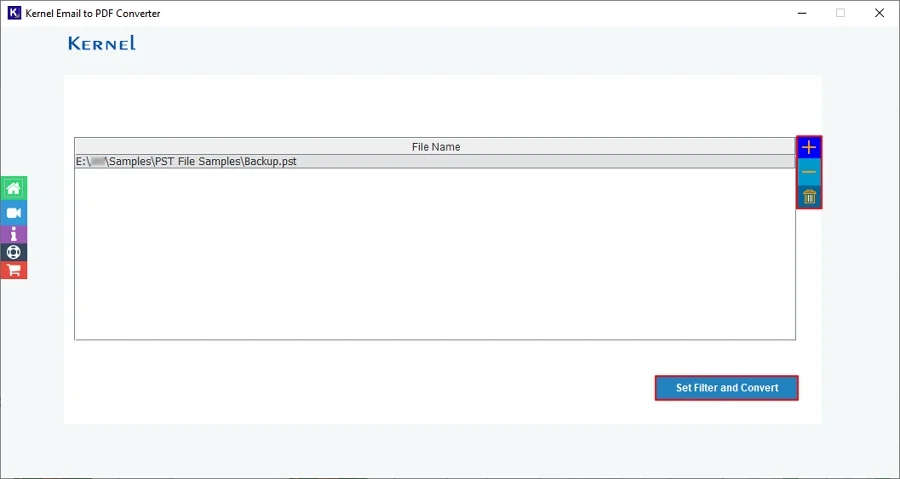
Step 4: The software will add your PST file and show multiple icons, like:
- + icon: To add more PST files one-by-one.
- - icon: Remove unnecessary PST file.
- Dustbin icon: Clear all selected PST files in one go.
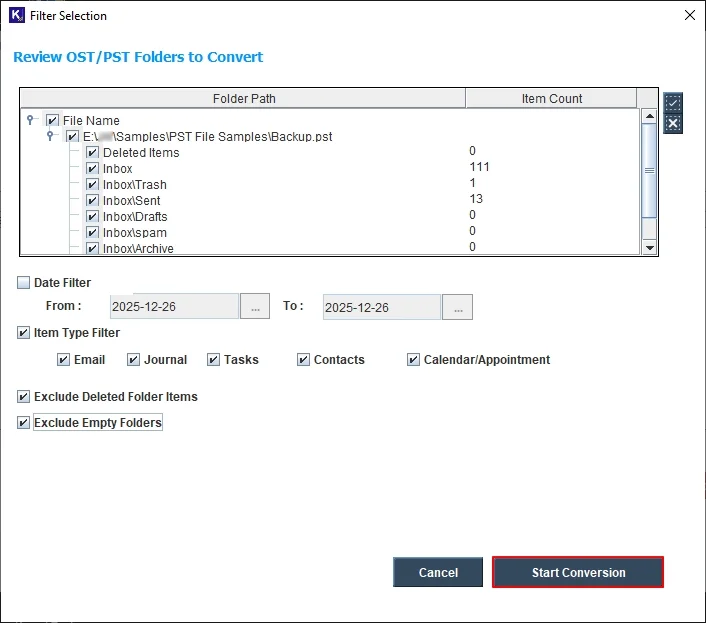
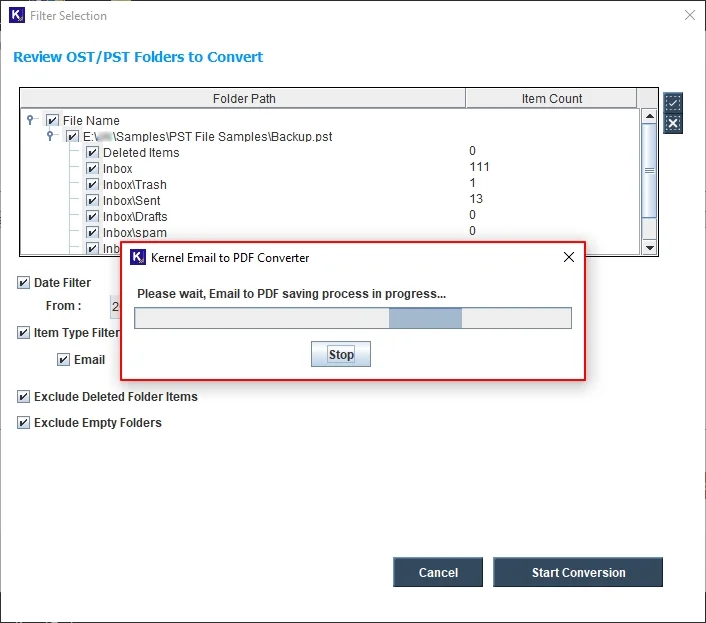
Step 5: The software will add the PST file and list all its files and folders in the Review pane. For selective data conversion, select required filtering options from:
- Select Files or Folders: Select all the necessary files and folders and convert the desired data into a PDF file.
- Date Filter: Select From and To dates to convert data between selected dates.
- Item Type Filter: Convert selective item types, such as Email, Journal, Tasks, Contacts, Calendar/Appointment, accordingly.
- Exclude Deleted Folder Items: Skip conversion of deleted folder items in the output PDF file.
- Exclude Empty Folders: Skip empty folders in the output file after conversion.
After applying all the necessary options, click on Start Conversion.
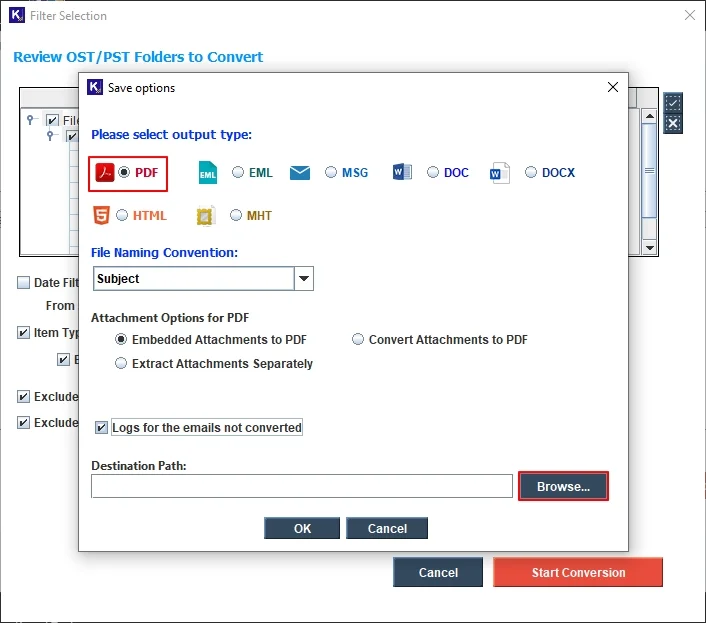
Step 6: In the following window, select the output file type as PDF. Now, select File Naming Convention to save resultant files with specific names. Select Attachments Options for PDF to save PST file attachments as per your requirements. Click on Browse to select the preferred saving location.
Note: Click on Logs for the emails not converted option to get a detailed log report of failed conversion items details.
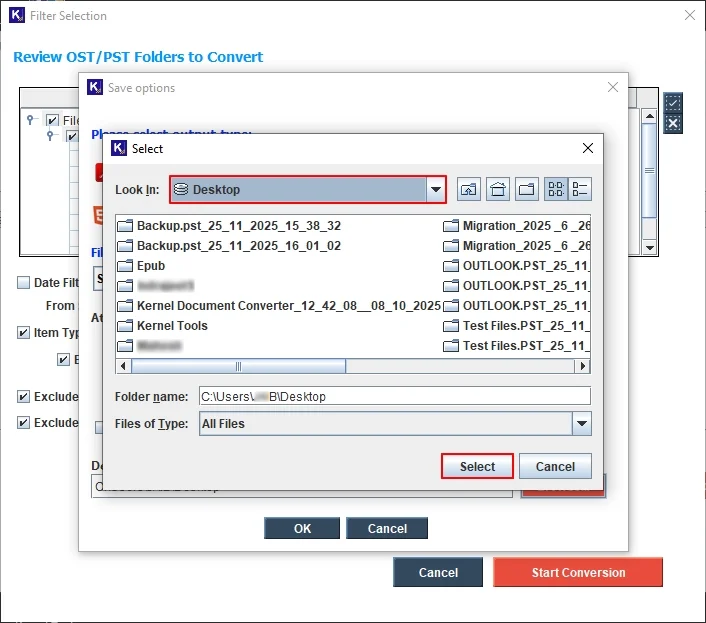
Step 7: Select a saving location on your system to save the converted files.
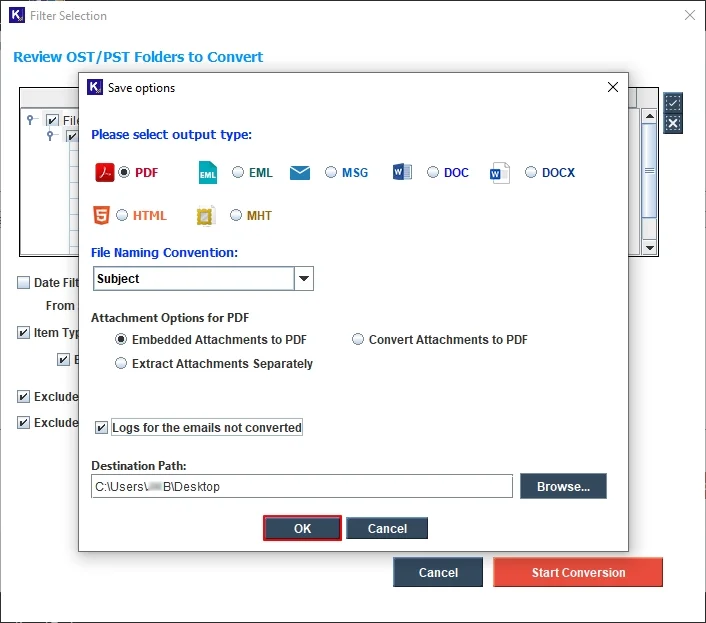
Step 8: Again, in the following window, click OK to proceed.
Step 9: The software will start converting PST to PDF.
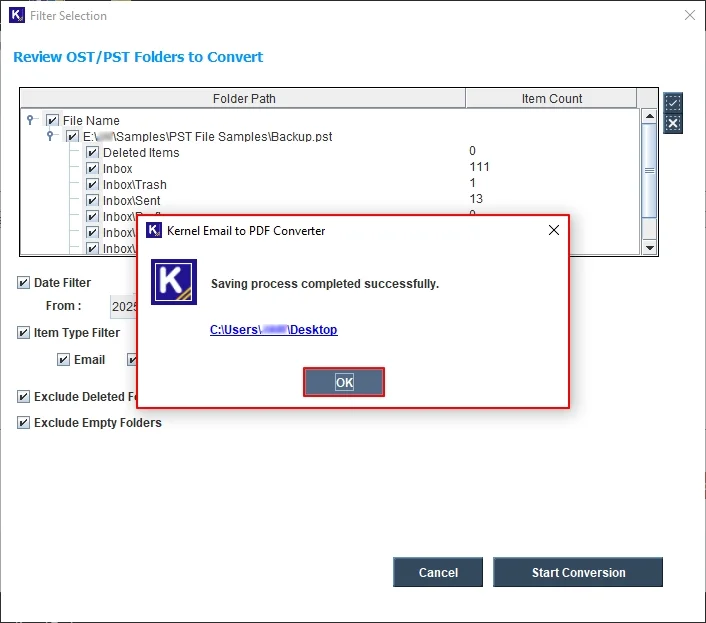
Step 10: The software will pop up a "Saving process completed" message along with a clickable link to the saving location. Click OK or click on the saving location to access all your PDF files.