Our OST Repair tool offers multiple exceptional benefits that fit users' requirements the best.

I was stressed when my OST file stopped syncing and Outlook wouldn’t open properly. I tried many tools, then I found Kernel OST File Repair tool and decided to give it a shot. It worked pretty well and repaired my file without any damages. I would recommend using this tool to others as well.

What I liked most about the Kernel tool is how user-friendly and simple it is. I’m not an IT expert or some professional, but I was able to repair my OST file without needing any outside help. The process was so simple and the results were accurate as I expected.
Analyze all the advanced features of the OST File Repair tool for easy and error-free results.
The OST Repair tool deeply scans the OST file, identifies the corruption issues, and rebuilds it to its original state. It efficiently handles severe corruption, be it header damage or data fragmentation, and prevents future data loss and corruption issues.
The tool allows users to add unlimited OST files or folders and repair them simultaneously without leaving any trace of corruption. With the advanced repair algorithm and ability to repair bulk files, users can manage their data efficiently.
Users can selectively repair and recover OST mailbox emails, contacts, or attachments and filter out all the unwanted OST file data. This customization feature helps to reduce the recovery time and minimize unnecessary data restoration.
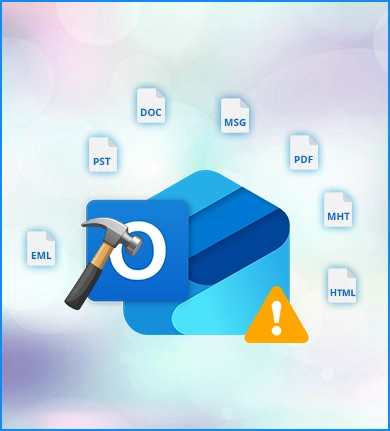
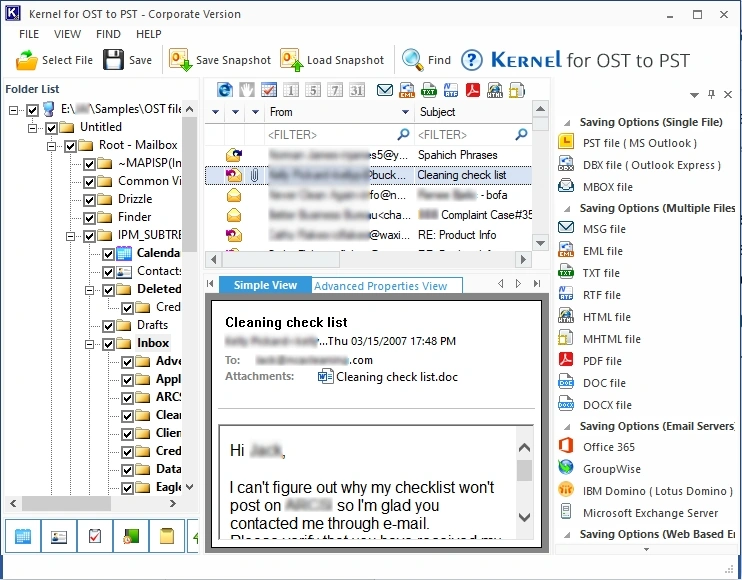
Save the repaired OST file data into multiple file formats, such as PST, EML, MSG, HTML, PDF, DOC, MHT, and more. This flexibility allows users to choose the best format that suits their needs for smooth integration with other platforms.
Directly move OST mailbox data to email servers, like Microsoft Exchange, Office 365, and others, as well as into cloud services like Yahoo, Gmail, Outlook.com, iCloud, etc. The software makes it a convenient choice for users to move data.
Get a detailed view of repaired and recovered data from the inaccessible OST file in the user-friendly preview pane, with email headers, body content, and attachments. Browse through the data and verify it before saving it for complete accuracy.
The software offers an advanced Find feature which allows users to look for a specific email message quickly, especially when they have a large OST mailbox, based on sender, recipient, subject, received before, received after, and message has attachment.
With this software, you can repair OST files of any size, be it a small personal file or a large corporate file; the tool can handle it with ease. The software’s ability to handle oversized OST files makes the repair process easy for users without worrying about data loss.
Repair and convert OST without Outlook using the upgraded OST Converter Pro version. It lets you export OST data to multiple formats and allows you to extract attachments and email addresses from the source file without disrupting the formatting.
Here is the step-by-step process to repair and save corrupt/inaccessible OST data using the OST File Repair tool:

Check out all the features offered by the trial and licensed version of the OST File Repair tool.
| Software Features | Trial Version |
Full Version |
|---|---|---|
| Allows you to add single or multiple OST file(s) | ||
| Restores and repairs entire OST mailbox items | ||
| Advanced filter options for precise OST repair | ||
| Compatible with large OST mailbox | ||
| Offers a detailed preview of repaired OST data | ||
| Supports all Outlook and Windows versions | ||
| Repair unlimited OST file(s) | ||
| Save OST data into other formats. | Allows to save 25 items per OST file | Save unlimited OST data |
| Free Download | Upgrade Now |
Efficiently migrated my offline OST file without any data loss. A reliable and user-friendly tool that did the conversion accurately. A must-have tool.
Sudeep Ramachandraiah![]()
Version: 26.0
Release Date: Dec 2025
License Type: Personal, Home, Corporate & Technician
MS Exchange Server: 2019, 2016, 2013, and earlier versions
MS Outlook: Office 365, 2021, 2024, 2019, 2016, and previous versions
Outlook Express: 6.0, 5.5, 5.0 and 4.0
Hard Disk: 50 MB of disk space
Memory: 128 MB Minimum
Processor: Intel® Pentium Processor compatible (x86, x64) or equivalent
Operating System: Windows 365, 11, 10, 8.1, and older versions, Windows Server 2022, 2019 & older versions