A Novell NetWare server crash can prevent users from accessing important files and folders. Kernel for Novell Data Recovery helps retrieve data from affected NetWare volumes after a system failure, file system error, or partition problem. It supports traditional NWFS, Net386, and NSS volumes and helps preserve the original folder structure and file properties where possible.
To deal with diverse Novell data loss scenarios such as corrupt volume(s), missing volumes, deleted files, allocation errors, or partition loss, use our Kernel for Novell Data Recovery tool. It excels in comprehensive recovery, ensuring retrieval of data under various circumstances. Whether facing corrupt volumes, deleted files, or other issues, our tool copes with all situations.
In situations of a corrupted FAT or DTE Novell System, trust our Kernel for Novell Data Recovery tool. It stands as a reliable solution for recovering critical data compromised by system corruption. With specialized features, it effectively recovers data from corrupted FAT or DTE Novell Systems with complete data restoration.
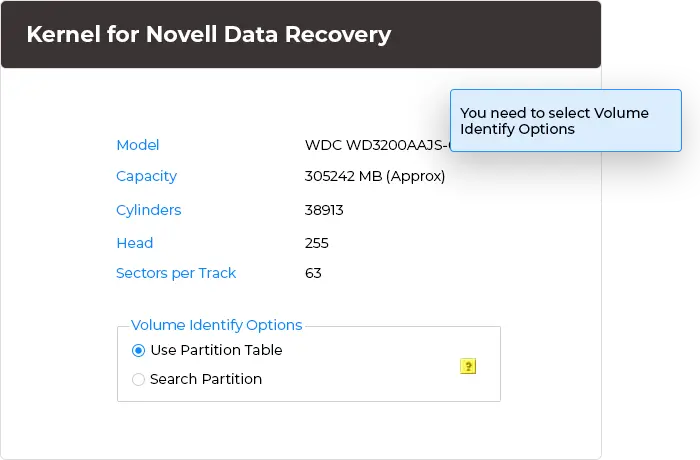
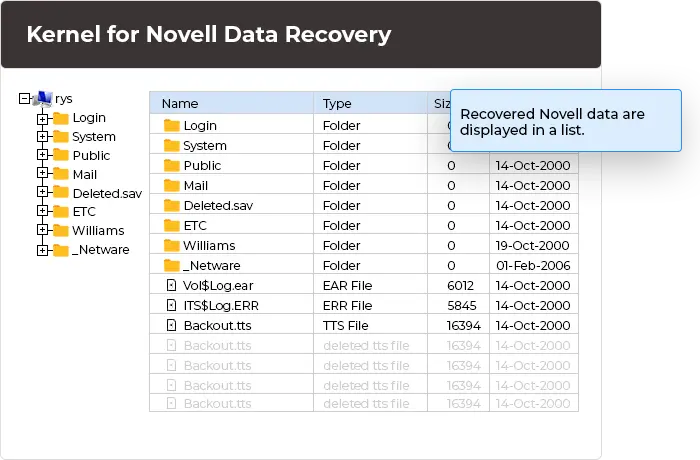
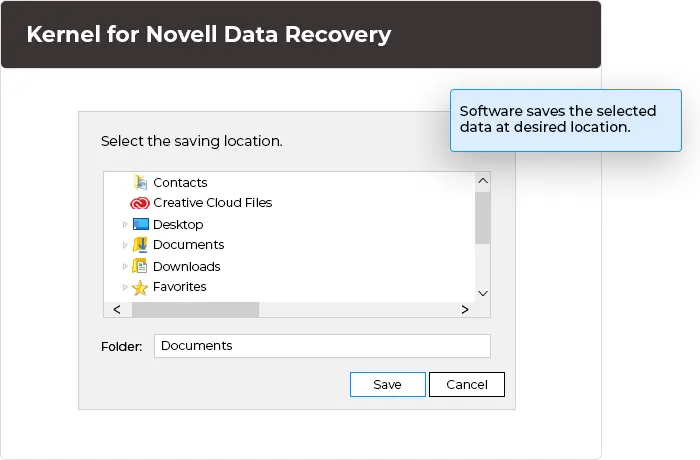
Kernel for Novell Data Recovery software instantly facilitates recovery in just 3 simple steps.
Discover Novell Data Recovery tool's robust features for complete Netware data recovery.
Recover data from supported traditional Novell NetWare volumes, such as NWFS and Net386, as well as NSS volumes. Retrieve files from different Novell storage environments using our all-in-one Novell NetWare Data Recovery tool.
Scan supported IDE, EIDE, SCSI, SATA, USB, and ZIP drives for recoverable Novell data. Simply select the required storage device from the available list, run a scan, and recover all the recoverable files with ease.
Retrieve recoverable files and folders with long file names from supported Novell volumes. The Novell Partition Recovery Tool preserves the original directory structure and file properties where possible, so you can identify the recovered data more easily.
The Novell NetWare Data Recovery tool can easily restore damaged volumes, NSS Pools, Master Pool, or Volume Leaf in multiple instances. It provides you with complete flexibility to save recovered files to any desired destination location.
View recoverable files in the Preview pane on the software interface before you save them to a destination. It helps you check the recoverable data and select the files before saving them.
For easy and quick Novell data recovery, the Novell NSS Data Recovery user interface is ideal with minimum hassle. You can easily operate the tool to recover Novell data from a selected partition without any technical expertise.
Explore some of the prime causes that explain why you face a Novell NetWare data loss scenario:
Malware can damage files or affect access to stored data.
Unexpected shutdowns can interrupt file system operations.
Operating system or file system errors can make volumes inaccessible.
Damaged areas on a storage drive can prevent access to stored files.
Accidental file deletion or incorrect volume operations can cause data loss.
Damage to critical file system structures can affect volume access.
FAT errors can affect file allocation and access.
Errors in HotFix structures can affect volume operations.
NSS pool or related structure errors can affect access to stored data.
Damage to these structures can affect file recovery.
Deleted files and folders may become unavailable to users.
A format operation can remove access to previously stored data.
A reinstall may affect access to data on the server.
Changes to NWFS partitions may cause volume or file loss.
Kernel Novell NetWare Data Recovery is a specialized tool to recover data from lost, deleted, formatted, or inaccessible files from Novell NetWare volumes. It supports recovery from IDE, EIDE, SCSI, SATA, USB, and ZIP drives.
Several logical and physical causes result in Novell data corruption, but the most common among them are corruption or deletion of Novell partition table, operating system, Volume table, HotFix table, Pool table, etc. While extracting inaccessible data, users face various error messages that indicate data corruption.
The software supports traditional Novell NetWare file systems, including NWFS and Net386, as well as Novell Storage Services (NSS) volumes.
Unfortunately, there is no effective built-in tool that can help you restore lost data. So, we recommend that you use our Kernel for Novell tool that can deliver the expected result. It is an advanced tool that enables you to repair, scan, analyze, and recover your crucial data lost from storage device partitions having traditional as well as NSS file systems.
Yes, the software supports the recovery of files and folders with long file names from supported Novell volumes.
It is effortless to use this tool as it doesn’t require any technical expertise to use it. It is designed and developed with an easy-to-use, self-descriptive, and user-interactive interface. You need to download it, install it on your Windows system, and perform quick and easy data recovery. You can get help from the video tutorial and the help manual in case of any difficulty. In addition, you can also contact our tech support team to resolve any issue.
Yes, it is easily possible to try this tool free of cost to evaluate the real performance of the tool. For this, you need to download a free evaluation version of this tool and use it. You can personally experience and analyze its usefulness. You can see entire recovered data with a preview, but it restricts you from saving them.
Version: 4.03
Release Date: Sep 2005
License Type: Corporate & Technician
All file systems of Novell - NWFS, Net386 and NSS on Novell 5.x to Novell 6.x
Hard Disk: 50 MB of disk space
Memory: 64 MB Minimum
Processor: Intel® Pentium Processor compatible (x86, x64) or equivalent
Operating System: Windows 11, 10, 8.1, 8, 7, Vista, XP, 2000, 98, NT, 95 & Windows Server 2022, 2019 & older versions