 (4.9/5) 438 Reviews
Import OST contents to Gmail, ensuring data structure
Import OST file contents to diverse platforms such as Gmail, G Suite, Microsoft 365, Exchange Server, Domino, and more, irrespective of the file's health.
- Import healthy & corrupt OST mailboxes to Gmail
- Move entire OST file items- Emails, Calendars, Contacts, & more
- Import OST files to G Suite, Office 365, and other leading email servers
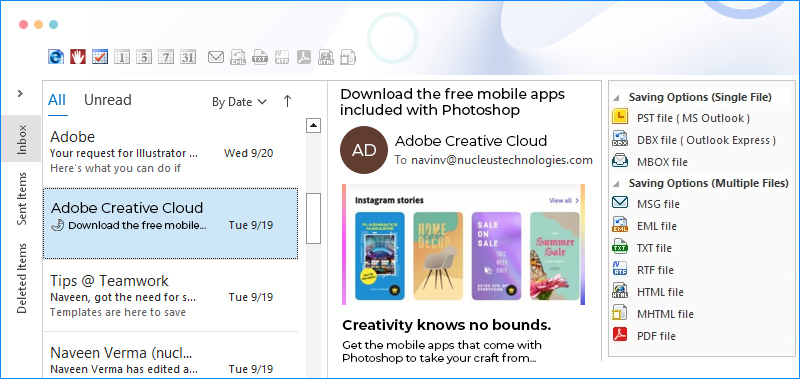
Top use cases for Kernel Import OST to Gmail software
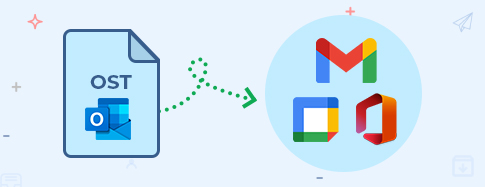
Import OST to Gmail, G Suite & Office 365
In a fast-paced work environment, data sharing with cloud platforms is the need of the hour. This all-in-one tool empowers you to effortlessly transfer all your OST items, including emails, calendar, contacts, and more, to popular email servers such as Gmail, G Suite, and Microsoft 365. The tool enables its users with a straightforward selection to directly import their OST files to the destination of their choice. Put an end to compatibility issues and embrace a hassle-free transition.
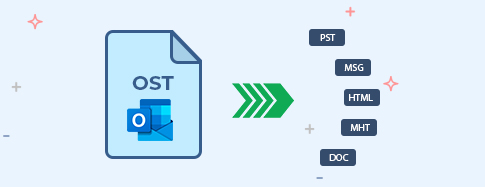
Several saving options
Every user has unique preferences when it comes to storing their data. That’s why Kernel Import OST to Gmail offers the ability to convert OST files to PST, DBX, MBOX, MSG, EML, TXT, RTF, HTML, MHTML, and PDF. This allows users to choose the format that suits their specific needs. Whether you prefer structured storage in PST, individual files in MSG, compatibility with EML, or simplicity in TXT, this software ticks all the boxes.

Import selective OST items
Not all data is essential, and cluttering your space with irrelevant information can be counterproductive. Kernel Import OST to Gmail gives the users control with advanced filtering options. You can set specific criteria such as date range, item type, sender, and more to tailor-pick the essential OST data, leaving behind unnecessary clutter. This efficient process saves you time and streamlines your data, ensuring you take control of your OST files and import only those that matter.
How to Import OST to Gmail?
Kernel Import OST to Gmail offers swift migration of both single and multiple OST files to Gmail in just 3 easy steps:
Explore software's key capabilities
Explore the feature-rich Kernel Import OST to Gmail tool, which securely imports OST files to a Gmail account.

Import OST to Gmail
Import all contents of the Exchange Server OST files, healthy or corrupted, to your Gmail account, including emails, contacts, calendars, etc., while preserving the original mailbox hierarchy.

Bulk OST transfer
Transfer single or multiple OST files to Gmail in one go. The process remains smooth and streamlined, whether a single file or bulk transfer.

Orphaned/corrupted OST migration
Recover all data from corrupted and orphaned Exchange OST files, including deleted items, while maintaining the original mailbox hierarchy.

Direct OST to G Suite migration
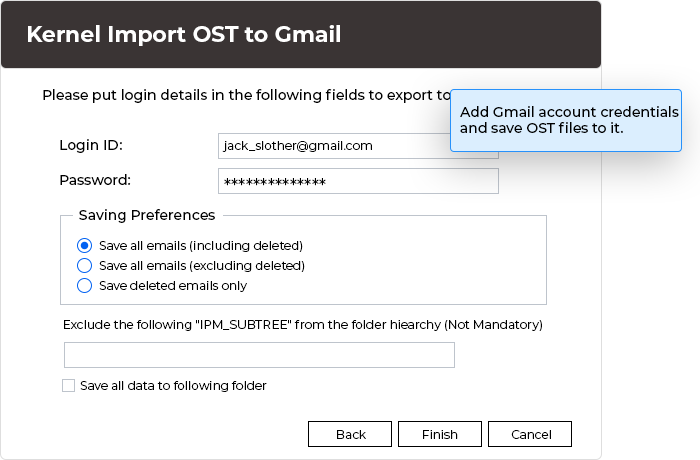
Simply choose the Google Apps saving option and enter your account credentials to migrate OST files to G Suite directly.

Automated search for OST files
Find all your OST files easily without knowing their location. Use the Search option to perform a quick and automated scan on your designed drive.

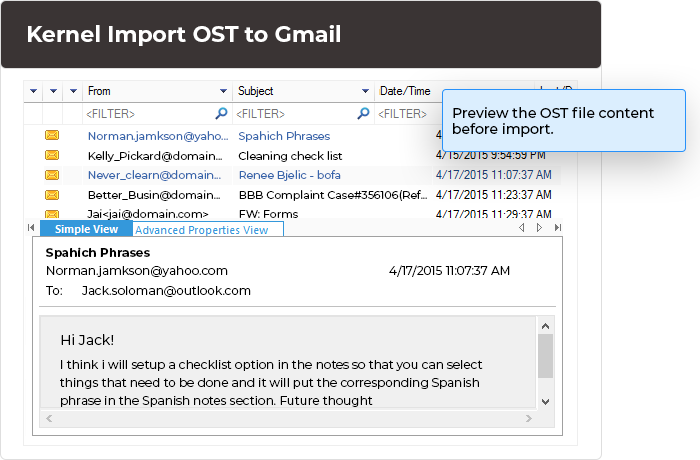
Clear preview of OST data
Validate your data before importing by getting a clear preview of selected OST files, including detailed item information and metadata.

Selective OST data import
Transfer specific OST data to Gmail using filters likeFrom, To, Subject, Item Type, Folder Name, Date Range, etc.

Different OST import options
Import OST mailbox data to email servers like Gmail, G Suite, Microsoft 365, Domino GroupWise, Exchange Server, etc., or save OST content to PST and other file formats.
Kernel Import OST to Gmail FAQs
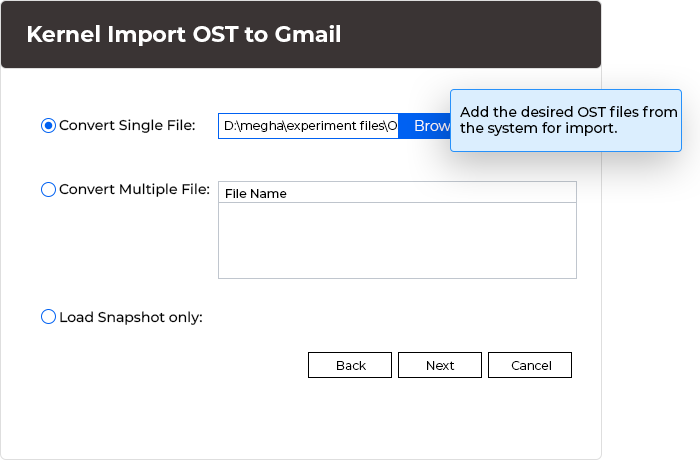
- Step 1: Launch the Kernel Import OST to Gmail software. Add single or multiple files from the system drives.
- Step 2: Use the Preview feature to access the added OST file(s) content. Then click on the Gmail option from the rightmost panel.
- Step 3: Add the Gmail account login credentials and click OK.
- Step 4: Apply the desired filter options and move further.
- Step 5: Wait till the import is over and a confirmation message is displayed.
Software Prerequisites & recommendations
 About Software
Version: 26.0
Release Date: Dec 2025
License Type: Home, Corporate & Technician
 Version Support
MS Exchange Server - 2019, 2016, 2013, 2010, 2007, 2003, 2000, 5.5 and 5.0
MS Outlook - Office 365, 2024, 2021, 2019, 2016, 2013, 2010, 2007, 2003, 2002, 2000, 98 and 97
Outlook Express - 6.0, 5.5, 5.0 and 4.0
 System Requirements
Hard Disk: 50 MB of disk space
Memory: 128 MB Minimum
Processor: Intel® Pentium Processor compatible (x86, x64) or equivalent
Operating System: Windows OS Platforms - Windows 365, 11, 10, 8.1, 8, 7, Vista, XP, 2000, 98, NT 95 Windows Server 2022, 2019, 2016, 2012, 2008 R2, 2008, 2003 R2, 2003
 Installation Guide
What customers say about Kernel Import OST to Gmail
 (4.9/5) 438 Reviews
I've successfully migrated my data to my Gmail account using the software. No time or data was lost, resulting in an excellent overall experience.