Understand when an email conversion software becomes the ideal solution for managing email files.
View the abstract overview of the core features integrated in the email conversion software.
Convert emails from multiple sources and save to multiple destinations. Whether the user requirement is simple email conversion or email client switch, our tool helps move between all major email clients by converting emails into their native file types.
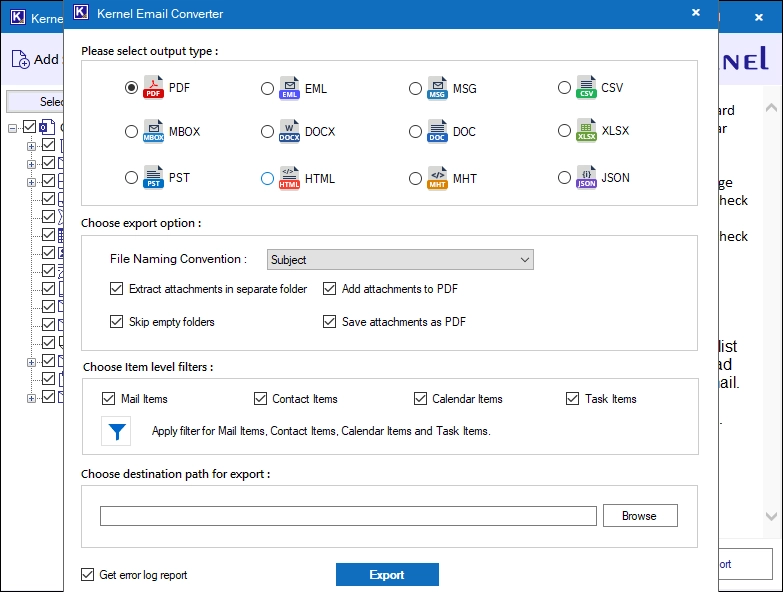
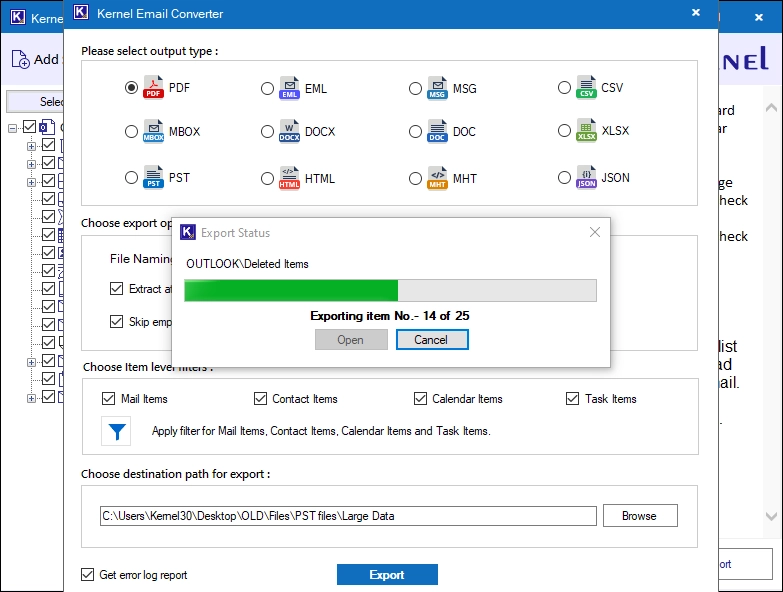
Supports converting mailbox items into 12 output formats. Convert into universal or client-specific email formats (PST, EML, MSG, MBOX), document formats (PDF, DOCX, DOC), web formats (HTML, MHT), and other formats (XLSX, CSV, JSON).
The email converter tool offers several item-level filters. The user can apply separate filters for email, contact, calendar, and task items. Filter data items on the basis of email headers, body content, read/unread status, attachments, date range, and more.
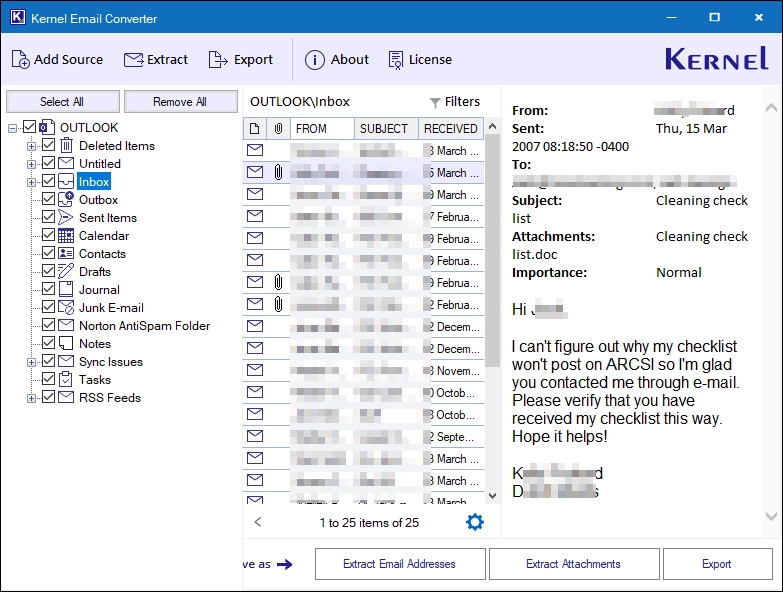
The user can select and convert any specific email from any folder and save it to the supported output file type. Furthermore, the tool also allows extracting email addresses and attachments from any particular email.
With a built-in content preview pane, the email converter software displays all email content in original format. It supports MIME email formatting and correctly outputs plain text or messages embedded in HTML elements, along with email headers and inline images.
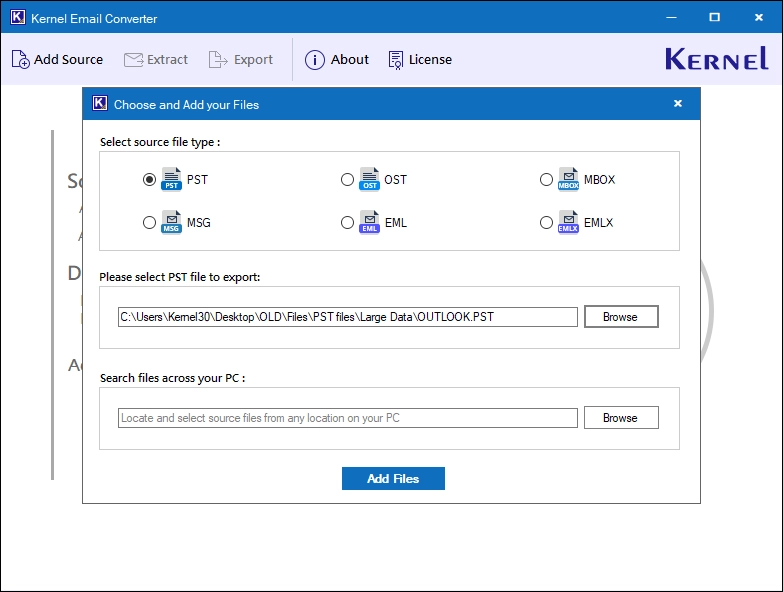
The Email Conversion software allows users to find source email files automatically from the system hard drive or a network-attached storage drive. This feature helps users to quickly find email files scattered across different locations on the user’s system.
Save all the attachments from the emails to a separate folder during email conversion. Moreover, the tool offers a dedicated option to extract only attachments (no email) to any user-defined location, along with file extension filters for selective extraction.
Save all the email addresses to a separate folder on your system. The email converter tool allows you to export email addresses out of From, To, Bcc, Cc, contacts, calendar, tasks, and journals and save to CSV, XLSX, and Outlook Native CSV format.
The email converter features a free demo version to test the tool’s conversion capabilities with zero investment risk. It can convert up to 25 items per folder for free to any of the tool’s supported destination formats.
In addition to advanced email conversion features, the software also offers multiple other benefits to make the conversion more convenient.
Convert emails between multiple sources and destinations using the steps below:
The Kernel Email Converter supports several email formats as source and destination:
Yes. The Email Converter tool supports adding and converting emails in bulk. You can add as many emails as you want, of any size, to convert to the supported destination file formats.
Yes. The folder structure of source files is retained in the destination files. Every folder along with subfolders is recreated with the same name.
The tool gives the option to extract or save the contacts and calendar items to separate folders.
You have the option to keep or skip empty folders. To skip them, you must select the Skip empty folders option before starting the email conversion.
No changes are made to the email files you add for conversion. Every email stays as it is with no modification in message or header.
Yes. Using the date range filter, you can select a start and end date. Only the emails sent/received between the specified range will be converted.
Yes. Every hyperlink present in the emails before conversion will remain clickable in the output email file as well.
Our tool supports multiple encodings, including Unicode (UTF-8), Western European, Chinese, Greek, and more.
Version: 26.1
Release Date: July 2026
License Type: Home, Corporate & Technician
Hard Disk: 500 MB of disk space
Memory: 4 GB Minimum
Processor: Intel® Pentium Processor compatible (x86, x64) or equivalent
Operating System: Windows 11, 10, 8.1, 8, 7, Windows Server 2022, 2019 & older versions.