DICOM Viewer for Fast and Efficient Medical Image Review
Get Kernel DICOM Studio to open and review DICOM files, including CT scan, MRI, ultrasound, X-ray, angiography, PET, etc. Designed for professionals who seek to view DICOM images, the software provides clear access to images with their metadata, including patient, image, series, and study data.
- View all types of DICOM images with basic and detailed tags.
- Run multiple instances to read multiple images simultaneously.
- Open duplicate windows for easy review and comparison of DICOM images.
- Save DICOM images to the desired image or video file formats.
- Store tags associated with DICOM images to CSV or TXT file formats.
- Adjust image brightness and contrast using the Windowing options.
- Easy flip and rotate options to analyze the image from all angles.
- Use anonymization to remove patient identifiers from DICOM files.
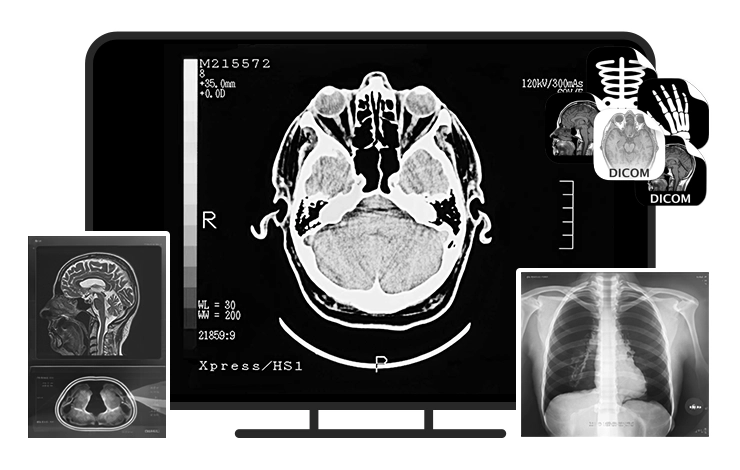
When Do You Need DICOM Viewer Software?
Go through the real-life scenarios where DCM viewers play a major role in the day-to-day life of the users:

Education and Research
Medical colleges and institutions use DICOM viewers to view and train students on viewing and reviewing X-rays, CT scans, MRIs, and other DICOM images.
- Allows creating research databases and teaching files with anonymization features.
- Rotate, flip, zoom, and other features stimulate real-world experiences.
- Boost interactive anatomy learning, research, and collaborative case studies.
Image Review and Comparison
DICOM file viewer helps with easy tracing of the visual changes represented in the image to the specific areas of the image in a clearer perspective.
- Allows direct and side-by-side comparison of previous and current images to trace down the changes.
- Comes with dynamic image manipulation tools, such as brightness or contrast adjustments and spatial filtering.
- Open, view, and review high-resolution images with clean and sleek image visibility.

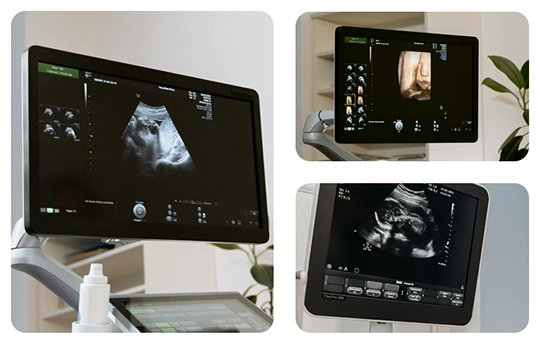
Multi-image Review on Windows OS
Supports a clean environment to view high-resolution DICOM images in a simple and easy-to-use interface. Allows users to open, review, compare, and export multiple images with the simple interface.
- Supports uninterrupted processing to load large and heavy DICOM images.
- With bulk image viewing, it’s easy to open multiple DICOM files at once with the utility.
- Works well with the standard file systems (NTFS) within Windows for immediate file access.
Core Features of DICOM File Viewer Application
Explore all the advanced features and capabilities of our DICOM viewer software for smooth medical image access and scan review on your systems.

Load single or multiple files
Add single or multiple files to the tool for viewing at once. Allows adding a zip file containing numerous dicom files. Moreover, allows scanning the local storage to find and add files to view .dcm files.

Show DICOM file in hierarchy
Dicom files follow a specific four-level hierarchy: Patient > Study > Series > Instance. The DICOM viewer software shows dicom images arranged in the hierarchical order for effective image manipulation.

View DICOM properties
The Dicom File Viewer tool’s screen is split into three parts: Dicom browser, Dicom image, and Dicom properties. Shows basic and all details about the Dicom properties arranged hierarchically for easy understanding.

Anonymize patient identifiers
With the anonymization feature of the best free DICOM Viewer, you can easily hide or anonymize the sensitive patient information (such as name, patient ID, etc.). It helps in helps users prepare files for safer sharing by masking selected patient identifiers.

Provide windowing options
The software helps with effective image manipulation to redefine brightness and contrast of the medical image. Use the click-driven controls of the mouse that adjust using the pre-defined settings like spine, lung, or skull.

Multiple zooming options
With options like zoom in or zoom out (region of interest), pan, fit to screen, and others, it’s easier to focus on the areas of the image required. Our free DICOM Viewer simplifies reviewing of high-resolution images like CT, MRI, etc.

Flip & rotate images
Being a major image manipulation tool, the flip & rotate feature helps with correct image positioning for better analysis or comparisons. Correct the image orientation to provide better anatomical visuals during review.

Image review tools
Use the measurement and annotation tools like distance, rectangle, ellipse, etc., to view and manipulate the DICOM image. All these DCM file viewer features help in understanding images for better viewing.

View and save DICOM tags
Use DICOMDIR viewer to view and save the header tags with the metadata and image parameters stored in the Dicom files. Save tags to a CSV or a TXT file according to your requirements, within the local storage.
Why Choose Our DICOM Viewer Over Other Tools?
Our DICOMDIR Viewer application is integrated with advanced features that set it apart from other viewer tools. Here is a brief comparison to understand the difference:
- One-click anonymization
- Allow multiple instances side-by-side
- Allow easy export of image tags
- Skull, lung, bone, spine, etc. windowing options
- Export image to MP4 and other video formats
- Save DICOM image to JPEG, PNG, TIFF, etc.
- Include different image analysis tools
- Include basic and thorough image details
- Tag dictionary with a long list of related tags

- Manual anonymization or no support
- Do not support multiple instances
- Zero support for export tags
- Limited windowing options
- Do not allow image to video export
- Do not support image-to-image export
- Limited or no analysis tools
- Show basic image details
- Limited or no dictionary
Top Benefits of Using Kernel DICOM Studio
Find out why professionals trust our DICOM (Digital Imaging and Communication in Medicine) viewer to review .dcm files effortlessly:

DICOM Tag Dictionary
Use the DICOM tag dictionary to understand what the code mentioned in the added image means for better understanding of the medical images.
Lightweight Software
Our .dcm file viewer is a lightweight software that works with minimal RAM, CPU, and other resource usage to deliver high efficiency.
Quick Performance
The viewer tool allows you to open DICOMDIR files easily and rapidly without any hassles or disruptions during the file review.
Duplicate Windows
With this utility, you can duplicate as many windows as required for in-depth insights and analysis of the high-resolution medical images.
Full-screen Mode
The full screen mode of the software provides an immersive view of the images, excluding the title bar, tools bar, DICOM browser, and tag menu.
Image Magnifying Options
Use the image magnifier option to view the selective sections of the image at a glance rather than zooming on the complete image.DICOM Viewer: Free vs Full Version Comparison
Compare trial and licensed version to check feature access, file limits, advanced options, and choose the right DICOM viewer plan.
| Software Features | Free Version |
Full Version |
|---|---|---|
| Add single or multiple DICOM files | ||
| Add zip file containing DICOM images | ||
| Image manipulation using Windowing options | ||
| Use export image filters | ||
| View and save dicom file tags | ||
| Export image to JPEG, PNG, and other formats | 1 file for 15 days | Unlimited |
| Export image to MP4 or AVI formats | 1 file for 15 days | Unlimited |
| Free Download | Purchase Now |
Frequently Asked Questions (FAQs)
Get clear answers to common questions about DICOM files, medical image support, compatible formats, and easy software usage.
A DICOM file (.dcm and .dicom extensions) is a universally accepted format used to store and share medical images, such as ultrasound, CT scan, MRI, and X-ray. It includes complete information related to the image, including study parameters, patient identifiers, etc.
The steps explained below will guide you on how to use the DCM viewer to view the desired files:
Step 1: Launch the Kernel DICOM Studio and click on + Add dropdown.
Step 2: Preview the file hierarchy in the DICOM browser with images on the adjacent pane.
Step 3: View Basic and All details of the images from the right pane of the screen.
Step 4: Click View at the top and then DICOM tags to view related DICOM tags.
You can use the Windowing or Flip & rotate options, review tools, or annotation tools for image manipulation.
Yes, the tool provides a free trial version that you can install and use to view and export 1 image to any image or video format for 15 days. However, to export unlimited files and for unlimited time period, upgrade to the licensed version of the DCM file viewer.
With this free DICOM viewer, you can export DICOM files to JPEG, PNG, TIFF, and BMP image formats.
Yes. You can use Kernel DICOM Studio solution to open, view, compare, review, and export DICOM images.
Yes, you can run multiple instances of the process to open two or more images for clear and easy comparison of the images.
Using the Anonymization feature, you can hide sensitive patient information, such as Patient Name, ID, and Date of Birth, when users view DICOM files.
To view DICOM files from a CD or USB, simply connect the removable device to your PC and add the files from the device to the DICOM file viewer tool.
No, this tool is not designed for medical purposes or to diagnose diseases. This DICOM image viewer tool simply opens high-resolution medical images, reviews, and interprets them for easy understanding. Moreover, you can use this tool to compare multiple images and use windowing options for better review.
Kernel DICOM Studio Prerequisites & recommendations
 About Software
Version: 26.1
Release Date: May 2026
License Type: Standard & Professional
 System Requirements
Hard Disk: At least 500 MB for installation and 5 GB of free space for storing data and logs.
RAM: Minimum 500 MB (8 GB recommended for best performance)
Processor: Intel® Pentium Processor compatible (x86, x64) or equivalent
Operating System: Windows 11, 10, 8.1, 8, 7, Vista, XP, 2000, 98, NT and 95 and Windows Server 2022, 2019, 2016, 2012, 2008 R2, 2008, 2003 R2, 2003
 Installation Guide
 How to Use