Read time: 10 minutes
Gmail is dominating the market but still many Yahoo users exist. Over 1 billion users is a way bigger user base and many server issues prevail. You might face delayed loading, sluggish navigation, unresponsive inbox behavior, and many other issues that disrupt the daily conversation.
Looks like you are facing a terrible problem but it is not!! Just get through the easiest solutions below and fix the “why is Yahoo Mail so slow” issue.
Prominent Reasons Why is Yahoo Mail So Slow
Yahoo Mail slows down due to various technical and user-side factors. However, identifying the reasons to ‘why is Yahoo so slow to load’ helps to address the performance issues. Some reasons are as follows:
- Slow or unstable internet connection.
- Oversized user mailboxes.
- Outdated browser or application.
- Cache and cookies overload the browser.
- Browser add-ins interference.
- Yahoo Mail server issues.
- Inefficient device, RAM, bulk background application.
Ways to Fix Yahoo Mail Slow Loading Issue | 100% Working Methods
A few general methods are available that help you to fix your slow-loading Yahoo Mail effectively. Try the methods mentioned below and see which one of them helps you resolve the issue:
Way 1. Make Your Internet Connection Fast
When you feel that your Yahoo Mail is becoming sluggish, the first thing you can do is check the internet connection. To fix this, restart your broadband device, unplug it, and plug Ethernet cable back into the device. Suppose nothing works; ask your broadband service provider about the stability issue. Once restored, open your Yahoo Mail again.
Way 2: Update Your Current Browser
No matter which browser you are using (Chrome, Safari, Edge, etc.), keeping it up to date makes surfing smooth. Even if you open Yahoo Mail, the browser helps to keep the performance uninterrupted in the presence of a stable internet connection.
For Chrome users, here is the process to update:
- Open your Chrome browser and click on the three vertical dots.
- Go to Help, then tap on About Google Chrome.
- Chrome will automatically check for updates and download them if available.
- Once downloaded, tap on Relaunch to apply.
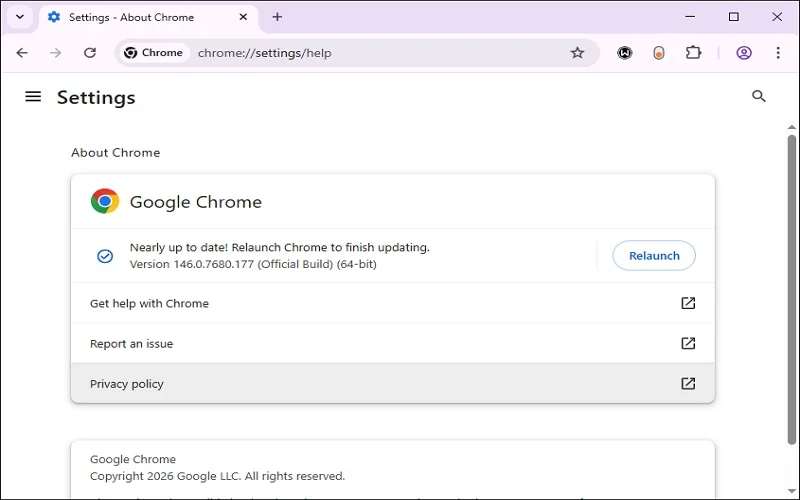
Your Chrome browser is now updated. Try opening your Yahoo Mail and checking the performance of your emails.
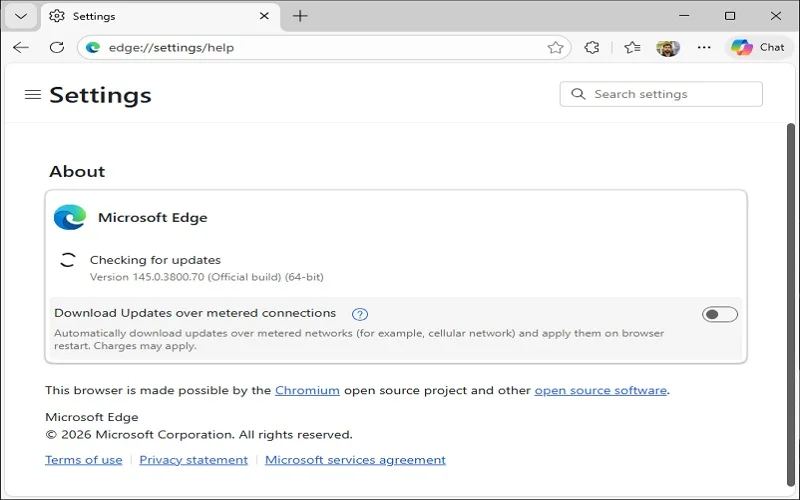
For Edge users, here is the process to update:
- Open Microsoft Edge and click three horizontal dots in the top-right corner.
- Select Help and feedback and tap on About Microsoft Edge.
- Edge will automatically check for updates and download the new version.
- Click the Restart button to apply the update.
For Safari users, here is the process to update:
Your Edge browser is now updated. Try opening your Yahoo Mail.
- Go to the Apple menu in the top-left corner and select System Settings or System Preferences, as per macOS version.
- Click on General in the sidebar and select Software Update.
- If a new Safari version is available, it will appear here. Click Update Now or Upgrade Now.
By performing the above steps, your Safari will be updated. You can now open your Yahoo Mail.
Way 3: Clear Browser Cache and Cookies
Over time, the browser’s cache and cookies can get corrupted or outdated, which can become problematic for Yahoo Mail. To fix this issue, clear the stored data (cache & cookies) to enable browsers to fetch fresh data from Yahoo servers.
For Chrome users, here is the process to clear cache & cookies:
- Open your Chrome browser and click on the three vertical dots.
- Tap on More Tools, then select Clear browsing data.
- Input the time range, select the available option, and tap on Clear Data.
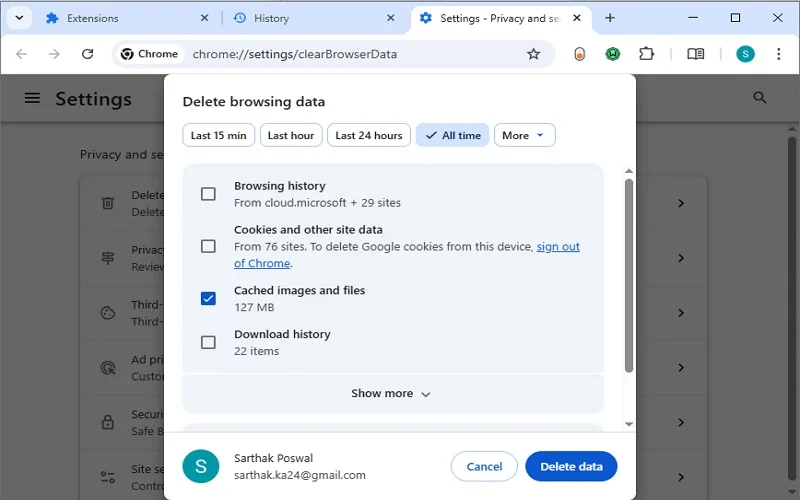
Your Chrome cache and cookies will be cleared. Now open your Yahoo Mail.
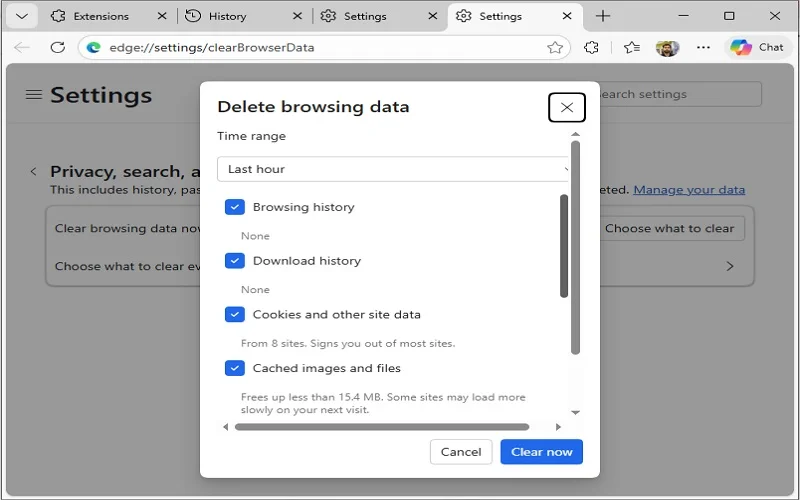
For Edge users, here is the process to clear cache & cookies:
- Open Microsoft Edge and click three horizontal dots in the top-right corner.
- Tap on History, then click the three dots available above and choose Clear browsing data.
- Now check the box you want and click Clean Now.
For Safari users, here is the process to clear cache & cookies:
- Open Safari and click Safari in the top menu bar, then choose Settings or Preferences as per versions.
- Go to the Privacy tab and tap on Manage Website Data. Click Remove All.
Way 4: Disable Unnecessary Browser Extensions
Browser extensions can become outdated or corrupted over time due to several factors, such as interrupted updates, conflicting software, browser profile corruption, bugs in the extension code, etc.
However, disabling unnecessary browser extensions can boost the performance of Yahoo Mail, which is loading slowly. Doing so also helps to fix yahoo Mail disappeared from the inbox issue.
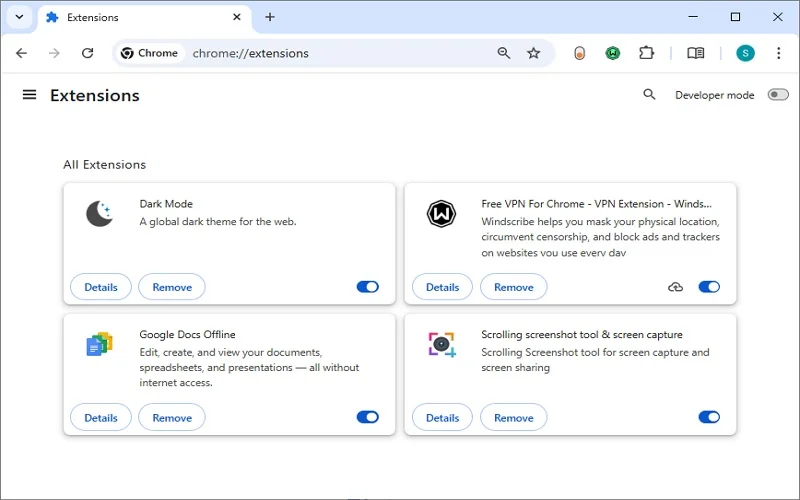
For Chrome, here is how to disable an extension:
- Open Chrome, click the three-dot menu.
- Tap on Extensions, then Manage Extensions.
- All your Extensions will be displayed. Toggle the switch off
For Edge, here is how to disable the extension:
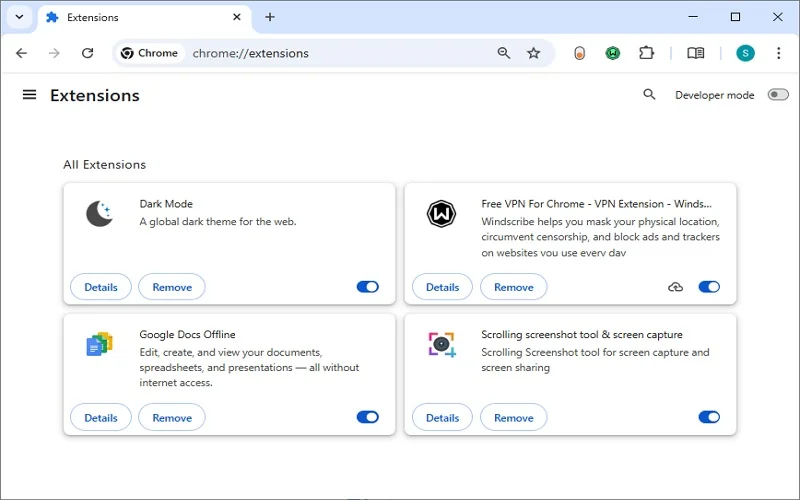
- Open Edge and click the three-dot menu button.
- Select Extensions, then tap on Manage extensions.
- All your Edge extensions will be displayed. Toggle the switch off.
For Safari, here is how to disable extensions:
- Open Safari, click Safari in the top menu bar, then select Settings or Preferences as per your version.
- Tap on Extensions and uncheck the box next to an extension’s name to temporarily turn it off.
Way 5: Check Yahoo Server Status
Sometimes Yahoo Mail slows down, not because of browser issues, but maybe because of a server outage. You can check Yahoo Mail server status on various resources, like:
- Downdetector (Yahoo): Tracks user-reported outages in real-time.
- IsItDownRightNow (Yahoo): Checks if the website is reachable.
- StatusGator (Yahoo): Provides a status summary.
Note: You can also contact Yahoo Mail support to know the current status and reasons why is Yahoo Mail so slow.
Way 6: Open Yahoo Mail in Another Browser
If you implement the above method in your current browser and find that there is no server outage in Yahoo Mail, but still face slowness, try switching to another browser. This can help you avoid browser issues and allow you to work on Yahoo Mail smoothly.
Pro Tips to Prevent Yahoo Mail from Slowing Down
Industry specialists perform regular maintenance of browsers and Yahoo Mail to keep them fast and smooth. Here are some useful tricks that help to keep your Yahoo Mail responsive:
- Clean unnecessary emails or associated attachments from your mailbox regularly.
- Keep your application and browser updated to get an uninterrupted response.
- Use extensions only when needed; otherwise, turn them off.
- Make sure that the internet bandwidth is strong and optimal.
- Temporarily disable antivirus, anti-spyware, & firewall products.
- Open only required tabs in the browser when working on Yahoo Mail.
- Try to open Yahoo Mail in the browser’s incognito or private mode.
- Backup Yahoo Mail data to prevent it from data loss.
Note: When Yahoo Mail becomes unresponsive, keeping its mailbox data on an online storage is not safe. You can put your Yahoo Mail data offline for better accessibility and data security.
How to Backup Yahoo Mail Mailbox Data Locally? Manual & Automated Way
To protect your data from unwanted issues, not only you, but every Yahoo Mail user should backup on a regular basis. You can backup Yahoo Mail emails via manual methods and automated solutions. Manual methods involve importing emails into a desktop client like MS Outlook (via POP/IMAP) or printing individual emails to PDF.
You can also add your Yahoo account to Outlook, then export the data to a PST file to access it anytime in Outlook. But there are a few disadvantages of manual methods, which include:
- Dependency on other applications, like Outlook.
- Data may get lost due to technical as well as human errors.
- The backup process may be interrupted and take more time to perform.
Rather than these, use a professional Yahoo Mail backup solution, which allows you to escape such risks. Kernel Yahoo Backup tool is one such advanced tool that helps to backup Yahoo Mail to PST, DOC, DOCX, EML, MSG, MHT, HTML, etc., file formats. Doesn’t matter if you have a bulk or oversized email; you can back it up efficiently with this tool.
Top-quality features of the tool are:
- Backup all Yahoo mailbox folders like the inbox, sent items, drafts, deleted folders, etc.
- Bulk backup Yahoo mailboxes from multiple Yahoo accounts in one go.
- Supports Yahoo Mail Plus account’s data backup with all integrity intact.
- Save specific Yahoo emails, attachments, notes, calendars, etc., locally.
- Free Yahoo backup tool version to backup 10 items per folder.
Conclusion
Now you really know why is Yahoo Mail slow and causing issues. Use the solutions with easy-to-follow tricks to keep your data safe. Your browser should have optimal performance so that you can perform smooth and effective email operations via Yahoo Mail. Minor issues like outdated browsers, overload cache and cookies, faulty add-ins, etc., may lead to degraded performance in Yahoo. Therefore, when you find such issues, use the above methods to speed up your Yahoo Mail operation.
As optimal performance is necessary for smooth email operation in Yahoo Mail, backup is also necessary for data protection. Consider the mentioned backup methods or Kernel Yahoo Backup solution for safe and secure backups.
Frequently Asked Questions
A: The browser in which you’re opening Yahoo Mail might be outdated, have outdated or corrupted cache and cookies, faulty extensions, disabled hardware acceleration, etc. There are other reasons too, explaining ‘why is Yahoo Mail so slow’, like low system configuration, network internet connectivity, oversize mailboxes, server outage, etc.
A: If you open Yahoo Mail in a browser, update it, clear cache and cookies, & disable extensions. If nothing works, make the internet connection stable and switch to another browser.
A: First things first, take a backup of your Yahoo Mail data to make it accessible offline, then make your browser compatible with Yahoo Mail by configuring and applying the required settings.
A: Yes you can save Yahoo emails to Adobe PDF format once your Yahoo starts working. Alternatively, you can configure your Yahoo account to Outlook to save emails in PDF format.