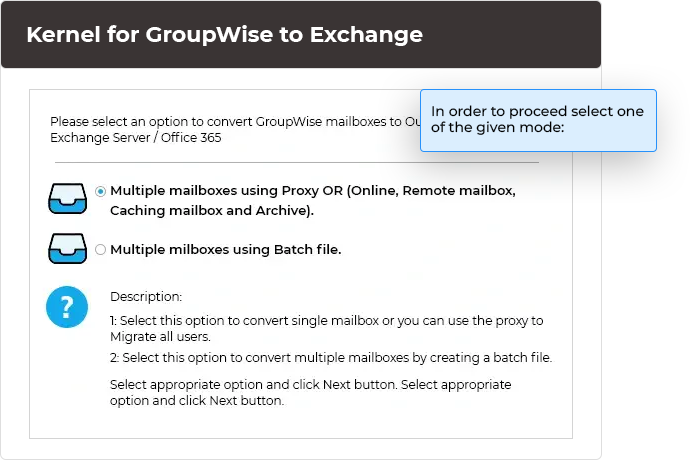
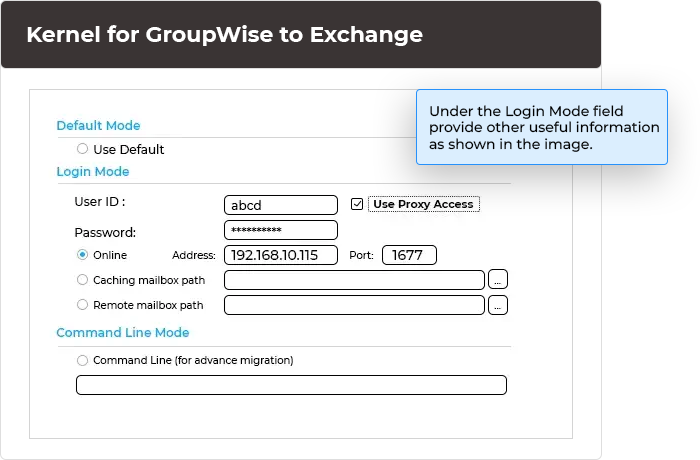
Using GroupWise to Office365 Migration tool, you can migrate a single GroupWise mailbox. The specified mailbox is migrated straight from GroupWise to Office 365. Single mailbox migration option has three modes, namely:
This option enables the user to migrate multiple or all mailboxes of GroupWise. You must list all the mailboxes that need to be migrated in an Excel file and then use it to create a NUCON file, which is a proprietary file used for batch migration. Once the NUCON file is created, it can be used to perform the migration of mailboxes accurately.
Migrating your on-premises mailboxes to Office 365 brings the customary benefits that you can expect from cloud. Unsurprisingly, more businesses are transitioning their traditional email system to this cloud-based platform. By letting Microsoft take care of all the security, disaster management, high-availability and scalability needs, you can focus on strategic planning and how your email system can be a better in terms of business communication. Better ROI because of pay-as-you-go model and elimination of upfront investment is another lucrative incentive of setting your email organization in cloud.
Kernel Office 365 Migrator for GroupWise is a specialized tool that allows you to migrate your GroupWise mailboxes to cloud in no time. Office 365 offers this flexibility of hybrid email organization where you migrate only few mailboxes to cloud keeping rest in the legacy system. Kernel Office 365 Migrator for GroupWise, in tune with this provision, offers option to migrate a single or all mailboxes from GroupWise to Office 365.

Key Features
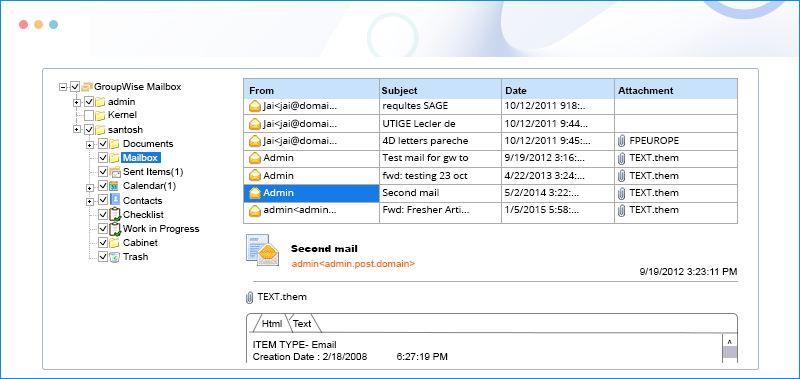
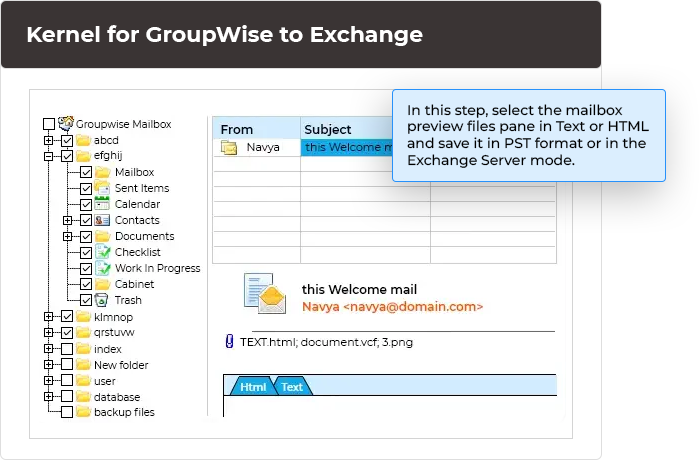
While migrating single mailbox items you get the option to filter the mailbox content by selecting/deselecting the folders inside it. Preview of the complete mailbox items is shown in Text or HTML format. Moreover, Software offers option to migrate specific item types - Mail, Calendar, Tasks and Contacts. Just select the checkbox to proceed. If you wish to migrate mailbox items within a specific date range, then you can do so by providing the time-period manually. You just need to provide Office 365 login credentials to complete the migration.
In case, you are migrating mailboxes in batch mode, you can choose to migrate address book as well by indicating your choice between “Yes or No”. Status of the migration process is shown as to which mailbox and folder is being migrated currently. Software also creates a log file and its path is displayed on the interface. You just need to click on the log file path to get complete information about the migration process.
Converts all Mailbox Items: Kernel Office365 Migrator for GroupWise migrates all mailbox items such as emails, contacts, calendars, checklist, cabinet, sent items, documents, trash, work in progress, email properties, images, attachments, and orphan folders.
Supported Version:
Supported Novell GroupWise Server: Version 6, 6.5, 7, 8 and 12
Supported MS Excel Version: MS Excel 97, 98, 2000, 2002, 2003, 2007 and 2010
Supported Operating System: Windows Server 2000, Windows Server 2003, Windows XP, Windows Vista, Windows Server 2008, Windows Server 2008 R2, Windows 7 and Windows 8.