Attachment Management

Kernel for Attachment Management

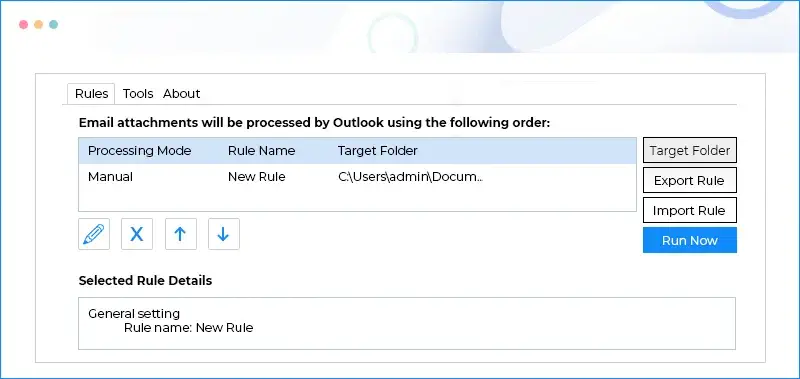
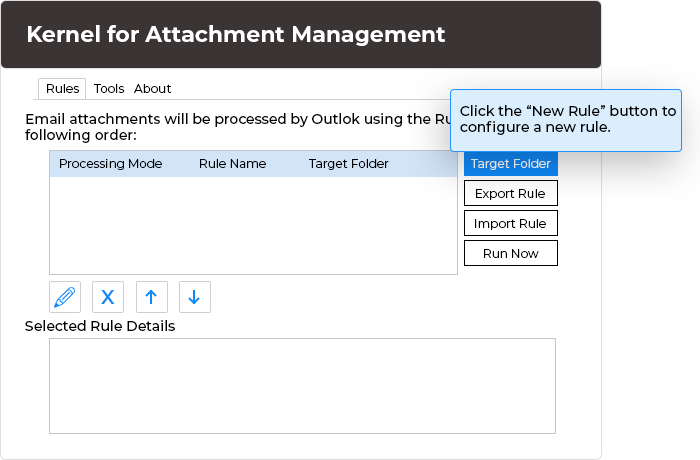
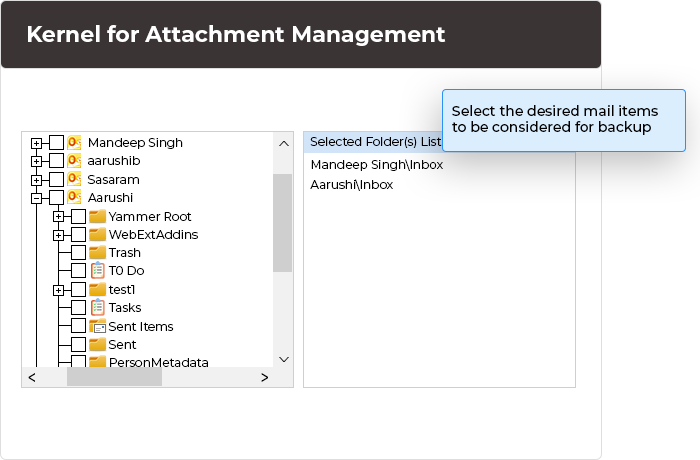
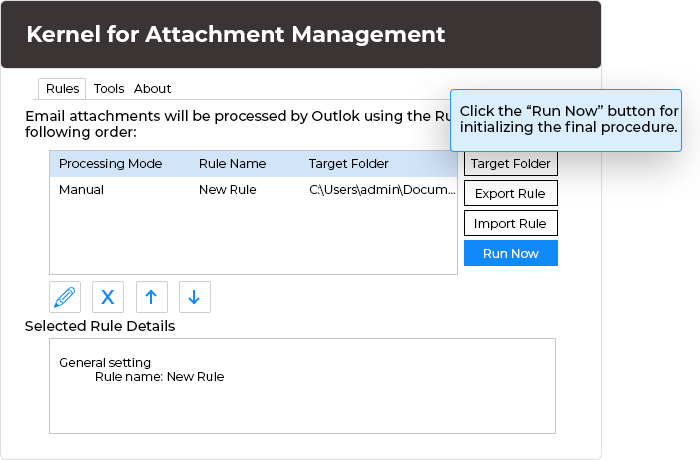
Product Screenshots
Product Information
Supported Versions:
  • Supported MS Outlook Versions: MS Outlook 2010, MS Outlook 2007, MS Outlook 2003, MS Outlook 2002, and MS Outlook 2000
  • Note: Before installing Kernel for Attachment Management it is must to make sure that MS Outlook is installed and configured on your computer.
  • Supported Operating Systems (for installation): Windows 8, Windows 7, Windows Vista, Windows XP, Windows 2008, Windows 2003, Windows 2000, Windows NT, and Windows 98
Related Products

Kernel for Attachment Management

Kernel for Attachment Management is a sophisticated Add-in used for Microsoft Outlook that helps Outlook users in managing email attachments automatically. It is a small but powerful utility, the functionality of the software can be broadly divided into following categories:

Download Attachment Management
Buy Attachment Management
  • Attachment Processing: Let the users to process the attachments in incoming and existing emails automatically. Kernel for Attachment Management saves the attachments on your computer's hard disk or on network drive and leaves the links or text description regarding the location of the processed attachments in their respective emails. Learn More.
  • Compressing and Archiving Attachments : It allows the attachments of the incoming mails to be archived automatically.When the automatically archived attachments are saved at the location of the computer or network drive, it allows you to apply password on them. Learn More.
  • Outlook Selective Attachment Processing: The selected attachments can be processed easily. For example, if you receive attachment of multiple file types and out of them you want to save some specific type of attachments only; then you can do the same in an easiest and flawless manner using Kernel for Attachment Management. Learn More.

Click here to get the list of other outstanding features of Kernel for Attachment Management software.

Designed with sheer intelligence, Kernel for Attachment Management - an Add-in for MS Outlook is the most effective solution for managing Email Attachments in MS Outlook. It is an apt solution for managing email attachments of selected mailbox folder as well as of incoming emails. The software enables you to manage attachments according to the rules defined by you. Based on your requirements, multiple rules can be created to process attachments.

Manually deleting attachments from emails and saving them somewhere else does not reduce the size of PST. For that you need to compress the PST. This Add-in for Microsoft Outlook enables you to compress PST in just a single click and thus, reduces the size of PST leading to the improved performance of MS Outlook. Emails with processed attachments may need to be forwarded; at that time, the software prompts to ask if you want to reattach the processed attachment with email. Thus, the software eases reattaching and forwarding the processed attachments.

Why to manage Outlook attachments?

  • Attachments occupy substantial space in the Outlook PST file and make it reach the maximum size before time. Managing Outlook attachments using Kernel for Attachment Management helps to avoid various size issues in long run.

  • The more will be the size of PST file, the less will be the speed of MS Outlook. By processing attachments and keeping them elsewhere from PST file, space occupied by attachments gets emptied and speed of Outlook gets improved.
  • Emails show only the glimpse of information or data contained in attached documents. Keeping attachments separately at a safe location reduces data loss worries at the time PST corruption.
  • Keeping attachments separately makes it easy to share them among co-workers and helps to reduce the size of PST and user's mailbox on Exchange Server in Exchange database.

Available for FREE Trial!

Kernel for Attachment Management is also available for free trail. The free trial version of the software can be installed to analyze the software features and functioning. The free version works similar to the Full version and is available for 30 days of trial period.

Follow Us

Chat with our Support Executive

100% Secure Transaction with

Moneyback Guarantee Policy

Money Back Guarantee

Our Prestigious Clients

Awards & Reviews