PST Extractor Tool to Export PST to Various File Formats
Export Outlook PST files into 9+ output formats with complete folder structure and metadata intact. Instantly extract PST file email addresses or attachments directly from the added PST files. The PST extractor tool allows you to save output data in local storage for efficient mailbox management.
Download free trial version to export 25 items per folder.- Export PST files to EML, MSG, MBOX, DOCX, PDF, HTML, and other formats.
- Extract email addresses in XLSX, CSV, and Outlook Native CSV Formats.
- Extract attachments in raw format (with or without extension).
- Auto-locate PST files from the system for batch data export.
- Convert bulk PST files data without any size restrictions.
- Preview specific PST file content with advanced Filters option.
- Multiple export options and custom filters for selective data conversion.
- Allows direct access to the converted output data after export.
- Generate a log report of conversion for quick data validation and error handling.
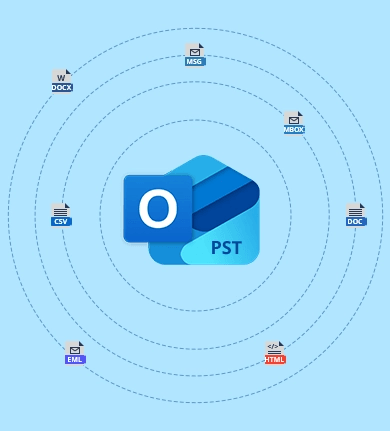
Supports Multiple Output File Formats
- MSG
- EML
- MBOX
- DOC
- DOCX
- HTML
- MHT
- New PST
Top Use Cases of Kernel PST Converter Pro Software

Move Email Data to Different Platforms
Our PST extractor software helps you migrate the complete mailbox of selective folders to different environments. Use our software to convert your PST file data into multiple formats and get access to it on Mozilla Thunderbird, Apple Mail, and several other email clients.

Access PST Data without Outlook
Get quick access to your PST data without depending on Outlook. Our software allows you to save emails in DOCX, PDF, EML, HTML, MBOX, and other file formats to read them in simple text viewers. The conversion process guarantees your message integrity and originality.
Selective Email Archiving
Easily archive a single email, an attachment, or a user-created folder into your desired format. Our Outlook PST Extractor tool lets you perform custom data archiving and extraction to help in events like legal audits or compliance.
Kernel PST Converter Pro Software – Advanced Features
Learn about the advanced features of the PST extractor software to easily convert PST file without Outlook and extract all the required data from it.

Export PST to Multiple Formats
Extract complete data from PST file without Outlook and convert it into different formats, such as EML, MSG, MBOX, DOC, PST, DOCX, PDF, HTML, and MHT. Quickly get your Outlook file in any file format and access data on multiple platforms.

Extract Email Addresses
Extract all the email addresses from the source Outlook PST file. Our PST extractor pro software lists all emails from Contacts, Calendars, Tasks, Journal, and Email Items and lets you save them in XLSX format (.xlsx), CSV format (.csv), and Outlook Native CSV (.csv).

Extract PST Attachments
The PST Extractor tool allows you to extract attachments from the added PST file. Get all the attachments with or without extension in the original file quality and size. The software also provides a file extension filter to extract attachments of specific file formats.

Preview PST File Data
Our Outlook PST Extractor software deeply scans the PST file and lists all the items and folders in an easy-to-access structure. You can view email with original message, attachments, and attributes (To, CC, BCC, Subject, Signature, etc.)

Search & Extract Specific Emails
The Outlook PST Extractor software offers multiple filters to search for specific emails from the PST files. Use the parameters like From, To, CC, BCC, Subject, Body, Read/Unread, Attachment, and Date Filter to quickly find and save emails as per your requirement.

Split Output PST File
Simplify the PST file management using the Kernel PST Converter Pro software. Add and divide a large PST file into multiple small PST files using the “Split PST After” option. Split the file based on size, minimum 1 GB, and maximum 100GB.

Save Data in Multiple Locations
The Outlook Email Extractor tool can easily extract data from the PST file and save it in multiple locations (local, network, flash, and external hard drive). Be it email addresses, attachments, or complete emails, save data at your preferred location.

Automatically Navigates to Output Location
Get instant access to all your exported data after a successful extraction process. The Outlook PST Extractor tool offers a unique “After extraction open folder” feature. It eliminates the need for manual search; the tool will automatically open the specified output directory.

Multiple Filters for Specific Conversion
The Kernel PST Converter Pro software offers multiple filters for selective data extraction. Configure the extraction with the date filter (specify a start & end date) and file filter (specify the file type you want to extract). Furthermore, skip empty folders to speed up the operation.

Get a Detailed Log Report
The software generates and downloads a detailed log report of failed items in TXT format. You can find the report in the software installation folder. The report allows you to validate item extraction and help you achieve 100% results.

User-Friendly Interface
The PST extracter tool has a user-friendly interface. It is designed to assist technical as well as non-technical users in extracting data from PST without Outlook. We also have a dedicated support team, ready 24*7, to help you instantly resolve any issue.

Free Trial Version
Download the free trial version of the PST extractor utility and extract up to 25 items per folder. The trial version allows you to try our software at zero cost. You can upgrade to the licensed version whenever you want and extract PST file data without any restrictions.
Frequently Asked Questions
Here’s the step-by-step guide to quickly convert .pst file with complete accuracy:
Step 1. Download, install, and launch the Kernel PST Converter Pro software.
Step 2. Browse and add single or multiple PST files for conversion.
Step 3. Choose an email to view its content. Then, select the items for conversion.
Step 4. Click on Export and select required output format to convert data.
Step 5. Choose export options, apply required filters, and click Export.
Step 6. The software will start converting files. Once completed, get direct access to the saved data.
In this way, the software will let you extract emails from PST without Outlook in a few simple steps.
Video Tutorial of Kernel PST Converter Pro
Get a detailed video guide about the working process of the PST Converter Pro.

Software Prerequisites & Recommendations
 About Software
Version: 25.0
Release Date: Dec 2025
License Type: Home, Corporate & Technician
 Version Support
MS Outlook - Office 365, 2021, 2019, 2016, 2013, 2010, 2007, 2003, 2002, 2000, 98 and 97
 System Requirements
Hard Disk: 500 MB of disk space
Memory: 1 GB Minimum
Processor: Intel® Pentium Processor compatible (x86, x64) or equivalent
Operating System: Windows 365, 11, 10, 8.1, 8, 7, Vista, XP, 2000, 98, NT, 95 Windows Server 2022, 2019, 2016, 2012, 2008 R2, 2008, 2003 R2, 2003
 Installation Guide
 How to use