 (4.9/5) 439 Reviews
Handy solution for NST file searching and viewing content
A specialized utility to check the corrupt, orphan, and inaccessible NST files with their complete details. The tool will scan the file and provide you with its preview like a healthy one. For effective reading, you can save the repaired items in HTML format.
Free Download software and view NST email data with attachments.- Accesses NST mailbox data without requiring MS Outlook in the system.
- Shows complete preview of NST files after thorough scan.
- Shows complete preview of emails, contacts, calendar, notes, etc.
What's new in Kernel NST Viewer Free
How toview NST file content?
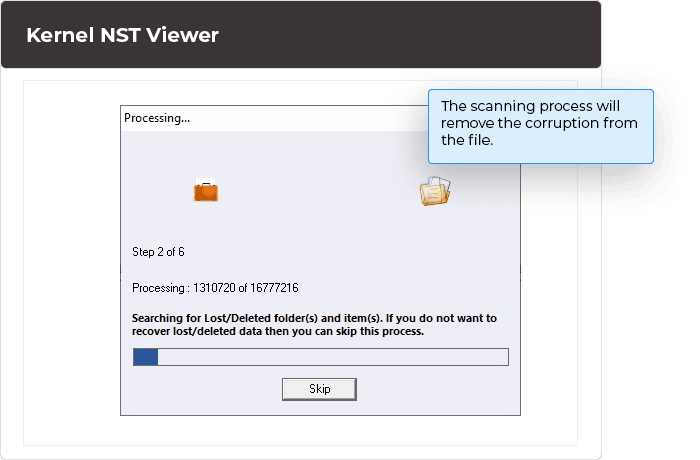
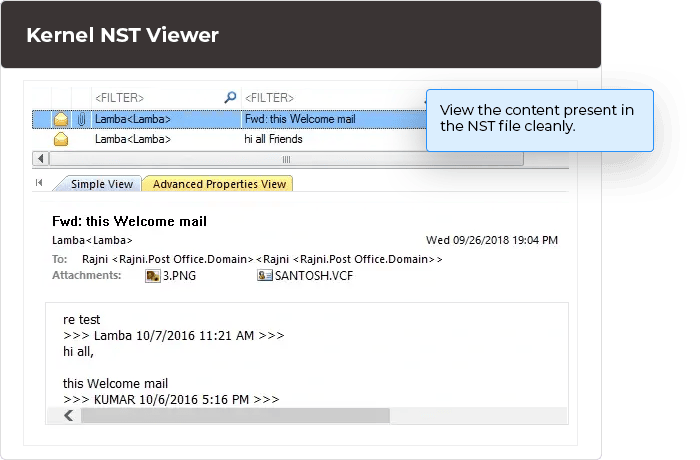
Kernel NST Viewer offers real-time preview of all the saved items after running a deep scan and removal of corruption from the file.
Explore software’s key capabilities
The free NST Viewer tool provides advanced features, as explained here.

Opens NST file without Outlook
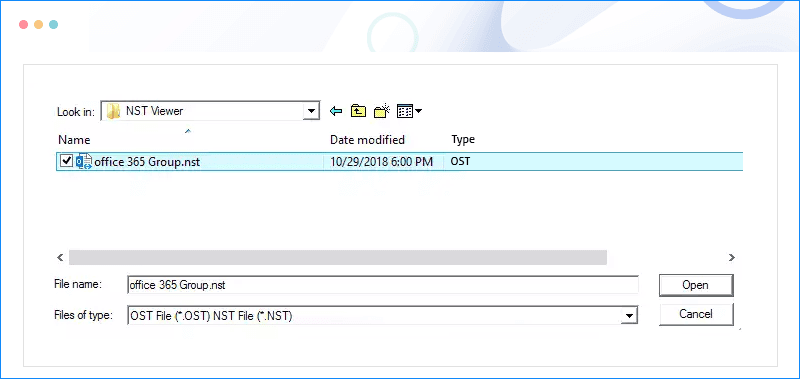
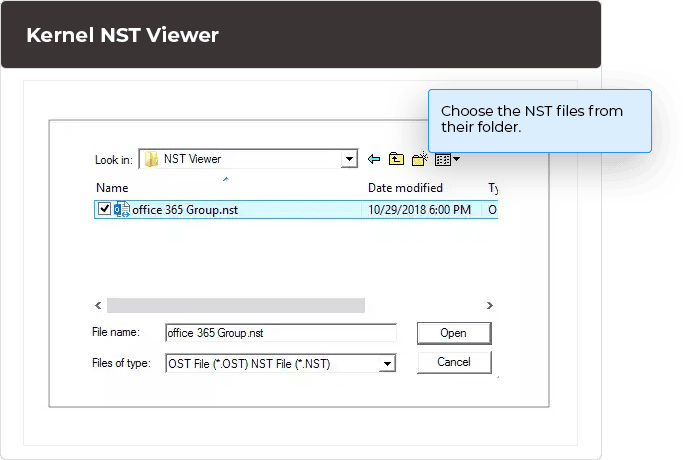
You can easily open an NST file directly using this tool. The tool will scan the NST file and enlist the entire the NST file content like emails, contacts, notes, journal, etc. The tool also lets you access email attachments.

Search for NST files within a drive or folder
In case, if you are not familiar with the location of NST files, then use the Search feature of the NST viewer tool. After you input the drive or folder where you want to search, the tool will search for the NST files to enlist them.

Open multiple NST files
You can select and view content from an unlimited number of NST files using this tool. You can add multiple NST files with the help of + button on the user interface.

Find and open emails
There is a Find option in the software which lets you search for specific emails. There are multiple filter criteria like From, To, Subject, date range, attachments, etc. by which you can find the required emails.

Open all types of NST file
The tool is quite capable of handling any NST file whether it is healthy or corrupt. It will open NST file without any issues.

Save email list in HTML format
As the software is a viewer file, you can view and save the complete list of the email in the NST file. You can also copy and print the email in an HTML format.

Generate NST file analysis report
The NST viewer tool lets you generate detailed file analysis reports to get an idea about the content of the NST file.

Good software compatibility
The free NST Viewer tool extensively supports all the versions of Microsoft Outlook (2016, 13, 10, 07, 03, 02, 2000, 98, & 97) and all types of NST files.
- For Windows 10/8/7/Vista – C:\Users\ \AppData\Local\Microsoft\Outlook
- For Windows XP – C:\Documents and Settings\ \Local Settings\Application Data\Microsoft\Outlook
- In opening NST file (both healthy & corrupt).
- In viewing the entire NST file’s data without Outlook.
- In accessing complete emails.
- In opening attachments associated with emails.
- In saving NST email list in HTML format.
- In getting analysis reports for the NST file.
Yes, you can access the NST file with the help of Outlook. Here is a brief procedure which you need to follow –
- Select your email account in the Outlook and right-click on it. Then select the last option of Data File Properties.
- Click the Advanced button.
- In the next option, click Advanced and then click Outlook Data File Settings.
- Copy the location URL and paste it in the Windows Explorer.
- After pasting the URL, remove the part till Outlook and press Enter.
- The location which opens has a file with the extension (.nst).
There is no size limitation for any NST file. You can easily open a large sized file using this tool.
Here are some common reasons behind NST file corruption –
- Abrupt system shutdown
- Virus attacks
- Hardware or software problems
- Outlook application crashes
If you choose to exclude the empty folders from migration. Just check the Exclude Empty folders option in Filter Selection window.
You may get such an error when the Username Principal Name (UPN) is different from the email address. To resolve the error, you need to enter both the UPN and the email address.
| Software Features | Freeware |
Perpetual |
Perpetual |
|---|---|---|---|
| View NST Files |  |
|
|
| No file size limitation | |
|
|
| Also preview OST files | |
|
|
| Supports all Outlook/Windows OS Versions | |
|
|
| Key Features | |||
| Recovers corrupt NST files | |
|
|
| Find specific items in NST files | |
|
|
| Converts NST files to PST files | |
|
|
| Converts OST files to PST files | |
|
|
| Converts multiple NST to PST in one go | |
||
| Splits converted NST file into small PST Files(s) | |
||
| Saves to email servers (Office 365, GroupWise, Notes and MS Exchange Server) | |
||
| Saves to web-based email clients (Gmail, Google Apps, Yahoo, Outlook.com, Hotmail.com, Live.com, AOL, iCloud, and Company IMAP Accounts) | |
||
| Free Download | Upgrade | Upgrade | |
Software Prerequisites & recommendations

 Version Support
MS Outlook: Office 365, 2019, 2016, 2013, 2010, 2007, 2003, 2002, 2000, 98 and 97
System Requirements
Hard Disk: 50 MB of disk space
Memory: 128 MB Minimum
Processor: Intel® Pentium Processor compatible (x86, x64) or equivalent
Operating System: Windows 365, 11, 10, 8.1, 8, 7, Vista, XP, 2000, 98, NT and 95 and Windows Server 2022, 2019, 2016, 2012, 2008 R2, 2008, 2003 R2, 2003
 EULA
EULAWhat customers say about Kernel NST Viewer
 (4.9/5) 439 Reviews
I have tried and tested many KernelApps tools. All are excellent, and the best thing is that you can trust them for security reasons.