Why Desktop Software Is Better Than Online Image Resizer

Unlimited File Handling

Unlimited File Handling

Resize multiple images in a single process with our free Bulk Image Resizer tool. Modify unlimited images of different formats (JPG, JPEG, PNG, JPE, JFIF, BMP, TIF, TIFF, PNG, ICO, etc.) without any limitations.

Resize Large Images Easily

Resize Large Images Easily

Online tools may limit the number or size of images you can process. Our Image Resizer tool has no limit on the number of images and can handle the large image resizing process smoothly.

Privacy and Security

Privacy and Security

Keep your sensitive images safely on your own PC. The tool works offline, so your photos never go to third-party cloud servers. No online account needed to resize your images.

Explore Free Image Resizer Software’s Key Capabilities

Kernel Bulk Image Resizer offers top-quality features to resize your images within seconds:

Resize Bulk Images

Resize Bulk Images

Resize multiple images at once and save your valuable time. The Image Resizer tool allows users to upload bulk images of different formats and resize them in high quality.

Dual Images Upload Options

Dual Images Upload Options

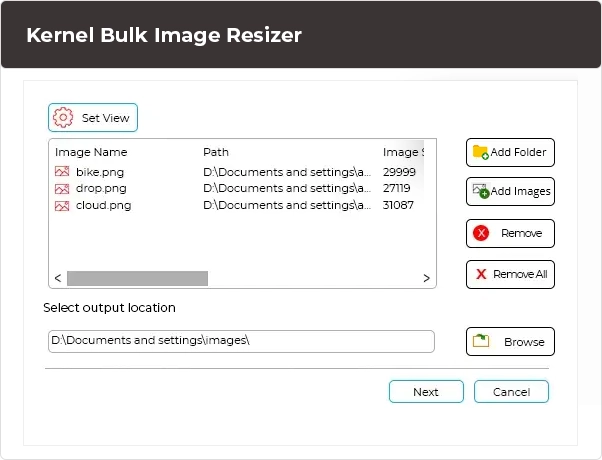
The Photo Resizer tool offers two different image upload options: Add Images and Add Folder. Resize multiple image files or a folder containing bulk images without any manual work.

Multiple Resize Options Available

Multiple Resize Options Available

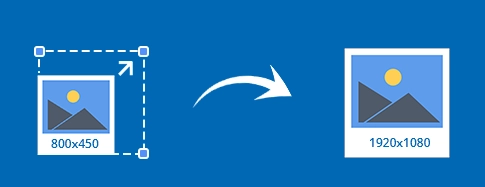
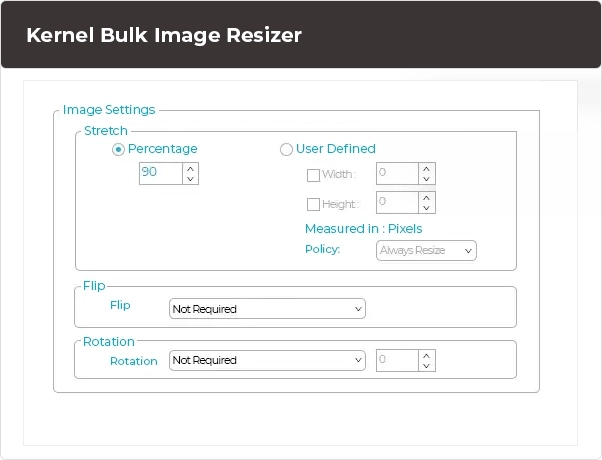
Resize images with multiple flexible options based on your needs. Set dimensions by Percentage or Pixels, flip images Horizontally or Vertically, and rotate them by 90 °, 180 °, 270 °, and custom degrees to the required angle.

Different Resize Image Effects

Different Resize Image Effects

Apply different image effects from Colorize, Hue, Saturation, Light, Brightness, and Contrast. Set any effect in your resized image and get the desired output result with original image quality.

Change Image Quality

Change Image Quality

Customize JPEG image quality with precise percentage basis. Maintain quality for clearer images or reduce it to create smaller file sizes. Set any level that suits your needs and resize image.

Smart Naming Conventions

Smart Naming Conventions

Our Bulk Image Resizer tool offers Naming Convention to save multiple resized images with an added Prefix or Suffix. Opt for Append Counter Name to keep the original name of the resized image in the saving location.

Multiple Output Formats

Multiple Output Formats

Resize images and save them in multiple output formats, including BMP, JPEG, TIFF, and PNG. Get the desired output file format that suits your needs. Upload any image format and convert it into the provided file formats.

Clickable Saving Location

Clickable Saving Location

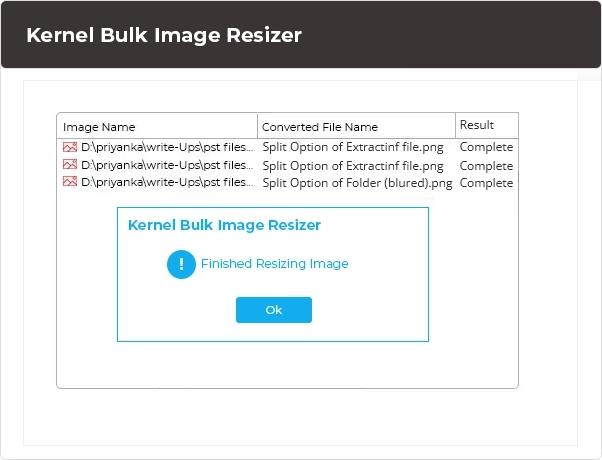
Access your resized images directly after the process ends. The Bulk Image Resizer Tool shows a clickable saving location link upon successful completion. Get automatically redirected to the saving folder without manual processing.

Download Free Bulk Image Resizer

Download Free Bulk Image Resizer

The Kernel Bulk Image Resizer tool is totally free and resizes multiple images without any charge. Download this tool on any Windows operating system and resize unlimited images at any resolution.

How to Resize Image?

Kernel Bulk Image Resizer tool is one of the best image resizer software to resize your images at the highest quality in just three simple steps:

Frequently Asked Questions

I have a set of 10 images whose width and height I want to adjust. Will this tool be able to meet my requirements?

Yes, this free image resizer tool offers manual options to adjust width and height for your images. Simply enter your needed width and height and resize your 10 images in seconds.

Can I resize Images for Instagram or Facebook?

Yes, you can resize all your images for Instagram and Facebook and other platforms too.

Can I resize my product images for eCommerce platforms?

Yes, you can resize your product images for eCommerce platforms, like eBay, Etsy, Amazon, Allegro, and many more.

Can I resize photos for classified ads?

Yes, you can resize images for classified ads on Google Ads, Craigslist, OLX, Gumtree, OfferUp, and Kijiji. You can even add special effects to those images to make them more attractive.

Can I resize my TIF images with this tool?

Yes, you can easily resize your TIF image files using this Image Resizer tool. Apart from TI, you can easily resize your JPEG, JPG, BMP, and GIF image files.

Can I specify my JPEG image quality using this tool?

Yes, you can specify the JPEG quality with the JPEG Quality option.

Can I save my BMP images to universal JPEG file format?

Yes, our free image resizer tool can save your BMP images into JPEG file format. Apart from JPEG, you can save your images in different file formats, including JPG, PNG, BMP, TIF, TIFF, and GIF.

Is this Bulk Image Resizer tool compatible with Windows XP?

Yes, this Image Resizer tool is compatible with all versions of Windows, including Windows XP.

Software Prerequisites & recommendations

About SoftwareAbout Software

Version: 12.07.01

License Type: Free

System RequirementsSystem Requirements

Hard Disk: 50 MB of disk space

Memory: 64 MB RAM(Greater than 64 MB is Recommended)

Processor: Intel® Pentium Processor compatible (x86, x64) or equivalent

Operating System: Windows 11, 10, 8.1, 8, 7, Vista, XP, 2000, 98, NT, 95, Windows Server 2022, 2019 & older versions

What customers say about Kernel Bulk Image Resizer

Easy to use and reliable

Very efficient tool to work with. Very easy to use and reliable. No need for any technical support to operate this tool.

Eastorwine
real customer review
  • Excellent
    95%
  • Good
    1%
  • Average
    4%
  • Below Average
    0%
  • Poor
    0%
Write a review
Live Chat