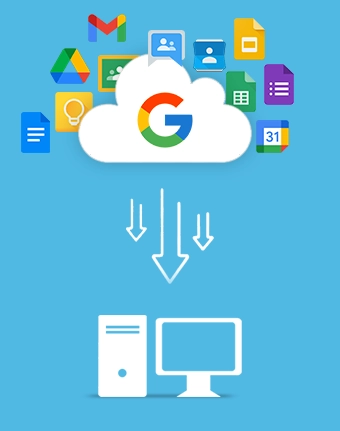
G Suite Export tool to export Google Workspace data to local storage & NAS storage
Export Google Workspace data, such as Gmail, Google Drive (files & folders), Chats, Sheets, Docs, Calendars/Appointments, Slides, Forms, Meets, etc. The Google Workspace Export Tool provides an advanced feature to securely move bulk data from G Suite accounts using the CSV import option.
Download trial version and save 25 items per folder for free.- Export G Suite users' mailbox as PST file and other supported formats
- Takeout specific data with Folder selection, Date, and Item Type Filter
- Allow incremental data backup using Skip Previously Migrated Items option
- Option to select files and folders to save only the required user data
- Split PST file to manage large user mailboxes into multiple small PSTs
- Track the real-time process while exporting Google Workspace data
- Compatible with Windows OS, such as 11, 10, 8, 7, and earlier versions
Export G Suite Emails into multiple Formats
Kernel Google Workspace Export software saves G Suite email data in various formats to ensure secure storage and easy accessibility.
Convert Gmail emails to PST file and access them easily by importing in Outlook application.
- Allows easy migration of Gmail mailboxes to other email clients
- Provides offline access to the emails and free up space from the cloud
- Helps to keep data secured by using password protection
Export individual emails from Google Workspace to MSG file, supported by Outlook and other applications.
- Allows uninterrupted email accessibility even when offline
- Simplifies archiving and sharing individual emails as single files
- Preserves email attachments and metadata, such as sender, recipient, etc.
Save Google emails individually to an EML file which is compatible to email clients, such as Thunderbird, Windows Live Mail, Outlook, and others.
- Transfer Gmail to EML file and import it easily to other email clients
- Store email data along with their metadata, attachments, and headers
- Incline efficiently with the common industry email standards
Download email messages and other data from Google Workspace to a PDF document and save it locally for future use.
- PDF files are easy to share across all devices, online and offline
- Preferred for legal documentation and to share as non-editable files
- Allows password-protection and store images, text, links, and more
Use the Word Document file format to store Google Workspace data and use it efficiently whenever required.
- Doc files are easily accessible across all devices
- Store attachments, email messages, contacts, links, etc.
- Supports printing and sharing of emails without hassle.
Move Google Workspace data to an HTML file to create visually appealing messages and reusable templates for drafting emails in future.
- Store emails and other data to HTML file accessible in any web browser
- Retains email design, including color, hyperlinks, images, and formatting
- Makes it easy to edit or modify the email design quickly
Extract user emails and other data from Google workspace with the G Suite Export tool and save for offline access and archiving purposes.
- Preserve the original email formatting, including HTML & inline images
- Readable across various browsers without any email client
- Allows viewing emails even if there’s no internet connectivity
Best Features of Kernel Google Workspace Export Tool
Scroll down to discover the exclusive features offered by our tool to help export data from G Suite accounts.

Export Google Workspace data
Use Google Workspace export tool to take backup of Google Services from all the G Suite components. Select data from Gmail, contacts, calendars, Google Drive, Sheets, Docs, etc. Allows saving exported data within the local storage without any risk of data loss.

Export data from Google Groups
Backup Google Groups along with the users, permissions, settings, metadata, etc. Use the tool to move multiple Google Groups data to PST and other file formats. Select single or multiple groups from the added Super admin G Suite account.

Save data to multiple file formats
With the advanced algorithms equipped in the tool, download G Suite mailbox to PST, MSG, EML, PDF, and other file formats. Supports a wide range of formats to move data that makes it easy to migrate Gmail to Outlook and other email clients.

Bulk data export using CSV file
Use a CSV file with all the source details entered for a quick and hassle-free data export. Export the sample CSV file from the tool and then mention the details accordingly to transfer the data to PST file for easy backup.

Run multiple instances simultaneously
Use the tool to backup Gmail emails with multiple instances at once. Execute quick backup of all the Google Workspace data without overlapping running processes. Quite a beneficial solution, especially when there's bulk data to export.

Execute incremental/delta pass export
Skip duplication of data from the resultant PST or other format file. Backup G Suite Emails with the incremental or delta pass feature of the tool. Mark the checkbox, “Skip Previously Migrated Emails (Incremental)” option to export the recent items only.

Use P12 Key for secure login
Use the P12 key of the selected Super Admin G Suite account to securely connect tool with the desired Google Workspace. Select to Browse the relevant P12 key related to the Service account and get all the mailboxes stored within it.

Filters to export specific data
Advanced filters integrated in the export Google Workspace mailbox solution make sure that only relevant data is exported. Use Date Filter and Item Type Filters to extract desired data from Google Workspace and save it to selected output file type.

Backup Gmail Emails only
Use Item Type filter within the tool to backup only emails from Google Workspace than complete data. Allows easy export of emails only from the Gmail account along with the attachments linked to the selected user emails.

Split Output PST file
For scenarios with large resultant PST files, the Google Workspace Export tool provides an efficient feature to manage mailboxes. Use the Split Output PST file option and select a suitable size with minimum 1 GB and divide large-sized PST into multiple small PSTs.

Support detailed report generation
After completing the Export Google Workspace mailbox process, check out the detailed report the tool generates. Click on the OK button from the popup, “Process completed. Please save the report to CSV” and save the report offline as a CSV.

Free Google Workspace Export Tool
Use the free trial version of the tool to backup Gmail mailbox data and store data offline. The software’s demo version supports free export of 10 items per folder from Gmail account and 5 documents per Google Drive account. Purchase the license to save all data.
Compare Free vs Full Version of Google Workspace data export tool
Learn about the features offered by the free and full version of our tool to see how demo version varies from the licensed version.
| Software Capabilities | Demo Version |
Full Version |
|---|---|---|
| Export Gmail data to PST, MSG, EML, etc. | 10 items per folder | Unlimited |
| Save Google Drive data, including Sheets, Docs, Calendars, etc. | 5 items per Google Drive | Unlimited |
| Export individual Item Types | ||
| Filter data by Date Range | ||
| Skip Previously Migrated Data | ||
| Get detailed reports | ||
| Compatible all Windows OS | ||
| Try it free | Upgrade $49 |
Frequently Asked Questions about Kernel Google Workspace Export Tool
The tool follows a short and simple process to backup G Suite emails as follows:
Step 1: Launch the Google Workspace Export tool and click on the Add button add the Google Workspace mailboxes.
Step 2: Enter the login credentials and select to get single or multiple mailboxes.
Step 3: Once the mailboxes are listed, click Set Filter and Migrate.
Step 4: Make the folder selection and select the filters. Click I am OK, Start Migration.
Step 5: Select the Output type and define the destination to save the resultant file.
This will begin the process, which will take a couple of minutes to complete. The tool will show the real-time progress of the process. Once finished, save the report to CSV file.
Yes, the tool comes with a free trial version that allows exporting 10 items per folder from a Google Drive account. With the demo version, you can save 5 documents per Google Drive. To perform an unlimited export of data, buy a full license of the tool.
Yes, you can export Google Workspace data as a PDF, HTML, or Doc file to access the data even without an email application like Outlook.
P12 key or PKCS#12 is a service account key generated using the Google Cloud Console. The tool requires this key to efficiently connect with the service account to provide access to the G Suite user accounts.
To ensure there’s no duplication of data in the resultant file, select Email as the Item Type Filters and then Skip Previously Migrated Emails (Incremental) checkbox. It will download emails only without any redundancy.
Use the Split PST file option to fragment the large resultant PST into multiple small-sized PSTs. You can divide it into custom sizes starting from 1GB.
A super admin account tends to have superior control over all the user accounts within G Suite. It has administrative control on all the accounts connected to apps, such as Google Docs, Sheets, Drive, etc. To export data from multiple G Suite accounts, Super Admin credentials are needed.
Kernel Google Workspace export tool Prerequisites & recommendations
 About Software
Version: 23.2
License Type: Corporate & Technician
 Version Support
Google Workspace: All plans and subscriptions for Google Workspace, Business, Enterprise, Essentials, Frontline, Individual, and Education.
Outlook PST File: 2019, 2016, 2013, 2010, 2007, 2003, 2002, 2000, 98 and 97
 System Requirements
Hard Disk: 500 MB of disk space
Memory: 128 MB Minimum
Processor: Intel® Pentium Processor compatible (x86, x64) or equivalent
Operating System: Windows 365, 11, 10, 8.1, 8, 7, Vista, XP, 2000, 98, NT, 95 (FAT 16, FAT 32, NTFS, NTFS5)
Windows Server 2022, 2019, 2016, 2012, 2008 R2, 2008, 2003 R2, 2003
 Installation Guide
 How to use