Kernel Google Photos Backup Tool
Trusted Software to Backup data from Google PhotosBackup entire Google Photos components, including photos, videos, audio files, albums, and archived files directly to your local drive. Utilize the date filter feature to backup specific Google Photos data based on your preferences. Save all your files with their original hierarchy at your desired system location in the particular folder for easy organization and access.
Download the trial version and save 10 items per folder.- Backup single or multiple users’ Google photos and videos on your local drive.
- Bulk Google account photos backup using CSV file.
- Advanced Search option to find and backup specific users' Google Photos data.
- Review and select Google user's photos, videos, and audio for precise backup.
- Use date range and archive media filters for selective backup of Google photos.
Why You Should Backup Google Photos?
Explore all the major reasons for backing up data from Google Photos in the local or network drive of the system.
Prevent Accidental Deletion
If you accidentally delete photos or videos from Google Photos, having a backup assures you don’t lose them permanently.
Protect Against Account Issues
Your data is safe even if your Google account gets hacked, suspended, or inaccessible due to security issues.
Free Up Storage Space
Backing up your data allows you to delete them from Google Photos and free up space without concern about losing them.
Google Storage Limits
With limited free storage in Google Drive, saving a backup elsewhere helps you manage storage without depending entirely on Google’s quota.
Data Security and Privacy
A personal backup guarantees that your memories are secure, even if Google changes its policies or discontinues services.
Offline Access Anytime
Without an internet connection, you can’t access cloud-stored photos. With an external backup, your photos are always available.
Top Features of Our Google Photos Backup Tool
Explore all the top features of the advanced Kernel Google Photos Backup software and backup entire Photos data with all albums, folders and sub-folders intact.

Backup Google Photos data
Backup all the Google Photos from a variety of formats such as BMP, JPG, GIF, PNG, HEIC, TIFF, ICO, WEBP, etc. in the selected folder on your local drive. With an easy-to-follow Google Photos backup process, get unlimited Photos data backed up in their original quality.

Backup archived photos and videos
With the archive media filter available, download a backup of all the Google Photos along with the archived media data at your desired location. No more separate and hefty manual selections for your archived data, the Google Photos backup tool automates the archive backup process.

Add single or multiple Google accounts
Equipped with advanced algorithms, the Google Pictures backup software allows users to add single or multiple Google accounts all at once. Add a super admin account in this tool and select their specific users for taking the Google Photos backup free of any errors.

Maintain data quality and original hierarchy
With zero size restrictions and rapid backup capabilities, take your large-sized Google Photos, videos, and audios in your desired location with full data quality. With file size compressed post your final backup, the Google Photo backup quality maintains its pixels via the use of our high-end tool algorithms.

Date filters for selective backup
After the final selection of relevant Google Photos data, filter out the unnecessary items with our easy-to-apply date range filters. Select the From and To date field to backup Google Photos to hard drive as per the specified date range. Check mark the date filter and let the tool execute the backup.

Backup data in a separate folder
Backup all Google photos, videos, and audio data in a separate folder with the Save data hierarchy into a separate folder feature. Opt for existing folder destinations or just input a folder name to create a new destination folder in your desired path and save your Google Photos data backup locally.

Preview Google Photos data count
The Kernel Google Photos Backup software has a preview feature to view the photos and videos count of the selected user accounts. From the preview pane, select the relevant Photos data to backup and filter out the specific files for quicker backup.

Download detailed backup reports
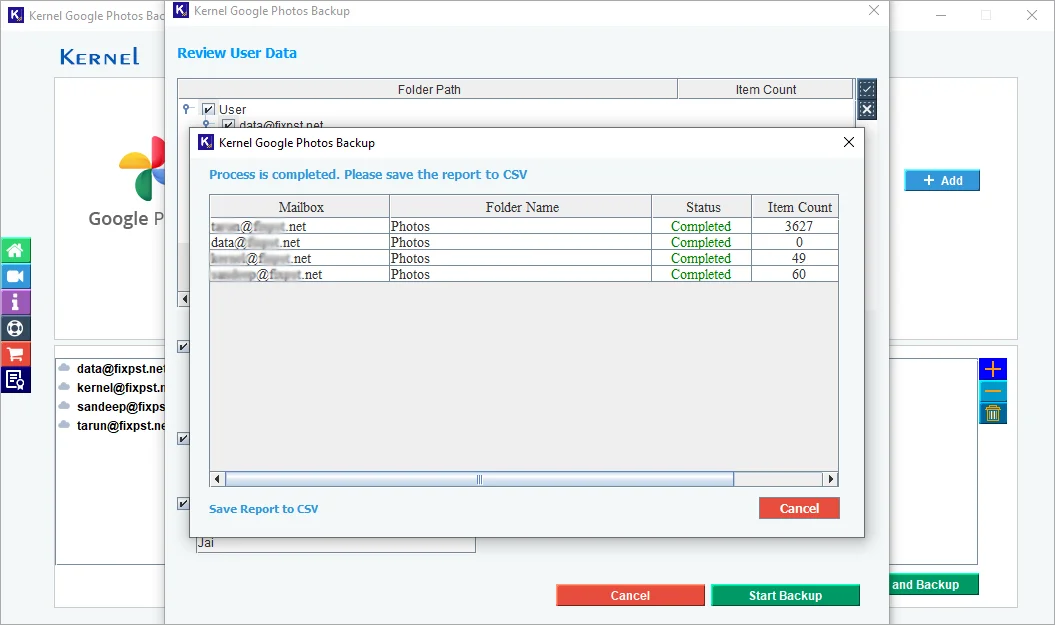
After a successful Google Photos backup, generate and download a detailed Google photo backup report in a CSV file. Track the Mailbox Names, Folder Name, Status, Item Count, and Remarks, and keep the valuable CSV file for future reference.

Free demo version
With the free Google Photos backup download, use the top-quality features of the tool to easily backup up to 10 items per folder. For further Photos backup needs, upgrade your trial version to full version with minimal cost but maximum effectiveness.
What can you back up with Kernel Google Photos Backup?
This section will discuss the various types of data that users can backup using our tool to ensure comprehensive protection of Google Photos.

Photos
Retrieve all the Google Photos and backup them in the original raw format at the desired location in the system.

Videos
Backup all the small or large-sized videos of selected Google accounts in their respective formats.

Audio
Save all the essential personal or professional audio files from your Google Photos with their original audio quality.

Albums
Retain and backups all Google Photos albums with their actual names (any language & characters) in the original hierarchy.
How to backup data from Google photos?
Carry out a safe backup from Google Photos with the Kernel Google Photos Backup tool in simple steps:
- Step 1: Download and install the Kernel Google Photos Backup software.
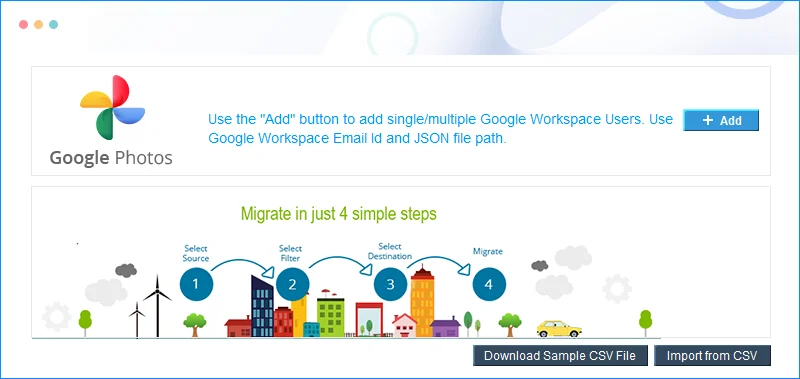
- Step 2: Launch the software and click on Add.
- Step 3: Enter Google account credentials and click Add.
- Step 4: In the following window, verify the mailbox and click Set Filter and Backup.
- Step 5: In the Filter section, apply the required filters and click Start Backup.
- Step 6: Browse a specific folder to Save the backup file.
- Step 7: The software will start the backup process, and once it's done, you will get a Backup completed message.
- Step 8: Generate and download detailed Photos backup reports in a CSV file for future reference.
Trial Vs Full Version
Check out all the top features of the Photos backup software trial and full version, and select the tool as per their needs.
| Features | Trial Version |
Licensed version |
|---|---|---|
| Add single or multiple Google accounts | ||
| Get photos and videos items count | ||
| Date filters for selective data backup | ||
| Backup Google Photos archived data | ||
| Save data in a separate folder. | ||
| Save backed-up data in the desired location | ||
| Backup data from Google Photos | 10 Items per folder | Unlimited |
| Free Download | Upgrade Now |
Frequently asked questions
Software Prerequisites & recommendations
 About Software
Release Date: Feb 2025
Version: 25.0
License Type: Number of Users
 Version Support
Google Workspace: All plans and subscriptions for Google Workspace, Business, Enterprise, Essentials, Frontline, Individual, and Education.
 System Requirements
Hard Disk: 2 GB of disk space
Memory: 128 MB Minimum
Processor: Intel® Pentium Processor compatible (x86, x64) or equivalent
Operating System: Windows 365, 11, 10, 8.1, 8, 7, Vista, XP, 2000, 98, NT, 95 Windows Server 2022, 2019, 2016, 2012, 2008 R2, 2008, 2003 R2, 2003.
 Installation Guide