Read time: 12 minutes
It’s Monday morning, and you are full of energy. Launched Google Chat (earlier called Google Hangouts), hoping to reply to your colleague. But wait, where is the message? You scroll up and down, relaunch the app, but still nothing.
Worry not, you are not the first and unfortunately not the last to face this situation. But the good news is that recovering lost or deleted messages from Google’s 1:1 messaging app is not impossible. There are a few methods that you can try to recover Hangouts Chat History or messages.
When you need to recover Hangouts chat history
Everyone has a different reason to recover Google Hangouts history. In my case, I was looking for a lost document. Similarly, many want to:
- Recover Chat History or messages to regain important personal or professional conversations lost due to accidental deletion.
- Get back your valuable business discussions, shared files, critical decision records, and other Hangouts chat history.
- Recover Hangouts Messages to meet legal, compliance, or audit requirements with complete communication records.
- Safeguard your Hangouts chat history to ensure continuity after account issues, device failure, or unexpected data loss.
- Recover Hangouts Chat History/Messages to back up important chats before switching devices or Google accounts.
How to Retrieve Archived Hangouts Messages?
After discussing the need to recover chats, let’s discuss the methods to recover them.
Method 1: Recover Hangouts messages using Gmail
Sometimes, you don’t delete a chat but archive it and forget it. Later, when you don’t see it in the Google Hangouts history, you assume it is deleted and start searching for how to recover Hangouts chat history.
In this case, you don’t need a recovery method, but only your Gmail. Why Gmail, you may ask? Because Gmail allows direct access to your Google Chats. You can search for archived chats in Gmail with these steps:
Step 1: Open Gmail and click on the Google Chat icon.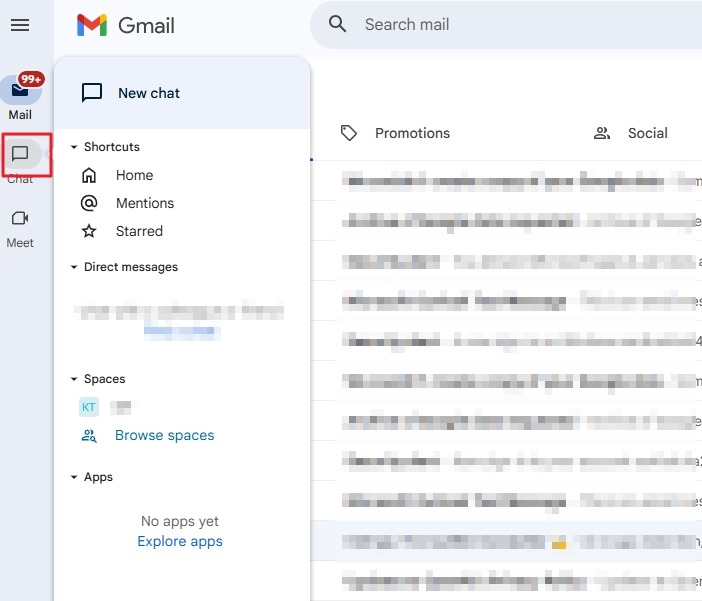
Note: If you cannot see the Chat icon. Click Settings > Customize (under Chat and Meet) and tick the Google Chat checkbox. Click Done.
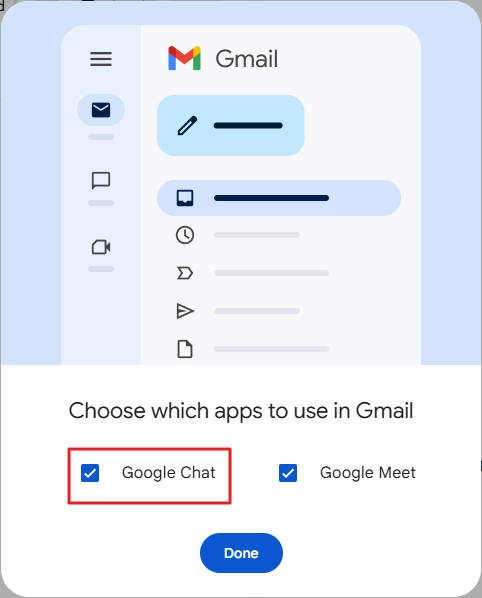
Step 2: Now, you can see all your Google Hangouts users in Google Chat. To find the archive or hidden chat, search for it in the Search chat section.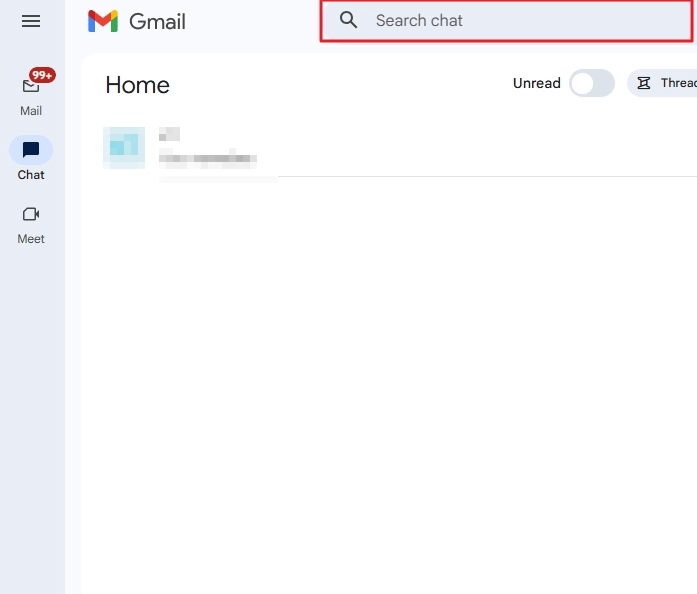
Alternatively, you can also use the Gmail’s search bar. Click on it and type in: chat [username or matching keyword] and hit Enter.
Method 2: Use Google Vault
If your Google account is part of a Google Workspace organization, ask your admin if the Google Vault is configured for your domain and is backing up the data. In most cases, it is enabled, and it must have your data (depending upon the retention policies).
Request your admin to create a new Export request and download the Google Chat data. But let me warn you that Google allows exporting the data from Vault, but sadly, to this date in 2026, Google has not introduced any way to import it. It’s actually ironic; you can use Google APIs to import data to Google Chat from another platform, but cannot save exported Google messages back to Google Chat.
Method 3: Ask Other Chat Member to Send the Chat
Chat is not archived and is not even in Google Vault. Now what. There is still a way. However, I will not call it a recovery process; it’s more like a workaround. But if it works, then no harm is done.
A conversation has at least 2 people involved. Messages are deleted from your end only. But the other members still have them. So, ask them to forward them to you. In case it’s a very long conversation, I suggest using Google Takeout to export the whole chat and get it in a zip file. Use these steps to download a Google Chat conversation from Takeout:
Step 1: Go to Google Takeout page and login with the Google account from which you want to recover the messages.
Step 2: By default, multiple components are selected. Clear selection by clicking on Deselect all.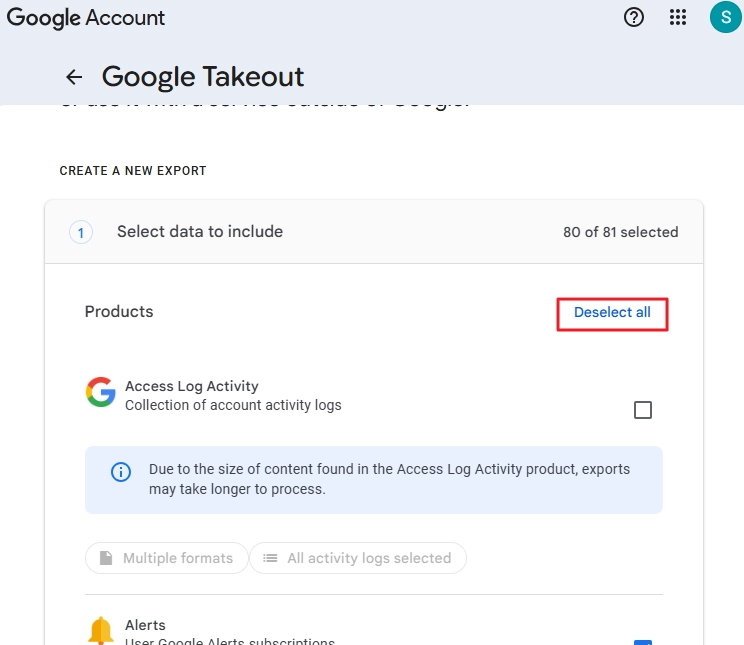
Step 3: Find and select the Google Chat option.
Step 4: Scroll down and click Next step.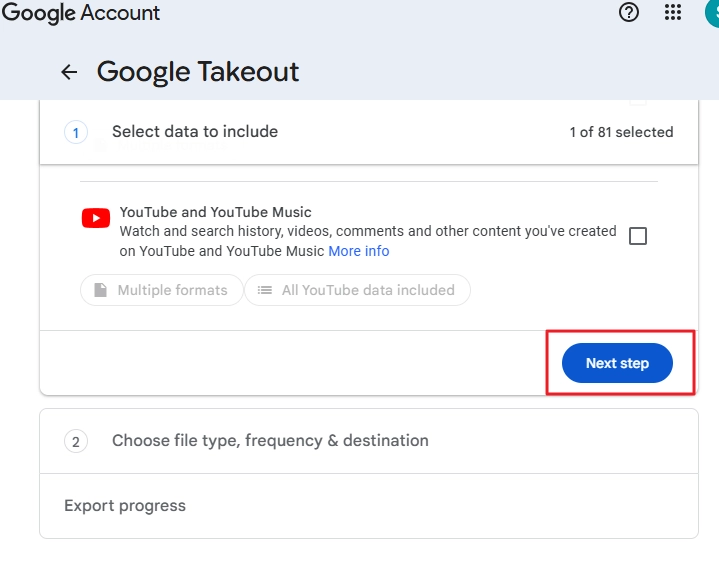
Step 5: Choose the destination and keep the Frequency to Export once only.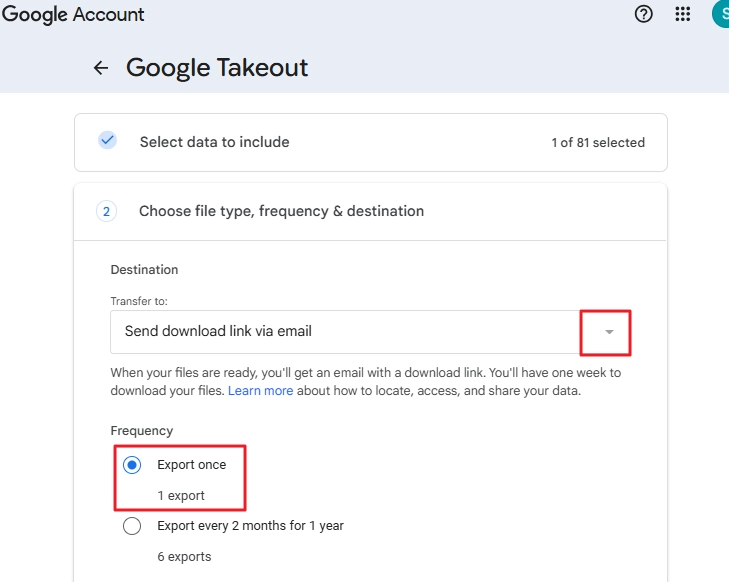
Step 6: Specify file type, size, and click Create export.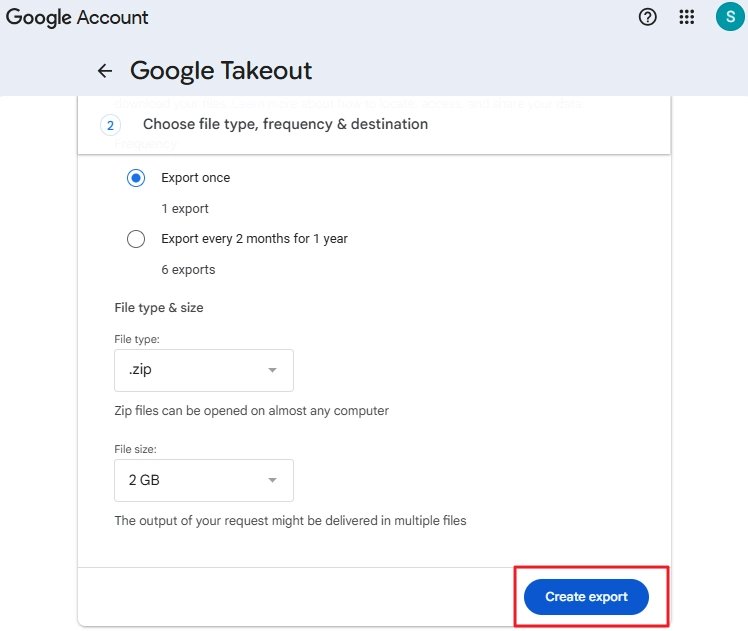
Step 7: An export job is created. Once the Chat data is ready to download, you will get an email with the download link.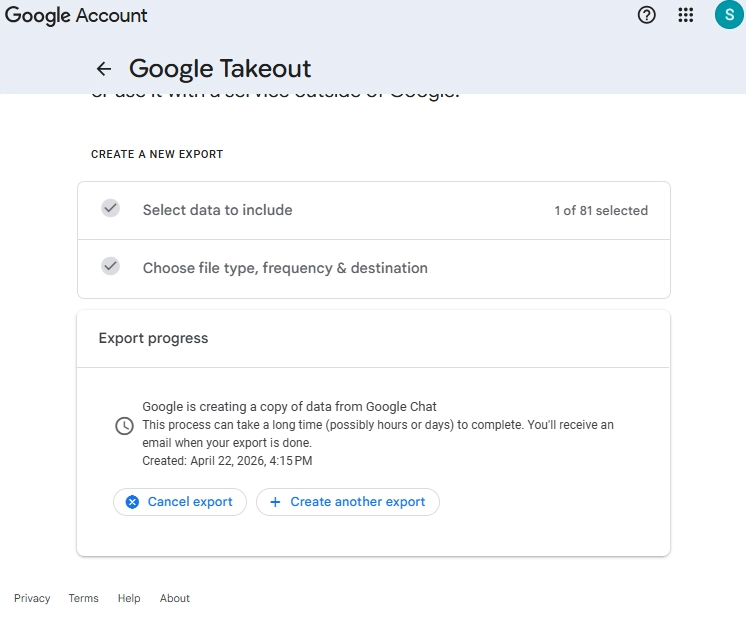
But exporting Google Chat using Takeout will download all your Chat messages. You must extract the .zip file content and search for the Google Hangouts history in the conversation folders manually.
How to Prevent Google Chats from Auto-Deleting after 24 hours?
Many users have this query: “Why does my message auto-delete from Google Chat?” The answer is that you have turned off the Google Chat history. It’s a built-in feature that saves your messages in the conversation. To stop the automatic deletion of messages, do this:
Step 1: Go to Google Chat in Gmail.
Step 2: Select and open the chat whose messages are being deleted automatically.
Step 3: Click on the dropdown button to access more options and click on the Turn on history option.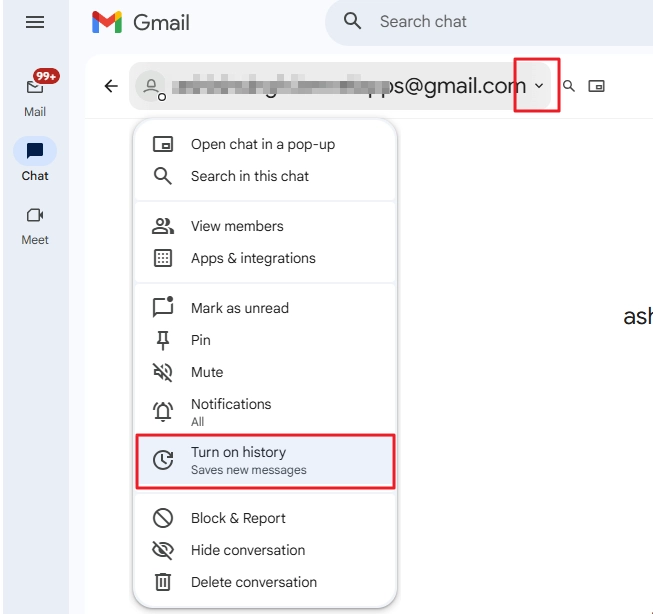 <
<
That’s it. Now, all your messages will be saved safely in the chat.
Professional Solution – Recover Hangouts chat history quickly
Recovering Hangouts chat is difficult from permanently deleted chats. Thus, it is mandatory to take a routine backup of all your Google Hangouts Chats using a top-notch Kernel Google Workspace Backup and Restore tool. The software allows you to recover Hangouts chat history in multiple file formats, such as PST, MSG, HTML, MHT, DOCX, DOC, PDF, and EML. Save and recover Hangouts Chat History/Messages in local/network/flash/external hard drives for easy accessibility.
Our Google Workspace Backup tool help you to safeguard all your Google Hangouts chats with all the attachments and chat formatting.
How to Recover Hangouts Chat History or Messages: Step-By-Step Guide
Here is a step-by-step guide to save all your Google Hangouts history locally using our advanced software:
Step 1: Download, install, and launch the software. Click on the Google Chat Backup file on the software’s homescreen.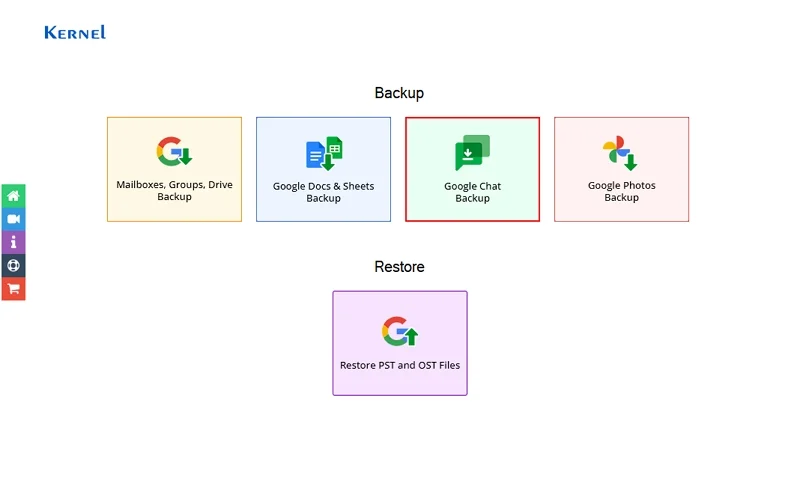
Step 2: In the following window, click on Next for further backup process.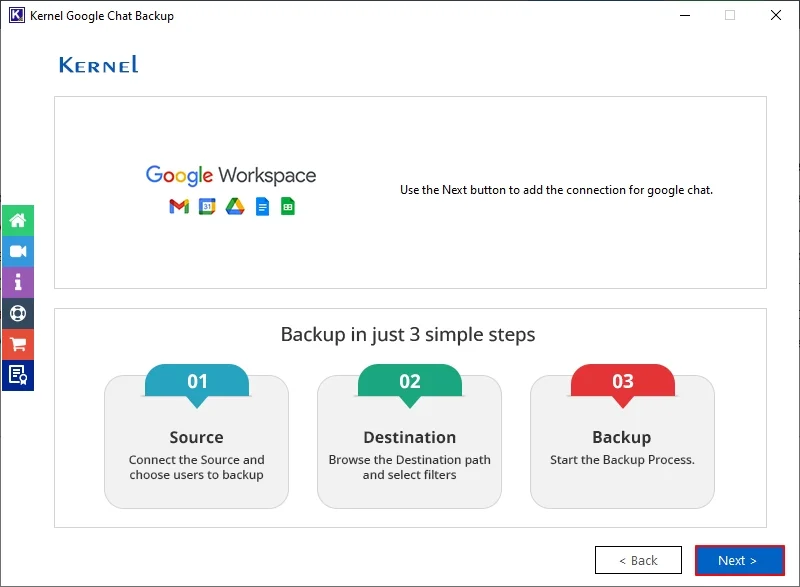
Step 3: Enter Super Admin Email Address, Service Account Email Address, and Private Key Path (.P12) in Connect Source window. Click Next.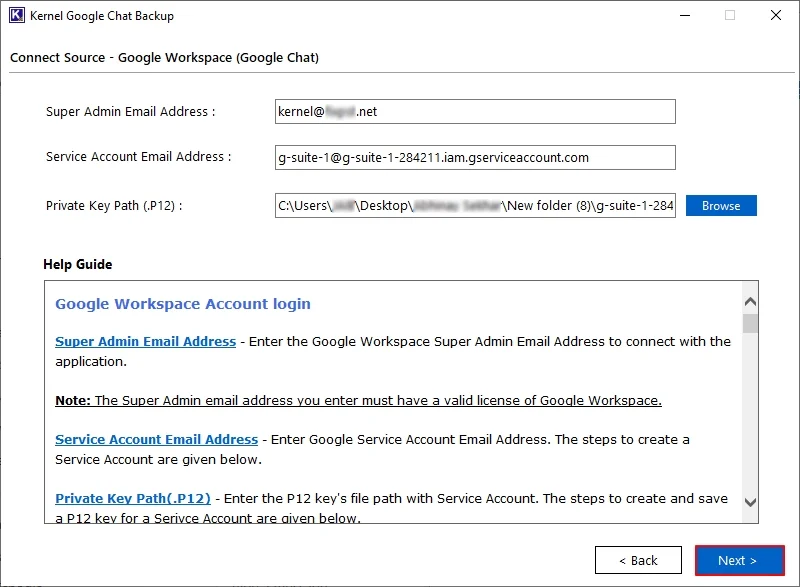
Step 4: If you want to save your Google Chat password, click Yes.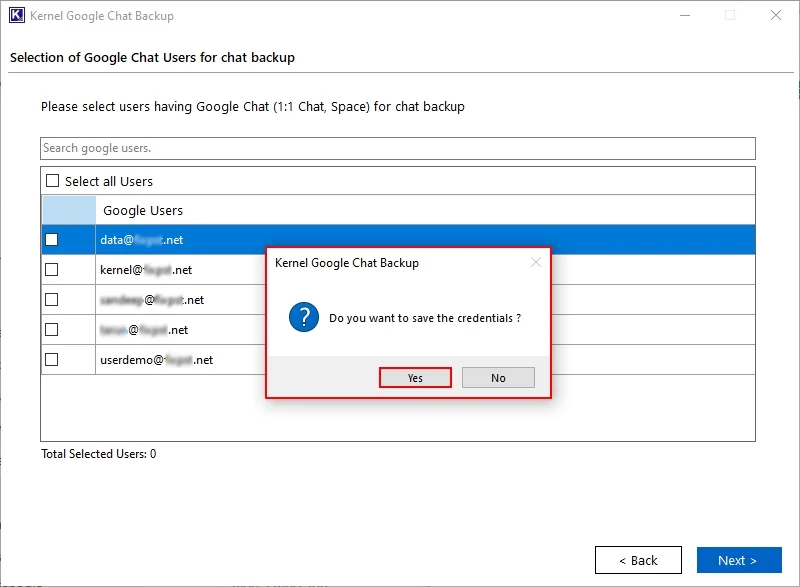
Step 5: The tool will show all the Google Chat Users. Select the necessary users, and click Next.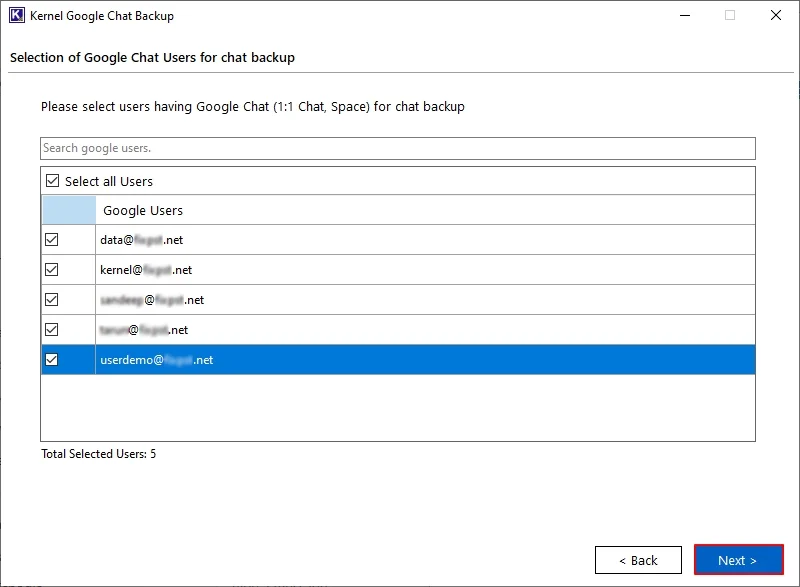
Step 6: In the Filters for chat backup window, apply necessary filters, select a preferred saving location, and click Next.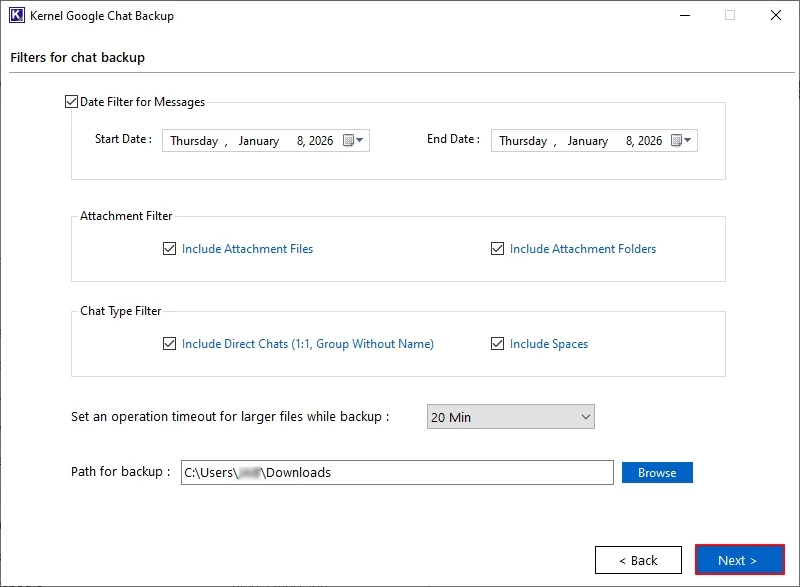
Step 7: In the Backup Options, select HTML or PDF accordingly and Click to start backup.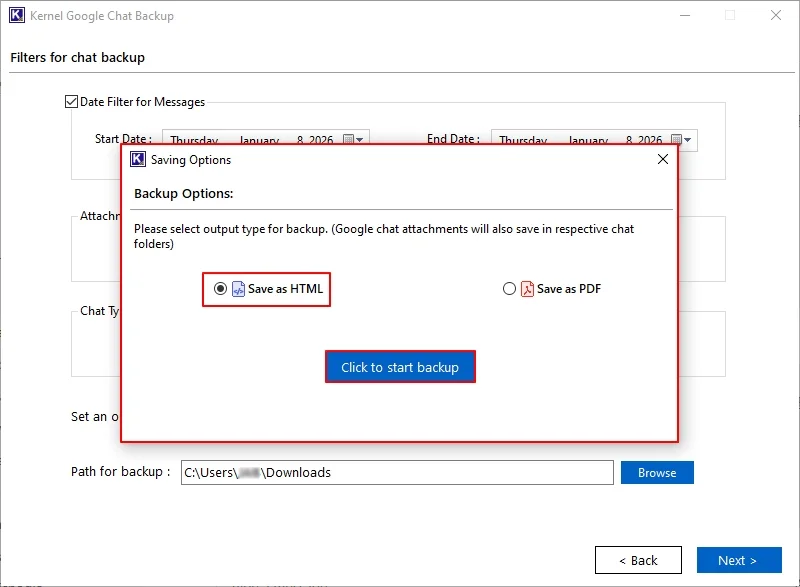
Step 8: The software will start the Google Hangouts (Google Chat) backup process.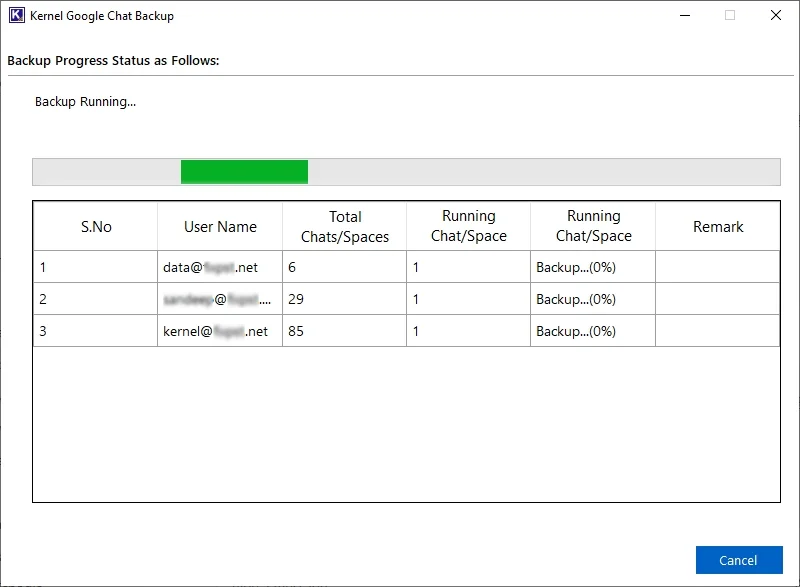
Step 9: The software will pop up Backup Completed Successfully message. Click OK.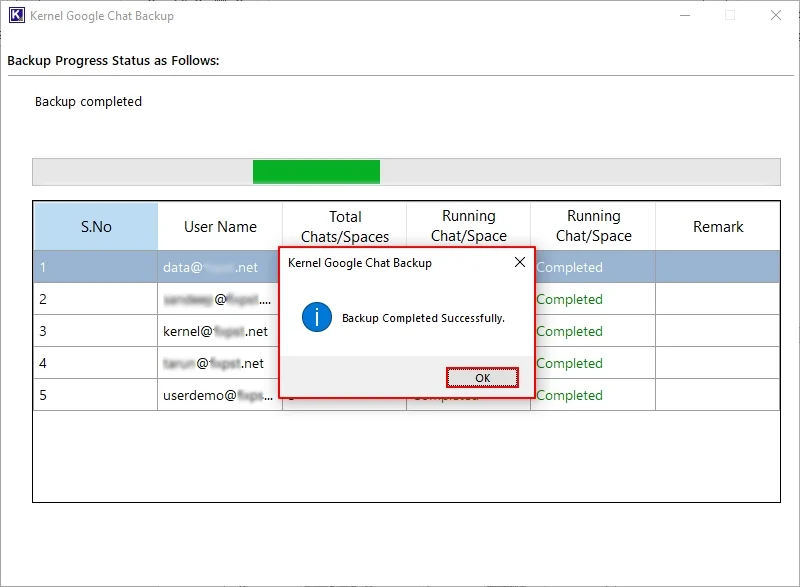
Step 10: You can View Backup Logs of failed items and download a detailed summary report in a CSV file. Additionally, access your backed-up Google Hangouts messages using the ” Click to open backup folder” option.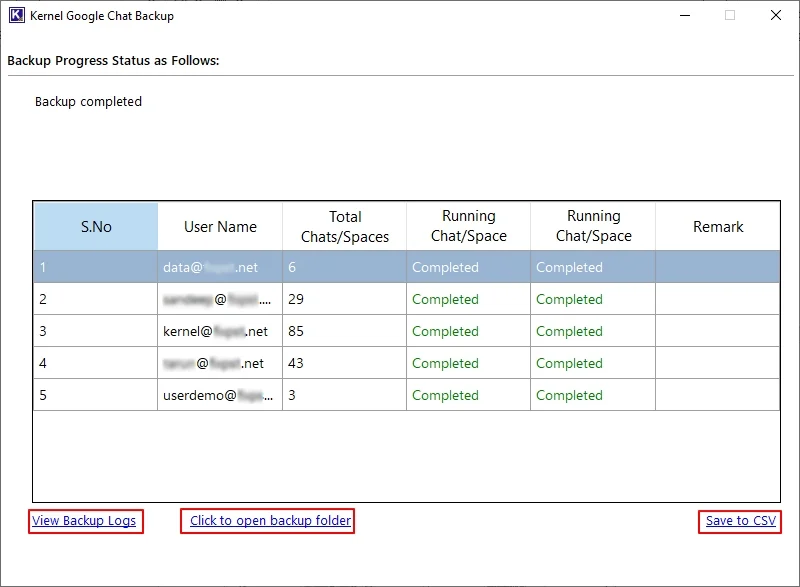
Author’s Verdict
The above solutions only work if your data is not permanently deleted from the Google environment (happens when retention period is over). There is no way to get back the deleted Google Hangouts history or messages in this case. You can ask Google support team for help, but I am confident they will tell you the same thing.
What’s gone is gone. Now, put your efforts into making sure you don’t suffer from future data loss. And the only way to do this is to create a complete Google Chat backup. The native methods to backup Google Chat are via Google Takeout and Vault Export job. But none offer instant message downloading. The job can take days to complete, leaving your chats endangered for that time.
A better and faster alternative is to use the recommended G Suite backup tool. It includes a dedicated chat backup module that smart maps your messages, files, and original order of threads, and saves the conversation history with data integrity. All your messages are saved in a ready-to-access state. This is the best prevention technique against questions like “how to recover Google Chat history?” Moreover, the tool even allows to export G Suite emails to PST.
Frequently Asked Questions
A. No. Chat has no such folder that holds the deleted messages. Once deleted, it will be gone, unless they are backed up by the vault or by you manually.
A. Delete means purging it from the Google server. But the archive only hides the chat. When archived, you will not see the chat in the Google Hangouts history or Chat history, but it is still on Google’s server.
A. The admin can set a retention period as per choice; you can set it for a few days or make the data retain indefinitely.
A. You can try the following approach:
1. For archived chats, go to Gmail and search for them manually.
2. For deleted chats within the retention period, try Google Vault.
3. For permanently lost messages, ask the other chat member to download and send you the chats.