Read time: 7 minutes
Lycos, established in 1994, was known for its web portal, web hosting, search engine, and email services. Millions of users were accessing Lycos email services before it was completely phased out. Due to this step, so many users are now forced to look for solutions to continue their email communication. But this transition is not as easy as it seems because users can’t move their Lycos email address.
Even though they partnered with Exact Hosting to help users, Lycos users can only access the mailbox recovery service and no @lycos.com email address extension. For the users searching for “does Lycos Mail still exist” or solutions to “Lycos Webmail not working,” there are more than thousands of users with similar queries. Let’s get complete information about the released announcement, consequences, and solutions to help you save your email history.
Major Reasons Why Lycos Mail Discontinued
Here are a few reasons that forced Lycos Mail to shut down its free email services:
- Security challenges: One of the major reasons why Lycos discontinued its email services is the lack of a robust threat protection system to fight back against evolving cyber threats. Implementing advanced security protocols like end-to-end encryption, anti-spam, anti-phishing, and malware prevention became increasingly expensive for them.
- Market share reduction: Since new competitors like Gmail, Yahoo, and Hotmail entered the market, Lycos’ popularity started declining. This was mainly because of its slow speed, fewer features, and low storage capacity, that was enhanced in other email service providers.
- Inactive user policies: Lycos had strict policies for inactive users that became a significant reason for pushing many users away. According to the policies, accounts that were unused, inactive, and not logged in for months or years were permanently deleted along with the data stored in them.
- No feature updates: Lycos Mail restricted its users by not providing free users with IMAP/POP3 access and allotted them low storage quota than other providers. The service also never developed any mobile application for any smartphones.
- Increasing costs: The costs of providing free email services, maintaining a secured email server infrastructure, providing continuous services to new users, etc., led to an increase in the maintenance costs.
Lycos phased out: What should be the next move?
After the decline of the email service, while some users are still searching “Does Lycos Mail still exist?”, some are trying to evaluate what the next step should be.
- First, visit Lycos or Exact Hosting and check if you can recover your account and have access to login credentials to recover the mailbox.
- If possible, backup all the recoverable data from the account to save emails, attachments, and other data quickly.
- Switch to a reliable alternative that not only provides a way to switch your email communication but also allows modern features too.
- Don’t forget to update your email address in all accounts, including shopping portals, social media, and backing websites.
- Make sure you inform your clients and other professional contacts to communicate with you on your new email address.
- The most important step would be to implement multi-factor authentication, create a strong and encrypted password, and timely account monitoring.
How to recover Lycos Mail data with Exact Hosting?
Users who need to access Lycos emails can get started with Exact Hosting to help recover their mailboxes. Here are the steps to access emails:
Get Exact Hosting Plan
First things first, buy a hosting plan with Exact Hosting to create a new mailbox where you can take your email messages from Lycos Mail.
Get in Touch with Exact Hosting Support Team
Contact Exact Hosting support team over Live Chat or submit a ticket through their website and mention your Lycos order number and clarify that you’re a former user from Lycos Mail and looking to proceed with their email services.
Validate your Identity
Complete the verification process by accessing the one-time verification their support team will send you in your Lycos mailbox. This is done to make sure that you are a legit user and not trying to imitate some other user’s mailbox.
Sit back and relax, until process is complete
After completing the identity verification, the team will begin further processing to allocate you a new mailbox within Exact Hosting. They will move the mailboxes with the emails, contacts, attachments, and other data. Wait for the process of mailbox recovery to complete.
Get access to your new mailbox
Once the process of recovering old mailbox items is complete, log in to the new account provided to you. Check that all the mailbox folders, email messages, and files are properly retrieved. After that, you can adjust the email settings, if necessary.
Even though Lycos Mail directed its users to Exact Hosting, there were no clear indications of what the latter was offering or how it was going to help the users. Due to the lack of guidance, many users drifted away and switched to other alternatives to continue their personal and professional communications.
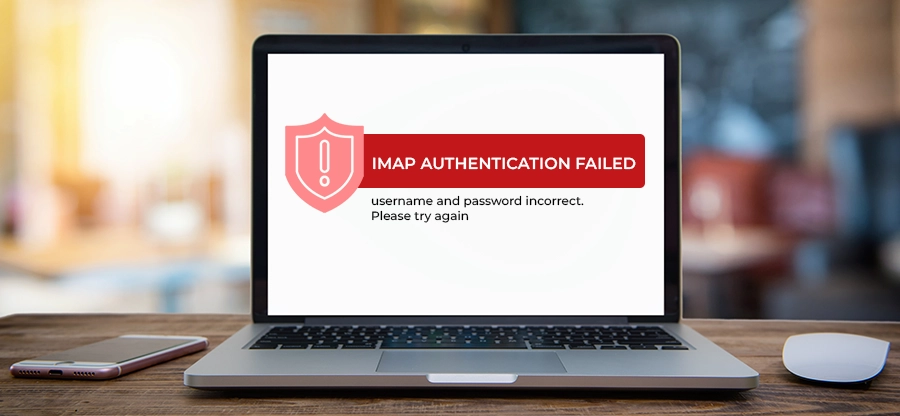
Why is my Lycos Webmail not working?
While the Lycos accounts were being discontinued, several users saw the error Lycos webmail not working due to the following reasons:
Account deleted due to inactivity
Lycos users who haven’t logged in to their accounts for months or years and may have faced account deletion.
Login issues
When you forget the login credentials to Lycos webmail, use outdated credentials, or enter an incorrect username, you might see errors.
Email configuration errors
While configuring the email account, the email server settings were not correctly provided, resulting in mail access errors. There can also be issues with the email application you’re using to access your account.
Server issues
The issue can be due to an unexpected server outage, browser-related issues, or other technical complications on the server.
Storage full
Once your mailbox has reached its storage quota, it can show errors in accessing emails. Moreover, the account will also stop receiving any new emails.
Service change
Lycos has moved its email services to its partner Exact Hosting, phasing out its free email services. All the free email accounts were removed after the discontinuation of the service.
Lycos Mail Alternative: What are your Options?
With the decline of Lycos Mail, users now want to find and switch to a practical and modern email platform. They want an alternative that supports data encryption, two or multi-factor authentication, provides offline access, better organization, and a unified inbox. Let’s check out the options you can consider:
- Outlook
Outlook by Microsoft is a free as well as a paid email service that provides a simple user interface to continue sending and receiving your email messages. It efficiently integrates with Office 365 components like Word, Excel, SharePoint, Teams, etc. The tool is widely known for its high-end security features like multi-factor authentication to secure your email messages. Moreover, it also provides easy offline access to users with its desktop version. - Proton Mail
Proton Mail, based in Switzerland, is an end-to-end encrypted email service that prioritizes users’ email data privacy and security. The free plan supports 1GB of free storage for users, while the paid plans start from as low as $3.99 per month, supporting 15 GB of storage. It allows businesses with custom domain support, easy admin control, and a range of team collaboration tools. - Gmail
Gmail is a familiar name to most email users around the world and has been here for more than two decades. It is mostly used for its free email service that comes associated with a 15GB of free storage shared by all the components of Google Workspace. It supports two-factor authentication, anti-spam, and anti-malware protocols to keep cyber threats away. You can enable email forwarding to effectively migrate Lycos Mail to Gmail for securing the email data.
Bottom Line: What to do next?
With the speculations still ongoing, there is a theory that says Lycos Mail is going to be permanently shut down. If this is true, it’s high time that you save your crucial emails from getting lost forever. For this, use a professional tool like Kernel IMAP Backup tool to safely download IMAP emails from Lycos email service. It will help you save the entire data, including emails, attachments, metadata, folder structure, etc. Using the backup, you can later import IMAP emails to Gmail, Outlook, Proton Mail, or any other email client, as required.
Frequently Asked Questions
A. This issue can be due to any of the given reasons:
1. Lycos discontinued its free email services.
2. You haven’t logged in to your account for months.
3. Your Lycos account is inactive, outdated, or unused for a long time.
A. Well, the email accessibility from your Lycos account depends upon the fact that whether your account is still active. It’s particularly because Lycos discontinued so many of its old user accounts.