Read Time: 8 minutes
If you have not used your Gmail account for a long time (2 years or more), you may be wondering whether Google will delete it permanently or has the right to do that. Yes, Google can delete personal Google accounts if they are inactive for two years. Along with the Google account, the associated data in Google Drive files, Google Photos, Calendar information, and other Google services may vanish.
Not opening only Gmail for two years doesn’t mean that Google will delete the account. So, let’s learn why Google deleted accounts, what happens after two years, the step-by-step process to recover an inactive Gmail account, and how you can prevent unexpected data loss due to automatic account deletion.
Really True! Google Deletes Inactive Gmail Accounts After 2 Years?
Yes. It is true. In May 2023, Google officially introduced its two-year inactivity policy. Under this policy, Google can delete personal accounts that have not been used for at least two years. However, this policy started taking effect in December 2023. Read the example to understand the policy better:
Don’t confuse an inactive Gmail account and an inactive Google Account; there is an important difference. Gmail is only one service connected to your Google Account. If you use the same account to watch YouTube videos, access Google Drive, or use Google Search while signed in, that activity can keep your account active. You do not necessarily need to send an email every few months to prevent deletion.
What Happens to Your Gmail Account After 2 Years of Inactivity?
When your personal Google Account remains inactive for two years, Google reserves the right to delete the account and its associated data. Not only emails; you could also lose more after deletion. Here is what may happen:
| Google Service | What Happens After Account Deletion? |
|---|---|
| Gmail | Lose access to your emails and Gmail address. |
| Google Drive | Stored documents, photos, and other files may be deleted. |
| Google Photos | Backed-up photos and videos may be lost. |
| Google Calendar | Saved events and schedules may become inaccessible. |
| Google Contacts | Contacts associated with the account may be lost. |
| YouTube | Account-related data and access may be affected. |
Remember that deleting a Google Account affects multiple connected services. Google also states that a deleted Gmail username cannot be reused.
What Activities Keep Your Gmail Account Active?
You might think that you must regularly open Gmail to prevent Google from deleting your account. However, this is not entirely true. The following actions can help keep your account active:
| Activity | Does it count as account activity? |
|---|---|
| Reading an email | Yes |
| Sending an email | Yes |
| Signing in to Google Drive | Yes |
| Watching a YouTube video while signed in | Yes |
| Using Google Search while signed in | Yes |
| Downloading an app from Google Play | Yes |
| Using Sign in with Google for another service | Yes |
| Sharing photos through Google services | Yes |
How Does Google Notify You Before Deleting an Inactive Gmail Account?
Google does not intend to delete an inactive account without providing advance notice or alert. Like the official reminder, Google sends multiple warning notifications over the months before deleting an account. You can get these notifications in:
- The Gmail account that Google considers inactive
- In the inbox of provided recovery email address
So to get these notifications early, keep your recovery email address and recovery phone number updated. You must have access to your old Gmail account to get the warning messages.
- If Google has not deleted your account, you may still be able to sign in using your existing email address and password.
- If Google has already deleted it, you can try its account recovery process.
How to Recover an Inactive Gmail Account? Step-by-Step Guide
Here are a few easy ways by which you can recover your inactive Gmail account. Follow the methods that suit you:
Method 1: Try to Sign in to Your Old Gmail Account
To recover your inactive Google account, trying to sign in can help. Here are the steps to follow:
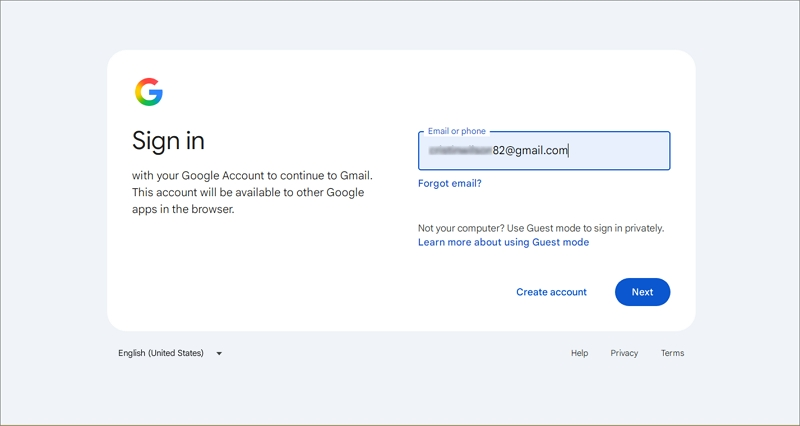
- Go to the official Gmail website in your browser, enter your old Gmail address, then tap Next.
- Enter your account password and click Next. If Google accepts your provided credentials, follow any additional verification instructions if asked.
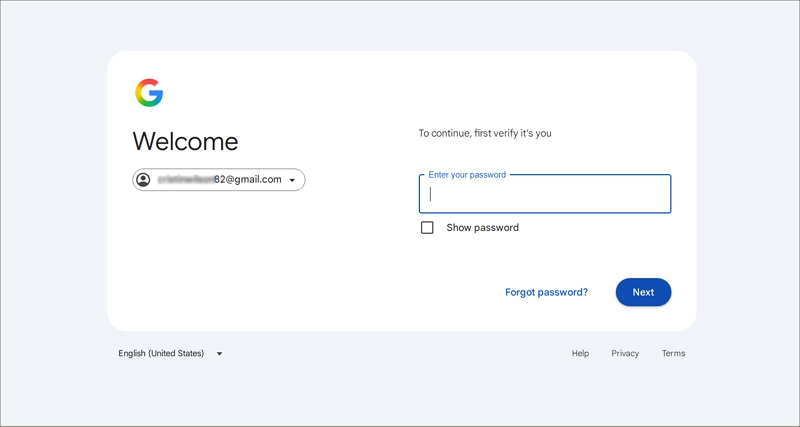
After you get access, open your inbox in Gmail and check your old emails. If Google prompts that the account doesn’t exist, then Google has deleted your account already.
Method 2: Try to Recover Your Deleted Google Account
While signing in, if Google prompts that your account has not been found or has been deleted, then with Google’s official account recovery process, you can try to recover your Google account. Follow the steps as guided:
- From your browser, go to the Google Account Recovery page, enter the Gmail address you want to recover, and tap Next.
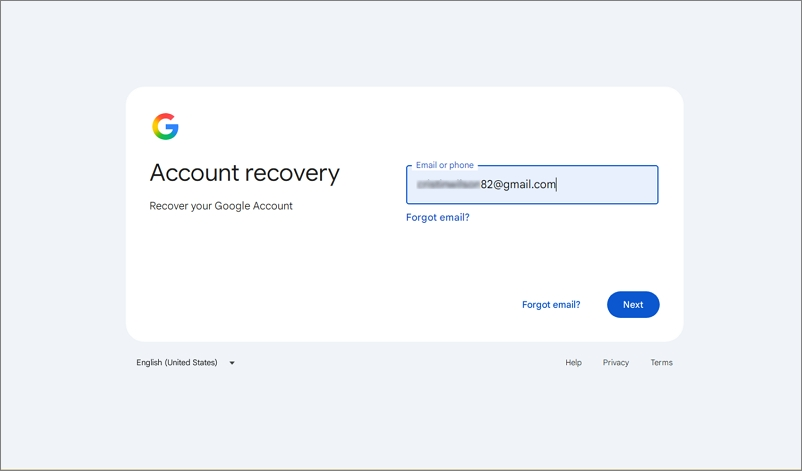
- Verify your identity (via recovery phone number, recovery email address, or other available verification methods), and answer the security questions.
If Google verifies your identity and allows recovery, restore your account as guided.
How to Prevent Google from Deleting Your Inactive Gmail Account?
If you have multiple Gmail accounts or use an old email address for important services, a few simple precautions can help to protect them.
- Sign in at least once every two years.
- Add a recovery email address by opening your Google Account settings.
- Keep your recovery phone number updated.
- Download a backup of important emails and files via Google Takeout.
- Google also offers an Inactive Account Manager feature through the Google Inactive Account Manager.
Important Consideration: Backing up Gmail data via Google Takeout requires going through multiple steps and can be time-consuming. Besides, you can use the Kernel Google Drive Backup tool to backup all Google data, like emails, Office documents, photos, audio, video, PDF files, spreadsheets, and more. All kinds of users can use this tool and backup their Gmail data, even with intact data.
Conclusion
Now it is clear that if you want to keep your Google account active or don’t want to get it deleted automatically, you must keep track of your old Gmail accounts and perform some activity or use Google services regularly. Don’t forget to update your recovery information. Remember that recovery is not guaranteed once Google permanently deletes an account, so back up your data in advance so that your data is protected against any kind of loss.
Frequently Asked Questions
A: Yes, you can try to recover it. If Google has not deleted the account, you may be able to sign in normally. If it has been deleted, use Google’s account recovery page.
A: Google considers a personal account inactive after two years without qualifying activity. However, deletion is not necessarily immediate when that period ends.
A: Yes, watching YouTube videos while signed in to your Google Account counts as account activity under Google’s inactivity policy.
A: No, using Google Drive while signed in to the same Google Account counts as activity.
A: Google states that it sends multiple notifications during the months leading up to deletion. These notifications go to the inactive account and its recovery email address, if one is available.
A: Yes, you can try Google’s account recovery process without a recovery phone number. Google may offer other verification methods, such as a recovery email address.
A: The two-year inactive account policy does not apply to Google Accounts created and managed by organizations, such as businesses and educational institutions.
A: To check your Gmail account status, try signing in at Gmail.com using your email address and password. If you can access your inbox, the account is accessible.