Read time: 7 minutes
You might need to find a suitable Azure AzCopy alternative because of the complex user interface, moving large-scale data, or to fulfill advanced migration requirements. Find out how to find the best solution to use in place of Azure AzCopy and how Kernel Import PST to Office 365 simplifies the migration process.
Manual methods to transfer Outlook account data to Office 365, such as Azure AzCopy for network upload, are provided by Microsoft as the native solutions. The utility has some limitations and is mostly preferred for small-scale migrations. This creates the need to find an efficient Azure AzCopy alternative tool that can help you shift the data with minimum hassle.
Learn what is the best Azure AzCopy alternative to move your PST files to the cloud environment.
Why Find Azure AzCopy Alternative to Move Outlook PST?
The Azure AzCopy tool helps with easy transfer of data from Google Cloud Storage, AWS S3, and other storage to Azure Blob storage. But there are certain circumstances, like performance bottlenecks during bulk migration, when you need to find a suitable alternative. Let’s check out the reasons that demand you to begin with your search:
- Do not support complete synchronization: While Azure AzCopy tool is known for copying data between storages, it does not support two-way or automatic synchronization of data. This means it requires your sync manually. If you remove any file from the source, you need to remove it from the destination too, else there will be data duplicity, demanding tools, and supporting delta transfers.
- Provides a complex interface: Since Azure AzCopy is a utility with a command-line interface, it requires you to have a technical understanding to execute the scripts. This makes the tool less user-friendly to work with, especially if you are not familiar with technical aspects.
- Does not support native error handling: With Azure AzCopy, there are chances of error generation during failed data transfers. Situations like this demand manual review of the generated migration logs and multiple retry procedures. This can be a big reason for delayed productivity.
- Limitations for large data transfers: For the migration of large datasets or during bulk transfers, Azure AzCopy tool fails to deliver the optimum performance. You will need dedicated tools like Azure Data Factory to help you avoid slow data transfers.
What are the Features Required in Azure AzCopy Alternative Tool?
Make sure to consider the following features when looking for an alternative to Azure AzCopy tool to transfer Outlook account data to Office 365:
- Centralized management: Must provide a centralized dashboard from where you can manage, view, and create all migration jobs, migration logs, etc.
- Detailed reporting: Administrators need migrations reports and logs to plan for error-free and successful migrations.
- Automated migrations: Ability to run automated PST file to Office 365 is an essential feature most businesses look for in an Azure AzCopy alternative.
- Granular control: Check that the solution you’re looking at provides support to move granular data between two platforms.
- Real-time data sync: Migration is not always a one-time job, and you cannot always invest in moving the entire data. The alternative must support delta pass transfers.
Finding the best alternative to AzCopy tool
With Azure AzCopy, the data from the PST file is first stored in Azure Blob storage on a temporary basis, and later it is moved to the cloud. However, when it comes to move Outlook PST file on cloud (Office 365) in bulk, you don’t need a manual workaround or multi-step process. You should rather use a professional solution that allows you to migrate the PST file data with no issues.
Kernel Import PST to Office 365 tool helps with effortless transfer of data, such as emails, contacts, calendars, etc., from Outlook PST file. You can selectively prioritize the data from the mailbox that you want to move to the cloud securely. It has advanced filters, such as Date range, item type, etc., to make it easy for you to move only the relevant data rather than the entire user mailbox.
How to transfer Outlook account data to Office 365?
Follow the steps below to learn how to upload PST files data to Office 365 within a few steps:
Step 1: Launch the software and click on Add in the Add Source pane.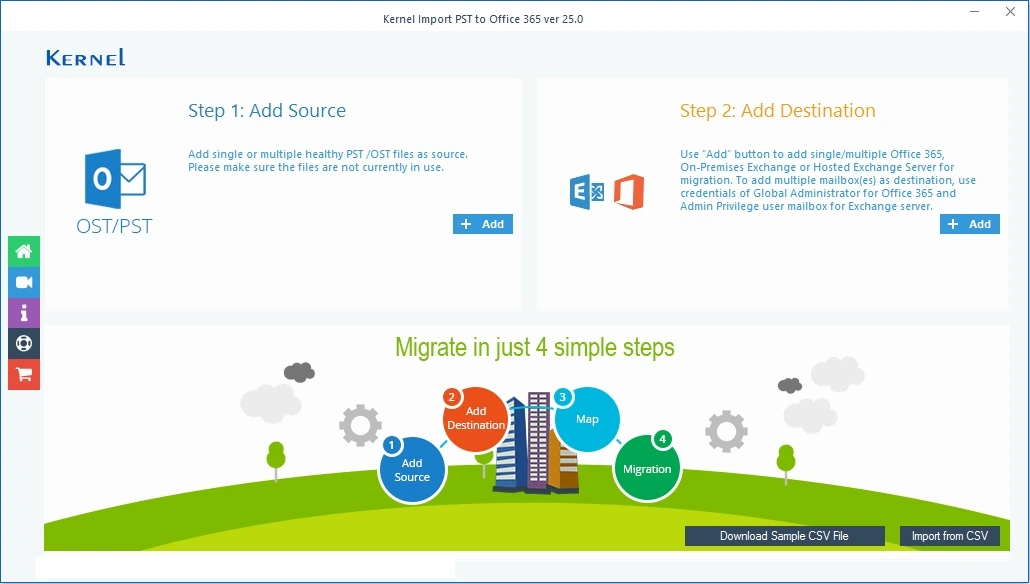
Step 2: Provide the path to the source PST file and click Open to load the PST.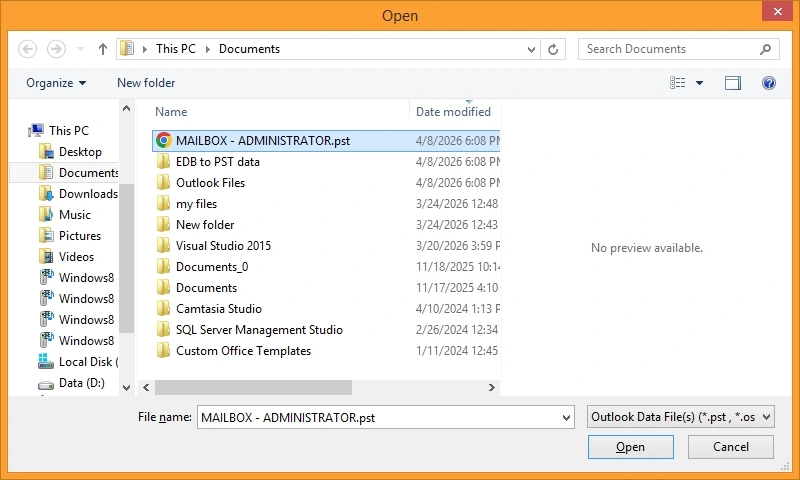
Step 3: Now go to the Add Destination pane and click Add.
Step 4: Provide the Office 365 credentials: Tenant ID, Client ID, and Client Secret Value to connect the destination.
Step 5: Select from the options to migrate single or multiple mailboxes and then tap on Get User Mailbox (es). Select the desired mailboxes and click Add.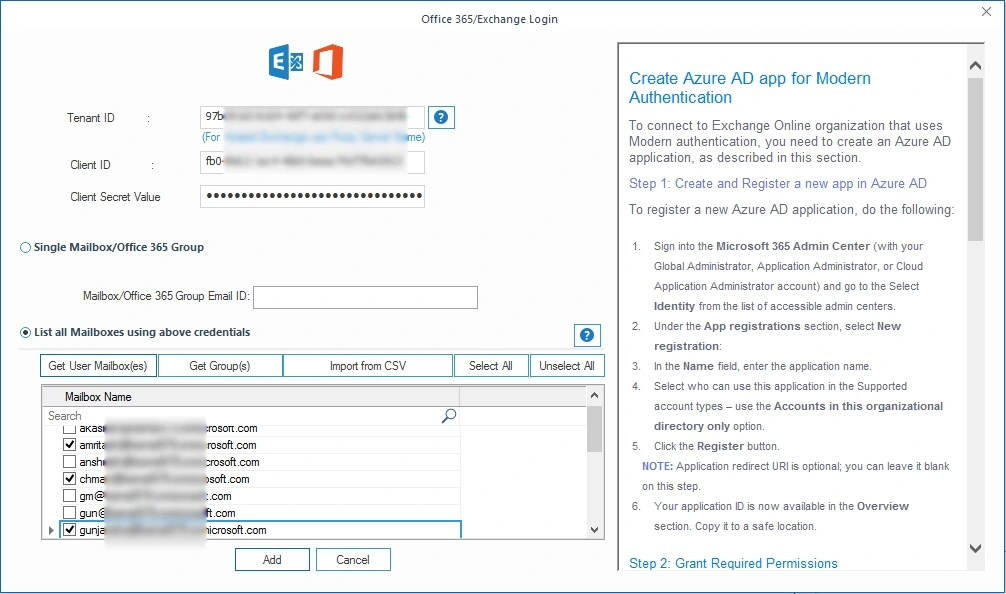
Step 6: Use the dropdown under Destination account to select map the source PST file to the destination mailbox in Office environment. Click Set Filter and Migrate.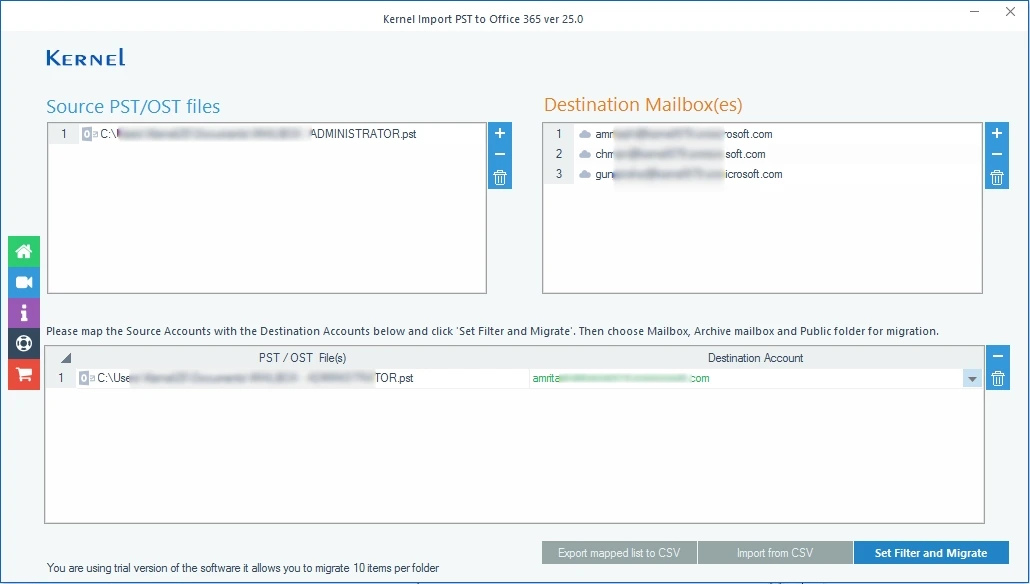
Step 7: Review and select the folders, apply the suitable filters, and finally tap on the I am OK, Start Migration.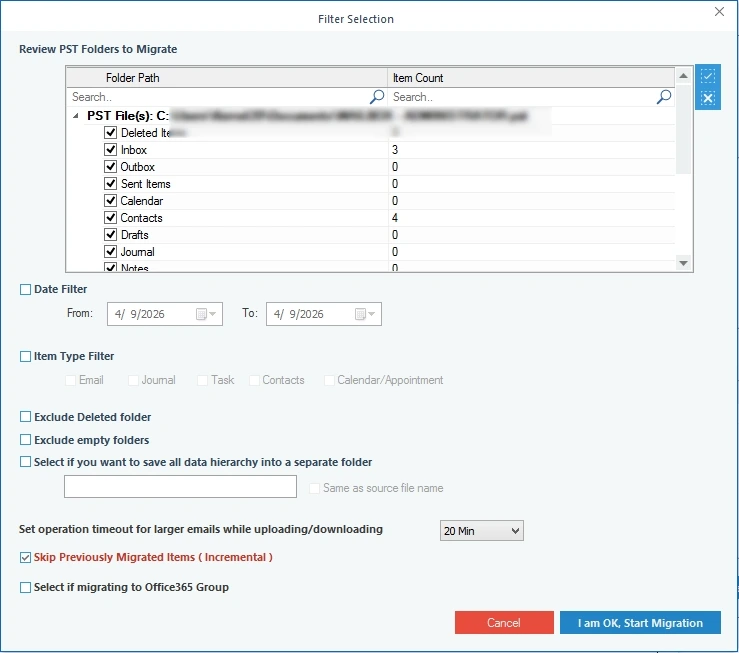
Step 8: The tool will begin processing the mailbox migration.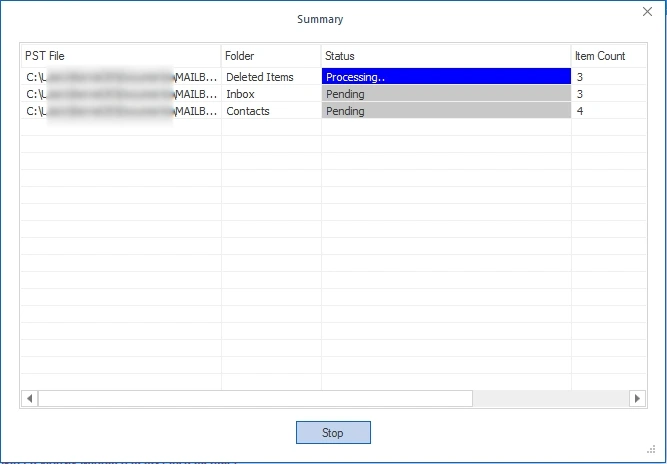
Once everything is migrated, it will show you the status of the migration, turning to Success. In the end, save the import report using the Save as CSV option.
Final Words: What to do?
By far, you have understood what Azure AzCopy is, why you need to look for an Azure AzCopy alternative, and how to find a suitable option. With all such information, you can easily find which solution you should choose to move Outlook PST files to the cloud, i.e., Office 365. The Kernel Import PST to Office 365 tool will help you perform the direct transfer of data with no complex procedures, which is very unlikely with the AzCopy utility. Choose wisely to keep your destination environment functional for a long term.
Common user queries
A: AzCopy is Microsoft’s utility that helps you copy data between, to, and from different storage platforms. The latest version of the utility is AzCopy v10, supported only by Windows, MacOS, and Linux.
A: Yes, when you move data with this utility, there is a high risk of data inconsistencies during migration. This happens particularly when you try to move a large-scale migration, which involves complex data and access hierarchy.