Kernel for PST to NSF is email conversion software to perform pst to nsf migration effectively. Kernel software converts emails and other items of MS Outlook user profiles to Lotus Notes user profiles.

Convert PST to NSF in two simple steps:Select and Export
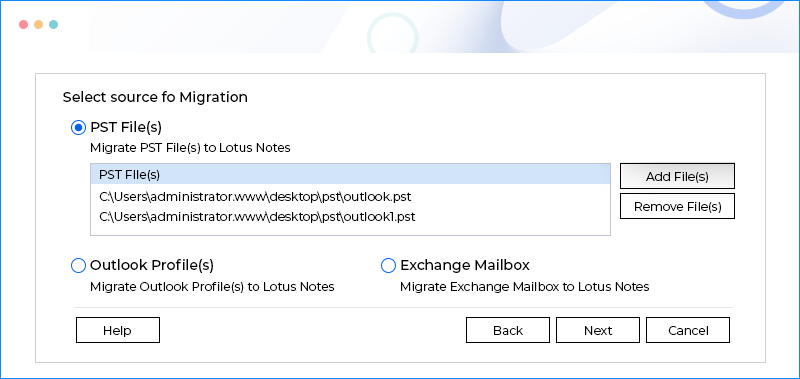
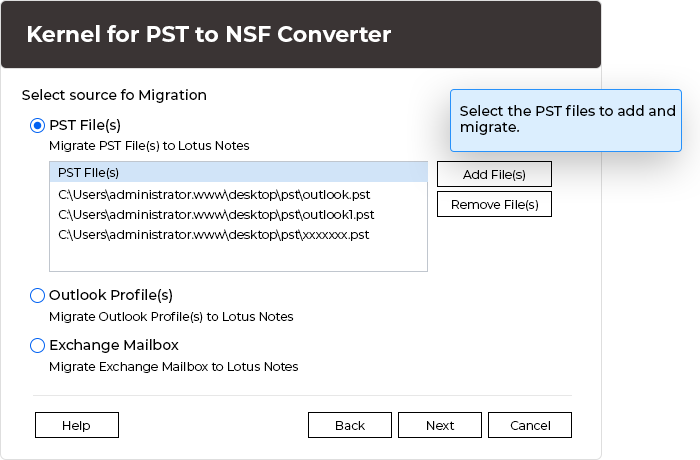
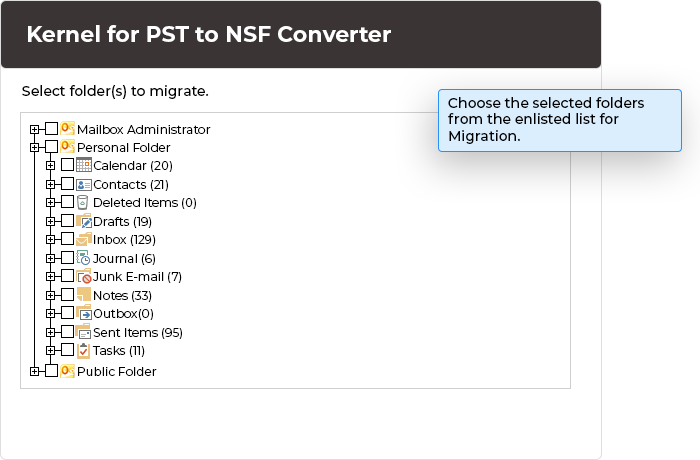
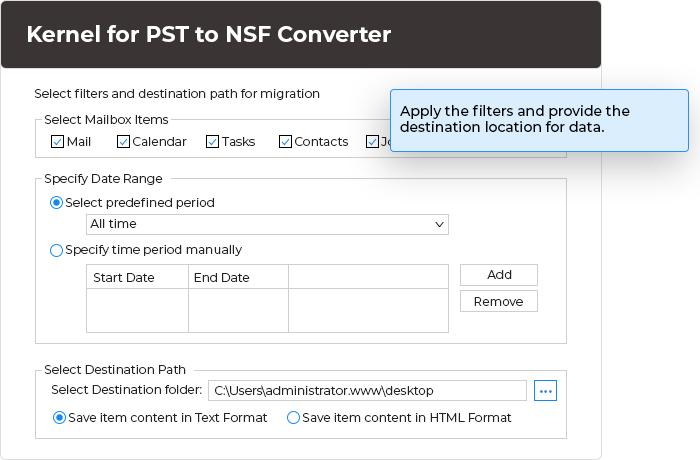
Select the .PST file, Export it and select the save options to save .PST contents to a new .NSF file or to an existing .NSF file, and then save it and view with Lotus Notes. Kernel pst to nsf conversion software accurately converts each and every item of the Outlook PST file: emails, contacts, sent items, drafts, journals, calendars, notes, appointments, alarms, tasks, attachments, images, text formatting, email properties, items in deleted items folder and every individual folder created in the PST file.
Save the PST items to new .NSF file or list them to an existing .NSF file which makes the task of viewing the converted items easy. Kernel software for pst to nsf conversion creates an outlook folder in the "Folders" section of Lotus Notes application where it lists all the converted folders of PST to NSF.
Kernel for PST to NSF conversion software supports Unicode character conversion and works smoothly with MS Outlook 97, 98, 2000, 2003, 2007, 2010 and Lotus Notes 6.0 , 6.5 , 7.0 , 8.0 and 8.5 on Windows 98/2000/2003/XP/Vista/7/8.
Free to evaluate and downloadable version of Kernel for PST to NSF conversion software lets the users experience the pst to nsf conversion process and enables you to save first 10 emails and other items per folder of the Outlook PST file. To save the entire items purchase full version of Kernel for PST to NSF conversion software.
Kernel for PST to NSF Conversion
Versions Supported
MS Outlook 97, 98, 2000, 2003, 2007 and 2010
Lotus Notes 6.0 , 6.5 , 7.0 , 8.0 and 8.5
Looking to convert all my Outlook mailbox items and to-do lists in .nsf files. Is there any effective process that can help me perform such task immediately?
Yes, you can convert all your Outlook mailbox items like emails, address book contacts, calendars, journals, to-do list into .NSF via Kernel for PST to NSF conversion software, which converts your entire Outlook database into Lotus Notes. Most remarkable aspect of the software is its graphical user interface that allows you perform such task without any hassle.
Using this Kernel for PST to NSF Conversion tool, can I successfully convert the password protected PST file as well?
No, before you start the pst to nsf conversion process, make sure you remove the password. Do remove the password from the PST file and then start with the conversion procedure.
Using this software, how can I preview the converted files?
Kernel for PST to NSF conversion software saves the converted Folder of PST file in the respective Folder of the NSF file, which can be viewed with Lotus Notes. However, to view the converted files, click any of the folders in Folders section and view the items contained in it. Just click on the item to view the content.
After purchasing the software, how much time it will take to get the download details?
The moment you make an online payment and we get all your purchasing details, instantly we will provide you the download details of software. However, in most of the occasions we will provide you an email containing download link to the full version of the product and activation keys within 15 minutes of your purchase.
Once I purchase this software, how will get software updates?
Not to worry, all that you got to do is just visit software website and check for regular updates. However, in case you want an updated version then you can also send an email to our sales department which provides you with an updated version. We provide you the free updated version of license from date of purchase.