 (4.9/5) 542 Reviews
Automated tool for Lotus Notes to Word file conversion
Convert multiple Lotus Notes files to Word simultaneously with the software. Preview and save your converted files in Text Format, Rich Text Format, and RTF format seamlessly. This software supports all Lotus Notes IBM SmartCloud versions.
Download trial version and saves 10 files from each folder free.- Convert the NSF files of any size into MS Word.
- Convert UNICODE characters efficiently to MS Word.
- Preview and save the NSF files in Text and RTF formats.
Top use cases for Kernel for Lotus Notes to Word

Effortless Lotus Notes/HCL Notes to Word Document conversion.
In situations requiring a seamless conversion from Lotus Notes or HCL Notes to Word documents, rely on Lotus Notes to Word Converter. The software offers multiple conversion styles, ensuring a smooth transition of NSF files into Word documents. Users can convert files at their convenience, adapting to the specific needs of each situation. Benefit from the flexibility and ease of use provided by this converter for efficient Lotus Notes to Word document transitions.
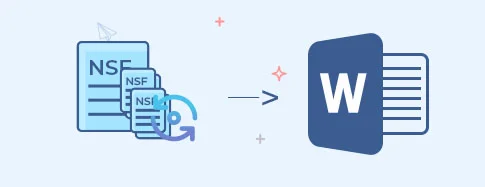
Efficient conversion of multiple NSF files to Word documents.
When faced with the need to export multiple NSF files to Word documents seamlessly, rely on Kernel for Lotus Notes to Word tool. With the remarkable capability to conduct multiple conversions in a single cycle, this tool streamlines the process. Whether dealing with extensive data migration or batch processing, utilize the tool's efficiency to carry out bulk conversions effortlessly. It saves time and ensures a smooth transition from Lotus Notes to Word documents.

Perform HCL Domino User NSF to Word conversion with ease.
When tasked with converting HCL Domino User NSF files to Word documents, the Kernel for Lotus Notes to Word tool is your solution. This scenario often arises when users migrate from HCL Domino to a Word-based environment. The tool seamlessly handles this transition, ensuring data integrity and a smooth conversion process. Benefit from its user-friendly interface and precise conversion capabilities, making the task of converting HCL Domino User NSF to Word documents effortless.
How toconvert NSF files to Word Document
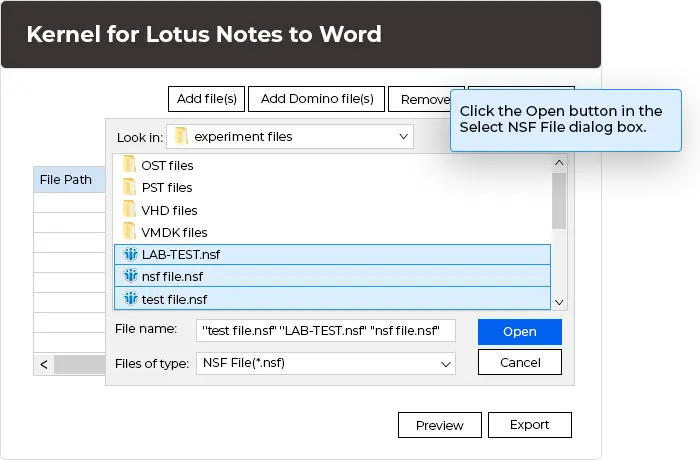
The process of Lotus Notes to Word document conversion can be accomplished in 3 simple steps.
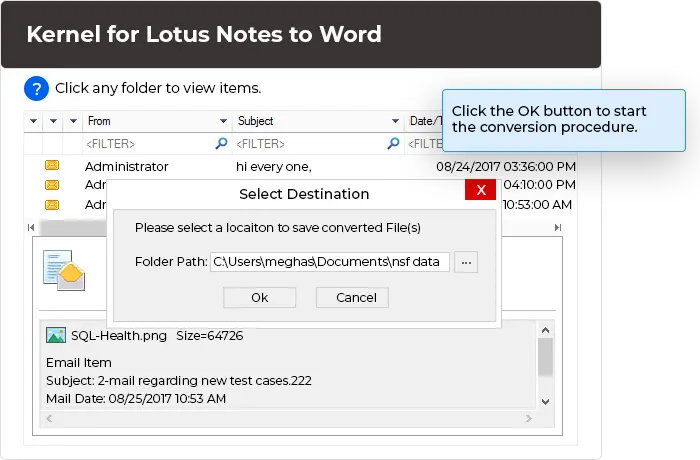
Explore software’s key capabilities
Discover key features to gain a comprehensive understanding of the software's impressive and varied functionalities.

Adopt multiple ways to convert
Migrate Lotus Notes NSF files, including entire Domino Server data, into Word documents. The Kernel for Lotus Notes to Word offers versatile conversion styles, allowing you to adapt seamlessly to varying situations.

Save in multiple formats
Select from various saving options, such as Simple Text format and Rich Text format. Optimize for average quality with Rich Format or achieve the highest quality by saving files in RTF.

Powerful in-depth conversion
Conduct thorough scanning of NSF files, extracting attachments and diverse data such as contacts, drafts, appointments, and calendars. The recovered Word files are in the original hierarchy structure.

Outstanding compatibility
Ensure exceptional flexibility as the Kernel for Lotus Notes to Word software operates across diverse operating systems and applications. Support NSF files from various Lotus Notes versions and Word documents compatible with MS Word versions 1995 to 2019.

Convert non-english characters
Convert UNICODE characters using Kernel for Lotus Notes to Word, ensuring a seamless process without errors or disruptions. Your data transformation is handled with precision and reliability.

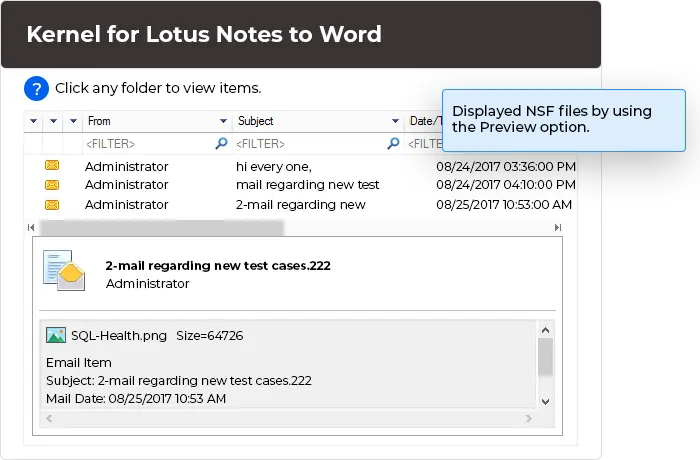
Preview converted data
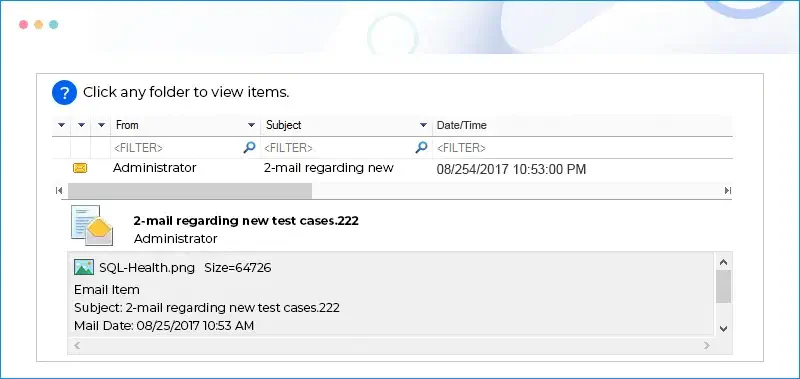
Preview complete user mailboxes, including emails with attachments, on the tool’s page before saving them to the designated location. View a comprehensive overview of your converted content with ease.
Frequently asked questions
The software can save the MS Word document in two different formats, which are:
- Simple Text format
- Rich Text format
Software Prerequisites & recommendations
 About Software
Version: 12.06.01
Release Date: July 2012
License Type: Single User
 Version Support
HCL Domino and HCL Notes: 12.0.2, 12.0.1 and 11.0
IBM Domino and IBM Notes: 10, 9, 8.5.3 and later
Lotus Notes/Domino: 8.5.3 and all previous versions
TM, HCL Verse®.
MS Word: 2021, 2019, 2016, 2013, 2010, 2007, 2003, XP, 2000, 97, 95
System Requirements
Hard Disk: 50 MB of disk space
Memory: 64 MB RAM (128 recommended)
Processor: Intel® Pentium Processor compatible (x86, x64) or equivalent
Operating System: Windows 365, 11, 10, 8.1, 8, 7, Vista, XP, 2000, 98, NT, 95, Windows Server 2022, 2019, 2016, 2012, 2008 R2, 2008, 2003 R2, 2003
 Installation Guide
What customers say about Kernel for Lotus Notes to Word
 (4.9/5) 542 Reviews
Now I can access all my HCL Notes emails and their attachments without using the HCL Notes application. This is a fantastic tool.
