BKF Repair - Recover Corrupt MS Backup Files

Kernel Recovery for BKF
Features at a glance
  • Repairs corrupt BKF archives with complete accuracy
  • Dual Recovery modes - Quick and Advanced mode
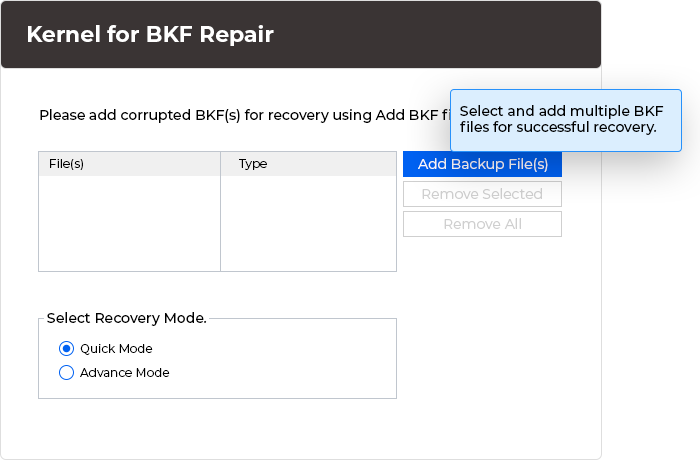
  • Supports multiple file recovery simultaneously
  • Drag and Drop BKF files for adding them for recovery
  • Supports Unicode characters (Non English Characters)
  • Preloaded with Save Snapshot and Load Snapshot options
  • Save recovered BKF data in hard disk, external drives or even in remote locations
  • Option to quickly search and locate a file
  • Get logs for all files which don't get saved while recovery
  • Software saves complete BKF scan details which can be loaded to review recovery process
  • Repairs Exchange BKF to recover EDB, STM and Log files from corrupt BKF files
  • Recovers user mailboxes from corrupt BKF files while preserving the original folder structure
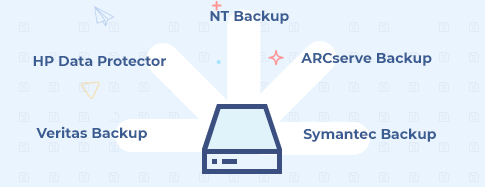
  • Supports all BKF files created with ntbackup.exe and Backup Exec by VERITAS Software
  • User friendly interface, no technical skills required

Kernel Recovery for BKF - providing instant recovery of corrupted MS backup files

Kernel for BKF Recovery is a professional yet simple application to help you repair corrupt BKF files and recover entire data stored within them. With the updated version, this software provides several added features to perform extremely efficient recovery.

BKF files are generally created with MS backup utility ntbackup.exe and Backup Exec by VERITAS Software. However, they may get corrupted due to various reasons. Some of them are mentioned below:

  • Virus Corruptions
  • Unexpected system shutdown
  • Backup interruptions
  • CRC (cyclic redundancy check) errors
  • Errors due to Unrecognized Media

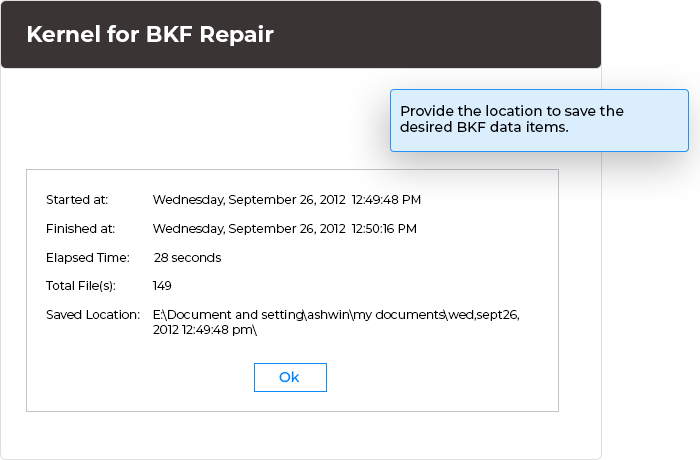
Kernel for BKF has been developed to take care of backup files from such data disaster situations. This BKF File Repair software uses quick algorithms to scan the damaged or corrupt MS backup files and recover as many files as possible. The recovered files can be saved anywhere in the hard disk, at a remote location and in some other external device.

Kernel for BKF features explained:

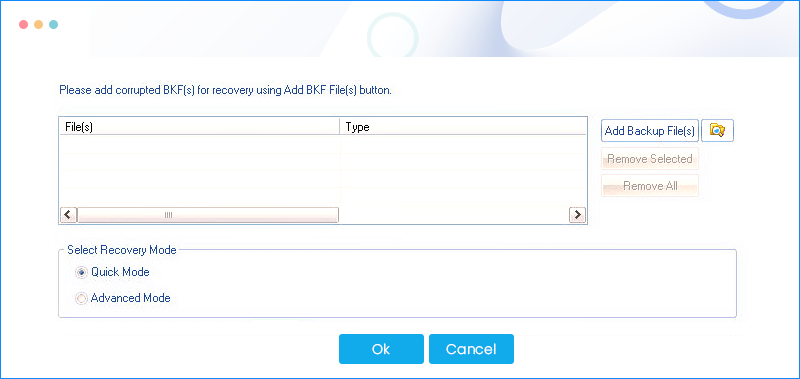
Dual Recovery Modes: It features multimode recovery. Two expedient modes ensure complete recovery.

  • Quick mode: This mode provides quick and selective recovery. It is capable of recovering data from files with minor corruptions though swiftly. If this mode fails to recover desired data, scan with the other mode.
  • Advanced Mode: This mode is more advanced with recursive scan features to ensure recovery from any kind of BKF file error. It restores data from severely damaged and old BKF archives. Though slower in progress, it is extremely efficient in recovery.

Exchange Backup Recovery: Not only simple system file, this tool has been developed to ensure Exchange Backup recovery as well. Exchange backup files of EDB, STM and Log file data can also be accurately recovered with the amazing utility.

Multiple File Recovery: This feature definitely provides relief when there are many BKF files to be repaired. Even better, just drag and drop BKF files within the software interface to have them automatically added for recovery. The software repairs multiple BKF files simultaneously.

Get Recovery Logs: The software generates two types of log or recovery info. It generates log reports for those recovered files which cannot be saved to the desired location with the appropriate reason. They can be further attempted to save manually.

Additionally, the software also saves the complete BKF repair information. Users can load it and review complete scan and recovery process details.

Stop Start Scan Progress: Another innovative feature is the 'Save Snapshot' and 'Load Snapshot' option found in this tool. 'Save Snapshot' allows saving the details of a BKF file scan progress, so that one can stop the scan process anywhere and later resume from the same point by using the 'Load Snapshot' option. This saves a lot of rescanning time.

Free Trial Download

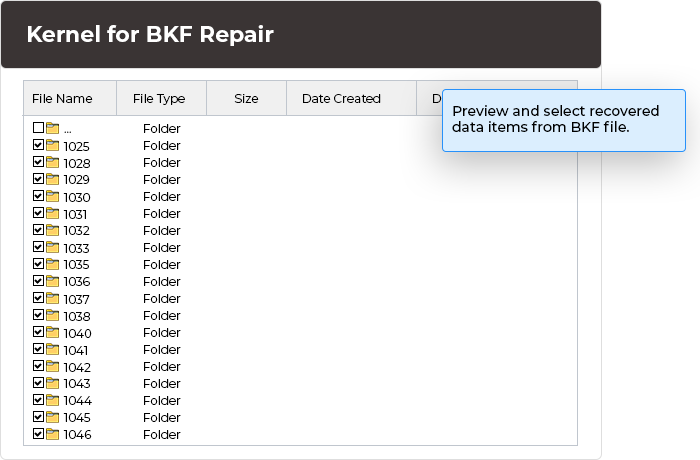
For hands on experience with the repair features, the software comes in a fully featured evaluation version. It can be used to scan and check the outcome of BKF file recovery. The recovered files are enlisted in a tree-like structure which can be previewed for data accuracy before saving. However, demo version limits from saving the recovered files. Purchase the full version for saving BKF data at any location.

Versions Supported

The software supports all versions of BKF files created using MS backup ntbackup.exe utility and BKF files created Backup Exec by VERITAS software.

Operating Systems: Windows 8, 7, Windows Vista, Windows XP (All Versions), Windows 2000 (All Versions), and Windows 2003 (All Versions), Windows NT.

Important Note

Recovery of BKF archives depend upon the intensity of damage of backup files.

Follow Us

Chat with our Support Executive

100% Secure Transaction with

Moneyback Guarantee Policy

Money Back Guarantee

Our Prestigious Clients

Awards & Reviews