Read time: 6 minutes
Your Telenet mailbox may contain years of important emails, attachments, contacts, and business communications. Relying solely on a cloud-based mailbox can be risky, especially when facing accidental deletions, account access issues, storage limitations, or migration needs. That’s why many users look for reliable ways to backup Telenet webmail emails and keep a secure local copy of their data.
If you are planning to protect valuable mailbox information or move to another email platform, this guide will help you through the most effective methods with step-by-step instructions.
Why Should You Backup Telenet Webmail Emails
As per experts’ voices, Telenet is highly prone to security issues and widely considered obsolete for remote connections. So, a proper backup is crucial to protect mailboxes from unexpected situations. Reasons to backup Telenet webmail emails are as follows:
- Prevent accidental Telenet email deletion.
- Protect against account suspension or access issues.
- Keep a local copy of important communications.
- Prepare for email migration to another platform.
- Secure older email records for future reference.
Is There Any Reliable Manual Way to Backup Telenet Webmail Emails
No direct manual methods. Yes, it is true. There is an unavailability of direct manual approaches to backup Telenet webmail emails. However, indirect methods are there, like IMAP configuration or adding a Telenet account in Outlook or other email clients, and then exporting emails to local files.
But they are not professionally reliable. Often they come with uncertain results, and more importantly, they work for only a few files or sizes.
What Lies Beyond the Manual Approach: A Dedicated Backup Software
If you want to backup complete Telenet webmail mailboxes with preserved folder hierarchy, metadata, attachments, and email integrity, a professional solution becomes the preferred choice. Kernel IMAP Backup is such a certified & powerful tool that fulfills all your backup needs effectively. It has all the advanced and necessary features that make the backup process precise and smooth.
Step-by-Step Process to Backup Telenet Webmail Emails
Step 1: Firstly, download and install the tool on your system.
Step 2: Then, launch the tool and tap on the Backup option under IMAP Backup.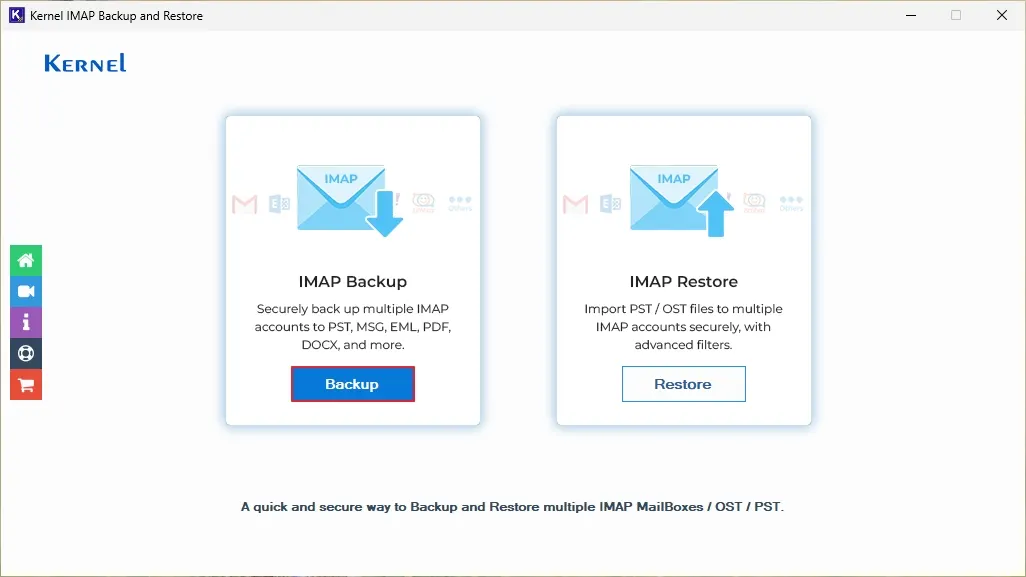
Step 3: Click on the Add button to add the source IMAP account for backup.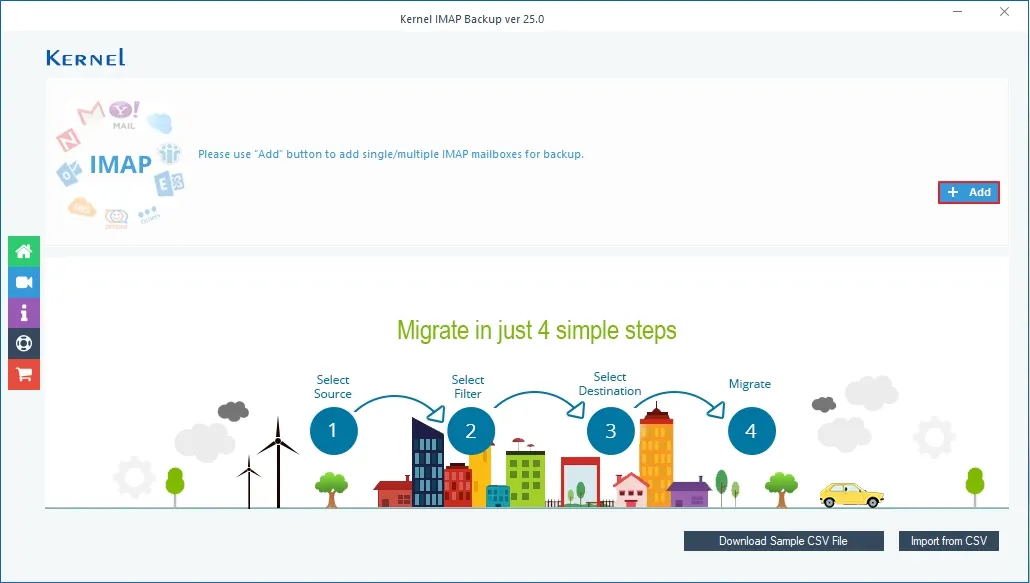
Step 4: To add a Telenet webmail account, enter the credentials like Server Name/IP, User Email/Login Id, Password, and Port Number. To add a Telenet webmail account through Connect Server via Proxy, enter Server Name and Port Number. Once the required details are entered, click on Add.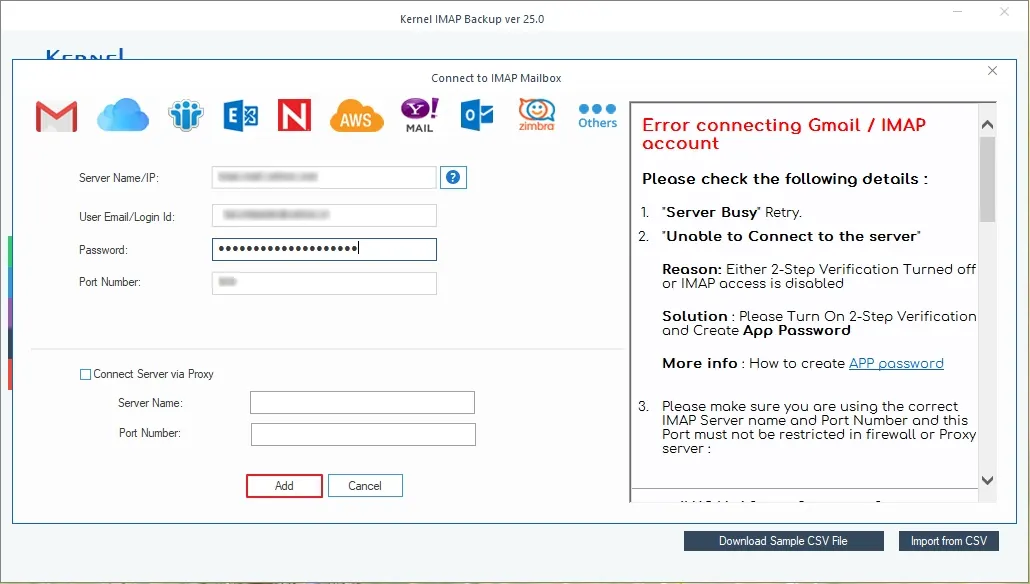
Step 5: Check out the Telenet webmail IMAP mailbox and start the backup process. The tool will display a live folder enumeration process.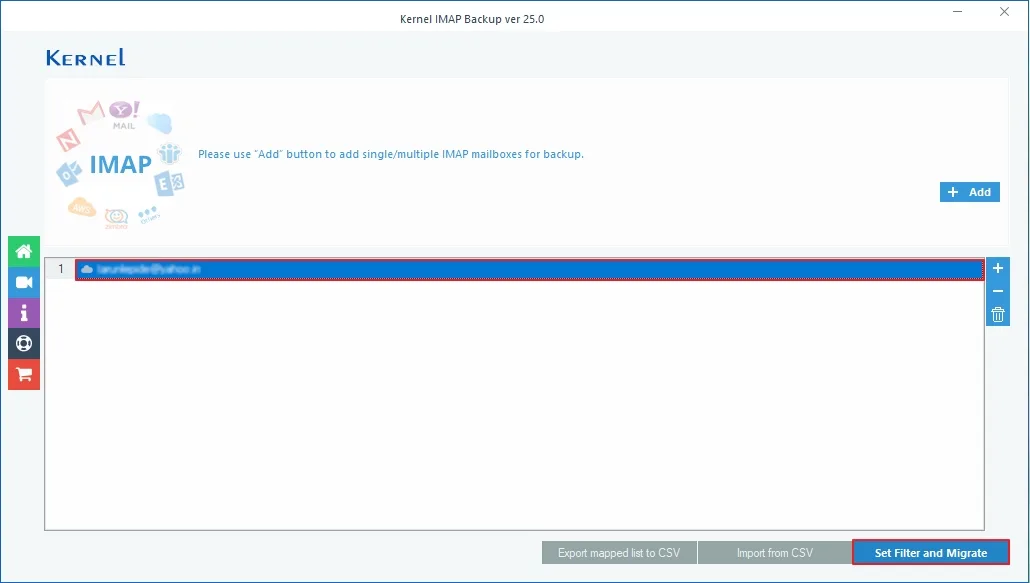
Step 6: Once enumeration is completed, choose the required mailbox folders and apply the required or convenient filters from the Filter Selection. One applied, start the backup process.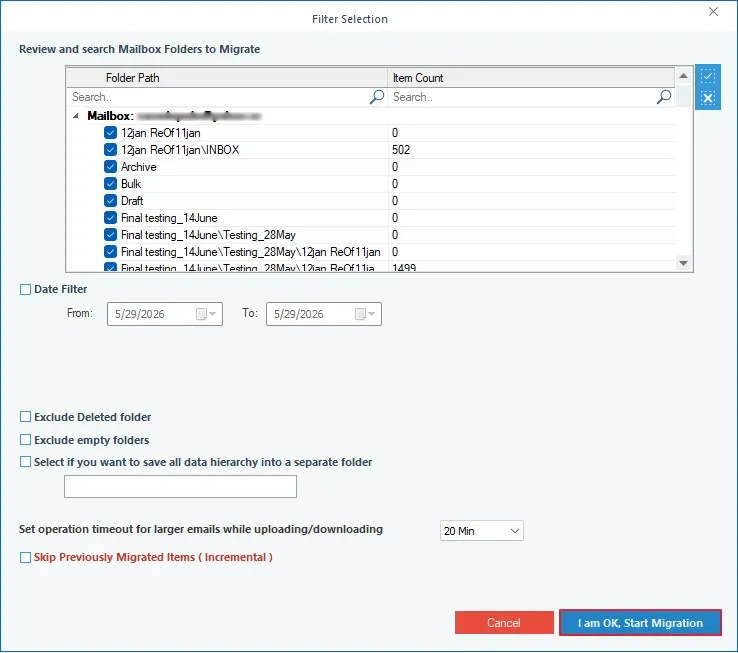
Step 7: Now, select the file as you need for backup and click OK. I have chosen PST file.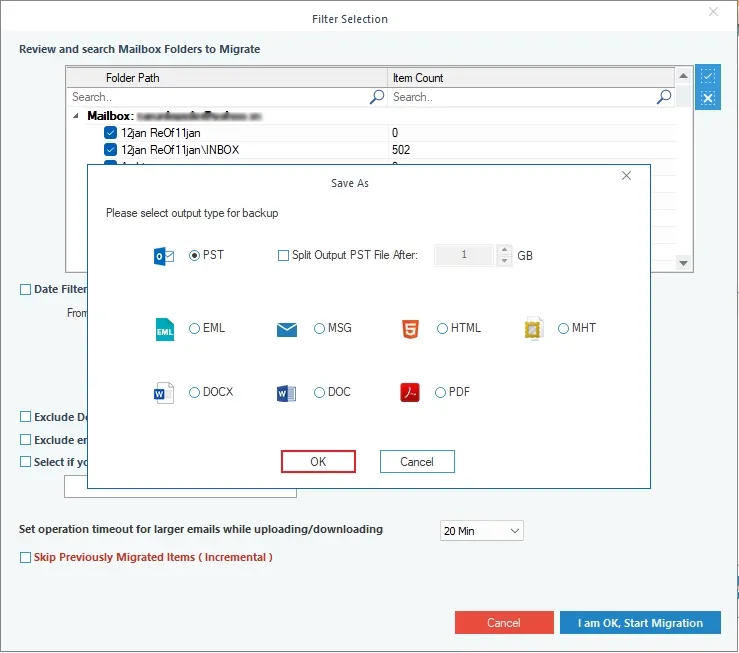
Step 8: Choose a destination folder to save the Telenet webmail email backup file and then click OK. If you want a new folder to save backup PST files, tap on Make New Folder.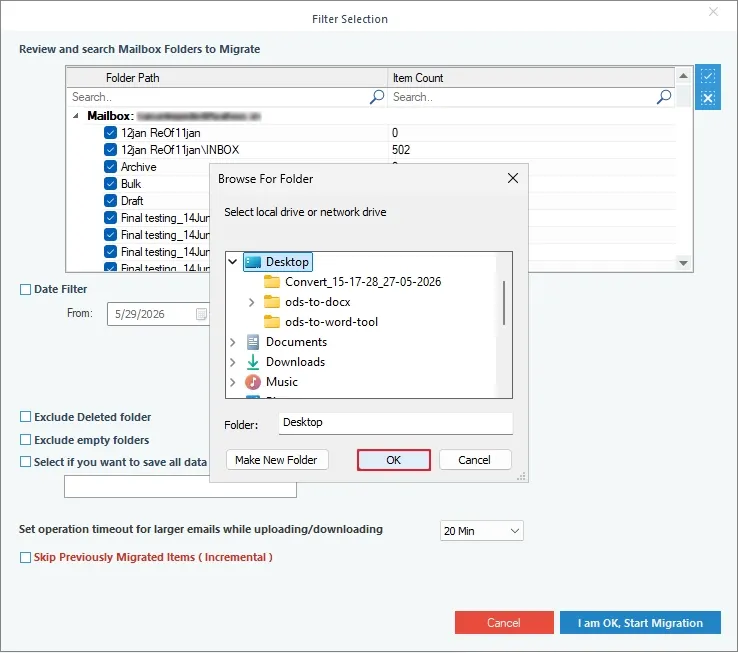
Step 9: The backup Telenet webmail email process will start. You can see the live backup process.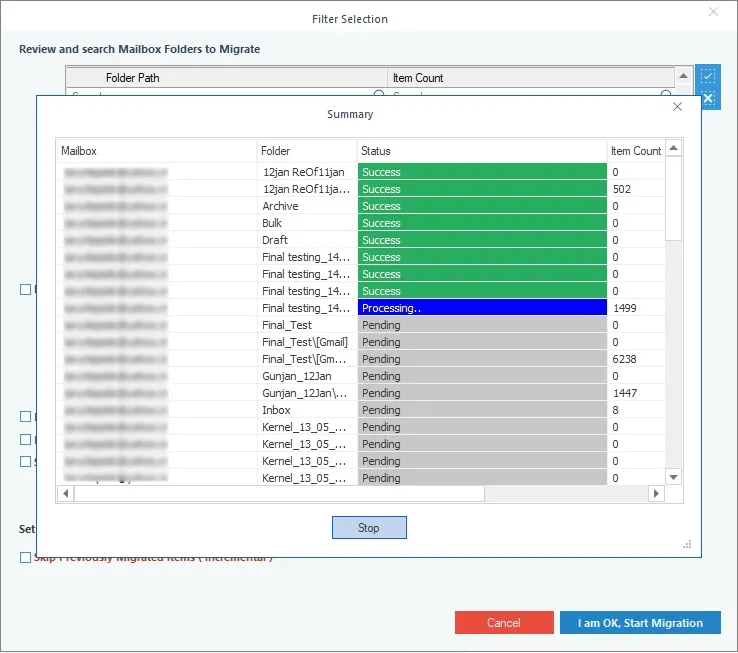
Step 10: Once the backup process is completed, the tool pops up with: Process completed. Please save the report to CSV, then click OK.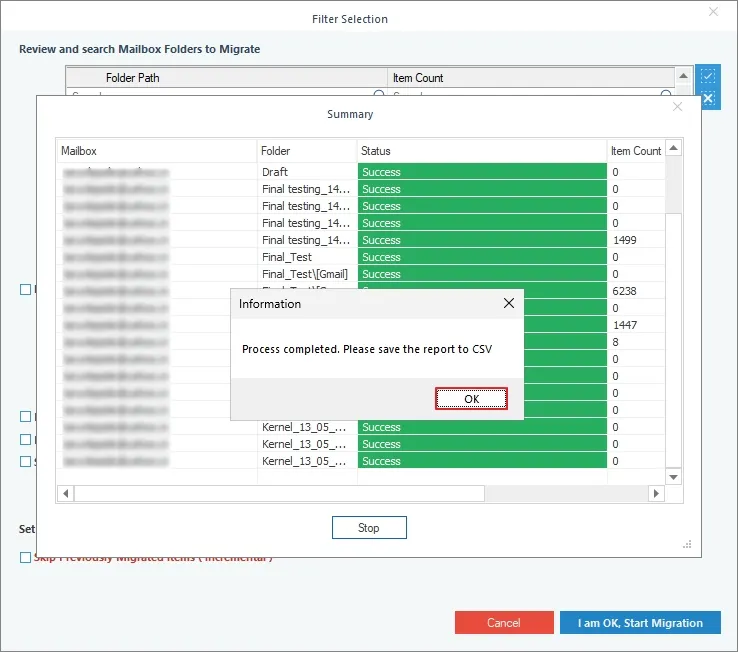
All your Telenet webmail emails will be saved in the chosen file format in your local storage. To generate and download a detailed backup report, click on Save report to CSV and specify the saving folder for CSV files.
To Sum Up: Backup Telenet Webmail Emails Before the Hassle Begins
Your Telenet mailbox is a collection of conversations & important emails. However, everything seems secure and fine today, but unexpected situations such as account access issues, email deletion, etc., may happen.
Therefore, step towards the smart approach and backup Telenet webmail emails immediately. Even now, you know the complete stepwise process to do the same. So, don’t wait for data loss, backup your Telenet data and secure your emails before it’s too late.