Read time: 8 minutes
MTS (MPEG Transport Stream) Video File, developed by Microsoft, is a high-definition video format for Advanced Video Codec High Definition (AVCHD) or digital camcorders (Sony, Panasonic, etc.). It is generally playable in the VLC Media Player and remains unsupported by many devices due to its large size. Sometimes, it needs to be converted to a common format like MP4 to play on a PC or Mac system or even on mobile devices. MP4 video file format is a container file format that supports almost all digital platforms and compresses large files to a compact size.
Many users feel the need to change video file format from MTS to MP4 to play on multiple devices, including Windows 11, 10 systems used in day-to-day life. Our intention in this blog is to bring to the attention of users some workable ways to convert MTS to MP4.
Let us start with native ways for the video file(s) conversion.
Why convert MTS to MP4?
While MTS files are used to save videos in high definition, users still convert these files to MP4 format for the following reasons:
- Compact file size: MTS videos are large in size as they’re high-definition files. Converting these files to MP4 format reduces their file size.
- Compatibility with editing software: MP4 files work better on editing software like Adobe Premiere as compared to MTS files.
- Easy compatibility across devices: MTS file format primarily works on Sony and Panasonic cameras, while MP4 files can be accessed on almost all devices.
- Better streaming: Due to their small size and simple format, MP4 files are easier to share and stream on different platforms as compared to MTS files.
How to Convert MTS to MP4: 3 Solutions Explained
There are a few methods available to convert MTS files to MP4 format. Users can either take the help of an Online video conversion tool or utilize the advanced features of VLC media player.
Method 1. Convert / Save Feature in VLC Media Player
VLC Media Player includes an integrated Convert or Save feature to convert video files from one format to another. Though it contains limited output formats, conversion from MTS to MP4 files is still possible. Let us check how.
Step 1: Launch the VLC Media Player on your Windows system.
Step 2: Click on the Media tab and select the Convert / Save option.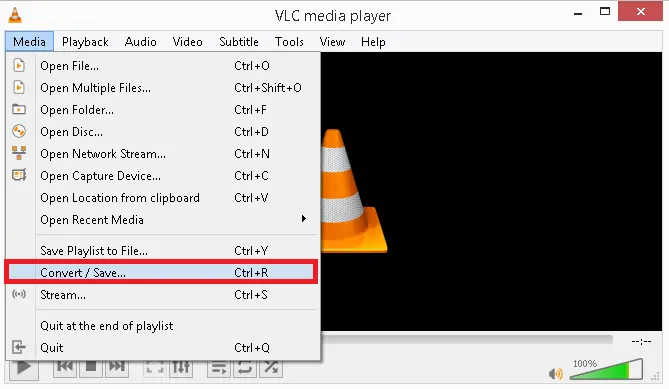
Step 3: Click Add to browse and add the MTS file for conversion. You can add more files in the same way.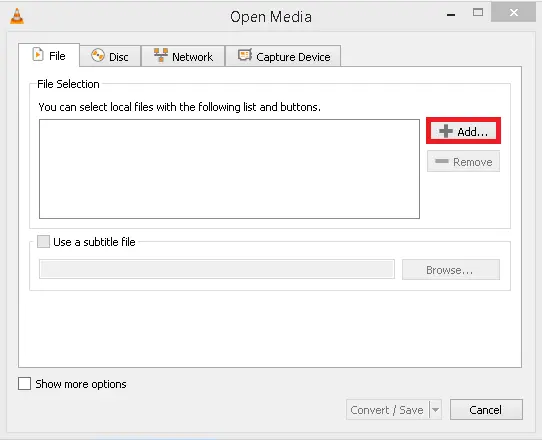
Step 4: Once the file is added, click the Convert / Save option.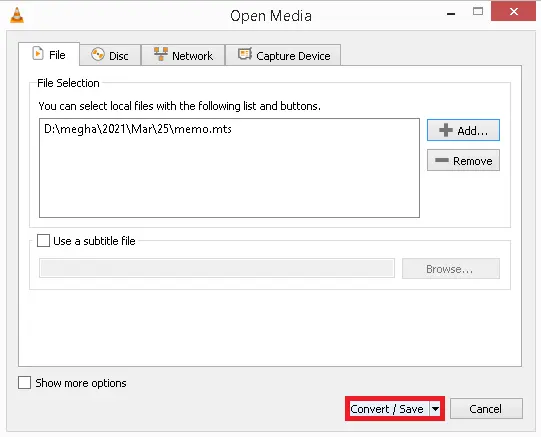
Step 5: Select the output format as MP4, as shown.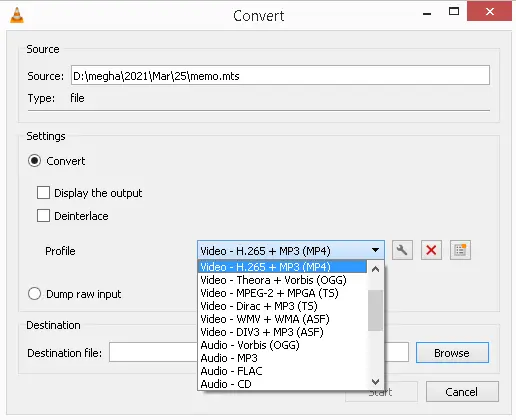
Step 6: Click Browse and provide the destination folder location and file name for the converted file format. Click Start to start the conversion process.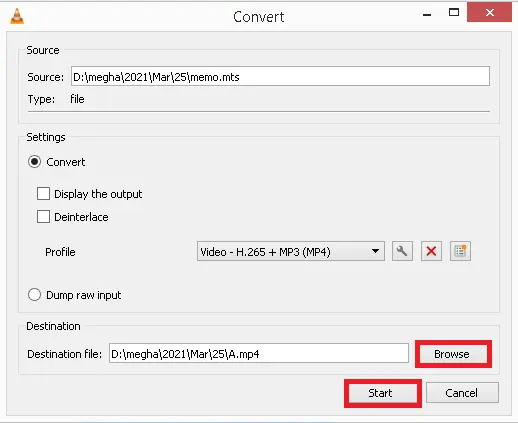
The converted file will get saved to the specified destination.
This method is effective but sometimes fails in the case of very large-sized video files or multiple files.
Method 2. Free Online Video Conversion Tools
There are a few online free video conversion tools that claim to convert MTS to MP4 video file formats, such as Zamzar, ONLINE-CONVERT, ConvertFiles, etc.
However, these online video converters are bound by limitations of video file size and cannot convert files larger than their file size limit. So, it is not suitable to convert large-sized MTS Video files.
Such limitations of native solutions on converting MTS to MP4 video files call for a smart and easy professional solution. We will go through the benefits and an easy-to-learn working process of our advanced tool below.
Method 3. Professional Video Converter tool to Convert MTS to MP4
The best way to convert MTS files to MP4 video files is with the help of a professional MTS to MP4 converter tool. A tool like Kernel Video Converter is perfect for this job. This powerful utility converts video files of almost all video formats without any size restrictions. The tool guarantees 100% accurate conversion without harming the original quality of the video file. Users can perform batch conversion of their MTS files and save them in MP4 and several other video file formats.
Top features of the software are as follows:
- Supports almost all video file formats (any resolution) for conversion without any file size restrictions.
- Converts video files generated or created via all video recording devices, including drones, camcorders, etc.
- Allows batch conversion of video files without modifications in the original video size, color, properties, aspect ratio, resolution, etc.
- Minimal steps and interactive features are integrated within a simple GUI.
- Free trial version for understanding the software interface and working process with limited conversion capability.
- Supports video files from Mac, Windows, Smartphones (Android, iPhone), iPods, etc.
- An additional facility to save audio separately from video files.
- Support all Windows operating system versions, including Windows 11, 10.
Step-by-Step to Convert MTS to MP4 Format
Here is the step-by-step working process of the tool.
Step 1: Download and install the software. Once the tool is installed, launch it.
Step 2: Click on Add (+) button to add source video files to the tool.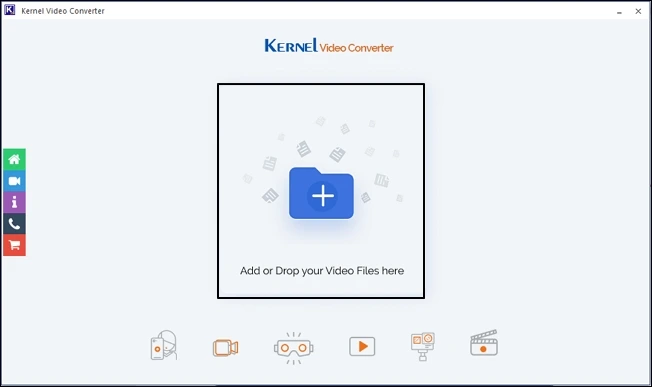
Step 3: Browse and select MTS video files from their saving location and then click Open.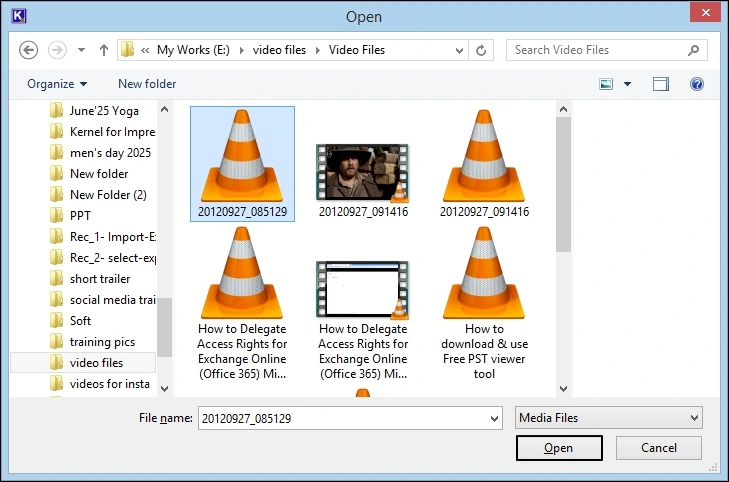
Step 4: Add or remove MTS video files by clicking on the + or trash icon and preview them from the Thumbnail. Click Next to move forward.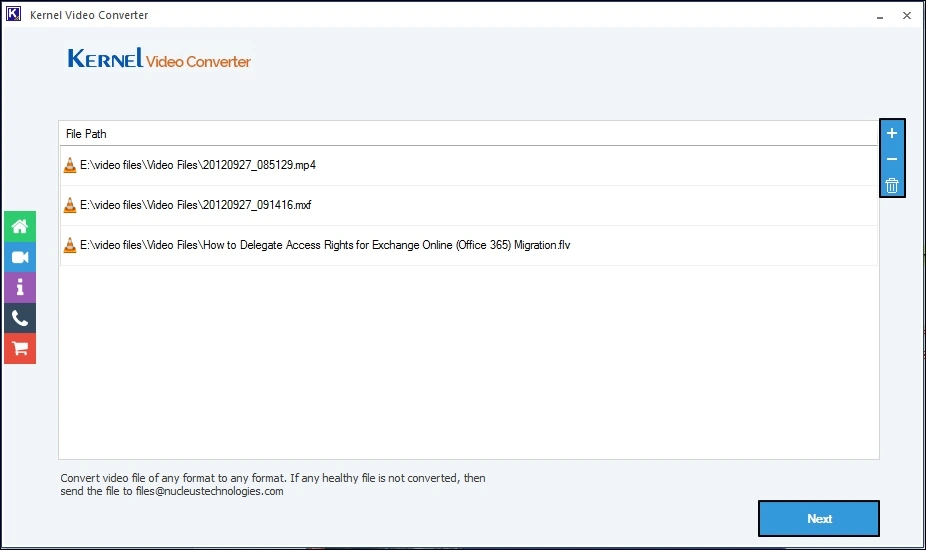
Step 5: Choose MP4 as the output format. Click Convert Now option to proceed to the next step.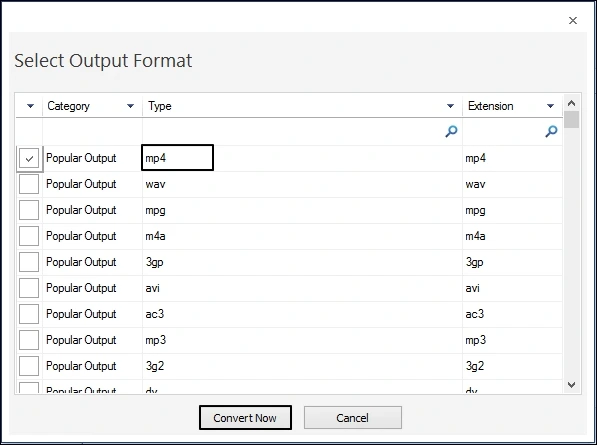
Step 6: Browse and select the folder where you want to save the converted MTS video files. Click OK to confirm it.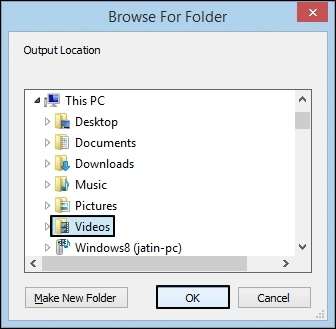
Step 7: Next, you can view the live progress of MTS to MP4 file conversion along with the status.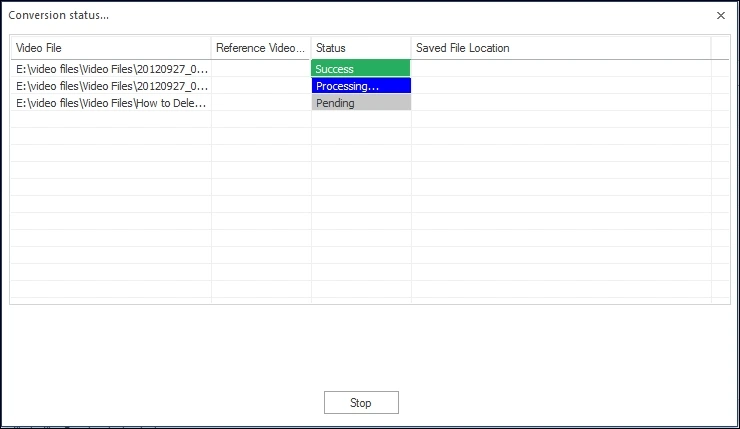
Step 8: After a successful conversion, Save report to CSV for future validation. You can also access the converted files directly through Saved File Location tab.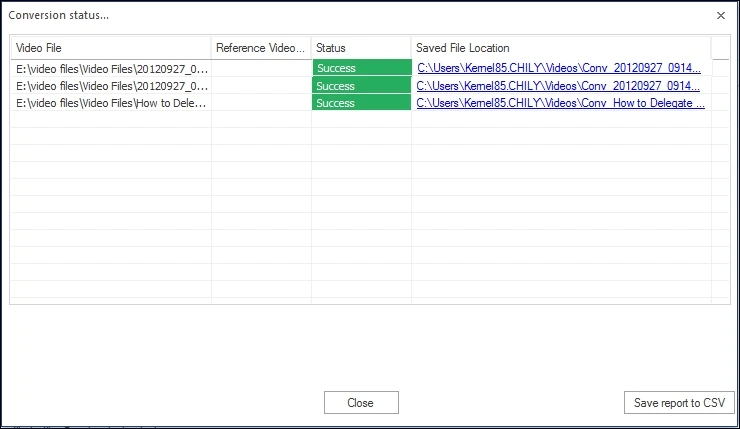
Conclusion
This blog offers the easiest way to convert MTS files to MP4 via VLC Media Player. We’ve outlined the most common method with detailed instructions. If you don’t want to use this method, or if it doesn’t work for you, there are plenty of third-party software programs that can do the conversion for you. But the most reliable one is the Kernel Video Converter tool. It allows you to convert videos between different formats with ease. It includes the ability to convert MTS files to MP4 format. You can download this tool for free from the link below. Give it a try today and see how easy it is to convert your MTS files into the MP4 format!
Frequently asked questions
A. A video having MTS format is saved in the Advanced Video Coding High Definition (AVCHD) format. Videos from Sony and Panasonic camcorders are saved in this format.
A. The key difference between these two video formats is the video and audio codecs each format has. MTS is an advanced file format compared to MP4 format, and it produce videos with more details.