

Read time: 5 min
EMLX files can only be opened and accessed using Apple Mail, which creates hindrances for Windows users in accessing the data. Do you want to access EMLX files on a Windows system? The best way is to convert EMLX to EML file. The process is not straightforward, but also not impossible.
Through this guide, we will provide the best solutions to convert EMLX files to get error-free results. First, let’s discuss the reasons to convert EMLX files into EML format.
Why do users need to convert EMLX to EML?
Read out the reasons listed below to know why users convert their EMLX files into EML format:
- EML files can easily be opened and accessed on Windows and Linux systems.
- EMLX files can only be accessed with Apple Mail, whereas Multiple email clients support EML files.
- Preserves email formatting, hyperlinks, images, and font during the conversion.
- EML is a universally acceptable and easy-to-share file format.
- EML files are ideal for creating long-term backups and archives.
Top 2 quick methods to convert EMLX to EML files
We are going to discover two methods, i.e., the manual technique and the professional EMLX to EML Converter tool. Evaluate both the methods and select which suits your requirements:
Method 1 – Convert EMLX file to EML manually on macOS
Here are the detailed steps to convert EMLX files to EML. Follow them properly to get a secure conversion:
Step 1. Open Apple Mail on your system and drag the .emlx file into the Apple Mail folder (if you don’t have the required .emlx files in your Apple Mail).
Step 2. Open the .emlx file >click File >Save As >Raw Message Source.
Step 3. Provide a location to save the data and click on the Save button.
Limitations of the manual method
The manual method comes with many limitations, such as:
- Converts a single email at a time.
- It is prone to errors.
- Time-consuming process
- Does not guarantee success.
- Chances of data loss risks.
Method 2 – Export EMLX to EML with an expert-recommended tool
To avoid risks of the manual method, it is recommended to use our automated Kernel EMLX Converter tool. This tool allows users to convert bulk EMLX files into EML format at once without disrupting the email structure. Moreover, it is an ideal solution for individuals and businesses looking to convert their EMLX files without hampering email structure.
What more does EMLX to EML Converter offer?
The EMLX to EML Converter offers numerous features to make the conversion easy. Some of them are listed below:
- Allows users to convert multiple/unlimited EMLX files with zero loss guaranteed.
- Provides smart filtering options to convert only the required data into the resultant file.
- Shows a detailed preview of source EMLX files with all metadata and attachments before conversion.
- The software also allows you to extract email addresses and attachments separately.
- The software keeps the EMLX file’s structure, meta properties, and attachments intact.
- Convert EMLX to PDF, PST, MSG, DOC, MBOX, HTML, and various other formats.
- Skips empty folders from being converted to let go of any clutter and confusion.
- Comes with a demo version to convert 25 items for free.
Steps to convert EMLX files using our software:
Step 1. Launch the EMLX to EML Converter software and click on the Add Source button.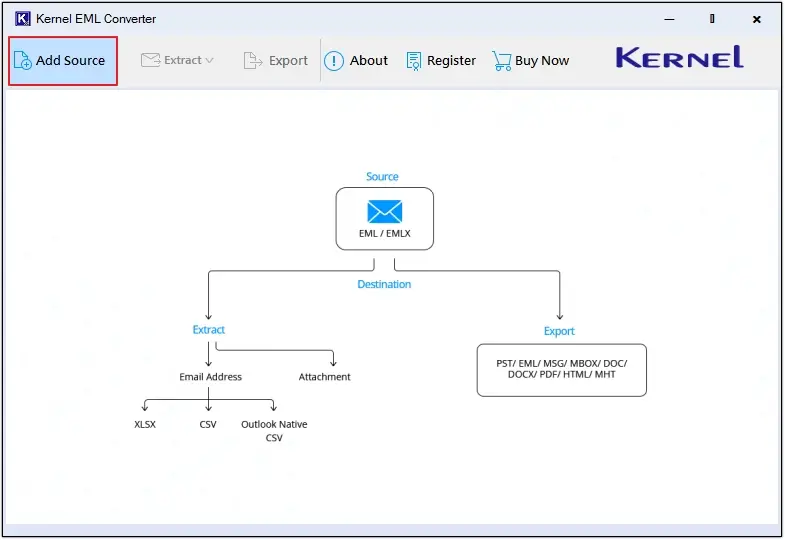
Step 2. In Select Source File Type, choose EMLX, then click on Browse to upload files, and click on the Add Files button to move forward.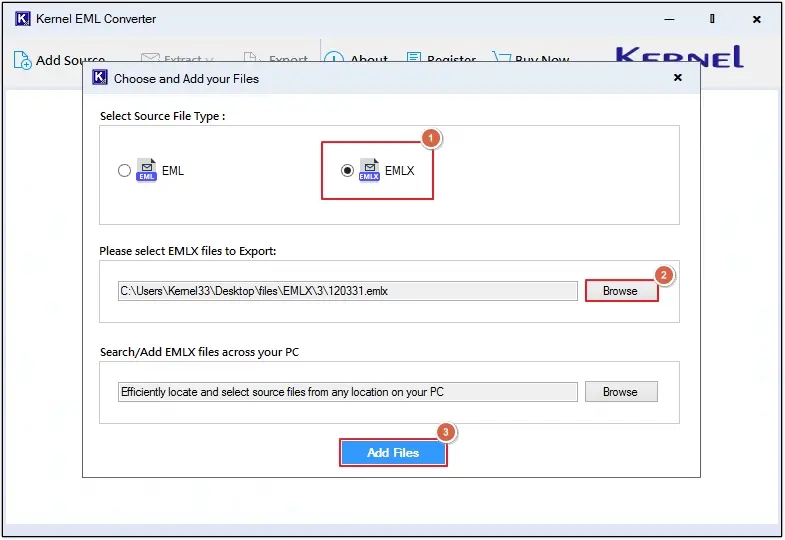
Step 3. Preview emails, then click on the Export button.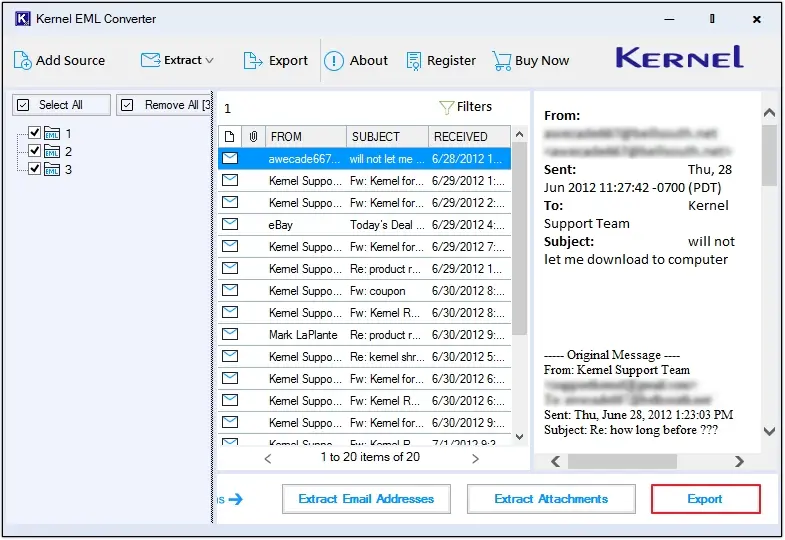
Step 4. Select EML as the output type and apply specialized filters to convert only the needed data.
Note: The software offers various specialized filters such as File Naming Convention, Extract Attachments in Separate Folder, get log reports of conversion, and Skip empty folders.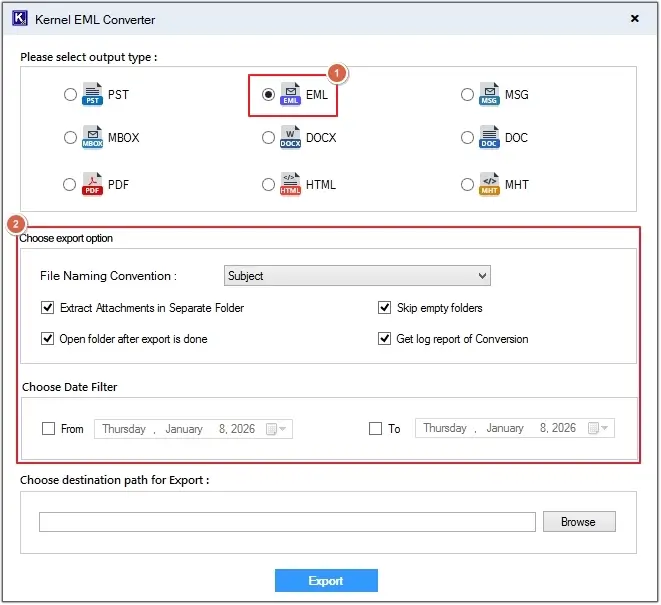
Step 5. Click on the Browse button to define the destination, then click on the Export option.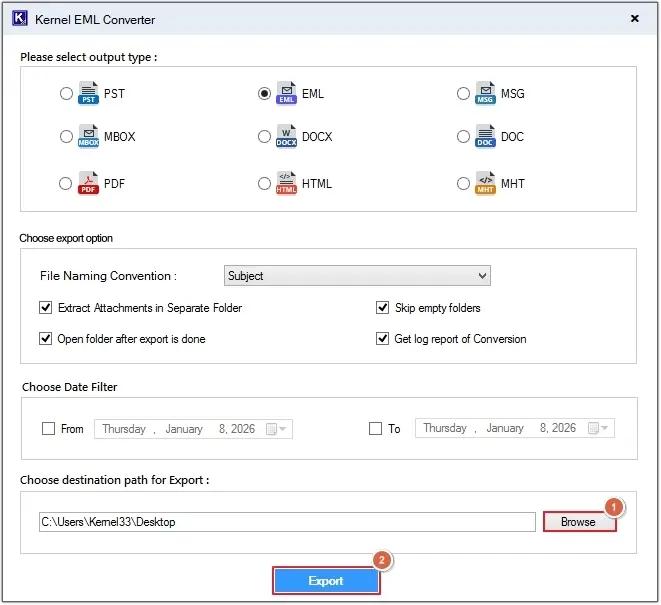
Step 6. The EMLX to EML Converter tool will start the conversion process. You can view the Export Status.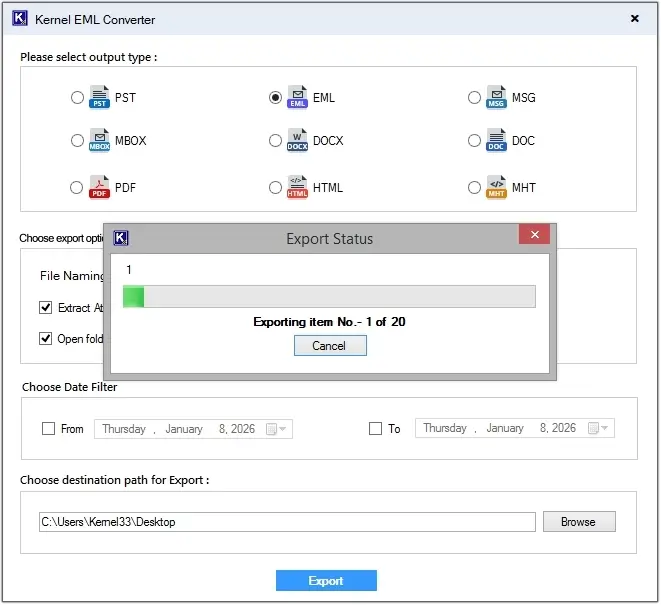
Step 7. Upon completion, the tool will show the Export Completed message, click on the Done button, and you’ll be directed to the saving location of the files.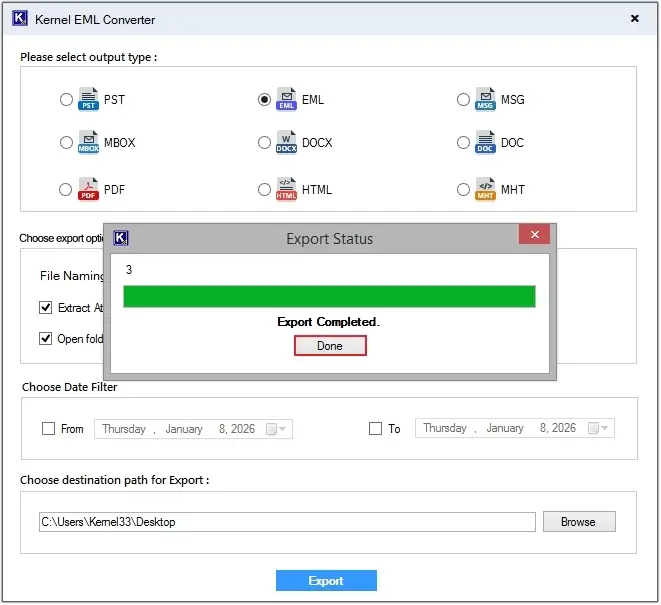
Step 8. Here, click on any EML file to get a preview of saved content.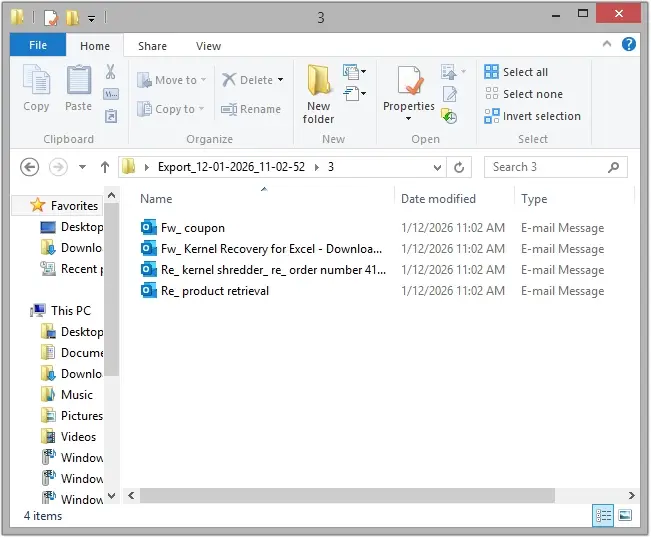
Conclusion
To get better data management and accessibility, users convert EMLX to EML files. But with the manual method, it is a bit challenging as you must repeat the process again and again. We have shared a reliable method, i.e., the Kernel EMLX Converter tool, to convert EMLX files without loss. This advanced tool allows you to convert bulk files into EML format in a single operation. Download and try the tool today to get a hassle-free experience.
Frequently Asked Questions
A. Yes, you can use this EMLX Converter tool on both Windows and Mac systems.
A. No, you cannot open an EMLX file on a Windows system. You need to convert EMLX to EML file to access data on Windows.
