Read time: 9 minutes
Microsoft Outlook creates MSG files to store individual email messages. It stores information like sender details, subject lines, message bodies, & attachments. To open MSG files, Outlook is the default application. But in some instances, users need access without installing or using Outlook.
It can be due to various reasons like licensing issues, system limitations, etc. This straightforward guide will explain you with the practical, step-by-step methods to open MSG file without Outlook. Read below to get the complete knowledge about the concern.
MSG files brief overview: When you drag any email from Outlook, it will save in the MSG format. It means 10 MSG files reflect 10 emails.
Top Scenarios to Use Alternatives to Outlook
Here, we have provided the top scenarios where using the alternatives to Outlook is needed to open Outlook MSG files:
- Outlook is not installed or licensed.
- Users using the MacOS or Linux systems.
- Users need to view, but not edit, the emails.
- MSG files help in reference, audits, or legal reviews.
- Outlook shows errors or fails to open MSG files specifically.
Top Methods to Open MSG File without Outlook
This section will help you get the standard solutions to access MSG file without Outlook. So, try to follow them accordingly.
Method 1: Open MSG Files Using Notepad or Notepad++
It is helpful in scenarios when you want to understand the raw structure of the file or quickly find any email addresses or specific keywords. To implement this method, you need to rename the .msg extension to .txt. Now, follow the steps below to execute the process:
Step 1. Locate & right-click on the MSG files.
Step 2. Select Open With > Notepad or Notepad++ options.
Step 3. Access the readable content like sender name, subject, or body, etc.
Note: After renaming the MSG extension to TXT, you can also use the Microsoft Word application to open Outlook MSG files.
Method 2. Open MSG File with the Help of Thunderbird
When you want a full email review without Outlook, this method can be helpful. Here, we will rename the .msg file to .eml as Thunderbird supports EML format instead of MSG. Then, follow the steps below to access MSG file without Outlook.
Step 1. Open the Thunderbird application on the local system.
Step 2. Navigate to Local Folders, right-click on it & choose New Folder.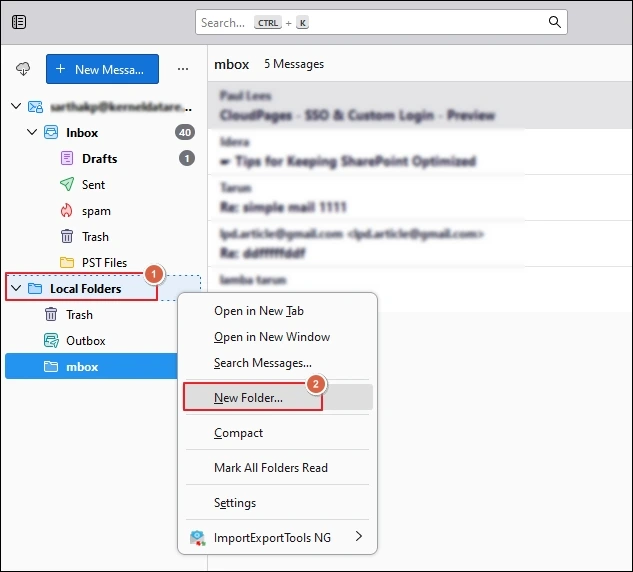
Step 3. Provide the name & tap on the Create Folder option.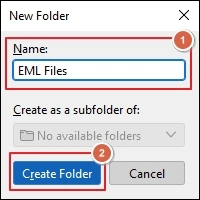
Step 4. Choose the renamed MSG file one by one, drag & drop to the newly created folder in Thunderbird.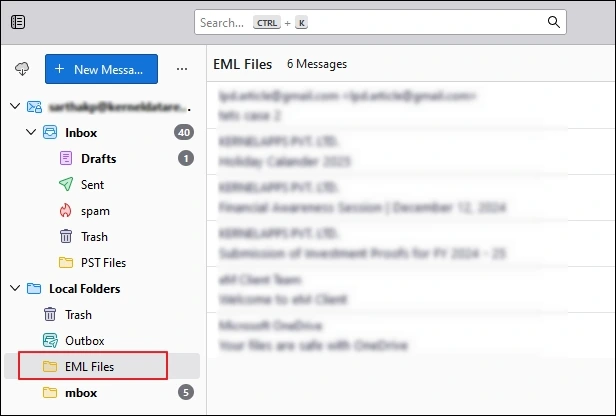
Step 5. In this way, you access your MSG files’ content by using the Thunderbird application.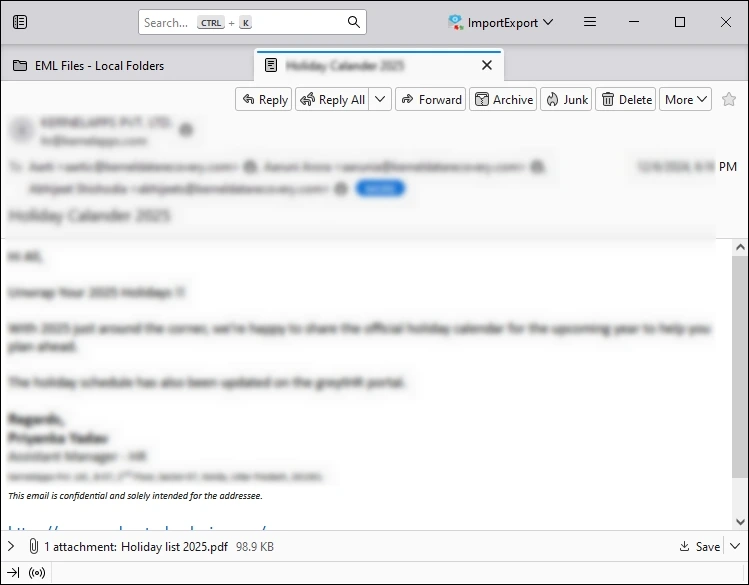
Note: Here, you can also take support of Windows Live Mail App as it also supports EML format natively.
Method 3. Take the help of Browsers
Try another method to open MSG file without Outlook. Here, we will take the help of a web browser. It helps in viewing simple email content. You need to rename the .msg extension to .html to utilize this method. Once renamed, double-click on the file to open it in your web browser.
Want an Instant Solution with Zero Distortion?
Since manual methods need conversion before accessing the MSG files, which can’t give you 100 % successful results. They can also hamper the original formatting of the MSG attributes. Besides, managing bulk msg emails is not possible with them. In that case, looking for the advanced Free MSG Viewer tool can be the most suitable approach.
Industry-recognized, Kernel MSG Viewer tool is a standalone software that does not require any prior email client installation to open MSG files. Moreover, it loads MSG files automatically with its auto-scan feature. Check out the stepwise approach to get error-free results instantly:
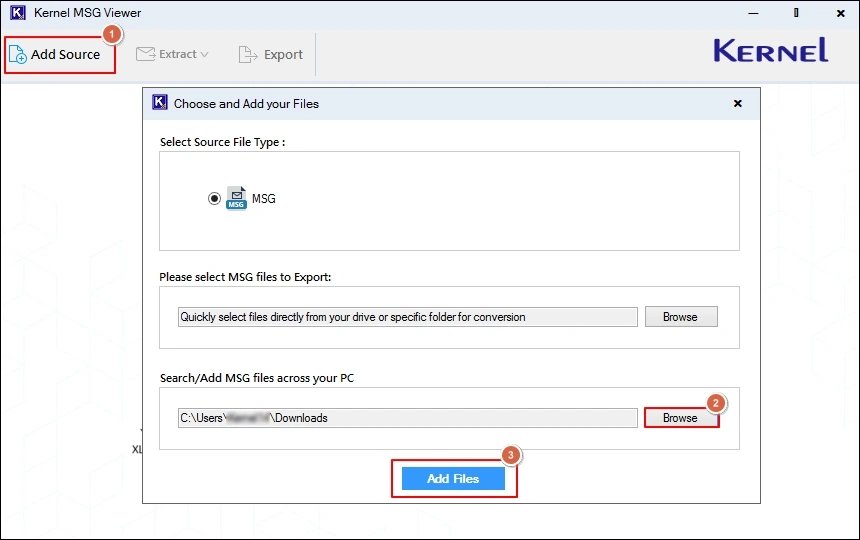
Step 1. Download and launch the tool.
Step 2. Load MSG files either manually or by using its auto-scan feature.
Note: You can add multiple MSG files of any size without any restrictions.
Step 3. Preview the desired MSG file attributes hassle-free.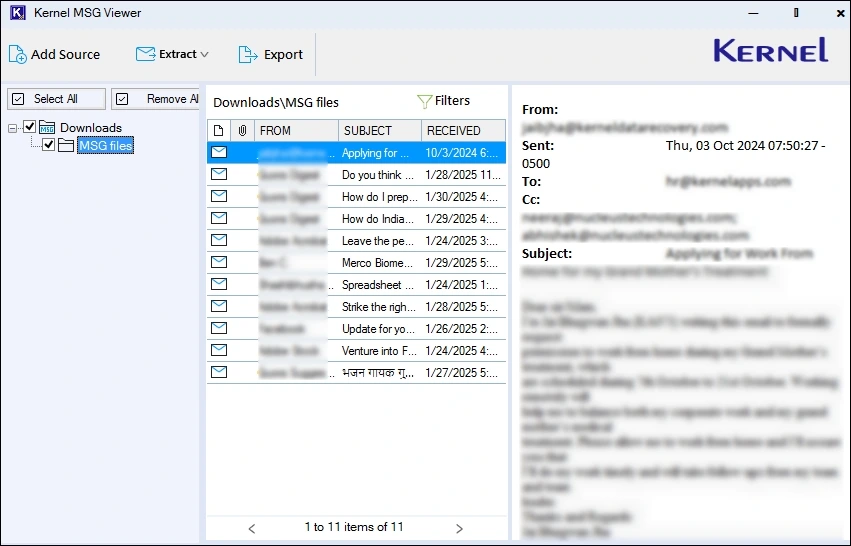
Step 4. View specific MSG files by using the filters like To, CC, BCC, From, Subject, Body, Read/Unread, Attachment, & Date.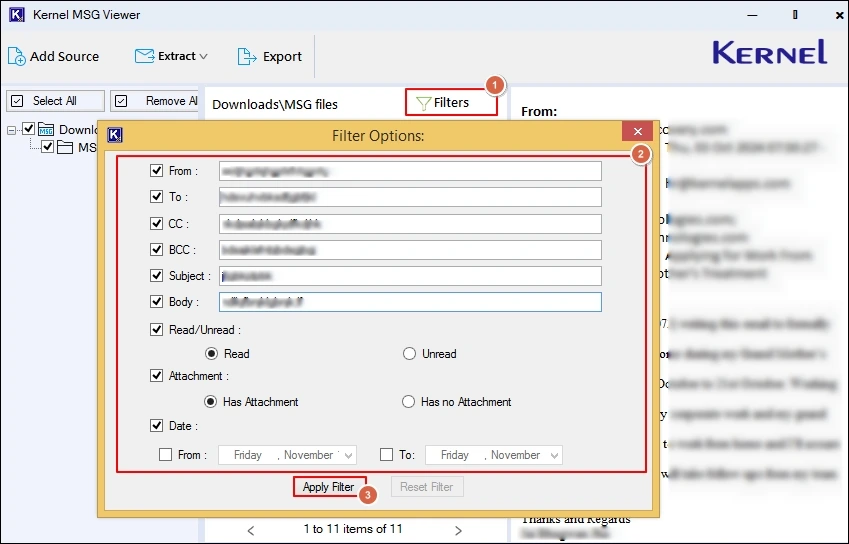
Best Practices to Open MSG Files Safely
You can go with the following best practices to get safe access to your MSG files:
- Do verify file integrity once you get access to it.
- Try to keep a backup copy of your MSG files always.
- Do not upload your confidential information online.
- Use anti-virus protection before opening attachments.
Ending Thoughts
The right method can help users open MSG file without Outlook. Whatever your needs are, like quick preview, detailed email access, or offline storage, the blog has discussed all the possible methods for successful results. But due to more advanced features and filters, the recommended advanced method overpowers the manual ones.
Frequently Asked Questions
Ans. Attachments can be viewed by using the recommended free tool, as manual methods can’t support it.
Ans. It depends on the sensitivity of your emails. For confidential or business- critical data, try to use the offline methods.