PST Split

Chat with our Support Executive

100% Secure Transaction with

Moneyback Guarantee Policy

Our Prestigious Clients

Awards & Reviews

Kernel for PST Split
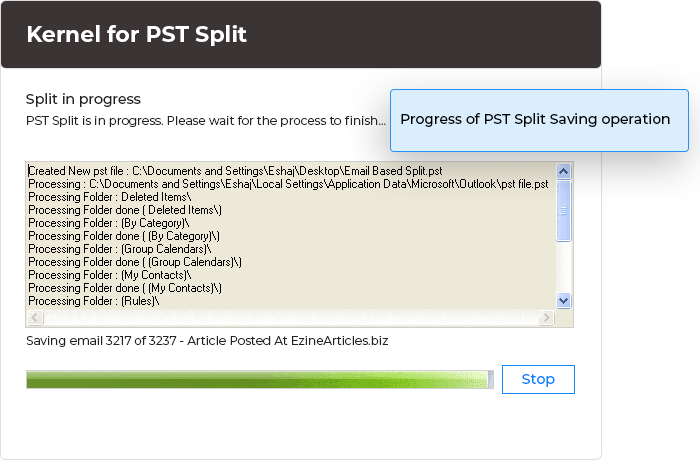
Product Screenshots
Product Information
Key Functions:
  • Meta-data of emails (To, From, Cc, BCc, date, time etc) is preserved
  • Free demo version available
  • Performs splitting quite easily and quickly
  • Compatible with all versions of MS Outlook
  • Can even split files that are currently being used, shared over network or are saved separately.
  • Provides ease of data manageability
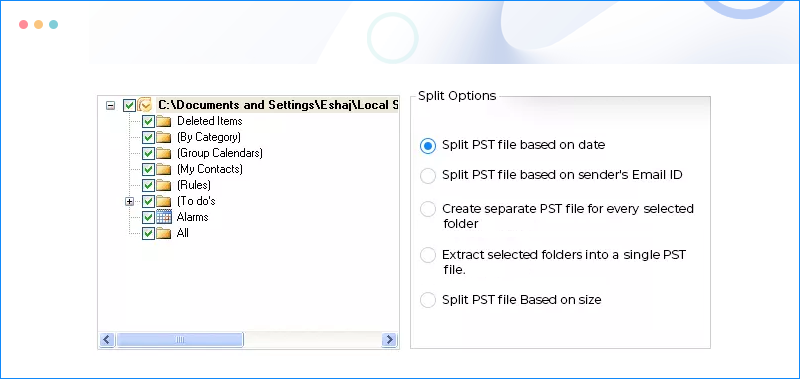
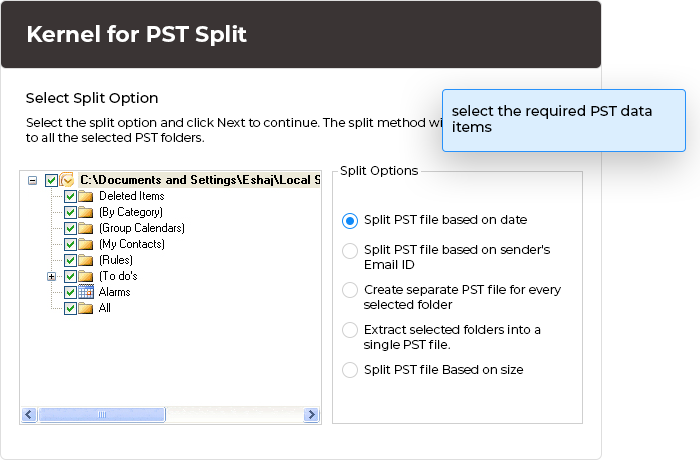
  • Provides 5 options for splitting- Split PST file based on date, Split PST file based on email ID, Make single PST file for every folder, Extract selected folders into a PST file and Split PST file into multiple files.
  • Creates independent and small sized files
  • Enables you to split all folders and items available in PST file such as Contacts, Calendar, and Journals, Email Folders (Inbox, Outbox etc)
Having Problems with Demo Version?

If you face any problem with free to try evaluation version of Kernel for PST Split, then feel free to contact us at support@nucleustechnologies.com

We will help you in every situation, solve your queries related to pst split and if still the support doesn't works...our support executive will help you to split pst file for FREE.


Split Large Sized Outlook PST Files

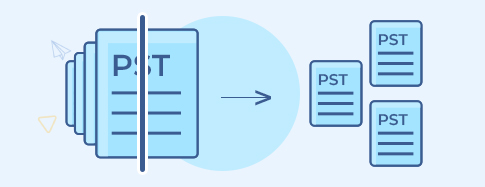
Kernel for PST Split is very reliable and eminent split software which is designed to split large-sized PST files into small pieces or chunks. It has some remarkable benefits which are as follows:

  • Maintains data integrity
  • Compatible with all versions of MS Outlook
  • Creates small-sized and independent files
  • Manages data with ease
  • Comprehensively performs split process
  • Provide option for splitting the file multiple times
  • Can work on separately saved, in-use or shared PST files
  • Accurately retain meta-data

Kernel for PST split is completely non-destructive software that does not poses any danger to the data integrity of the original file. Once the files get split they can be accessed using MS Outlook and are completely independent of the original file.

What is the need to split a PST file?

The question can be answered by going through the following situations:

  • Manageability problems- This problem of manageability arises mainly due to large size of the data of e-mails. However, this issue can be resolved by splitting the PST files on the basis of date, sender's email, size, etc.
  • 2GB limitation- After reaching the 2 GB threshold limit, PST files often react absurdly and therefore to resolve the arising issues, user needs to split such files.
  • Low Performance issues- When the size of the data of PST files grow large, MS Outlook starts exhibiting slow performance while opening, closing, moving, copying email data from one folder to another. Therefore, splitting PST file works perfectly fine in order to combat the performance issues.

This splitter software enables the user to perform split functions even if the file is currently being shared over the network, being used or is saved separately. The software quickly and easily split the large-sized PST file. After getting splitted, the files can be retrieved using MS Outlook.

Kernel for PST Split software allows splitting of files in 5 different ways so as to manage data of large emails. The options so provided are : Split PST file based on Sender's email ID, Extract selected folders in a single PST file, Split PST file based on date, Split PST file based on size and Create separate PST file for every selected folder. Moreover, the tool allows splitting of each and every item and folder of PST file such as Calendar, Journals, Contacts and Email Folders (Inbox, Outbox, Deleted Items, Sent Items, and Drafts etc).

Versions Supported:

The files created using MS Outlook 2000, 2002 (XP), 2003, 2007 versions can be splitted by the Kernel for PST Split software.

Download Evaluation Copy:

Avail the evaluation version of Kernel for PST Split that can be downloaded for free. The evaluation version works just like the full version of Kernel for PST Split; this way you can explore and experience the working of the software before actually purchasing it. However, the evaluation version has a limitation; it limits you to save only the first 5 items of folders in the PST file. Hence to save all your data, you need to purchase the full version of software.