Read time: 9 minutes
Rich Text Format [RTF] is a platform-independent document format that supports basic text styling & structure. It is well-known for content portability across applications. But it lags with the DOCX file format in advanced document features for modern workflows. Be it better document standardization, enhanced editing capabilities, or seamless integration with enterprise document systems.
As a result, users look to convert RTF to Docx format. This straightforward guide will help you to provide the complete information about this conversion, including reasons, challenges, free & advanced solutions.
Know the Reasons to Convert RTF to DOCX
RTF files are good when you are working with plain text. But they are inferior when you want:
- Track changes & comments for collaboration.
- Template consistency across teams & applications.
- Better performance in modern editors & publishing tools.
- Compatibility with Microsoft 365, Google Workspace, & editing platforms.
- Advanced formatting like styles, headers/footers, tables of contents, and themes.
Top Manual Solutions to Convert RTF to DOCX
Try the solutions below to convert Rich Text file to DOCX manually. They are practical & easy to perform.
Solution 1. Use Microsoft Word [Fastest One]
With the help of Microsoft Word, users can open the RTF file natively & directly convert into DOCX format with full formatting support. Know the steps to perform the solution:
Step 1. Open the Microsoft Word application & tap on the File menu.
Step 2. Choose to Open, Browse your .rtf file & tap on the Open option. Then, review the document & tap on the File option.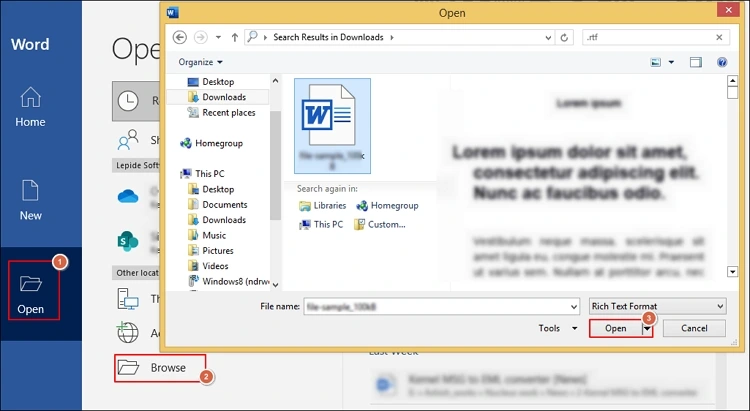
Step 3. Click on Save As, browse the desired destination. Select the Word Document option. Hit Save.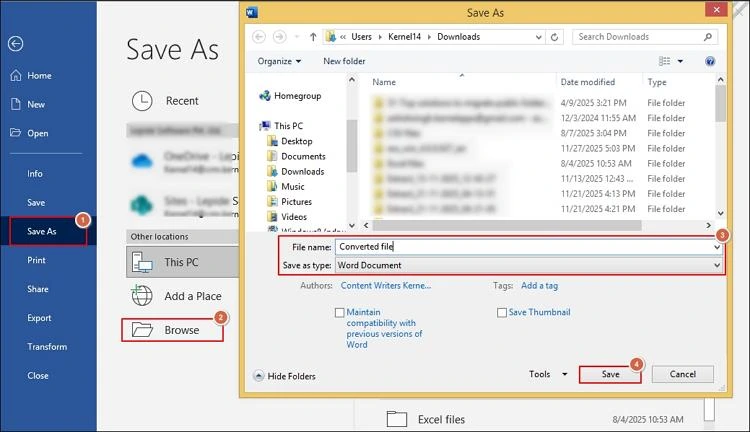
Important to know: If you want to convert RTF to document format without Word, take the help of LibreOffice Writer.
Solution 2. Take the help of Google Docs [Cloud-based]
It offers quick online conversion on any device. Google Docs lets you upload RTF files & export them as DOCX from any web browser. Here are the steps to implement the solution successfully.
Step 1. Launch the Google Drive application.
Step 2. Tap on the New> File Upload option to upload your RTF file.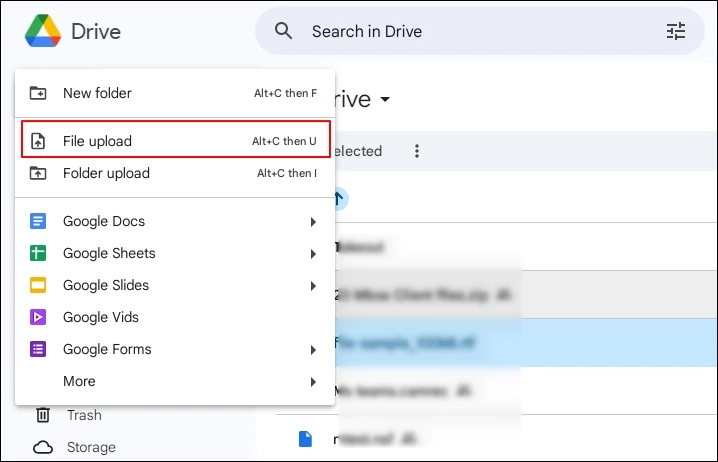
Step 3. Right-click on the file, select the Open With> Google Docs option.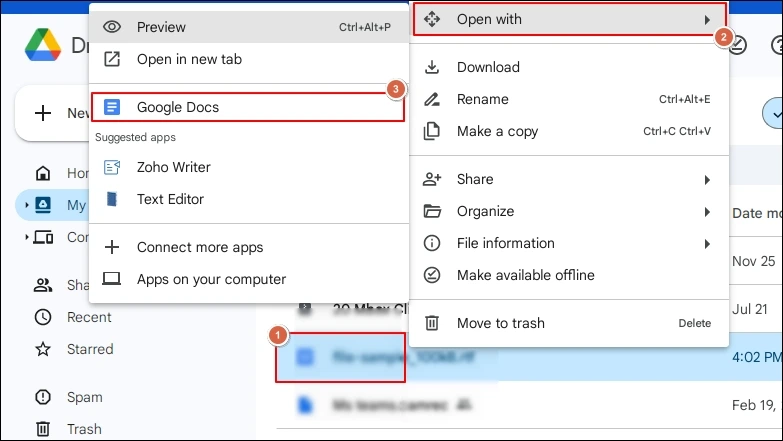
Step 4. Navigate to the File> Download option. Choose the Microsoft Word (.doc) format. 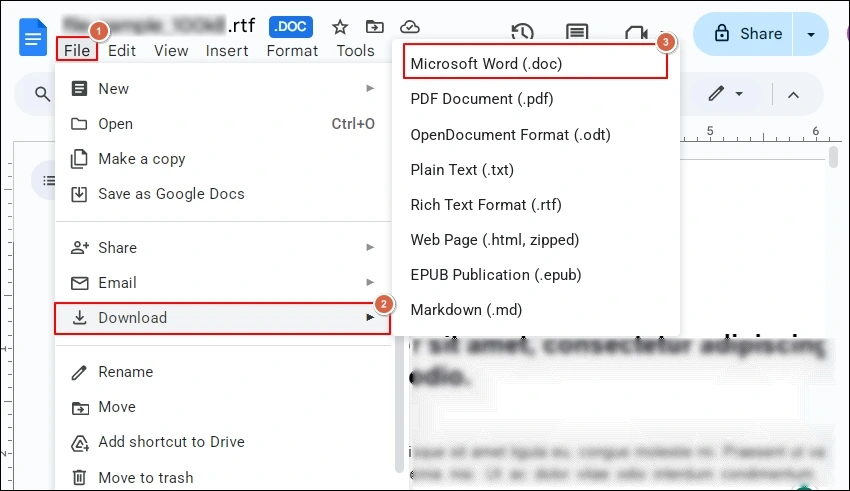
Common Challenges with the Manual Methods
Users can face different challenges with the manual methods. Let’s look at the major ones:
- It’s a time-consuming task to convert RTF to DOC in bulk.
- Tables, bullet points, and numbered lists can lose their structure or spacing.
- Formatting inconsistencies may require further corrections in the DOCX file.
- Font substitutions or missing styles issues could arise with the manual methods.
Best Solution to Convert RTF to DOCX in Bulk?
As per the discussion now, using the manual methods can only be helpful when you want to convert single or unimportant RTF files. If you are dealing with the crucial data & bulk conversions, considering the advanced solutions can be the most suitable approach. It not only offers bulk conversion but also retains complete formatting after the conversion.
Kernel Document Converter is one reliable name that professionals go with for converting RTF files to DOCX format. The tool is equipped with all the high-tech features & filters that provide users a standalone option for document conversion. Check out the complete stepwise approach to run the tool successfully:
Step 1. Download & open the converter.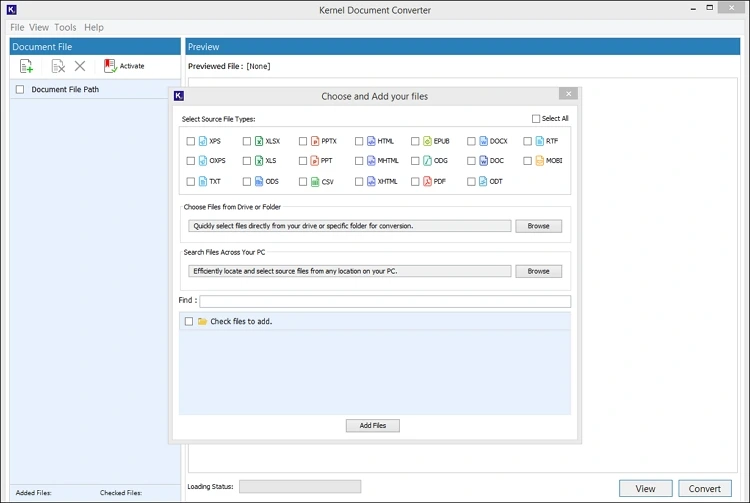
Step 2. Select the RTF format & choose the file or folder that contains the RTF file. Click on the Add Files option.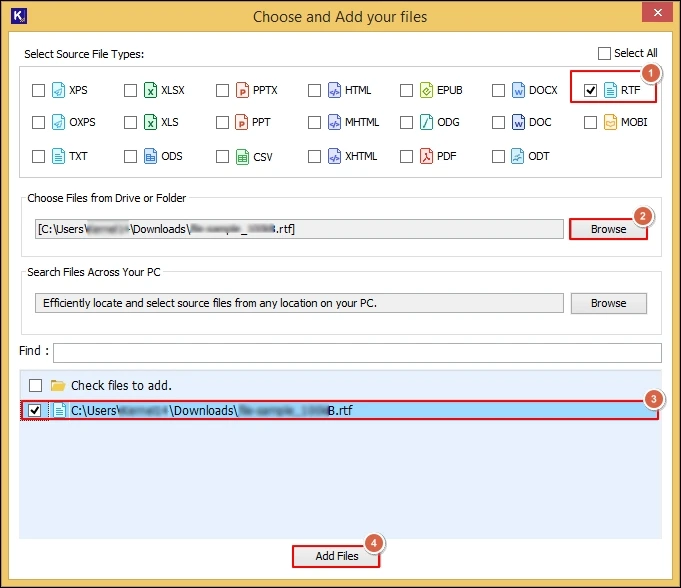
Step 3. Verify the complete RTF file data & select the needed RTF files to convert into DOCX format. Then, tap on the Convert option.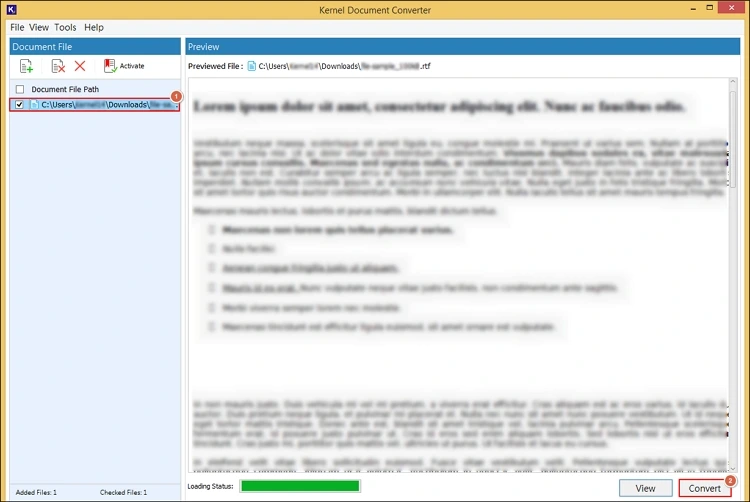
Step 4. Browse the preferred destination & select the resultant format as DOCX with the desired filters. Hit the Convert option.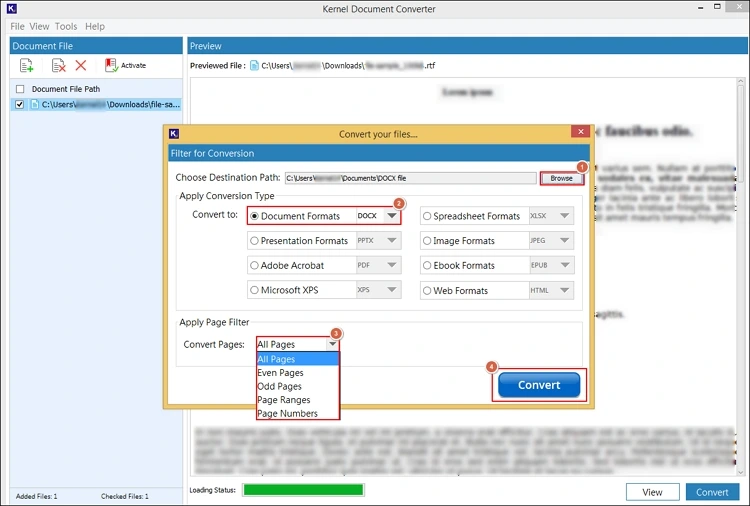
Step 5. It will initiate the “convert Rich Text File to DOCX” process.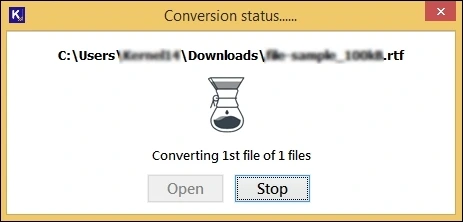
Step 6. Once the “Conversion completed “message is prompted, select the Open option to use the saved DOCX file location directly.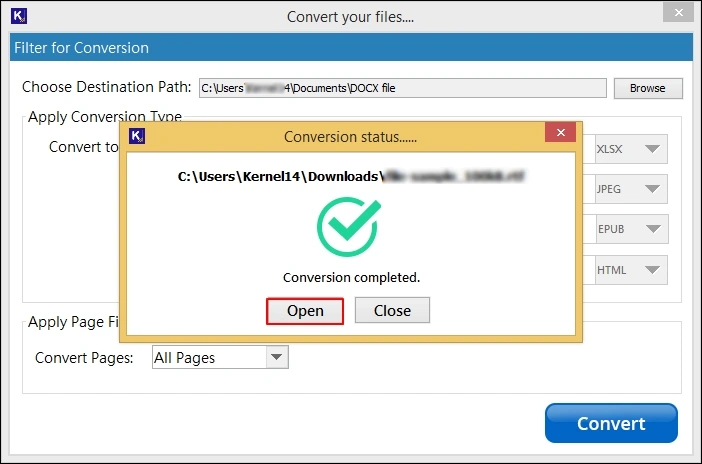
Top Features of the RTF to DOCX Converter
Check out the core features of the tool that make it a one-stop solution for users.
- Permits you to convert RTF to document format in bulk.
- Quickly scan & load RTF files into the tool automatically.
- Apply innovative filters to convert RTF to DOCX specifically.
- Users can convert RTF files to more than 20+ formats error-free.
- Provide easy previewing of complete RTF data before conversion.
- Helps users in smooth conversion with its dedicated 24/7 free support.
Conclusion
The convert RTF to DOCX process can help users unlock major advantages like document editing, collaboration, & usability. In this regard, the blog has covered complete details of the concern along with the practical solutions. We hope they have helped you in providing the secure & hassle-free conversion.



![How to Convert RTF to PDF? [One-Stop Guide]](https://www.nucleustechnologies.com/blog/wp-content/uploads/2025/12/rtf-to-pdf.png)