Recover MS Outlook Emails and Other Items
Process for Recovering Deleted Emails
You might feel the need of retrieving emails from MS Outlook, after you delete some of the emails accidentally or intentionally. At times we realize that the emails we deleted some time ago were actually of use. Although, MS Outlook is integrated with an option to recover deleted items, but it works only for recently deleted emails.
When you delete an email, contact, note, calendar, journal or any other type of email item accidentally or deliberately from an Outlook folder, MS Outlook removes that particular item from the index but the data still resides in the PST file. The space freed up due to deletion is marked as empty so that it can be utilized to store the new data. Hence for retrieving deleted emails from MS Outlook, you must act quickly and intelligently (Never use scanpst.exe or any other repairing tool in the hope of getting your emails back).
Kernel for Outlook PST Repair is the ideal solution to retrieve deleted emails from PST files. This software is specifically devised to retrieve deleted emails and other items from MS Outlook PST file. Owing to its strong algorithms you can recover all items from the PST file including emails, drafts, calendars, journals, notes, tasks, contacts etc. The tool retrieves deleted emails from PST file created using MS Outlook versions 97, 98, 2000, 2002 (XP), 2003, 2007, 2010, and 2013 (both 32-bit and 64-bit).


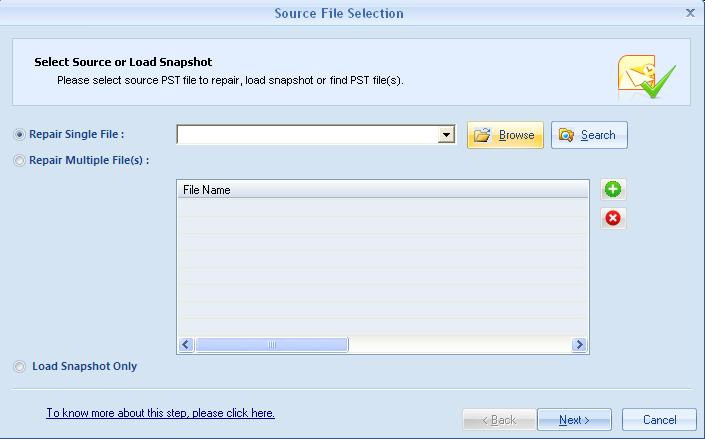
Kernel for Outlook PST Repair ensures complete and accurate recovery of emails from damaged, corrupted or inaccessible MS Outlook PST files. To retrieve deleted emails from PST files, launch Kernel for Outlook PST Repair. The software prompts for selecting damaged PST files:
After selecting the PST file, scan the file and the software will enumerate all the recovered data saved in the PST File:
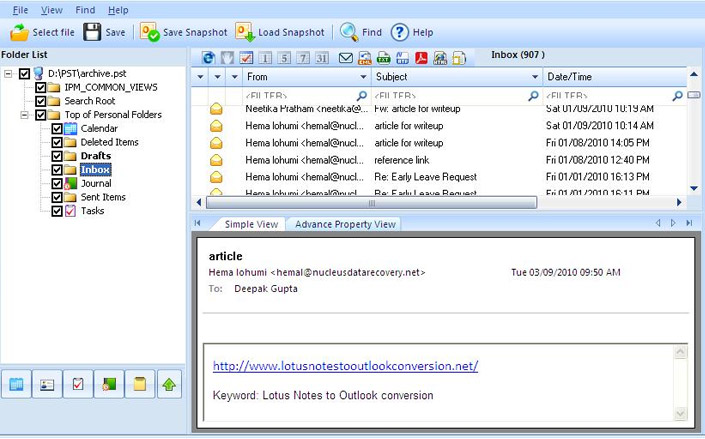
Select the items you want to retrieve and save the same. In addition to the power it provides you to retrieve deleted emails, the software also allow you to save the recovered emails in either Outlook file formats (PST, MSG) or in Outlook Express file formats (DBX, EML):
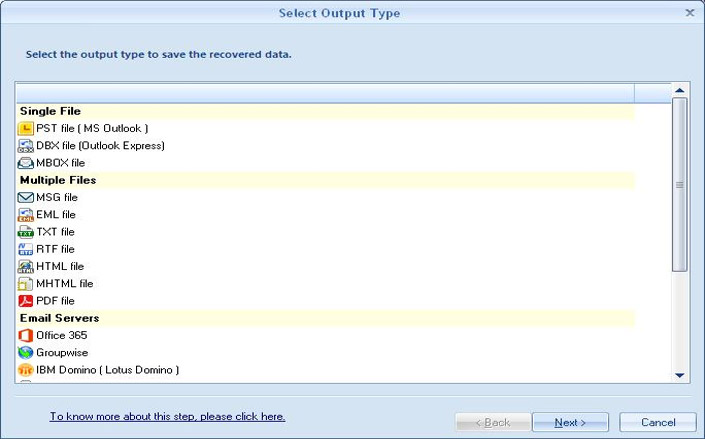
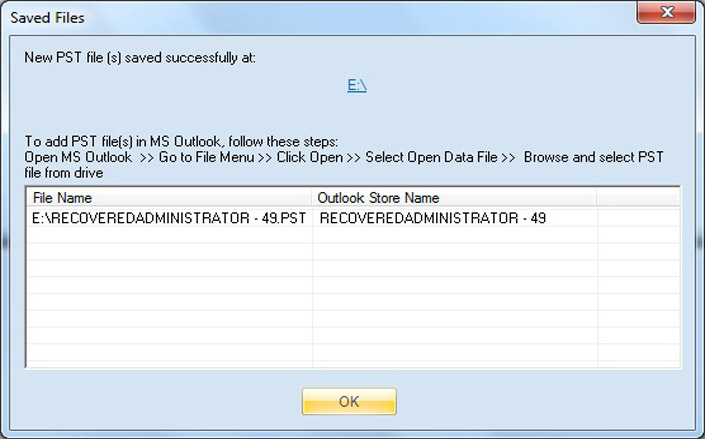
Select the required option and save the recovered email data in desired file format.
However, if you have doubts regarding the functionality of the software, you can try the evaluation version of the Kernel for Outlook PST Repair software and experience the functionality and working yourself.

 Kernel Exchange Suite