
E-readers mostly prefer the EPUB file format over XPS to read digital content over the internet. This is probably because EPUB is quite flexible, compact, and compatible across different devices, such as tablets, smartphones, and computers. XPS comes with a fixed layout and is used for printing documents.
Both file formats differ from each other in so many ways. However, the conversion of XPS to EPUB, PDF, or another file format is not as straightforward as you think. If you have XPS documents and are looking for ways to convert XPS to EPUB, this write-up is your go-to guide. It will help you find a solution to support converting files with 100% accuracy.
Why should you Change XPS as EPUB File?
Let’s learn what makes the EPUB file format better than XPS files:
- Versatile in nature: EPUB files are reflowable, which means text of the documents adjusts itself automatically according to the screen size of the device.
- Better readability: EPUB files are easy to customize. Users can modify the font family, size, etc., providing better readability to the users.
- Easy navigation: With the clean layout of the EPUB files, supporting bookmarks, and hyperlinks, readers can easily navigate through the digital content.
- Compact file size: XPS files are usually of large size; however, EPUB files are compact in nature, occupying less space on the storage.
How to Convert XPS to eBook Format? Best Automated Solution
Converting XPS to EPUB manually is not feasible as there are chances of losing data and structure of the documents. Therefore, we suggest you go with the reliable XPS Converter Software that does not allow any change in the data integrity.


XPS converter software is a prominent solution to change the format of your XPS files. Some advanced features that make this tool best suited for all include:
- Convert XPS to EPUB, PDF, and 15+ other formats securely.
- Convert multiple files at once without changing data integrity.
- Allow large XPS file conversion irrespective of the file size.
- Convert XPS to EPUB even with no internet connectivity.
- Support converting XPS files with all Windows OS versions.
Process to Change XPS as EPUB File: Step-by-Step Guide
Here is the detailed process to convert XPS to eBook format effortlessly using the tool:
Step 1: Launch Kernel XPS Converter on your system and select the source file type as XPS or OXPS file.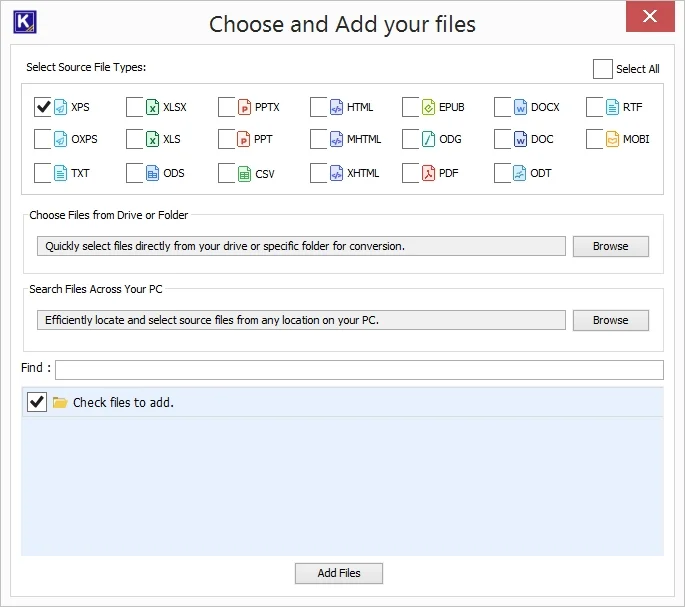
Step 2: Click Browse to add an XPS file or provide a destination path from your personal computer.
Step 3: After adding the files, select the required ones under the Check files to add list.
Step 4: Now, click on Add Files to continue.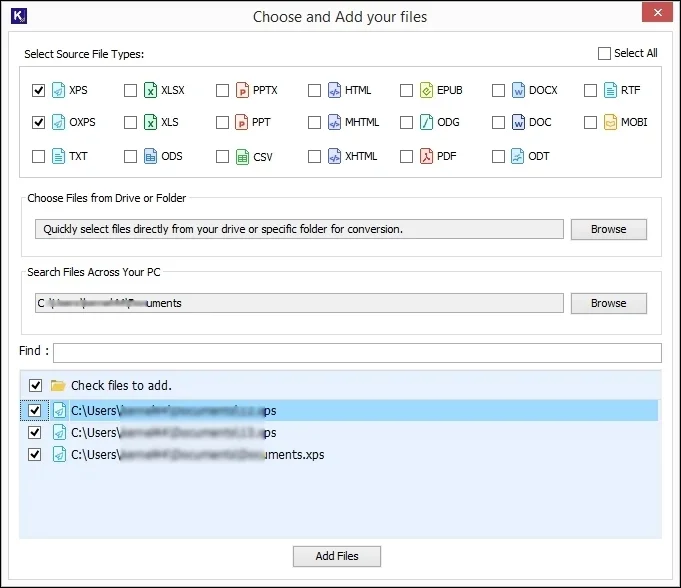
Step 5: Once the files are added, mark the checkbox on any document, and then click View to preview the file content.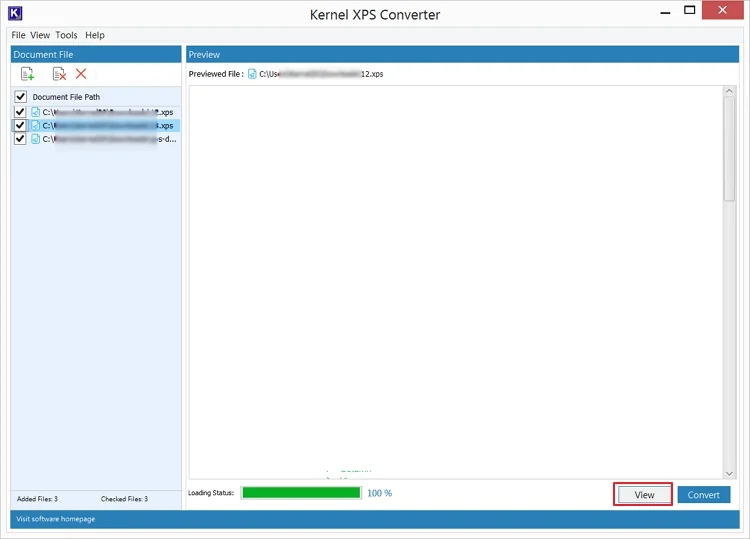
Step 6: After getting the preview, click on Convert to change XPS as EPUB file.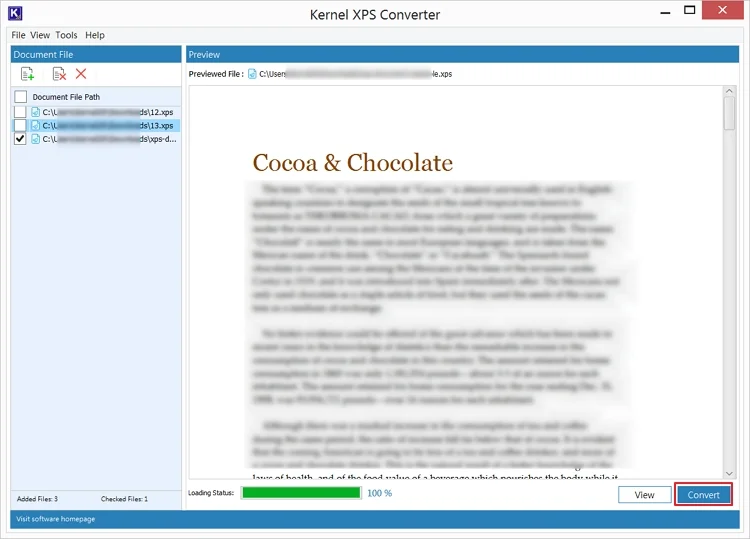
Step 7: Select the required output file format from Ebook Formats and proceed.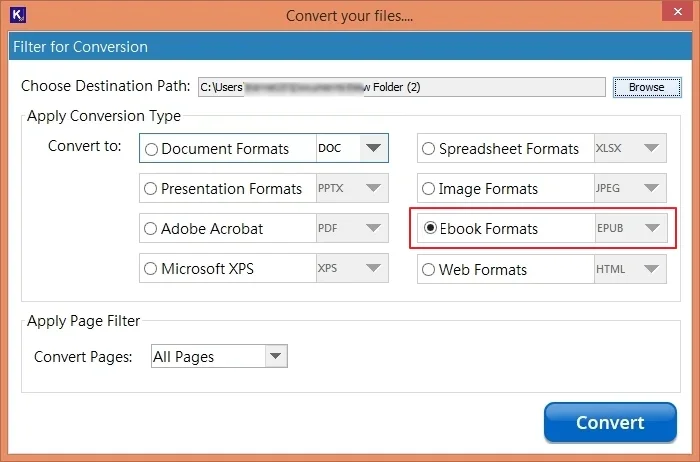
Step 8: Choose the desired Page filter and click Convert to start file conversion.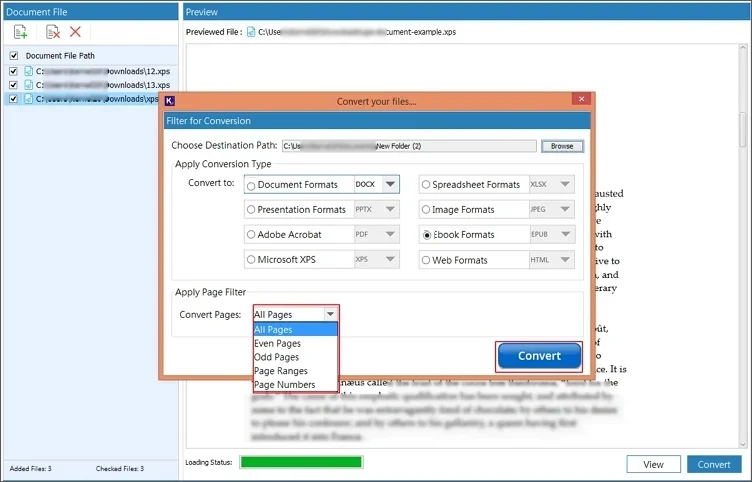
Step 9: You can track the progress of the process on the screen.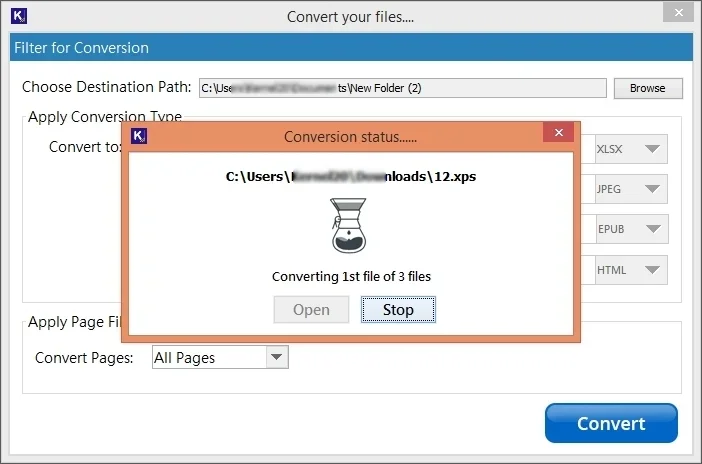
Step 10: Post process completion, a pop up will show Conversion completed message and location of the saved file.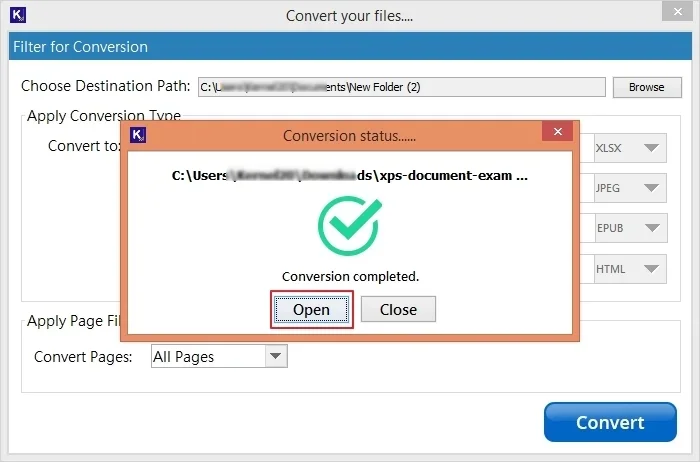
Conclusion
For error-free and smooth conversion of XPS files, you need a reliable solution. Kernel XPS Converter is the best and feature-rich XPS to EPUB converter that supports converting files without limitations. It allows conversion of XPS files to over 20 different file formats, including PDF, DOC, HTML, etc. Additionally, it allows you to save files at your desired saving location on your computer.
Frequently Asked Questions
Q. Which file format is better: XPS or EPUB?
A. Both XPS and EPUB files are meant to serve different purposes. XPS files are designed for printing and archiving data, assuring that the layout of the file doesn’t change. EPUB file format is for e-readers to allow them to read the digital content easily.
However, you can choose any of the file formats according to your objective.
Q. How to convert bulk XPS files to EPUB?
A. To convert XPS file to EPUB, you can use a professional tool like Kernel XPS Converter. It follows a short step procedure that allows easy conversion of files.