
XPS files are a great choice of format for saving files in their original formatting. Much like PDF files, they’re mainly used for printing and viewing files without disrupting the original file structure and integrity. However, with this benefit comes the limitation of not being able to edit the file data. Even simply copy pasting the plain text of a document can ruin the formatting of your essential data.
What is the easiest way to copy XPS data to another file without ruining the formatting? Simply convert XPS files to another file format, like TXT, to edit them easily. We’ll discuss the best ways to convert XPS to TXT format without harming the file integrity. This blog also talks about a trustworthy XPS to TXT converter to help users convert their file data easily.
Reasons to Convert XPS Files to TXT Format
Potential reasons to save your XPS files as TXT format include:
- Easy editing: XPS files can’t be edited easily since they’re mainly used to preserve document integrity. Converting them to TXT format makes it easier to edit the data and update the content.
- Compatibility: TXT files are much more compatible and supported file format as compared to XPS format. Also, these files can be accessed offline without needing any third-party app, unlike XPS files.
- Searching: Required data can be easily searched and indexed efficiently in plain text format. This is quite helpful when looking for specific information within large documents.
- Archiving purpose: Since TXT files have such a simple and stable format, these files are a great option to archive data for long periods of time.
Way to Convert XPS to TXT Format – An Automated XPS to TXT Converter
Copying and pasting texts from XPS files isn’t always the best way to extract text from XPS files. More often than not, it leads to loss of formatting and structure of the copied data. Also, there’s a solid chance that while copying all data manually, you might skip some essential information. How to proceed further in this case? Online tools to view and convert XPS files may get the job done, but the biggest issue with them is the risk of data leaks. Also, most online tools don’t offer the option to perform bulk XPS to TXT conversion.
In this case, using a dedicated XPS Converter Tool for converting XPS files is the best way to retain formatting while converting them to TXT format. Kernel XPS Converter tool converts multiple XPS and OXPS files to various output formats, including TXT, PDF, DOC, etc., at once. No need to worry about disrupted formatting or structure, as this tool preserves the original structure and formatting during the conversion process.


Some key features of Kernel XPS Converter include:
- Supports conversion across 20+ output formats including DOC, DOCX, TXT, PDF, PPT, JPEG, etc.
- Preview the added XPS file data before starting the conversion process.
- Convert XPS Files to TXT in bulk without any file size restrictions.
- Preserves the original formatting and file structure of the document.
- Quickly processes and converts large XPS files without any downtime or delay.
- Works without internet connectivity; users can perform XPS conversion even without network connection.
Detailed Steps to Convert XPS to TXT Format using the Tool
Step 1. Launch Kernel XPS Converter and choose XPS and OXPS formats as the source file types.
Step 2. Click on Browse and choose files from a specific folder or search for source files across your PC.
Step 3. Once files are uploaded, click Add Files to add the needed files to the tool.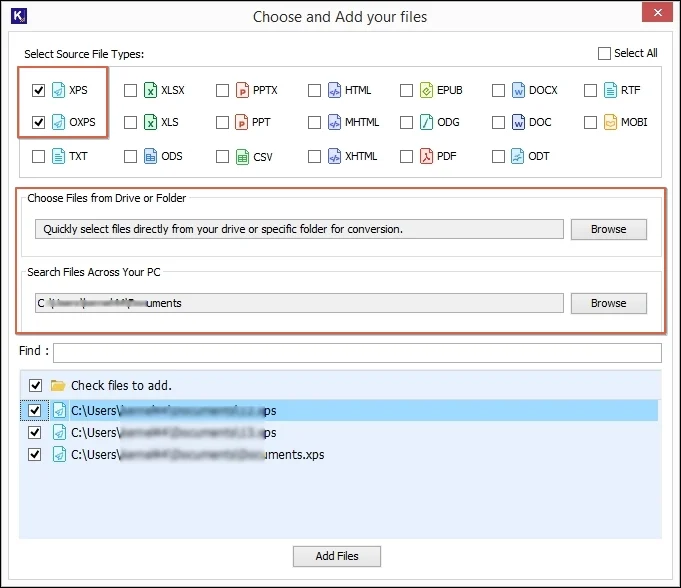
Step 4. Preview the added XPS files and click on Convert to start the conversion.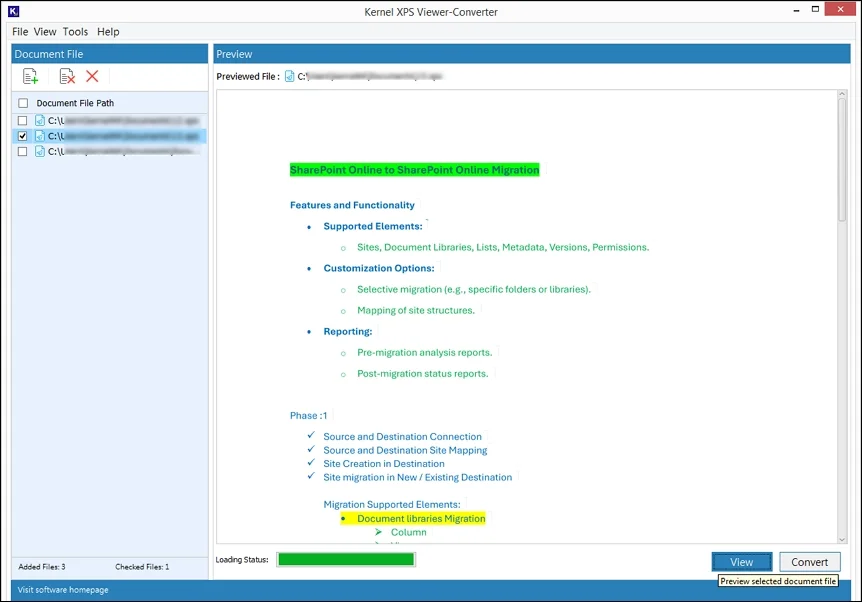
Step 5. Browse a destination path and choose TXT as the output type to save your files. You can also apply Page Filter to convert specific pages of the XPS file. Click Convert to proceed.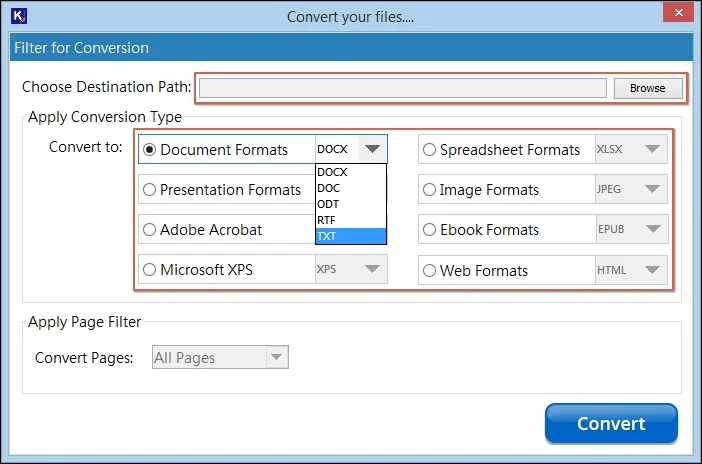
Step 6. Once the conversion is completed, click Open to directly access the converted files. Click Close to exit software.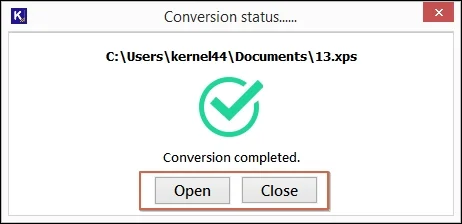
Conclusion
Some situations might call for the need to copy a specific part of a large XPS file and save it in a different document. However, considering the non-editable nature of XPS files, this isn’t as easy as it seems. Manually copying and pasting the data to a new location also invites the risk of ruining the formatting and structure of the file.
As per experts, the best way to deal with this issue is to use the recommended XPS to TXT converter software. Kernel XPS Converter is the perfect tool for that matter. This tool can convert multiple XPS and OXPS files at once to different formats, including PDF, DOC, HTML, JPEG, etc. Get the trial version and simplify your conversion process for free.