
EML files are known for their simple formatting and their ability to preserve the email structure. Also, they can be universally accessed via many major email clients like Apple Mail, Thunderbird, etc. These qualities make this format useful for users. We’ll go over the common reasons to convert Outlook email with attachments to EML format. Also, we’ll discuss a stepwise process to save Outlook email as EML file using a professional Email to EML converter tool. First, let’s look at the reasons for conversion.
Reasons to Save Outlook Email as EML File
Common reasons why users convert Outlook email to EML format are given below:
- Multi-platform functionality: EML files can be easily accessed by the majority of email clients and platforms apart from Microsoft Outlook, like Mozilla Thunderbird, Apple Mail, etc.
- Easy sharing: EML files make sharing a single individual message very easy. Unlike Outlook data files (OST and PST), EML can be shared with others without needing to share an entire mailbox.
- Archiving and backup: Since EML files are the text form of an email, it’s easy to back them up. This also helps protect your emails against data loss and helps in better data management.
- Offline access: If you export your Outlook emails in EML format, then it becomes very easy to access them without an internet connection. This reduces the reliance on network connection and allows you to work without disruptions.
- Preserves metadata and formatting: Saving emails in EML format preserves the integrity and metadata of your emails. All the essential details, like email header, body text, and send/receive information, are preserved correctly.
Best Way to Save Outlook Email as EML File – Automated Solution
There’s no direct way to convert Outlook email to EML format; however, there are two workarounds available. Either convert Outlook emails with attachments to EML via Outlook Web or convert each email to EML individually. However, these methods aren’t suitable for large mailboxes. Also, individually converting a large number of emails to EML format can lead to mistakes or data loss.
The best way to save Outlook email as EML file is to use a professional Email to PDF Converter for risk-free conversion. Software like Kernel Email to PDF Converter is the recommended method to safely save all your emails to EML format. This utility converts Outlook mailbox components like emails, attachments, contacts, etc., with complete accuracy.


Some important features of Email to EML Converter are:
- Convert emails from all Microsoft Outlook versions to EML format.
- Add single/multiple emails and convert all to EML at once.
- Save Outlook email as EML file on your local system, at the location of your choice.
- Convert emails to other output formats like PDF, MSG, DOC, DOCX, etc.
- Convert large-sized emails to EML format without any size restrictions.
- Preserve the original mailbox structure and data integrity during conversion.
Detailed steps to convert Outlook email to EML format using Email to PDF Converter
Step 1. Download and launch Kernel Email to PDF Converter.
Step 2. Click on Add (+) symbol to add the Outlook Data Files (PST or OST).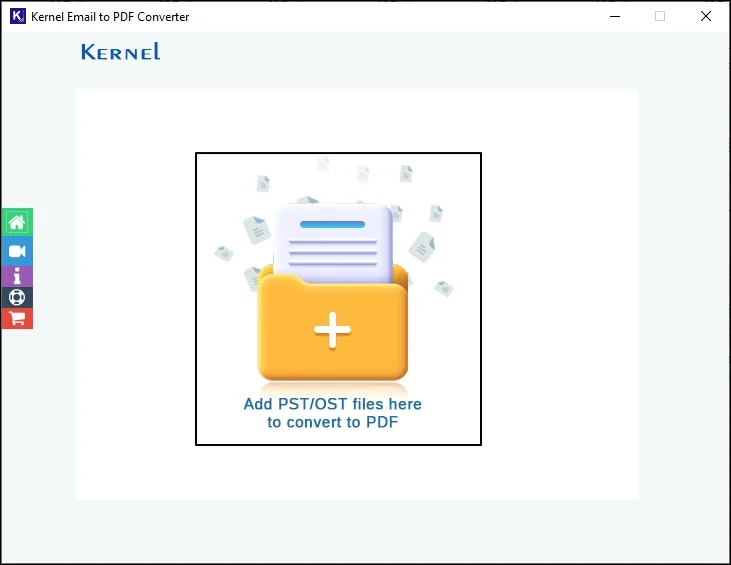
Step 3. Choose the required Outlook Data Files and click Open.
Step 4. Add all the necessary files and click on Set Filter and Convert option.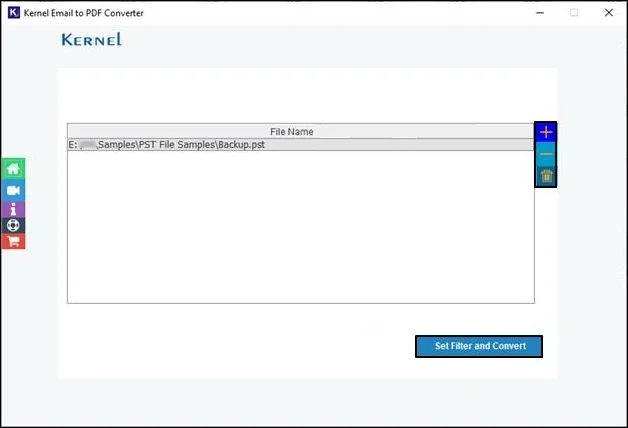
Step 5. Apply filters like Date Range and Item Type filter. Also, exclude Deleted Item folder and Empty Folders if required. Then click on Start Conversion.
Step 6. Choose EML as the saving format and click on Browse to choose the saving location of the converted files.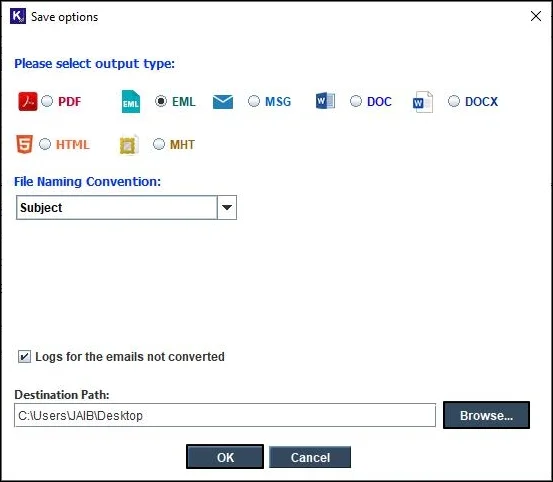
Step 7. The conversion process will start immediately.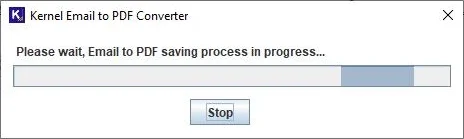
Step 8. Once the conversion is completed successfully, a confirmation message will be displayed on the screen with a link to directly access saved files.
Conclusion
Converting Outlook emails to EML format is a practical process for easy accessibility and offline access, among many other reasons. The manual processes discussed above to export your Outlook emails in EML format work fine for a small number of emails. But these aren’t the best fit to convert large volumes of emails. For a large-scale conversion, experts suggest using a reliable Email Converter tool like Kernel Email to PDF Converter. Follow the detailed steps given in this blog and convert Outlook email to EML easily.