
Struggling with massive CSV data that is too hard to handle or takes forever to load? Splitting them into smaller and more manageable files is the best solution. CSV (Comma-Separated Values) is a commonly used format to keep and share data with others in its original structure. These files can grow in size with constant usage, making them hard to manage.
In this blog, we will find out how to split bulk CSV files without altering data. But first, let’s know some more reasons why users need to split CSV files.
Why do users need to split bulk CSV files?
Splitting CSV files can help users in many ways. Hence, there are multiple reasons why users need to split bulk CSV files, some of them are:
- Not all applications (such as Excel or Google Sheets) are capable of opening bulk CSV files.
- Smaller CSV files are easier to process and access, requiring less RAM and CPU.
- Splitting bulk files allows users to manage large datasets efficiently.
- It helps in preventing system crashes and freezes.
Which is the best method to split bulk CSV files?
There isn’t any reliable manual method available to split bulk CSV files. So, choosing a professional tool will be the best choice in this scenario. The Kernel CSV Splitter tool is the most reliable software that handles large or bulk CSV files, splitting without compromising data integrity. This CSV Splitter tool offers the best filters for customized file splitting process. Moreover, it uses a powerful algorithm that keeps the data untouched.
Benefits of using a professional CSV Splitter tool:
- Supports batch CSV file splitting based on the number of rows and different sizes.
- Multiple output formats such as CSV, XLS, XLSX, XML, and ODS.
- Allows to keep the first (X) rows as duplicate headings in each output file.
- Gives users the opportunity to select the number of rows to split into a file according to it.
- Keeps data structure and formatting in the original hierarchical order.
- Supports CSV files created with all the applications and tools.
- Automated CSV file splitting with zero loss guaranteed.
- Offers a trial version, which allows users to split first 25 rows per CSV file.
Steps to split bulk CSV files using Kernel CSV Splitter:
Step 1: Download and launch the software, then click Split.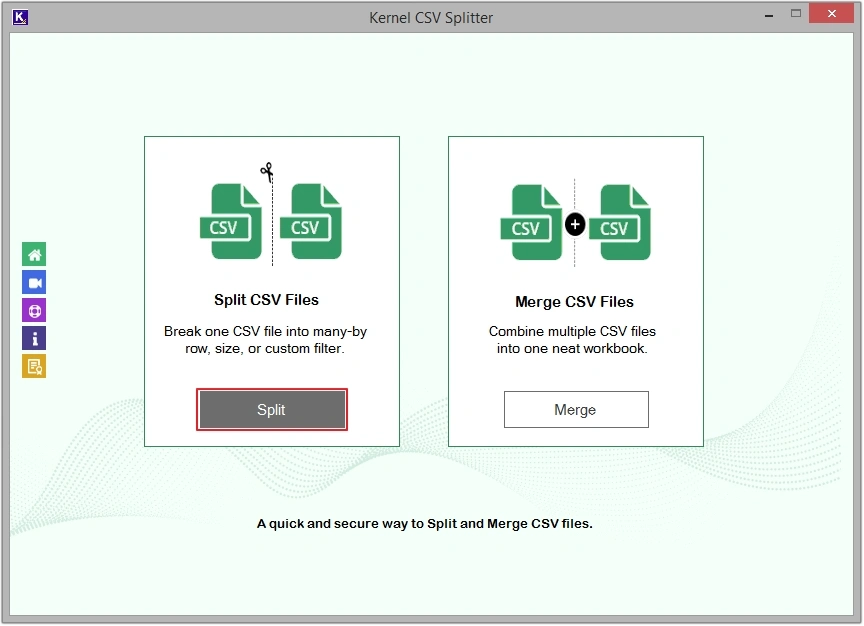
Step 2: Click on the Add File option, then select the desired CSV files and click Open.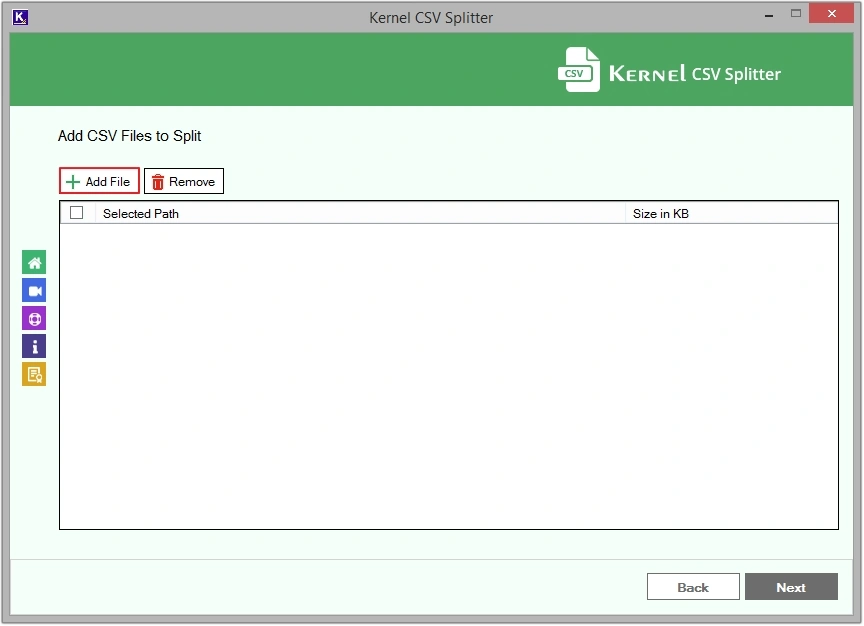
Step 3: Select the checkbox adjacent to added CSV file’s location, then click Next.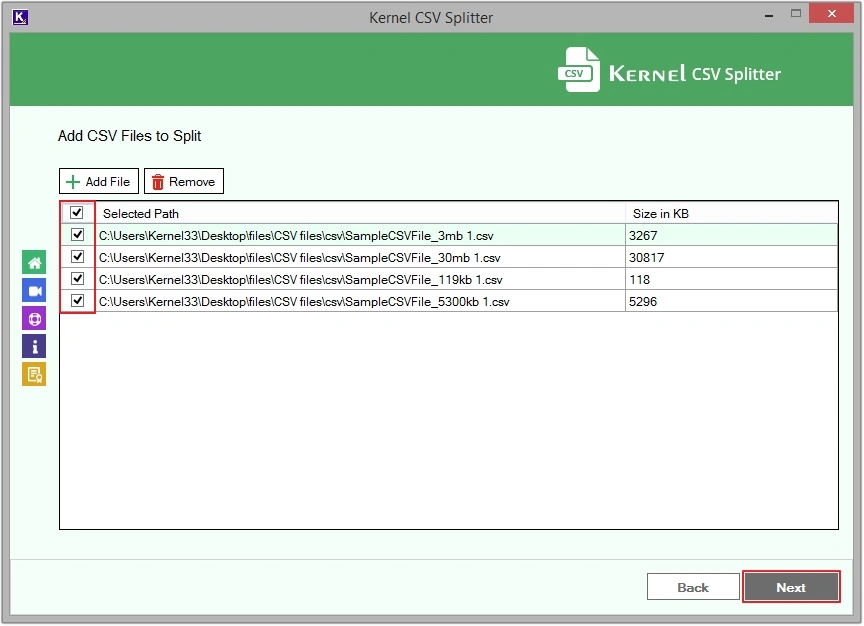
Step 4: The software offers two split options, i.e., Split By Row and Split By Size. Select required one, then apply filters as per your choice.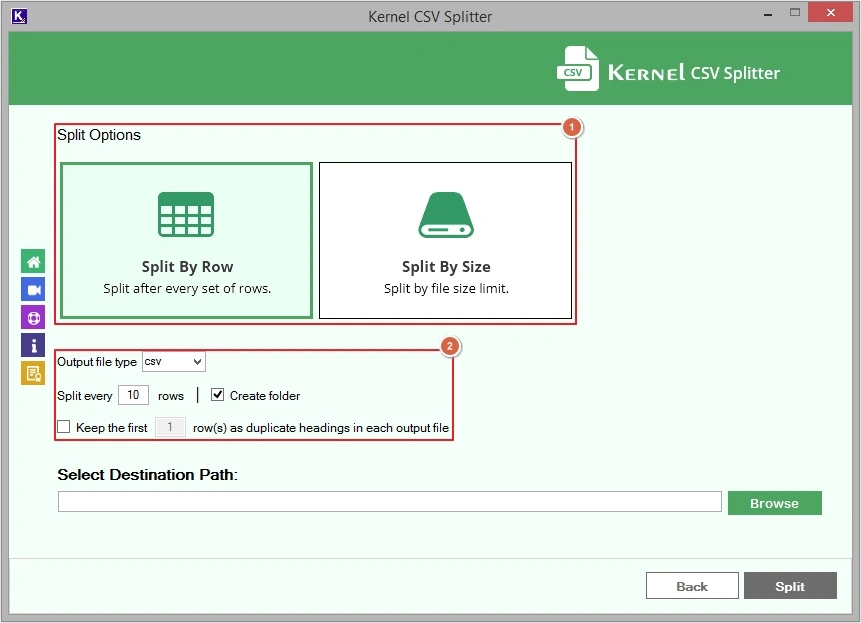
Step 5: Click on the Browse button to provide saving location, then click Split.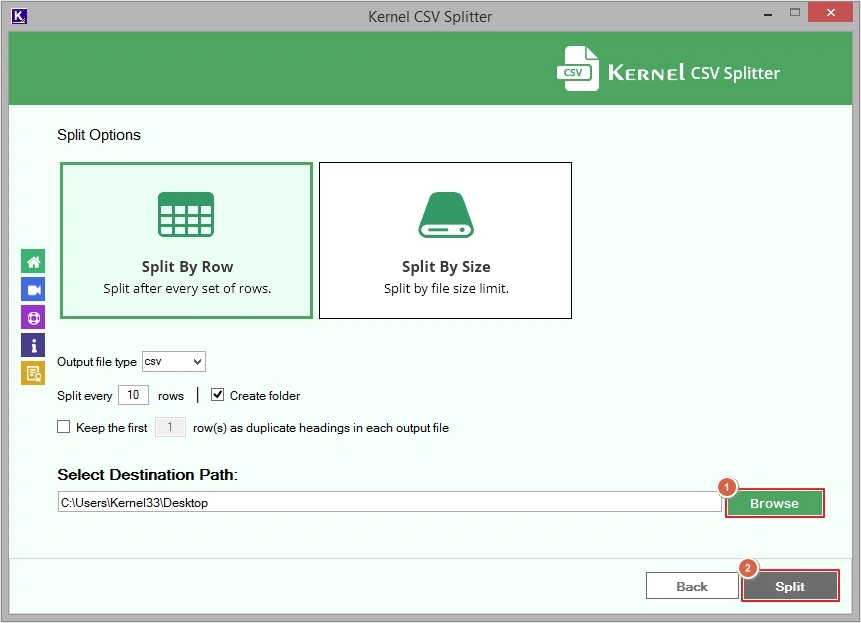
Step 6: The software will begin the split process, wait till process completes.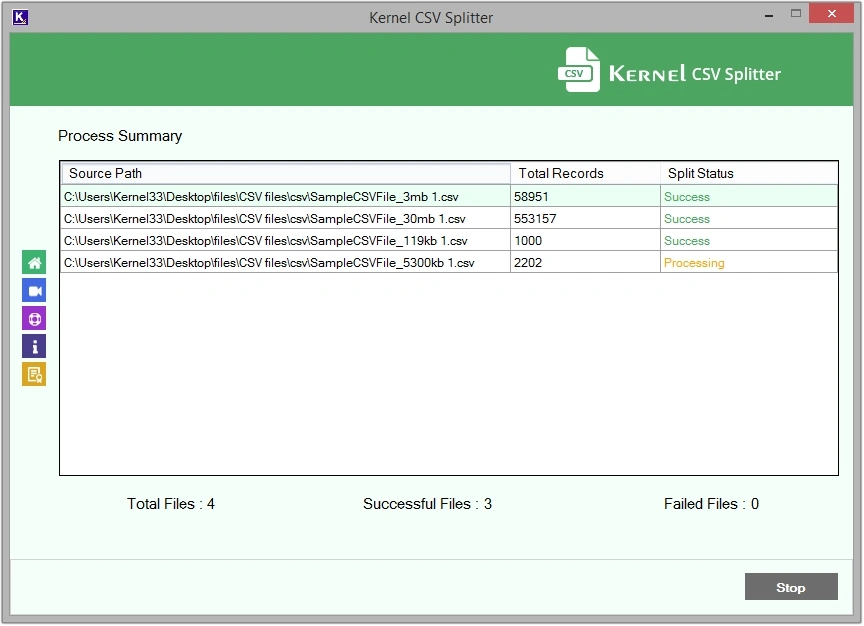
Step 7: Upon the CSV file splitting process completion, click OK.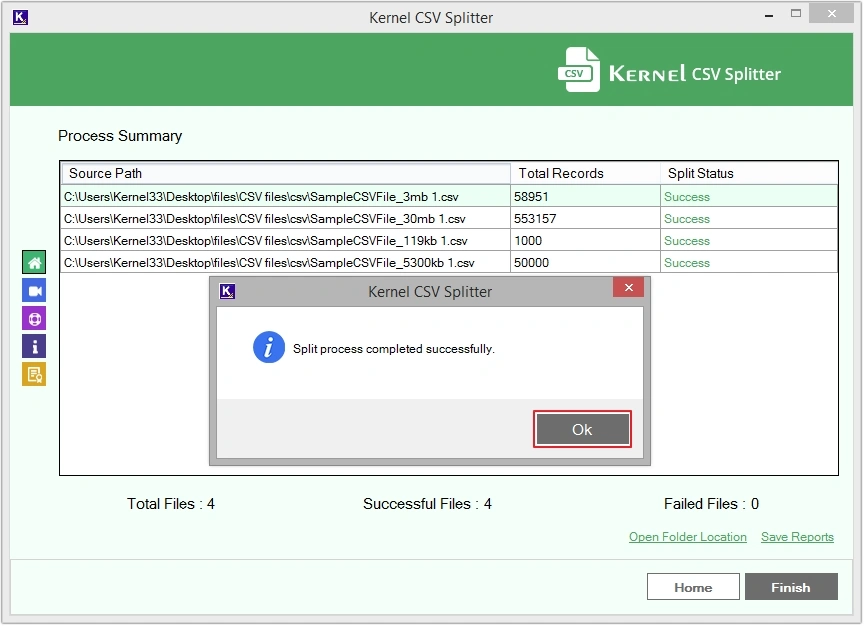
Step 8: To directly access the saved file’s location, click on the Open Folder Location.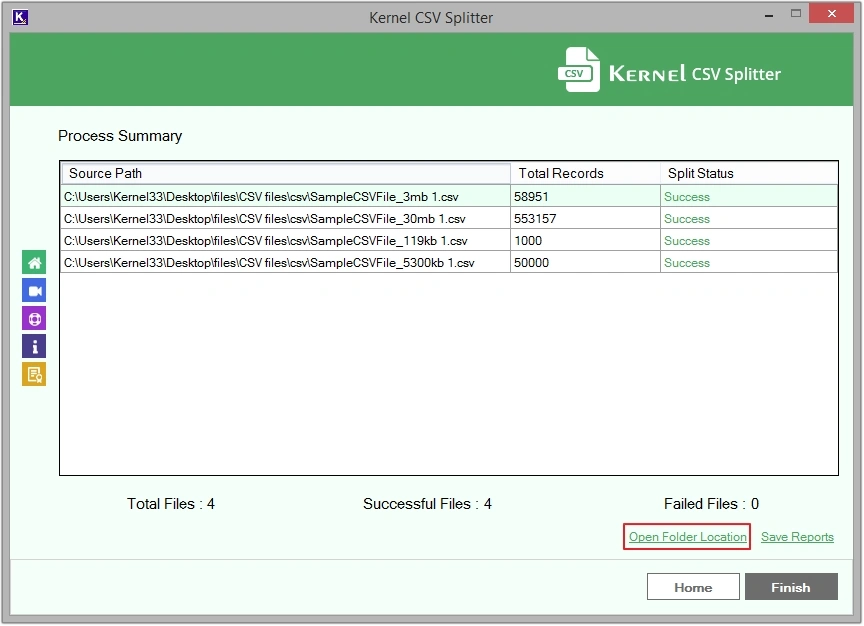
Step 9: Click on any CSV file to view the saved content.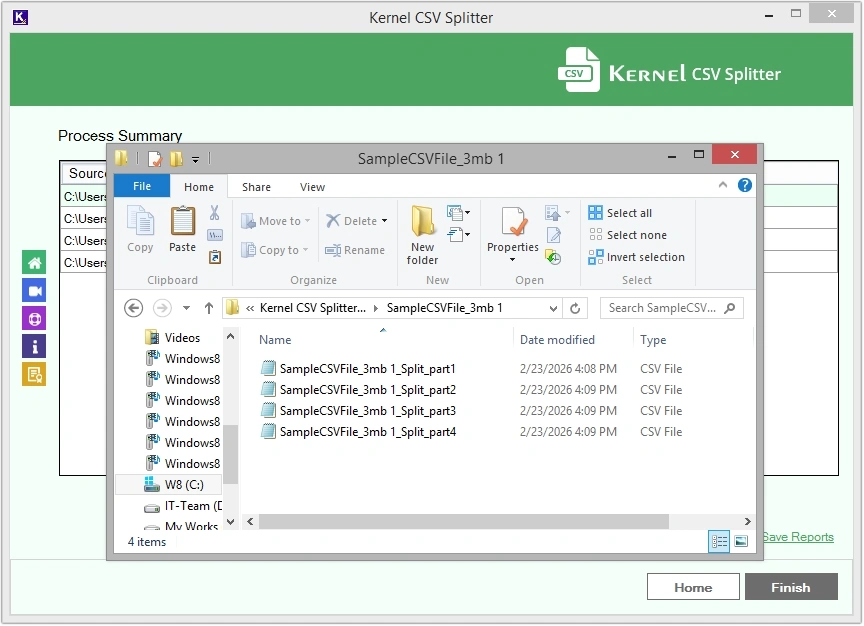
Step 10: Save the progress summary by clicking on Save Reports.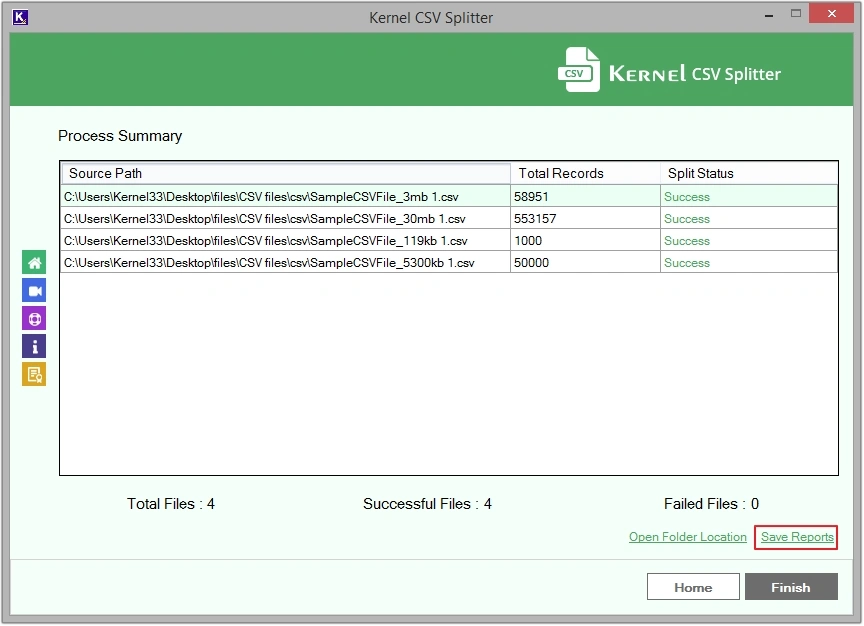
Step 11: Provide location, file name, and click Save.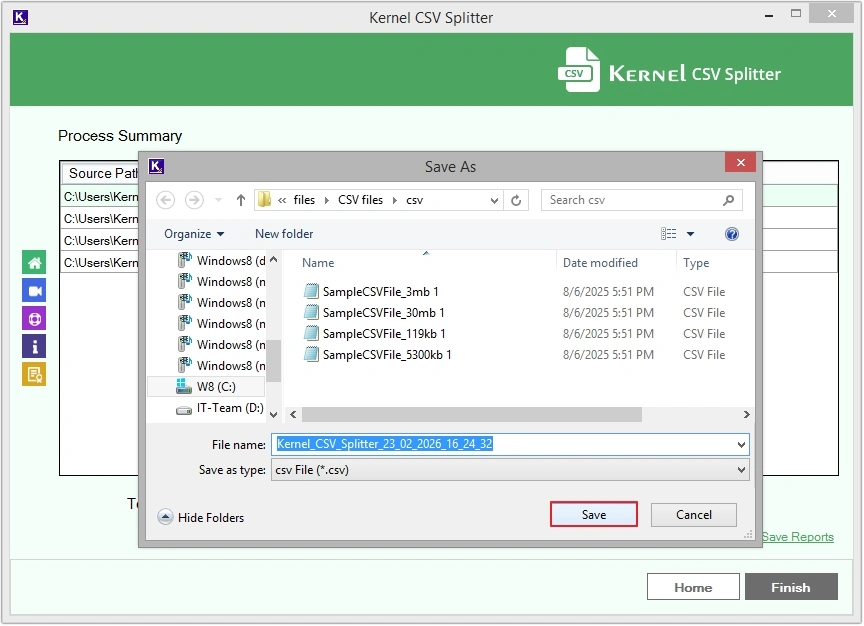
Conclusion
There are many aspects that encourage users to split multiple CSV files. This write-up explained the best possible method that you can consider to split bulk CSV files without hampering formatting, structure, and metadata. This CSV Splitter tool offers multiple smart filter options for precise and error-free results. Moreover, you can first use the trial version of the software to make sure it meets your requirements.
Frequently Asked Questions
Q. Can I split 100 CSV files at a time with this software?
Ans. Yes, you can easily split 100 CSV files at a time with this CSV Splitter software.
Q. Do I need to install any additional application to use this tool?
Ans. No, you do not need to install any additional application to use this tool. This is an independent utility that works without needing anything.