Full Repair of corrupt EDB files
Kernel for Exchange Server fights severe corruption and repairs corrupt EDB files retaining its integrity, structure, and folder hierarchy. After scanning the Exchange database with advanced algorithms, the software allows to preview and save the EDB data.
Repair large EDB files
A large Exchange database file causes many issues and stops the mailbox from opening. Our software removes the size issues by saving mailboxes into different PST files. It is an effective method to keep your data available and accessible.
Save directly to live Exchange
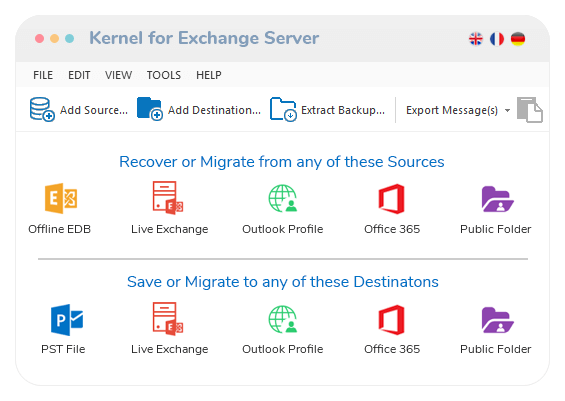
Repairing corrupt EDB files is the primary job of the software. It allows you to move your mailboxes or selected data to live Exchange and Office 365 cloud. This is the simplest tool for saving EDB data to Exchange and Office 365.
Easy EDB repairing methods
The transfer between the source EDB file and a destination can be completed using several simple methods. One can directly export, copy & paste, and even drag & drop data from source to destination. It also gives reports showing the status of moved items.
Advanced EDB repair modes
To repair corrupt EDB files, the software has been designed with two scanning modes based on the severity of corruption. The Standard scan can help in recovering normal data, but if the EDB file is severely corrupt, then the Deep scan will recover it.
Advanced filters for data
The filter options are based on the properties of the mailbox, and you can apply them to the source data. The data in the destination will be trimmed down as per the applied filter. Different export methods have different types of filters.
Recover Corrupt Exchange database
Recover data from a corrupt EDB file with our Exchange Server recovery tool and save the mailboxes to PST, Live Exchange Server, and Office 365. Download free version to resolve Exchange errors caused by Boot failure, Checksum error, Database integrity, etc.
Preview of Exchange data before saving
The Exchange recovery tool features a preview pane to access information stored within the selected folder, email, or message from source & destination lists. Before you restore Exchange mailbox, preview feature allows you to read the entire message, including attachments, contacts, etc.
 (4.9/5) 514 Reviews
 The free trial version converts only 25 items per folder.


 Download Free
 Buy Now
  1-866-348-7872



 Installation Guide