Read time 3 minutes
When the user opens Microsoft SQL Server Management Studio, the application connects with SQL Server and then allows you to open the database and work on it. Sometimes, the user tries to open the application, but it gives the error that “Unmapped SQL error code 10038 – Attempt to initiate new SQL server operation with results pending.”
Although the application will open, the connection with the SQL Server will not establish.
This SQL error code 10038 usually doesn’t affect the existing processes. But users find it difficult to connect to the server and create new processes. Whenever you encounter this error, try to find out the root cause of the error before solving it. This article thoroughly explains reasons and solutions of the SQL error code 10038.
Reasons SQL error code 10038
- One of the possible causes of this error is an unsuccessful connection to the server through VPN or proxy server, or both. If you debug the BDE code representing dialup connection to a server, you will find the server is failing with the 10038 error. It fails whenever the single MS DBLIB function calls to connect to the server. If you try to do some action against the server like executing some SQL statements (DML, DDL), it results in this error.
- Another cause of this error can be the failure of the application fails to call dbresults until it gets NO_MORE_RESULTS. You may get this error message with the process when it is used next time.
Solutions to resolve unmapped SQL error code 10038
There are two possible workarounds that can be implemented to resolve this error.
- Use the TDatabase parameter CANCEL QUERY (dbcanquery). Dbcancel query is helpful in situations when MSSQL server is unable to process a “dbcancel” of pending results which can be a reason for getting this error.
- Use ODBC driver for establishing the connection with the server as it does not use DBLIB, which is responsible for this error.
What to do if SQL data is inaccessible due to database corruption?
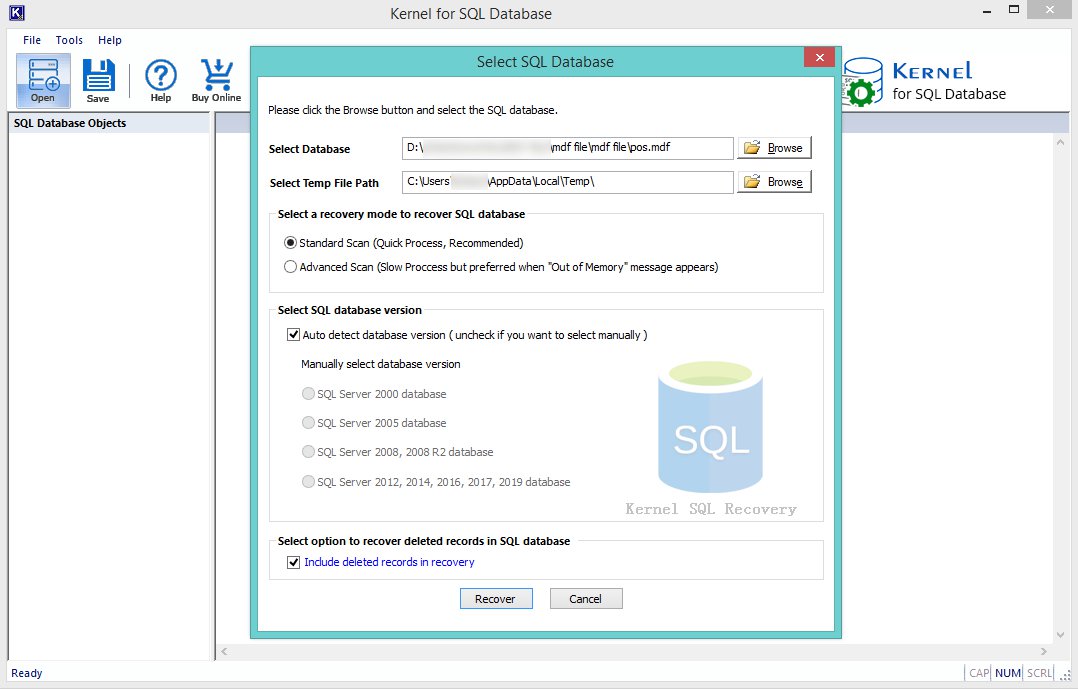
In some situations, SQL data become inaccessible due to the corruption of SQL database files (MDF). However, the lost SQL data can be restored using SQL recovery tools. If you also face such issues, try SQL Database Recovery, an efficient SQL server recovery software designed for the recovery of databases. It will repair MDF files of SQL server, and recover all the data. This tool is easy to use, and also it supports all the versions of MS SQL Server.
Conclusion
The MDF files are present in the user’s computer system and can get affected like any other regular file. Because they contain multiple databases, so you need to recover the data from them. Kernel for SQL Database software will recover the entire database and complete tables in it. With the dependencies, relationships, triggers, procedures, etc., you can recover the MDF as a whole file in a single attempt.